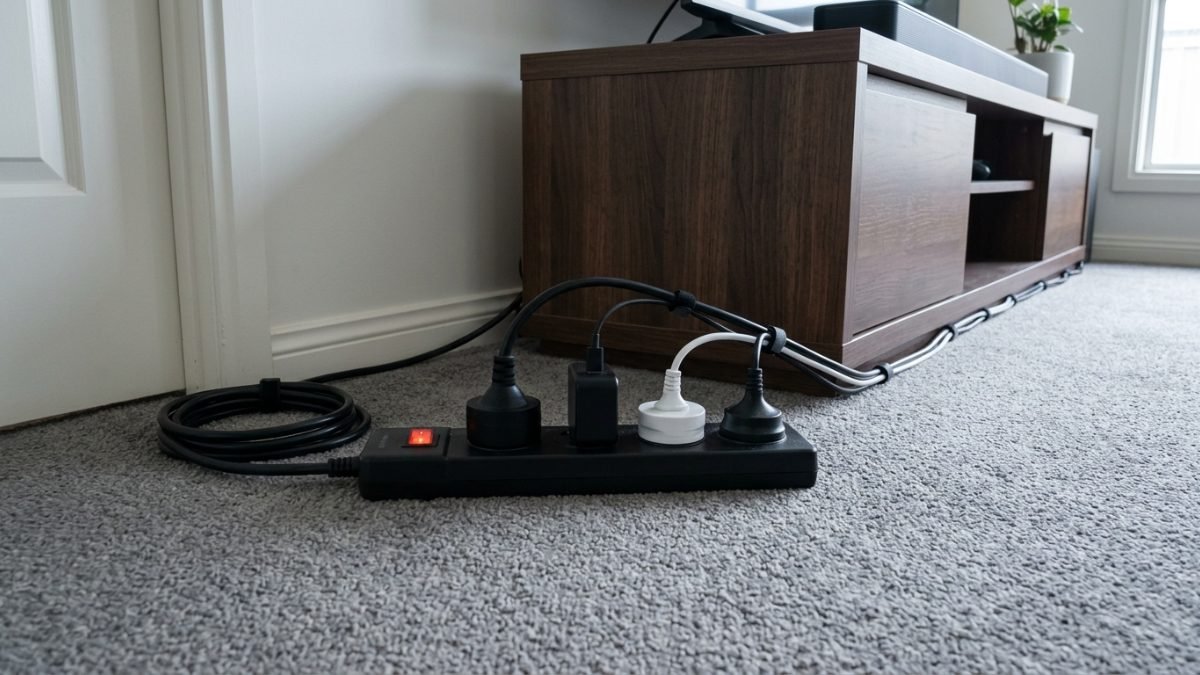
A power board turns one wall socket into several, running a moulded plug into a strip of outlets through a flexible lead. The best power board in Australia does two jobs that sound like one: it multiplies outlets, and where it is surge protected it absorbs the voltage spikes that arrive down the mains and destroy whatever is plugged in.
Four formats cover what is sold here. Standard strips give four to eight outlets on a lead with no electronics inside. Surge protected boards add a component that clamps voltage spikes, rated in joules. USB charging boards combine outlets with USB-A and USB-C ports so phone chargers stop occupying sockets. Tower and cube designs stack outlets vertically for a desk rather than running flat along a skirting board.
Surge protection is measured in joules, and 900 joules is the rating carried by several boards here. That figure is a total absorption budget rather than a per-event one, so a board slowly uses it up across the lifetime of the unit. Look for RCM approval on the packaging as well, since that is the Australian electrical safety mark and not every imported board carries it.
This guide compares ten power boards sold in Australia, from a plain four-outlet strip to a twelve-outlet tower with USB-C, and lists outlet count, surge rating and USB provision for each. Anyone running gear where there is no wall socket at all should read our guide to portable power stations instead.
Quick Picks
CyberPower 8 Outlet Power Board
Eight surge protected outlets, two USB ports and RCM approval on a two metre lead.
CHECK ON AMAZON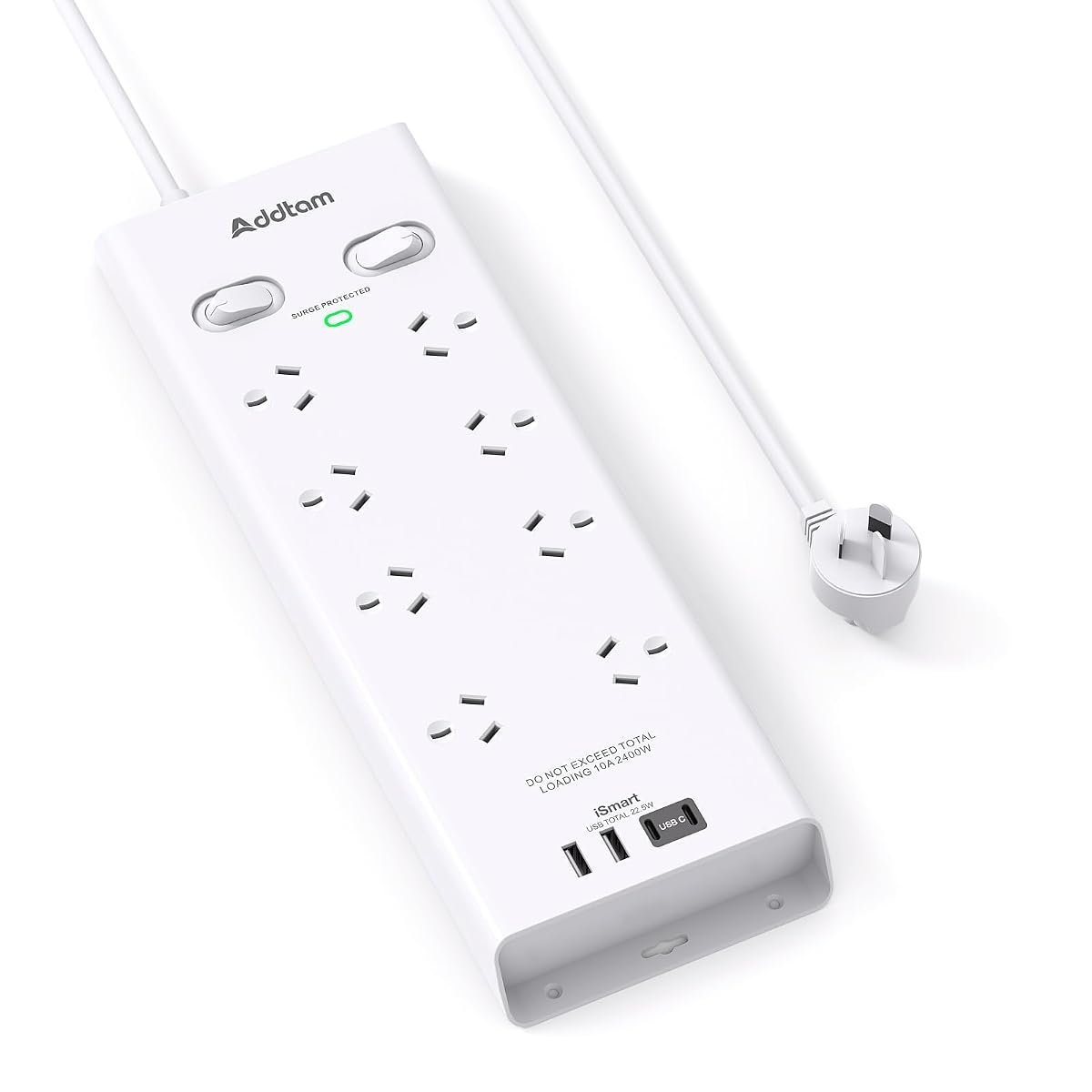
Addtam 8 Outlet Surge Protector Board
Widely spaced outlets, 900 joules of protection and four USB ports including two USB-C.
CHECK ON AMAZON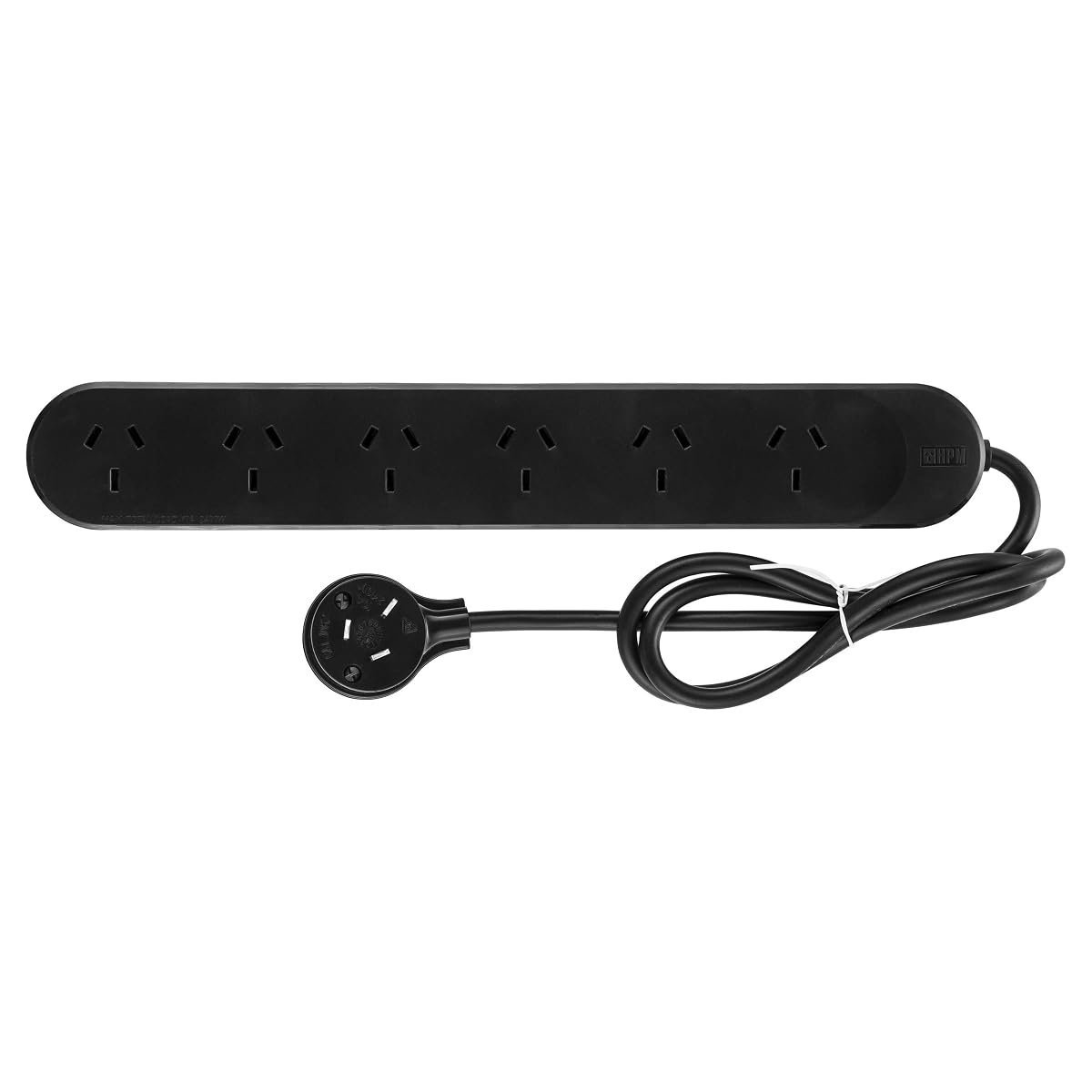
HPM Standard 6 Outlet Powerboard
A slim side-entry plug that sits behind furniture, with keyhole mounting slots.
CHECK ON AMAZONPower Boards Compared
| Product | Link | Type | Best For | Key Spec |
|---|---|---|---|---|
| CyberPower 8 Outlet Power Board with 2 USB | Check price | Surge protected | Home entertainment | 8 outlets, 2 USB, RCM approved |
| HPM Standard 6 Outlet Powerboard Black | Check price | Standard strip | Behind furniture | 6 outlets, 0.9m lead |
| Addtam 8 Outlet Surge Protector with 4 USB | Check price | Surge protected | Bulky adaptors | 8 outlets, 4 USB, 900J |
| Addtam Tower Power Board with 12 Outlets | Check price | Tower | Desks and offices | 12 outlets, 4 USB, 4 sides |
| Addtam 6 Outlet Surge Protector with 4 USB | Check price | Surge protected | Compact surge | 6 outlets, 4 USB, 900J |
| AUSELECT 10-in-1 Powerboard with 4 Outlets | Check price | Surge protected | Value multi-port | 4 outlets, 6 USB, 1.8m cord |
| LENCENT Cube Power Board with USB Ports | Check price | Cube | Desktops | 3 outlets, 3 USB, 1.65m cord |
| HPM Standard 4 Outlet Powerboard White | Check price | Standard strip | Basic use | 4 outlets, overload protection |
| LENCENT Double Power Adapter Wall Plug Extender | Check price | Wall extender | No trailing lead | 2 outlets, 4 USB, no cord |
| Addtam Travel Power Board with 2 Outlets and 4 USB | Check price | Travel | Cruises and hotels | 2 outlets, 4 USB, no surge |
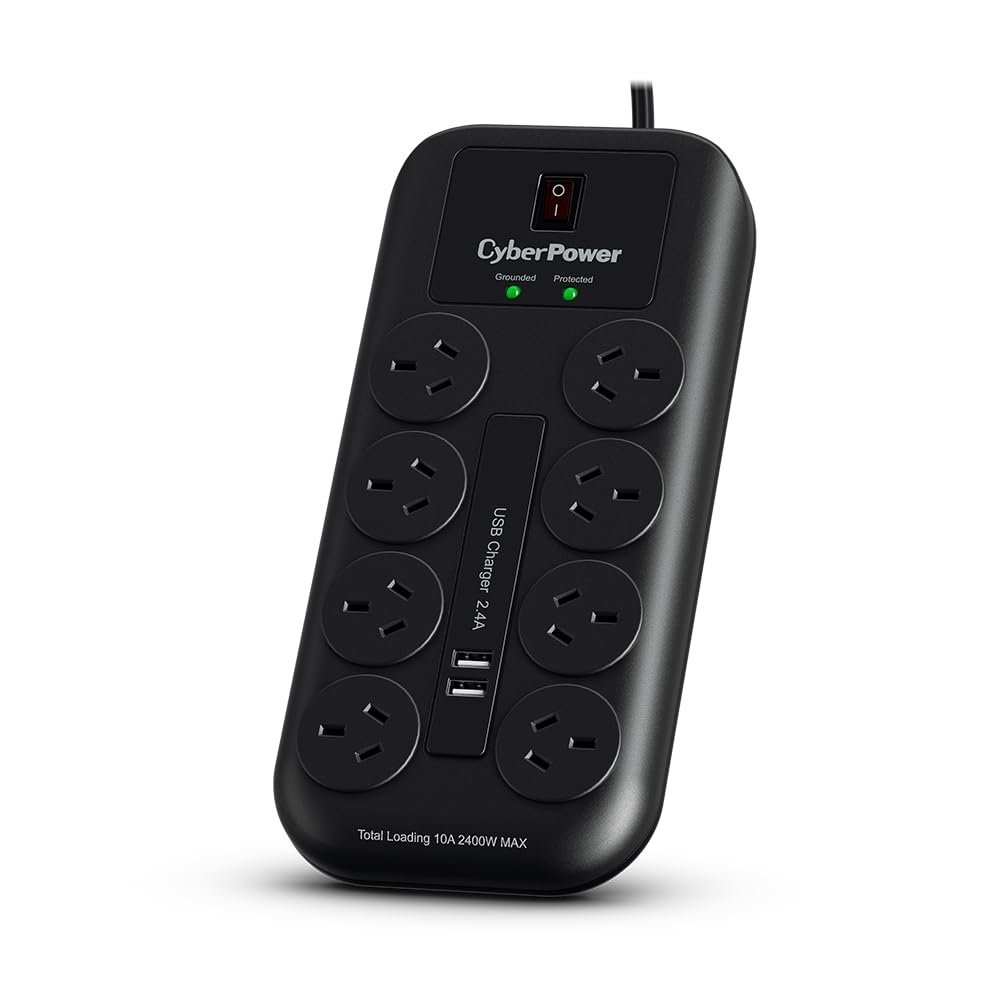
1. CyberPower 8 Outlet Power Board – Best Surge Protection
Eight surge protected outlets sit along this board, with two USB charging ports rated to 2.4A between them. The lead runs two metres, which is longer than most. It carries Australian Power Authority RCM approval.
That RCM mark is the detail worth pausing on, because it is the Australian electrical safety approval and not every imported board on sale here holds one. Surge and overload protection are both present rather than just the overload cut-out cheaper boards rely on. Two metres of cable reaches from a wall socket to a television cabinet without an extension.
Two USB ports at 2.4A is modest next to boards further down this list carrying four ports and USB-C. Anyone protecting a television, a console and a sound system wants the surge rating more than the charging. An on-off switch covers the whole board rather than each socket.
Pros
- RCM approved to the Australian electrical standard
- Eight surge protected outlets
- Two metre lead reaches further than most
- Surge and overload protection both included
Cons
- Only two USB ports and no USB-C
- Single switch controls all outlets
Key specs: 8 surge protected outlets; 2 USB ports at 2.4A maximum; 2 metre cable; on-off switch; RCM approved.
CHECK ON AMAZON2. HPM Standard 6 Outlet Powerboard Black – Best Simple Six Outlet
A slim side-entry plug is what distinguishes this from the usual moulded block, letting the board sit flush where a straight plug would hold it off the wall. Six outlets run along the body. The lead is 0.9 metres.
Side entry solves the specific problem of a power board behind a bed, a desk or a cabinet, where a conventional plug forces the furniture forward by several centimetres. It is also easier to grip and pull out of a socket. Keyhole slots on the back let it hang on a wall or the underside of a desk.
There is no surge protection here, only the basic overload cut-out, so it is the wrong board for expensive electronics. As a straightforward outlet multiplier in a bedroom or a laundry it does exactly what it should. The short lead keeps it tidy but limits placement.
Pros
- Slim side-entry plug fits behind furniture
- Six outlets in a compact body
- Keyhole mounting slots for hanging
- Australian brand with a long track record
Cons
- No surge protection
- 0.9 metre lead is short
Key specs: 6 outlets; slim side-entry moulded plug; 0.9 metre lead; keyhole mounting slots; overload protection.
CHECK ON AMAZON3. Addtam 8 Outlet Surge Protector Power Board – Best for Bulky Plugs
Wide spacing between the eight outlets is the design decision here, made so that plug-pack transformers do not cover the socket beside them. Four USB ports add to that, two USB-A and two USB-C. Surge protection is rated at 900 joules.
Anyone who has tried to fit three phone chargers onto one board knows the problem this solves, since a single bulky adaptor commonly blocks two sockets. Double switches on each side control the two halves separately, so one group can be cut without killing everything. Total USB output is 4.5A across the four ports.
Nine hundred joules is a mid-range surge rating rather than a high one, and the budget depletes over the board lifetime. For a desk running a computer, monitors and phone charging it covers the whole load in one unit. The 1.8 metre cord gives reasonable reach.
Pros
- Widely spaced outlets fit bulky adaptors
- Four USB ports including two USB-C
- Double switches control each side separately
- 900 joule surge protection
- 1.8 metre extension cord
Cons
- 900 joules is mid-range protection
- Physically larger than a plain strip
Key specs: 8 outlets at 10A/2400W; 4 USB ports (2 USB-A, 2 USB-C) totalling 4.5A; 900 joule surge protection; double switches; 1.8m cord.
CHECK ON AMAZON4. Addtam Tower Power Board with 12 Outlets – Best Tower Design
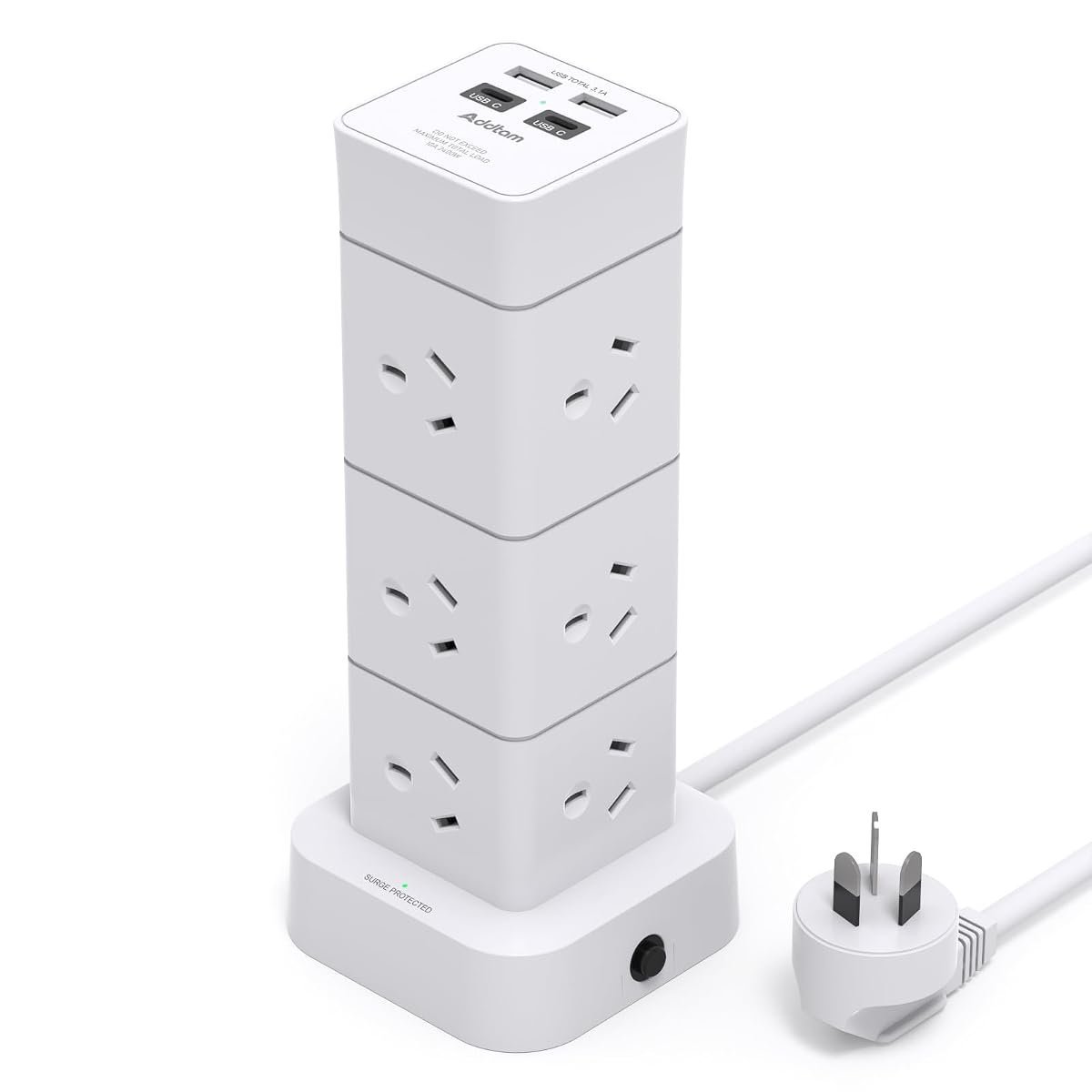
Twelve outlets and four USB ports are arranged around four sides of an upright tower rather than along a flat strip. Two of the USB ports are USB-C. Outlets are spaced 5.5cm apart.
Standing vertically changes how much desk or floor a board consumes, since a tower occupies roughly the footprint of a mug while carrying more than twice the outlets of a typical strip. Spreading them across four faces means bulky adaptors sit on separate sides instead of competing. It suits a desk with a computer, monitors, a lamp and charging all at once.
A tower is top-heavy and will tip if a stiff cable pulls on it, so it wants a spot against something. Home offices and entertainment units are the natural fit. For a single appliance behind a fridge it is entirely the wrong shape.
Pros
- Twelve outlets in a small footprint
- Four USB ports including two USB-C
- 5.5cm spacing accommodates bulky adaptors
- Outlets on four sides reduce crowding
Cons
- Top-heavy and can tip if cables pull
- Wrong shape for tight gaps behind appliances
Key specs: 12 AC outlets; 4 USB ports (2 USB-C); 5.5cm outlet spacing across four sides; surge protected; smart charging.
CHECK ON AMAZON5. Addtam 6 Outlet Surge Protector Power Board – Best Compact Surge
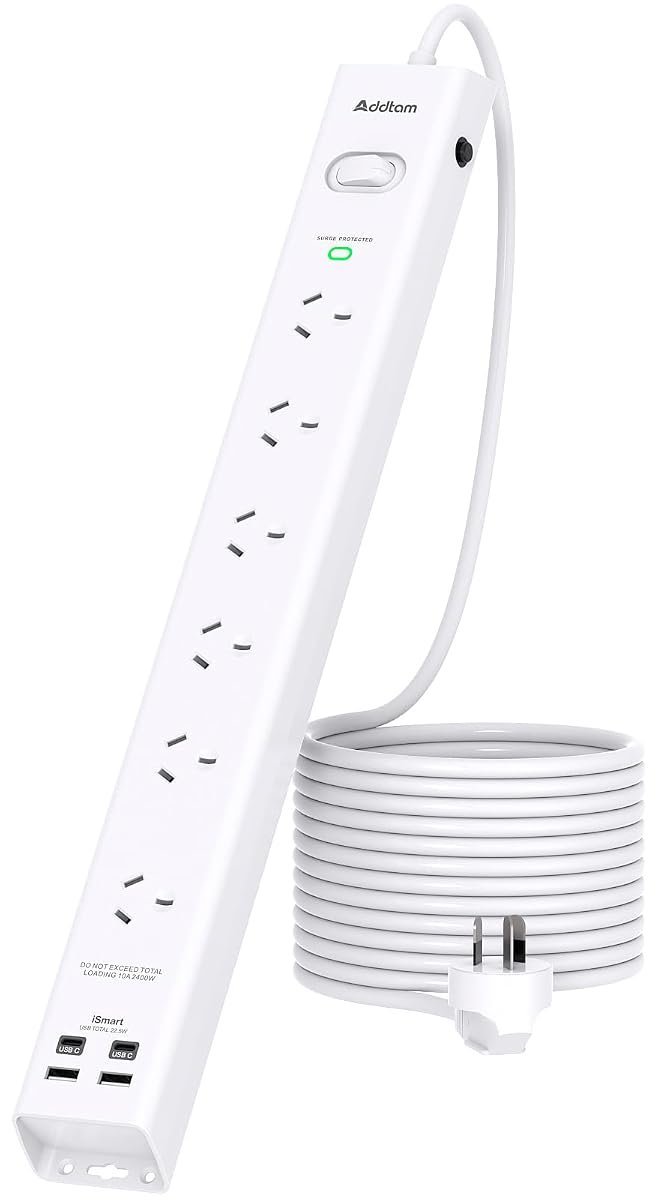
This is the smaller sibling of the eight-outlet model, keeping the same 900 joule surge protection and four USB ports across six sockets. Ten devices run at once counting the USB. Housing is flame-retardant PC and ABS with copper contacts.
Six outlets with four USB ports covers a typical desk or bedside setup without the length of the eight-outlet version, which matters when the board has to sit on a shelf. The surge rating and USB output are unchanged, so nothing electrical is given up for the smaller size. Fire-protection material is specified rather than implied.
Two fewer outlets is a real reduction if the board is feeding an entertainment unit. Where space is the constraint rather than socket count, this is the better of the two. The 900 joule rating applies equally.
Pros
- Same 900 joule protection as the larger model
- Four USB ports including USB-C
- Flame-retardant PC and ABS housing
- Runs up to ten devices at once
Cons
- Two fewer outlets than the 8-outlet version
- 900 joules is mid-range protection
Key specs: 6 outlets; 4 USB ports (2 USB-C) totalling 4.5A; 900 joule surge protection; flame-retardant PC and ABS housing.
CHECK ON AMAZON6. AUSELECT 10-in-1 Powerboard with 4 Outlets – Best Value Multi-Port
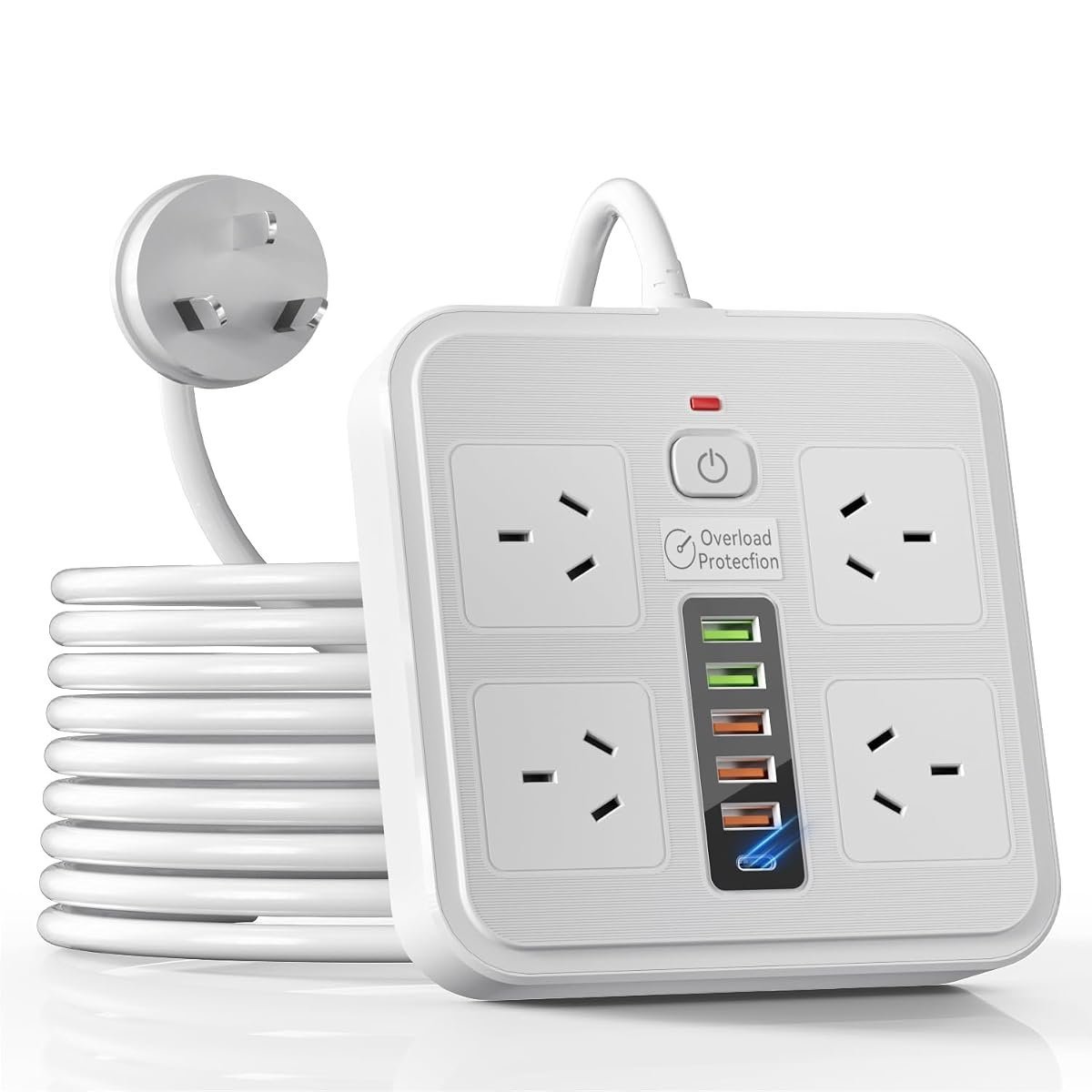
Ten connections come off this one, splitting four mains outlets and six USB ports across a surge protected body. A 1.8 metre cord runs back to the wall. The emphasis is on charging capacity rather than mains sockets.
Six USB ports is more than any other board here, which reflects how many household devices now charge over USB rather than through a plug pack. Four mains outlets still cover a lamp, a monitor and a laptop charger. The long cord means it can live on a desk with the wall socket well behind it.
Four mains outlets is fewer than most boards on this list, so it is the wrong choice for an entertainment unit full of appliances. In a bedroom or a study where phones, tablets and headphones outnumber appliances, that ratio is the right way round. Surge protection is included.
Pros
- Six USB ports, the most in this guide
- Surge protected
- 1.8 metre cord
- Suits households charging many small devices
Cons
- Only four mains outlets
- Not enough sockets for an entertainment unit
Key specs: 4 mains outlets; 6 USB ports; surge protected; 1.8 metre extension cord.
CHECK ON AMAZON7. LENCENT Cube Power Board with USB Ports – Best for Desktops
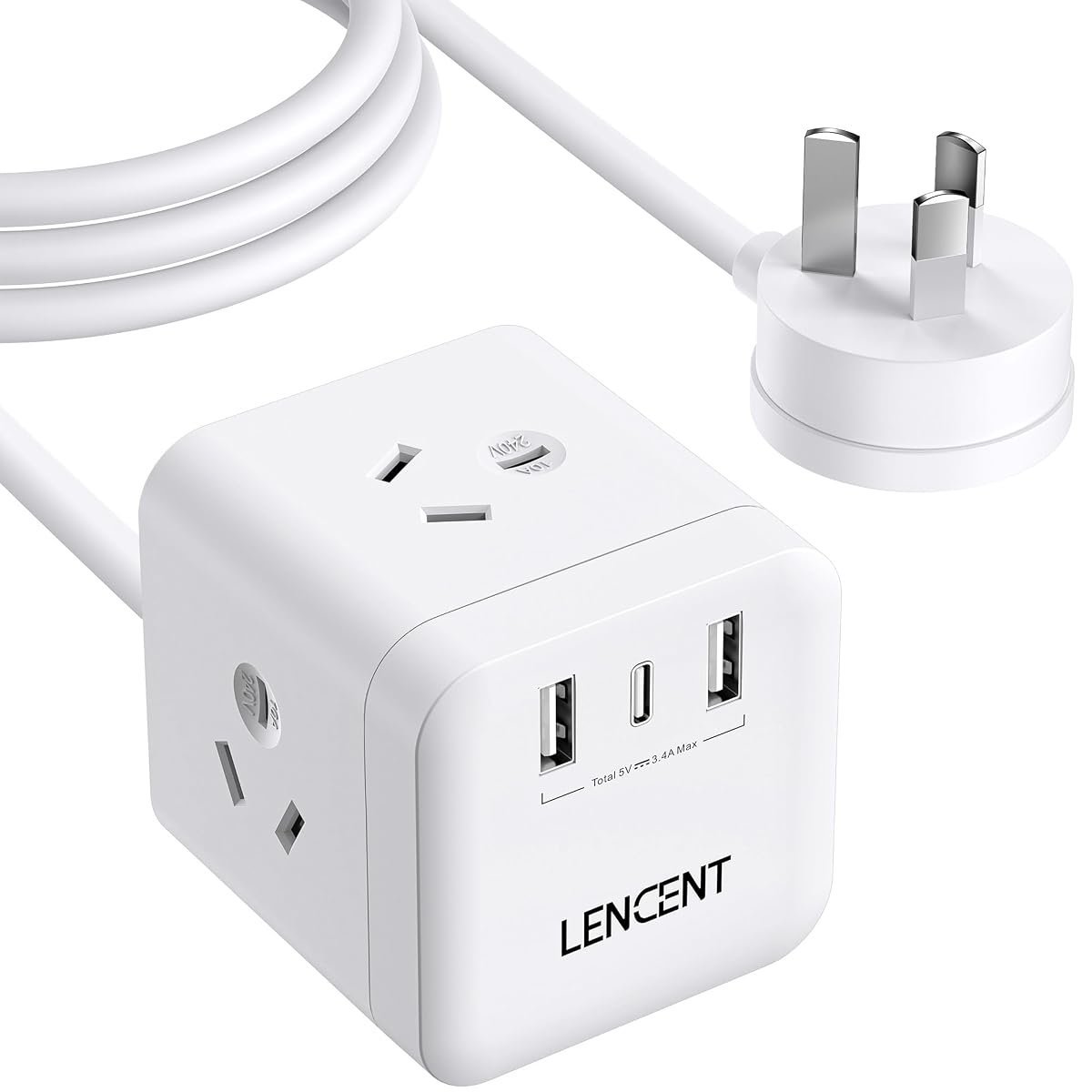
A cube rather than a strip, this carries three mains outlets at 2400W alongside two USB-A ports and one USB-C. The cord runs 1.65 metres. The shell is heat-resistant polycarbonate.
Cube shapes place outlets on separate faces, which means three plug packs can sit together without fouling each other, and the whole thing takes up about as much desk as a coffee cup. Smart charging detects connected devices and adjusts the current accordingly. It sits flat and stays where it is put.
Three mains outlets is the fewest here, so this is a supplement to a main board rather than a replacement for one. On a desk with a laptop, a monitor and a phone it is exactly the right size. The polycarbonate shell handles heat from continuous charging.
Pros
- Cube shape stops plug packs fouling each other
- Three USB ports including USB-C
- Smart charging adjusts current per device
- Heat-resistant polycarbonate shell
Cons
- Only three mains outlets
- Supplement rather than a main board
Key specs: 3 AC outlets at 2400W/10A; 2 USB-A at 5V/2.4A; 1 USB-C; 1.65m cord; surge protected.
CHECK ON AMAZON8. HPM Standard 4 Outlet Powerboard White – Best Basic Pick
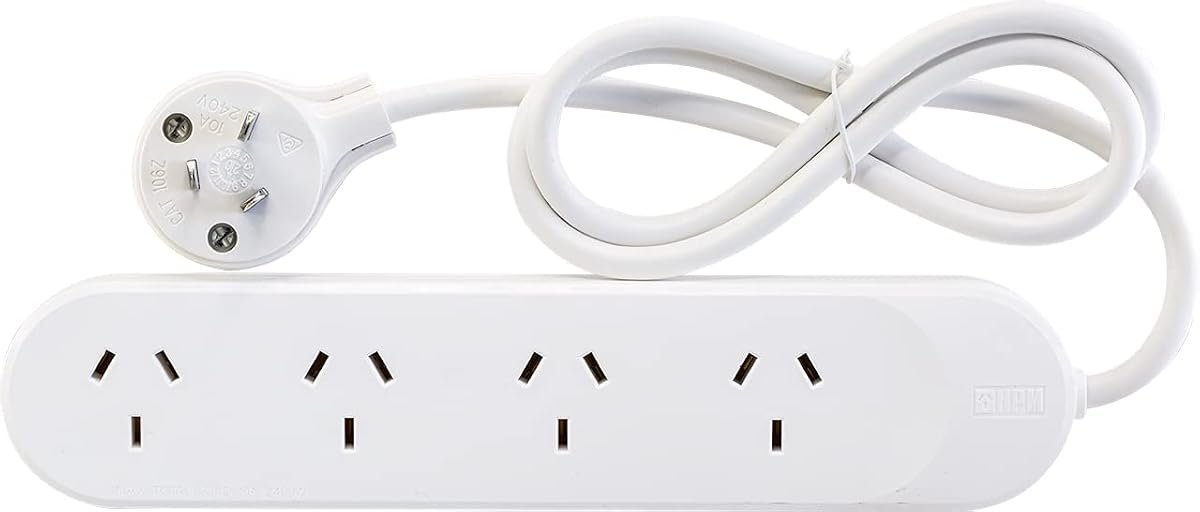
Four outlets, a fully moulded slimline plug with side entry, and safety overload protection describe this one completely. There are no USB ports and no surge component. Keyhole slots allow wall mounting.
A fully moulded plug is more reliable than a screwed-together one because there is no assembly to work loose over years of being pulled from a socket. Side entry keeps it flat against the wall. For a lamp, a fan and a phone charger in a spare room, nothing more is needed.
No surge protection means this should not sit under a television or a computer. Its value is that it is simple and made properly rather than that it does much. Buy it for the rooms where nothing expensive is plugged in.
Pros
- Fully moulded slimline plug resists working loose
- Side entry sits flat against the wall
- Safety overload protection
- Keyhole mounting slots
Cons
- No surge protection
- No USB ports
Key specs: 4 outlets; fully moulded slimline side-entry plug; safety overload protection; keyhole mounting slots.
CHECK ON AMAZON9. LENCENT Double Power Adapter Wall Plug Extender – Best Wall Extender
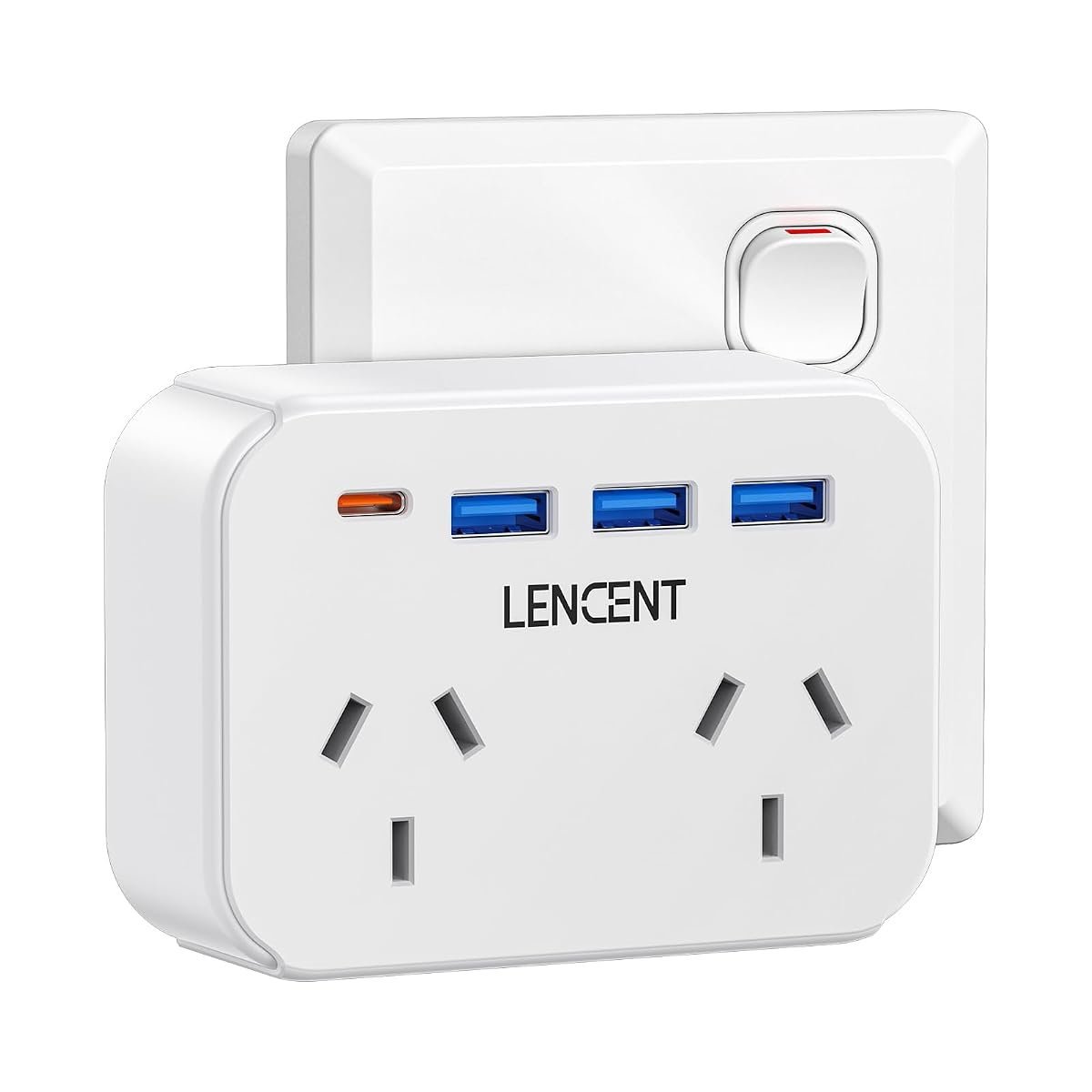
There is no lead at all on this one. It plugs directly into a wall socket and presents two mains outlets rated to 2500W plus three USB-A ports and one USB-C. The whole unit sits against the wall plate.
Removing the cord removes the trailing lead that makes a power board look untidy and become a trip hazard, which matters in a hallway or a bedroom. Two outlets and four USB ports handle a bedside setup completely. A non-blocking layout means the second socket stays usable when the first is occupied.
A wall extender puts all its weight on the socket, so a heavy adaptor plugged into it hangs off the wall plate. It also cannot be moved away from the outlet. Where the socket sits somewhere convenient already, that is not a limitation.
Pros
- No trailing lead or trip hazard
- Two outlets plus four USB ports
- Non-blocking layout keeps both sockets usable
- Flame-retardant material rated to 750 degrees
Cons
- Hangs weight off the wall socket
- Cannot be repositioned away from the outlet
Key specs: 2 AC outlets at 2500W maximum; 3 USB-A at 12W; 1 USB-C at 15W; direct wall plug with no cord.
CHECK ON AMAZON10. Addtam Travel Power Board with 2 Outlets and 4 USB – Best for Travel
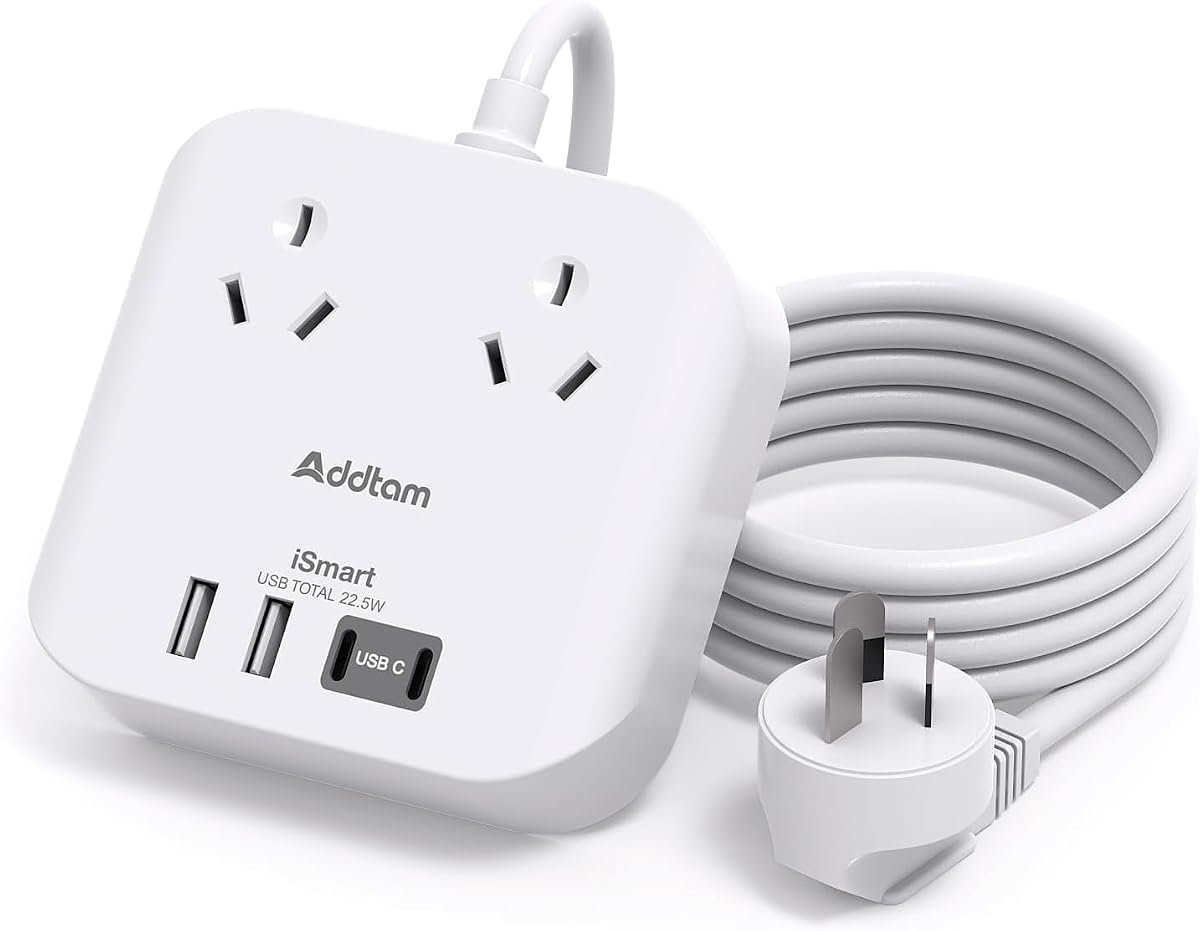
Two mains outlets and four USB ports sit in a body small enough to pack, with a short cord rather than a household length. Total USB output is 4.5A. The listing states plainly that it carries no surge protection.
That absence is deliberate rather than an oversight, because cruise lines and many hotels prohibit surge protected boards and confiscate them at boarding. A board without the component passes where a protected one does not. Two outlets and four USB ports still cover a couple travelling with phones, a tablet and a camera.
No surge protection is exactly what it says, so this should never become the household board when the trip ends. Cruise passengers and frequent hotel guests are the specific audience. Check the rules of the ship or hotel, since policies differ.
Pros
- Passes cruise line rules that ban surge protected boards
- Two outlets and four USB ports in a packable size
- 4.5A total USB output including USB-C
- Over-current and short circuit protection included
Cons
- No surge protection at all
- Not suitable as a household board
Key specs: 2 AC outlets; 4 USB ports (including USB-C) totalling 4.5A; no surge protection; over-current and short circuit protection; travel size.
CHECK ON AMAZONHow to Choose the Best Power Board in Australia
Check for the RCM mark before anything else. The Regulatory Compliance Mark is the Australian electrical safety approval, and a board sold here without it has not been shown to meet the standard. Only one board in this guide states the approval explicitly in its listing, which is worth knowing. Look for it on the packaging rather than assuming it.
Surge protection is measured in joules and it wears out. The joule rating is a total absorption budget across the life of the board rather than a per-event figure, so a board quietly stops protecting long before it stops working. Nine hundred joules suits general household electronics. Boards with an indicator light showing protection status are worth the small extra.
Count outlet spacing, not just outlet number. A plug pack transformer commonly covers the socket next to it, so an eight-outlet board with tight spacing can effectively be a five-outlet board. Widely spaced designs and tower layouts solve this directly. Count how many bulky adaptors the household actually owns before choosing.
USB-C matters more each year. Phones, tablets and an increasing number of laptops now charge over USB-C, and a board with USB-C built in removes a plug pack from the sockets entirely. Check the wattage rather than just the port count, since a 15W USB-C port will not fast-charge a modern phone. USB-A at 2.4A remains fine for older devices.
Never daisy-chain one board into another. Plugging a power board into another power board is a well-documented fire risk, and it is why boards carry a maximum load in watts. Australian household circuits deliver 10A through a standard socket, which is 2400W total across everything plugged in. If one board is not enough, the answer is a second wall socket rather than a second board.
Match the format to the room. A flat strip suits a skirting board, a tower suits a desk, a cube suits a bedside table and a wall extender suits a hallway where a trailing lead would be a hazard. Travel boards deliberately omit surge protection because cruise lines confiscate protected ones. If the room in question has no socket at all, our guide to portable projectors in Australia covers gear built to run without one. Measure the gap behind the furniture before buying, since a straight-entry plug can add several centimetres.
Frequently Asked Questions
What does the joule rating on a power board mean?
It is the total amount of surge energy the board can absorb across its lifetime, not the amount it handles per event. Around 900 joules suits general household electronics such as televisions and computers. Once the budget is used the board keeps supplying power but no longer protects, which is why models with a protection indicator light are useful.
Do I need a surge protected power board?
For televisions, computers, consoles and anything with a circuit board, yes. Australian mains carries spikes from lightning, grid switching and large appliances cycling on the same circuit. For a lamp, a fan or a phone charger a plain board with overload protection is sufficient.
Can you plug a power board into another power board?
No. Daisy-chaining boards is a recognised fire risk and generally voids both warranties, because the combined load can exceed what the wall socket and its wiring are rated for. A standard Australian socket supplies 10 amps, roughly 2400 watts in total. If more outlets are needed, use a second wall socket.
What is the RCM mark on a power board?
The Regulatory Compliance Mark shows the product meets Australian electrical safety and electromagnetic requirements. It is mandatory for electrical goods sold here, and imported boards bought through online marketplaces do not always carry it. Check the packaging or the product listing before buying.
Are surge protected power boards allowed on cruise ships?
Generally no. Most cruise lines prohibit surge protected boards because of how they interact with a ship electrical system, and they are commonly confiscated at boarding. Boards sold specifically for travel omit the surge component for exactly this reason. Check the operator policy before packing one.
How many watts can an Australian power board handle?
Most are rated to 10 amps, which is 2400 watts, matching the standard Australian wall socket. That total covers everything plugged into the board at once, so high-draw appliances such as heaters and kettles add up quickly. Exceeding it trips the overload protection or, on a board without it, causes overheating.
Verdict
Anything with a circuit board behind it points to the CyberPower, which is the only board here stating RCM approval outright and pairs eight surge protected outlets with a two metre lead. Households whose sockets keep getting blocked by plug packs are better served by the Addtam 8 Outlet, where wide spacing and four USB ports including USB-C solve the actual problem. A desk buried under chargers wants the twelve-outlet Addtam Tower instead, and anyone packing for a cruise should take the travel model precisely because it has no surge protection to be confiscated.