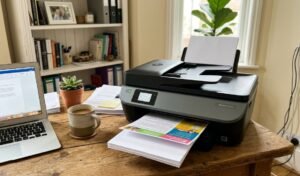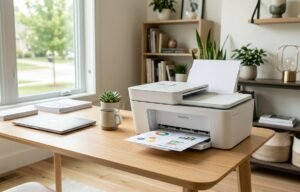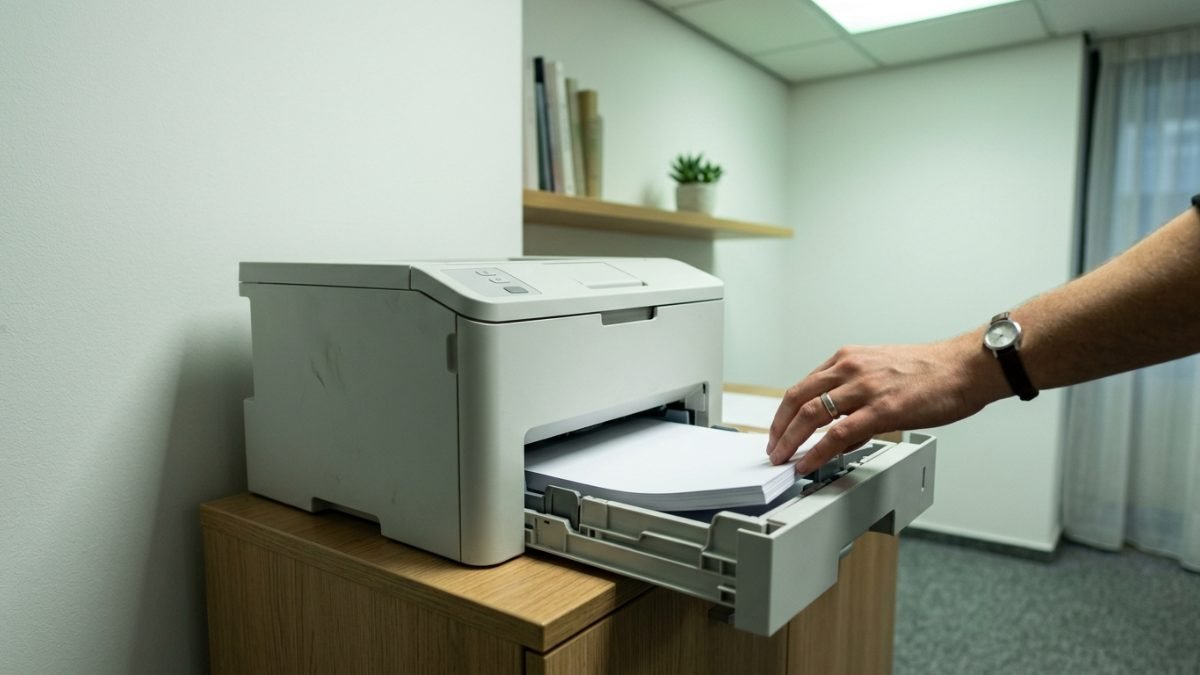
The best laser printers in Australia print text at high speed using toner and heat rather than liquid ink, giving sharper, smudge-proof pages and a far lower cost per print than inkjet over time. That combination of speed and running cost is why laser is the default choice for home offices, small businesses and any household that prints often.
Laser printers on the Australian market split into a few clear types: single-function mono printers built for fast black and white text, all-in-one (multifunction) laser printers that add scanning, copying and fax, colour laser printers for graphics and marketing material, and compact home laser printers designed for light, occasional use in a spare room or study.
A capable laser printer prints at least 20 pages per minute, roughly one page every three seconds, while office-grade multifunction models reach up to 36 pages per minute alongside a 250-sheet paper tray. The criteria that matter most are print speed, duplex (two-sided) printing, wireless connectivity and running cost per page, rather than the machine’s up-front cost.
This guide compares six laser printers sold in Australia, from compact single-function mono machines through to colour all-in-one units built for busier home offices, weighing print speed, paper handling and long-term toner costs against everyday reliability. Anyone setting up a proper workspace around a new printer is often furnishing the rest of the room at the same time, and pairing it with one of the best ergonomic office chairs rounds out a desk that holds up over a full working day.
Quick Picks
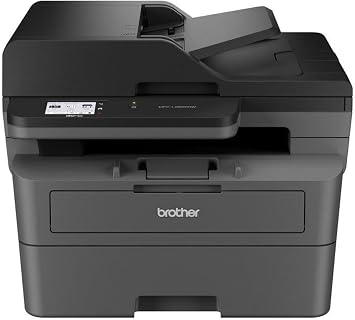
Brother MFC-L2820DW
Print, scan, copy and fax at 32ppm, without the running costs of a colour laser.
CHECK ON AMAZON
Brother MFC-L3755CDW
Full colour laser output with a touchscreen, built for busier home offices.
CHECK ON AMAZON
HP LaserJet M110w
A genuine laser printer small enough to fit almost any desk or shelf.
CHECK ON AMAZONBest Laser Printers in Australia, Compared
| Product | Link | Type | Best For | Key Spec |
|---|---|---|---|---|
| Brother MFC-L2820DW | Check price | Mono All-in-One | Home offices | 32ppm, auto duplex |
| Brother MFC-L3755CDW | Check price | Colour All-in-One | Colour office printing | 26ppm, touchscreen |
| Lexmark MC3326ADWE | Check price | Colour All-in-One | Small business teams | 26ppm, Ethernet |
| Brother HL-L3280CDW | Check price | Colour Single-Function | Home colour printing | 26ppm, auto duplex |
| Brother HL-L2445DW | Check price | Mono Single-Function | Budget printing | 32ppm, auto duplex |
| HP LaserJet M110w | Check price | Mono Single-Function | Compact spaces | 20ppm, 150-sheet tray |
1. Brother MFC-L2820DW – Best All-Rounder for Home Offices
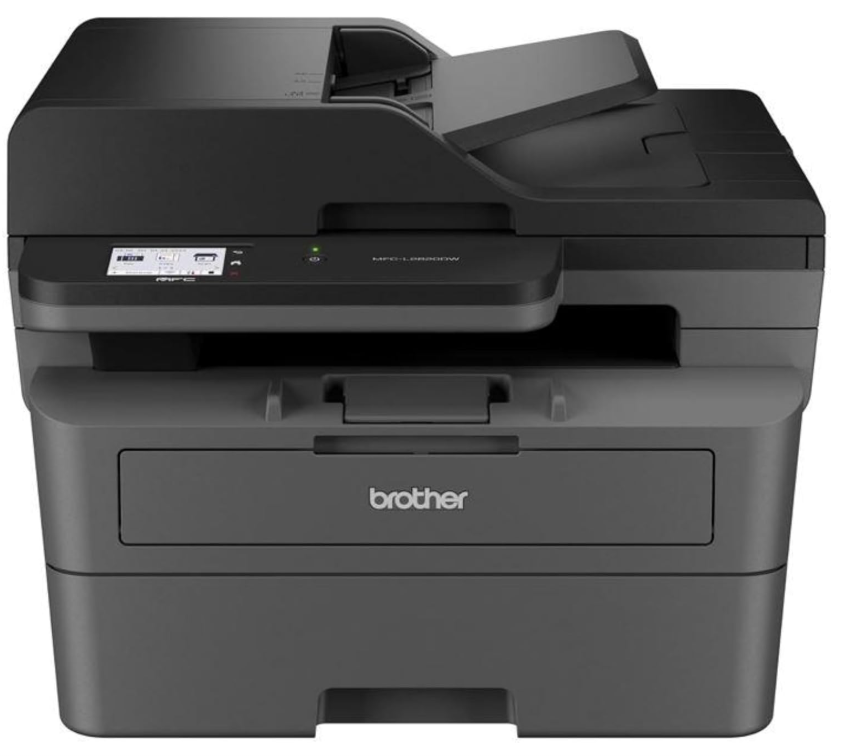
Brother’s MFC-L2820DW packs printing, scanning, copying and faxing into a single monochrome unit without the bulk of a full office machine. The 250-sheet paper tray sits under a flatbed scanner, and the control panel keeps setup to a handful of button presses rather than a menu maze.
Print speed reaches 32 pages per minute, quick enough that a stack of invoices or school forms clears in well under a minute. Automatic two-sided printing halves paper use on longer documents, and the wireless connection picks up phones and laptops on the same network without a driver hunt.
The trade-off is functionality rather than speed: as a mono-only machine, anything needing colour has to go elsewhere. For a household or small office that mostly prints text, forms and receipts, that single limitation barely registers against the convenience of scan, copy and fax in one box.
Pros
- Fast 32ppm mono printing
- Automatic duplex printing built in
- Scan, copy and fax in one unit
- Reliable wireless setup
Cons
- Monochrome only, no colour output
- Larger footprint than a single-function printer
Key specs: 32ppm mono, automatic duplex, 250-sheet tray, Wi-Fi/USB/NFC, print/scan/copy/fax
CHECK ON AMAZON2. Brother MFC-L3755CDW – Best for Colour Office Printing
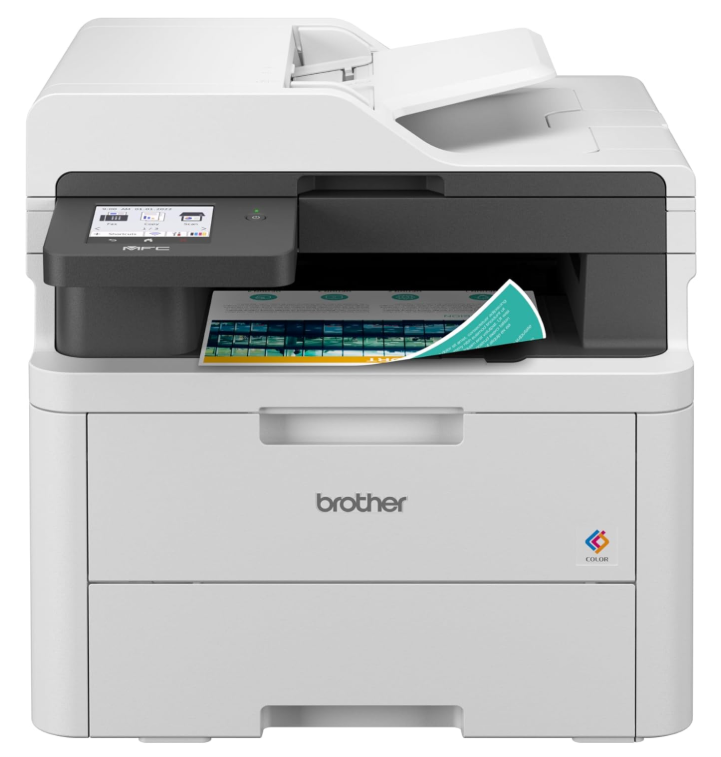
The MFC-L3755CDW moves up to full colour, wrapped around an 8.8cm touchscreen that replaces most of the button-press navigation on cheaper Brother models. Build quality feels closer to a small business machine than a home unit, with a wider chassis to house four separate toner cartridges.
Colour and mono pages both print at up to 26ppm, and the automatic document feeder handles multi-page scan and copy jobs without babysitting each sheet. Wireless setup mirrors the rest of the Brother range, so a household already running one Brother printer recognises the process instantly.
Running four toner colours costs more to keep stocked than a mono-only machine, and the larger body wants a proper desk rather than a shelf. Anyone producing client-facing documents, coloured charts or marketing flyers at home gets more use out of the extra cost than someone printing plain text.
Pros
- Full colour laser output at 26ppm
- Colour touchscreen simplifies navigation
- Auto duplex plus automatic document feeder
- Consistent Brother wireless setup
Cons
- Four toner cartridges cost more to replace
- Larger footprint needs a dedicated desk spot
Key specs: 26ppm colour/mono, automatic duplex, 250-sheet tray, ADF, Wi-Fi/Ethernet/USB, print/scan/copy/fax
CHECK ON AMAZON3. Lexmark MC3326ADWE – Best for Small Business Teams
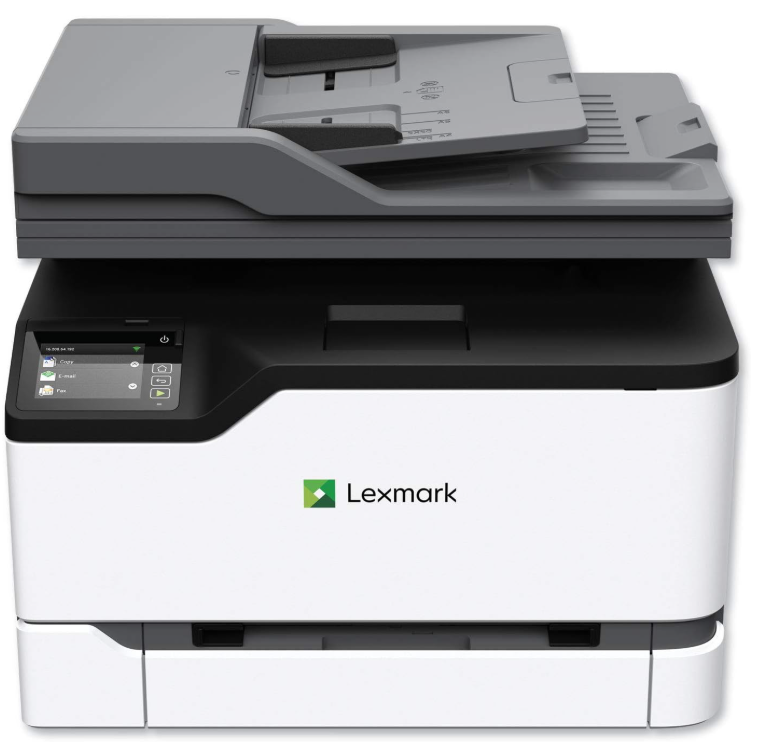
Lexmark’s MC3326ADWE takes a more industrial approach to the same all-in-one brief, built for a small team passing the same machine between several desks rather than a single home user. The chassis is noticeably heavier than the Brother equivalents, with a control layout aimed at shared office use.
Print speed matches the Brother colour multifunction models at up to 26ppm, and Ethernet plus wireless connectivity make it straightforward to sit on a shared network rather than tether to one computer. Print, scan, copy and fax cover the same ground as the rest of this list.
Brand familiarity is the real difference here, not capability: Lexmark’s toner and parts network is smaller in Australia than Brother’s, which matters more once the printer is a few years old and needs consumables. Where a workplace already has Lexmark hardware, or simply wants a second supplier in the mix, it slots in without dropping performance.
Pros
- 26ppm colour and mono printing
- Built for shared, multi-user office settings
- Ethernet and wireless connectivity
- Full print/scan/copy/fax function set
Cons
- Smaller Australian toner and parts network than Brother
- Heavier unit, less suited to a small desk
Key specs: 26ppm colour/mono, Ethernet/Wi-Fi, print/scan/copy/fax, multi-user design
CHECK ON AMAZON4. Brother HL-L3280CDW – Best Colour Laser for Home Use
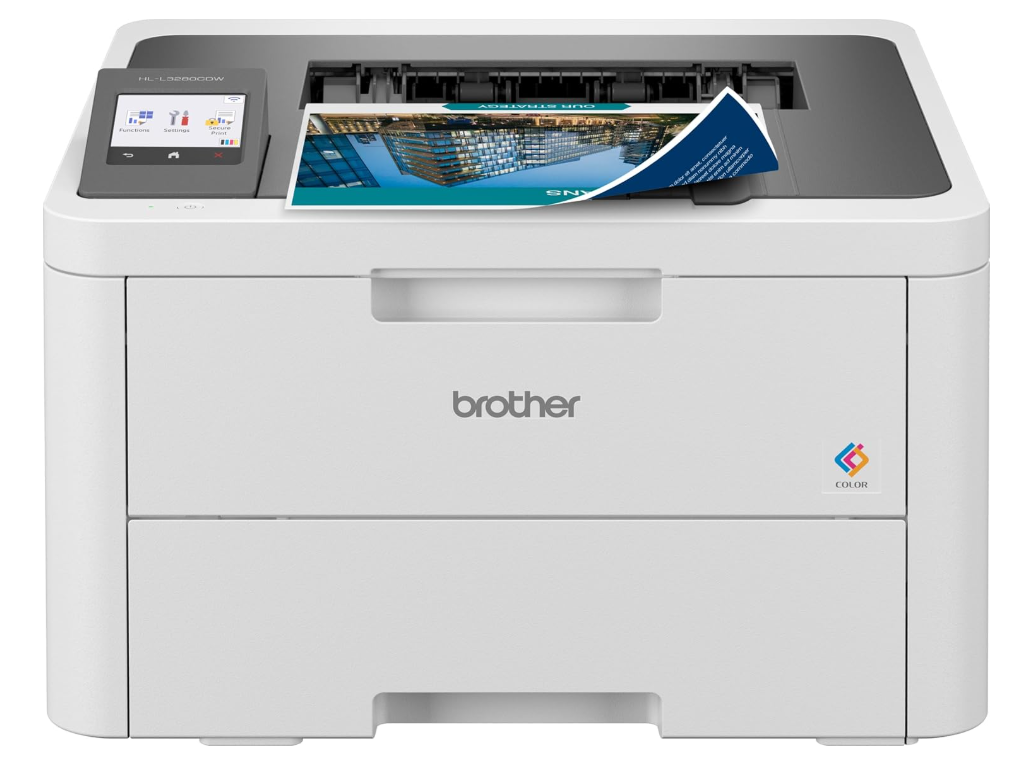
Dropping the scan and fax hardware brings the HL-L3280CDW back down to a single-function footprint while keeping full colour output, a combination that suits a study or home office more than a shared workspace. A 6.8cm colour touchscreen handles the few settings a print-only machine actually needs.
Speed sits at 26ppm for both colour and mono pages, with automatic duplex printing standard rather than an add-on. Wireless printing from a phone or laptop connects the same way as Brother’s other current models, and the 250-sheet tray covers a typical week of home printing between refills.
Without scanning or copying, it will not replace an all-in-one for a household that occasionally needs to digitise a document. Anyone who already scans through a phone app, or simply never needed the extra hardware, gets colour laser output at a size and weight that fits a spare shelf rather than a dedicated printer stand.
Pros
- True colour laser output at 26ppm
- Automatic two-sided printing
- Colour touchscreen controls
- Compact single-function design
Cons
- No scanning, copying or fax
- Toner running cost still above mono-only printers
Key specs: 26ppm colour/mono, automatic duplex, 250-sheet tray, Wi-Fi/Ethernet/USB, print only
CHECK ON AMAZON5. Brother HL-L2445DW – Best Budget Pick
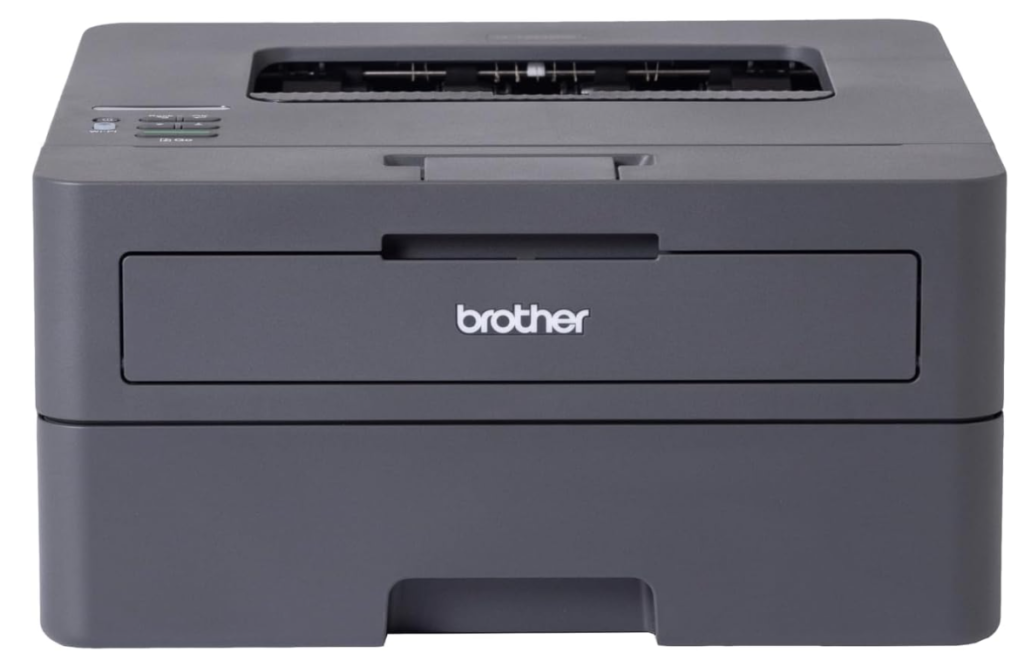
The HL-L2445DW strips a laser printer back to the basics: mono printing only, no touchscreen, no scanner, just a compact box that prints. That simplicity keeps the up-front cost down and leaves less to go wrong over years of use.
32ppm print speed is faster than most home users need, and automatic duplex printing is included rather than reserved for pricier models. Wireless setup takes a few minutes through Brother’s phone app, and the toner that ships in the box is enough for a genuine trial period before a replacement cartridge is needed.
It will not scan a document or print a photo worth keeping, and colour is not on offer at any price. For students, renters and anyone whose printing is mostly forms, tickets and school notices, it does that one job well and costs the least to keep running of anything on this list.
Pros
- Fast 32ppm mono printing
- Automatic duplex printing included
- Straightforward wireless setup
- Low running cost per page
Cons
- No scan, copy or fax function
- Mono only, no colour option
Key specs: 32ppm mono, automatic duplex, 250-sheet tray, Wi-Fi/USB, print only
CHECK ON AMAZON6. HP LaserJet M110w – Best Compact Design
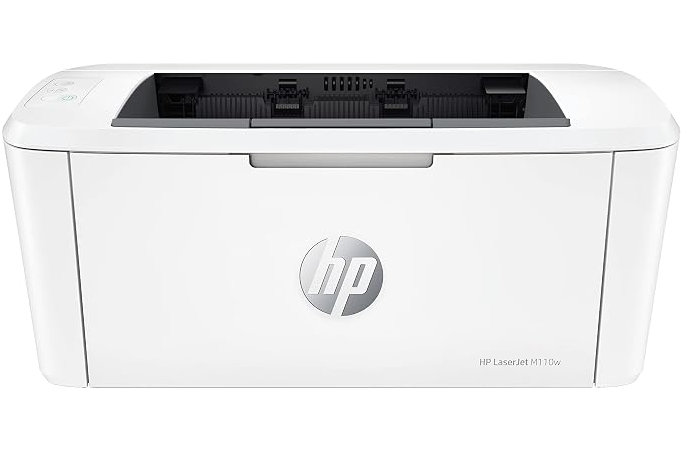
HP’s M110w is built around a single idea: fit a genuine laser printer into a footprint barely bigger than a shoebox. At under 4 kilograms it sits on a shelf, a desk corner or a bookcase without needing a printer stand of its own.
Print speed tops out at 20ppm, noticeably slower than the Brother mono models on this list, though still ample for the light, occasional printing this size of machine is built for. Wireless connectivity works the same way as HP’s larger office printers, and setup through the HP Smart app takes only a few steps.
The 150-sheet tray is smaller than the 250-sheet standard elsewhere in this guide, so it suits light use rather than daily high-volume printing. Where desk space is the binding constraint, such as a small apartment study or a shared student room, its size matters more than the extra speed of a bigger machine.
Pros
- Genuinely compact, under 4kg
- Simple HP Smart app setup
- Reliable wireless printing
- Fits tight desk spaces
Cons
- Slower 20ppm print speed
- Smaller 150-sheet paper tray
Key specs: 20ppm mono, 150-sheet tray, Wi-Fi/USB, compact design, print only
CHECK ON AMAZONHow to Choose a Laser Printer
Print speed and page yield matter more than the number on the box. Pages per minute (ppm) ratings are measured on plain text at draft settings, so real-world speed on forms, scanned copies or PDFs with images runs slower. A rating of 20ppm or higher covers most home printing comfortably, while a shared household or small office benefits from the 30ppm-plus tier.
Mono and colour serve different jobs, not different quality tiers. A monochrome laser printer handles text, forms and receipts at a lower running cost per page than colour, because it only ever needs one toner cartridge. Colour laser adds four cartridges and a higher cost per page, worthwhile only if charts, flyers or client documents are a regular part of what gets printed.
Single-function and all-in-one printers trade size for capability. A single-function laser printer prints only, which keeps the footprint and price down. An all-in-one (multifunction) model adds scanning, copying and often fax, useful for anyone who still deals with paperwork that needs to move in both directions rather than only out of the printer.
Paper capacity and automatic duplex printing affect how often the machine needs attention. A 250-sheet tray comfortably covers a week of typical home or small office use, while smaller compact printers with 150-sheet trays need topping up more often. Automatic two-sided printing halves paper use on longer documents and is now standard on most models worth buying.
Running costs matter more than the printer’s price tag over its lifespan. Toner cartridges vary widely in cost per page between brands and models, and a cheaper printer with expensive toner can cost more within two years than a pricier machine with efficient cartridges. Checking the cost and page yield of replacement toner before buying avoids that surprise.
Connectivity and where the printer will actually sit decide the shortlist as much as the spec sheet. Wireless printing from a phone or laptop is standard across current models, though a wired Ethernet option matters for a shared office network. Measuring the spot it will live in first avoids buying a multifunction machine that will not fit the shelf it was meant for.
Frequently Asked Questions
What is the fastest laser printer for home use in Australia?
Among home-suited models, mono laser printers rated at 32 pages per minute print fastest for everyday text documents, forms and receipts, with colour laser models generally topping out closer to 26 pages per minute.
Is a laser printer cheaper to run than an inkjet printer?
Yes, for anyone printing regularly. Laser toner produces a far higher page yield per cartridge than inkjet ink, so the cost per printed page is usually lower even though the printer itself often costs more upfront.
Do I need a colour laser printer at home?
Only if colour documents, charts or marketing material are a regular part of what gets printed. A monochrome laser printer costs less to buy and run, and covers text-based printing just as well.
What does duplex printing mean?
Duplex printing is automatic two-sided printing, where the printer flips the page internally rather than requiring it to be manually turned over. It roughly halves paper use on longer documents.
How long does laser printer toner last?
Toner life is measured in pages rather than time, typically 1,200 to 3,000 pages for a standard cartridge depending on the model. Light home use can make one cartridge last well over a year.
Can a laser printer connect to Wi-Fi?
Most current laser printers, including every model in this guide, support wireless printing from a phone, tablet or laptop over the same home network, in addition to a USB or Ethernet connection.
Verdict
For most homes and small offices, the Brother MFC-L2820DW earns its place at the top of this list by covering print, scan, copy and fax at a genuinely useful speed without asking for a colour printer’s running costs. Anyone who needs colour on a regular basis is better served by the Brother MFC-L3755CDW, which adds a touchscreen and four-colour output without the bulk of a full office machine. For light, occasional printing in a small space, the HP LaserJet M110w covers the job in a footprint that fits almost anywhere.