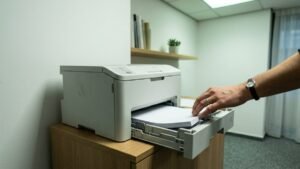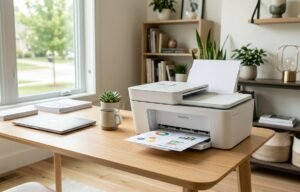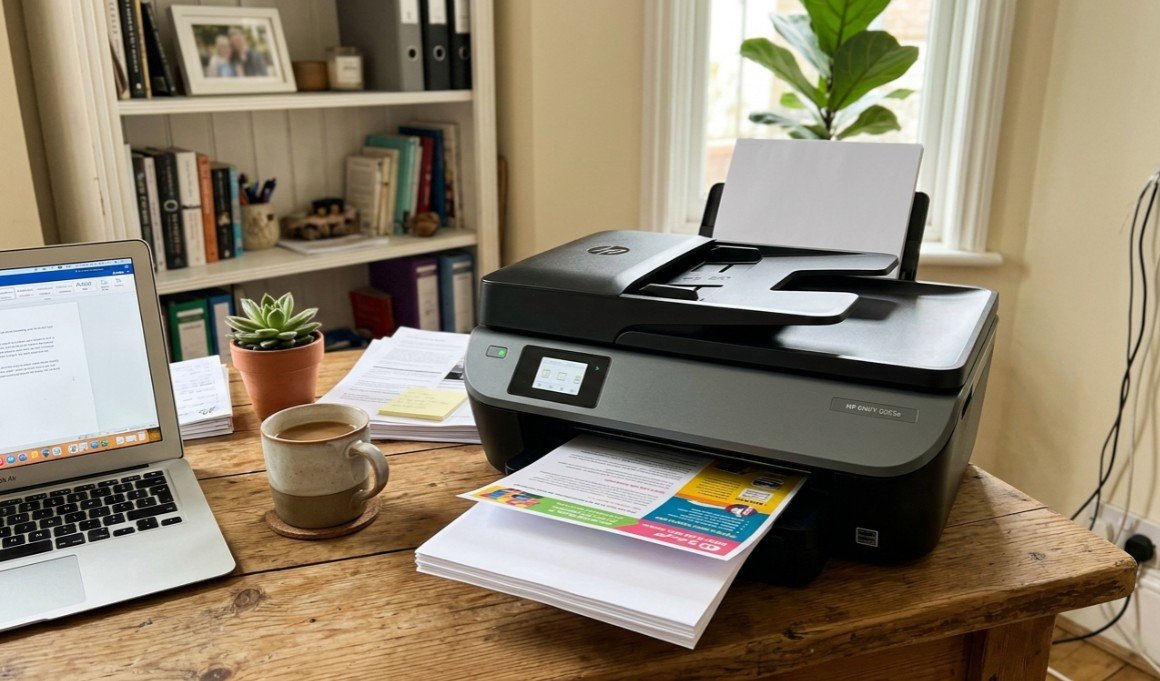
A home printer is a compact inkjet or laser machine that prints, and usually scans and copies, over Wi-Fi from a phone or laptop without being tethered to one computer. What separates them now is not print quality, which is uniformly good, but cost per page and how they behave after weeks of sitting untouched. Choosing the best home printer in Australia comes down to how much you print, whether you need colour, and which consumable system you are prepared to commit to.
Four consumable systems split this market, and choosing one is really choosing a running cost. Cartridge inkjets are cheapest to buy and dearest per page. Ink tank printers cost more upfront and refill from bottles. Mono laser printers use toner and suit text-heavy households. Laser all-in-ones add scanning and a document feeder on top of that.
Print speeds across this guide run from unhurried entry machines up to 32 pages per minute, and paper sizes from A4 at 210 by 297 millimetres to A3 at 297 by 420 millimetres, roughly 8.3 by 11.7 inches and 11.7 by 16.5 inches. The other things worth checking are whether an automatic document feeder is fitted, whether ink comes as separate colour cartridges, and how the machine copes with idle weeks. Choice’s printer buying guide makes the same point: the cheapest printer to buy is rarely the cheapest to own once ink is counted.
Each machine below was checked for Australian stock and local delivery, and they are grouped by the consumable system they commit you to.
Quick Picks
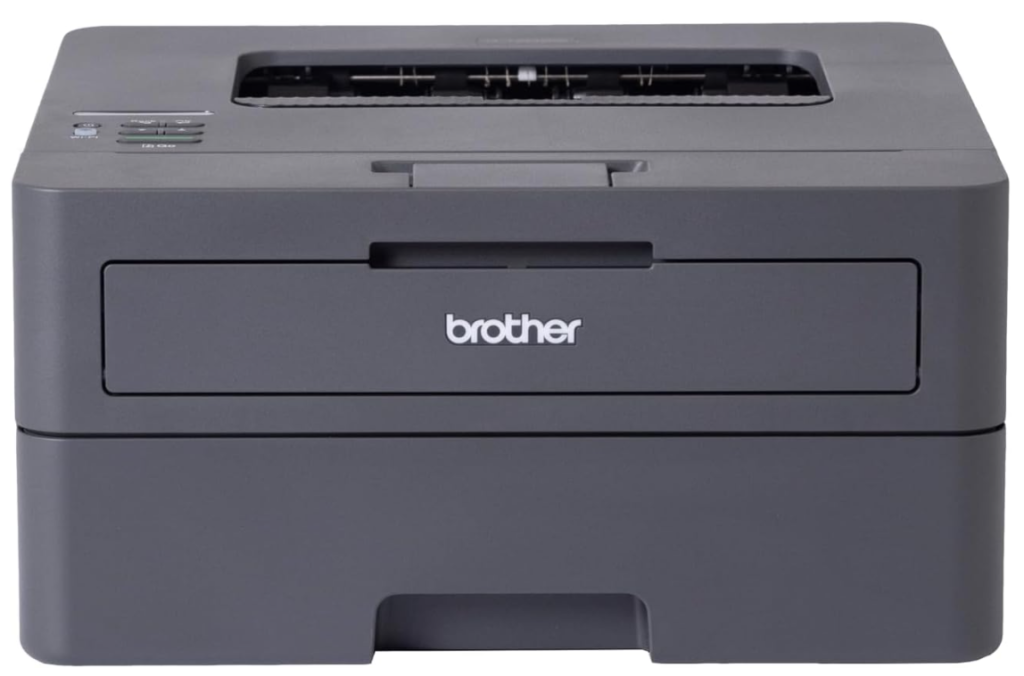
Brother HL-L2445DW Wireless Mono Laser
4.6 stars from 265+ buyers, 32 pages a minute and toner that never dries out between jobs – the reliable pick for text-heavy homes.
CHECK ON AMAZON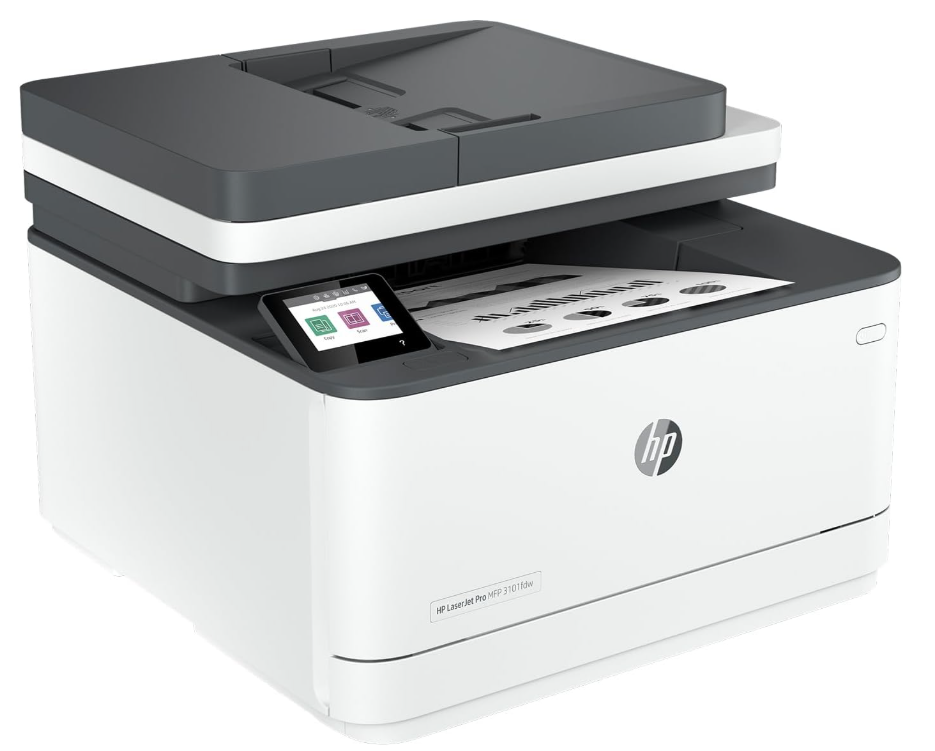
HP LaserJet Pro MFP 3101fdw
Nearly 1,000 buyer ratings at 4.3 stars, with a document feeder, duplex and fax for a proper home office.
CHECK ON AMAZON
Epson EcoTank Photo ET-8500
Six refillable ink tanks and thousands of pages of ink in the box – photo quality without the cartridge bill.
CHECK ON AMAZONThe 10 Best Home Printers in Australia Compared
| Product | Link | Type | Best For | Key Spec |
|---|---|---|---|---|
| HP Smart Tank 5105 Wireless All-in-One | Check price | Ink tank | High volume | Refillable tanks |
| Brother HL-L2445DW Wireless Mono Laser | Check price | Mono laser | Text documents | 32 ppm |
| HP LaserJet Pro MFP 3101fdw | Check price | Laser all-in-one | Home offices | Print, scan, copy, fax |
| Epson WorkForce Pro WF-3825 | Check price | Business inkjet | Mixed home and work | Colour multifunction |
| Epson Expression Photo XP-15000 | Check price | A3+ photo printer | A3 and enlargements | Borderless A3+, 6 inks |
| HP OfficeJet Pro 8130e All-in-One | Check price | Business inkjet | Small business | Colour, ADF |
| Epson EcoTank Photo ET-8500 | Check price | Photo ink tank | Photos at low cost | 6 refillable tanks |
| Canon PIXMA TS7760 Home 3-in-1 | Check price | Compact inkjet | Small desks | 3-in-1 |
| Epson Expression Home XP-4200 | Check price | Compact inkjet | Light users | Multifunction |
| Canon PIXMA TS3660 Home Printer | Check price | Entry inkjet | Budget buyers | Entry-level 3-in-1 |
How We Picked
We compared more than 40 home printers across Australian retailer catalogues and marketplaces, dropped anything out of stock or shipped from overseas, and re-checked every listing for live stock immediately before this update.
We weighed running cost per page, idle reliability and real-world experience: verified-buyer rating patterns, recurring complaints about clogged heads and app lock-ins, and owner reviews on ProductReview’s printer category. Brand-name machines with local support were preferred over unknown imports.
1. HP Smart Tank 5105 Wireless All-in-One – Best for High Volume
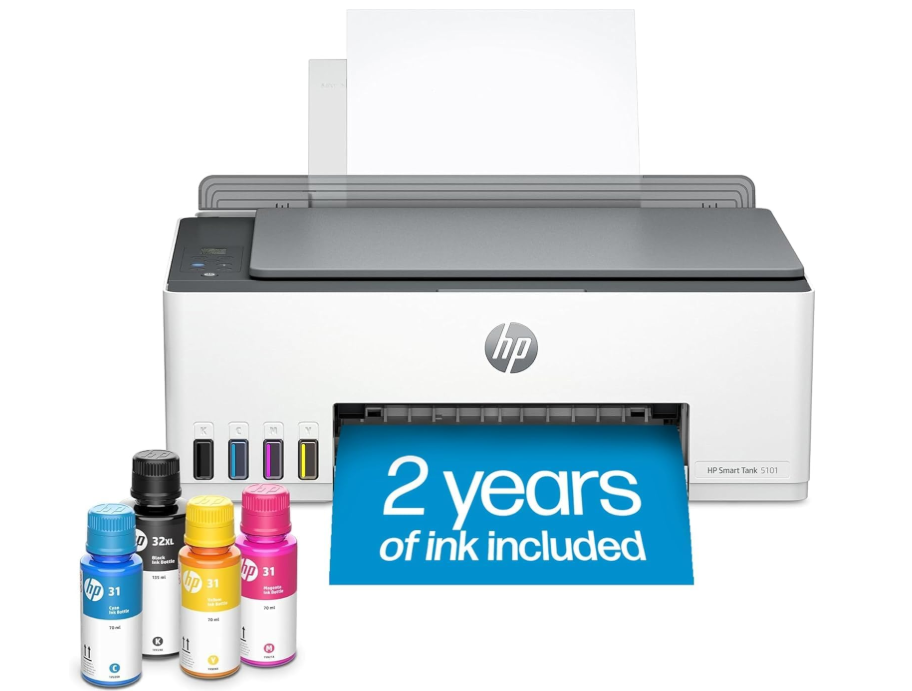
Ink arrives in bottles here rather than cartridges, poured into tanks visible through the front of the case. That one design decision changes the ownership maths more than any print-quality figure on the box.
A cartridge printer bought cheaply will cost more over three years than a tank printer bought dearly, because the cartridges are where the margin lives. Households printing school work, recipes and forms most weeks cross that break-even point inside the first year.
Buying in costs more than any cartridge machine here, and topping up tanks is messier than dropping in a cartridge. For anyone who has ever abandoned a printer because replacement ink cost more than the printer did, that is the trade worth making.
Pros
- Refillable bottles instead of cartridges
- Lowest cost per page of the inkjets here
- Ink level visible through the front of the case
- Wireless printing, scanning and copying
Cons
- Higher upfront price than cartridge models
- Refilling tanks is messier than swapping a cartridge
Key specs: Colour ink tank all-in-one, refillable bottle system, wireless print, scan and copy, mobile printing support.
CHECK ON AMAZON2. Brother HL-L2445DW Wireless Mono Laser – Best Mono Laser
Thirty-two pages per minute, black text only, no scanner and no colour. It is the narrowest machine in this guide and the fastest at the single job it does.
Laser toner does not dry out, which is the failure that kills inkjets in households that print in bursts. A machine left untouched for two months prints the first page cleanly instead of running three cleaning cycles and a test sheet before it will cooperate.
No colour and no scanning is a real limitation, and anyone printing photos should look elsewhere entirely. For a home office turning out contracts, invoices and forms, nothing else here is close on speed or reliability after idle periods.
Pros
- 32 pages per minute, fastest here
- Toner does not dry out during idle weeks
- Reliable first page after long gaps
- Low cost per page on text
Cons
- Black and white only
- No scanner or copier
Key specs: Mono laser printer, 32 pages per minute, wireless and USB, automatic duplex, no scanner.
CHECK ON AMAZON3. HP LaserJet Pro MFP 3101fdw – Best Laser All-in-One
A laser engine with a scanner, copier and fax bolted on, plus an automatic document feeder on top. The feeder is what separates it from every flatbed machine below.
Scanning a twenty-page contract on a flatbed means twenty lid lifts. A document feeder turns that into loading a stack and walking away, which is the difference between a machine that gets used for admin and one that gets avoided.
It is physically the largest unit here and the most expensive, and colour printing is not on the menu. For a household that genuinely runs a business from a spare room, the feeder alone justifies the footprint.
Pros
- Automatic document feeder for multi-page scanning
- Laser reliability after idle periods
- Print, scan, copy and fax in one unit
- Wireless and duplex as standard
Cons
- Black and white printing only
- Largest footprint of the ten
Key specs: Mono laser all-in-one, automatic document feeder, print, scan, copy and fax, wireless, duplex.
CHECK ON AMAZON4. Epson WorkForce Pro WF-3825 – Best for Mixed Use
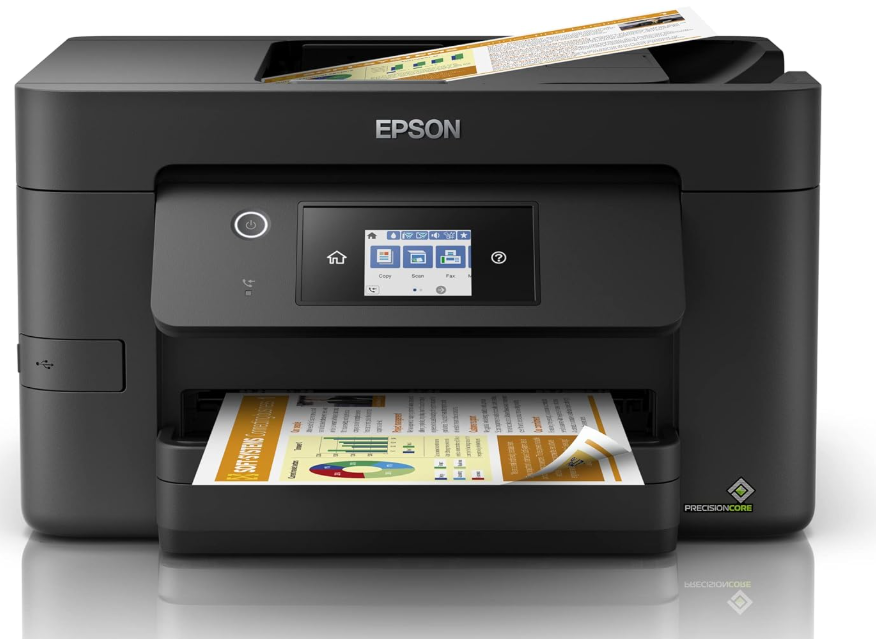
A business-oriented colour inkjet with a document feeder, sitting between the household machines and the laser office units. It prints colour, which the two lasers above will not.
Most homes need colour occasionally and text constantly, and that mix suits a business inkjet better than either extreme. Pigment ink resists smudging on plain paper in a way household dye inks do not, which matters on anything that gets handled.
Running cost sits above a laser on text and above a tank printer on everything. As the one machine that handles a school poster on Monday and a stack of invoices on Tuesday, it covers more ground than anything else here.
Pros
- Colour printing plus a document feeder
- Pigment ink resists smudging on plain paper
- Handles both household and office jobs
- Wireless with mobile printing
Cons
- Cartridge running costs above a tank printer
- Slower than the laser units on text
Key specs: Colour business inkjet multifunction, automatic document feeder, pigment ink, wireless, print, scan and copy.
CHECK ON AMAZON5. Epson Expression Photo XP-15000 – Best for A3 Printing
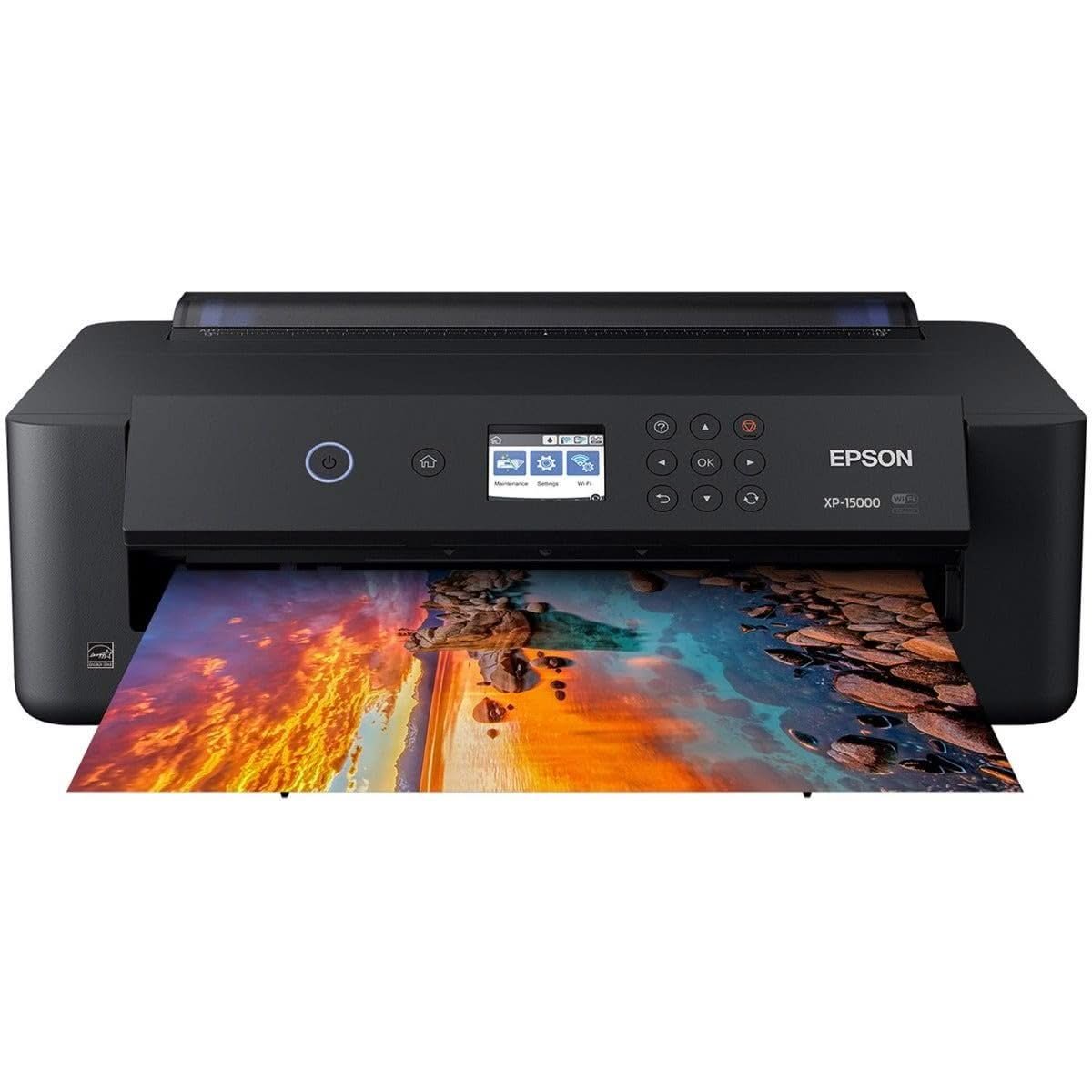
The only printer here that goes bigger than A4. The XP-15000 prints borderless up to A3+ (about 33 by 48cm), which covers posters, school project boards, architectural plans and framed photo enlargements that no A4 machine can manage at any price.
Six individual Claria Photo HD inks, including red and grey, give it a wider colour range and noticeably better black-and-white prints than the four-ink household machines further down. A 50-sheet rear tray takes thick specialty papers, and it connects over Wi-Fi or USB.
Know what it isn’t. There’s no scanner or copier, so it sits next to an everyday printer instead of replacing one, and at about 9 pages per minute it is slow on documents. For photographers and crafters, though? Nothing else on this list comes close.
Pros
- Prints borderless up to A3+
- Six-colour ink including red and grey
- Strong black-and-white photo output
- Rear tray handles thick specialty paper
- Wi-Fi and USB
Cons
- Print only – no scanner or copier
- Slow on everyday documents at about 9ppm
- Six separate cartridges add up for heavy users
- Wide footprint once the A3 tray is extended
Key specs: A3+ colour photo inkjet (print only), 6-colour Claria Photo HD ink, borderless 10 x 15cm to 33 x 48cm, 50-sheet rear specialty tray, about 9ppm, Wi-Fi and USB
CHECK ON AMAZON6. HP OfficeJet Pro 8130e All-in-One – Best for Small Business
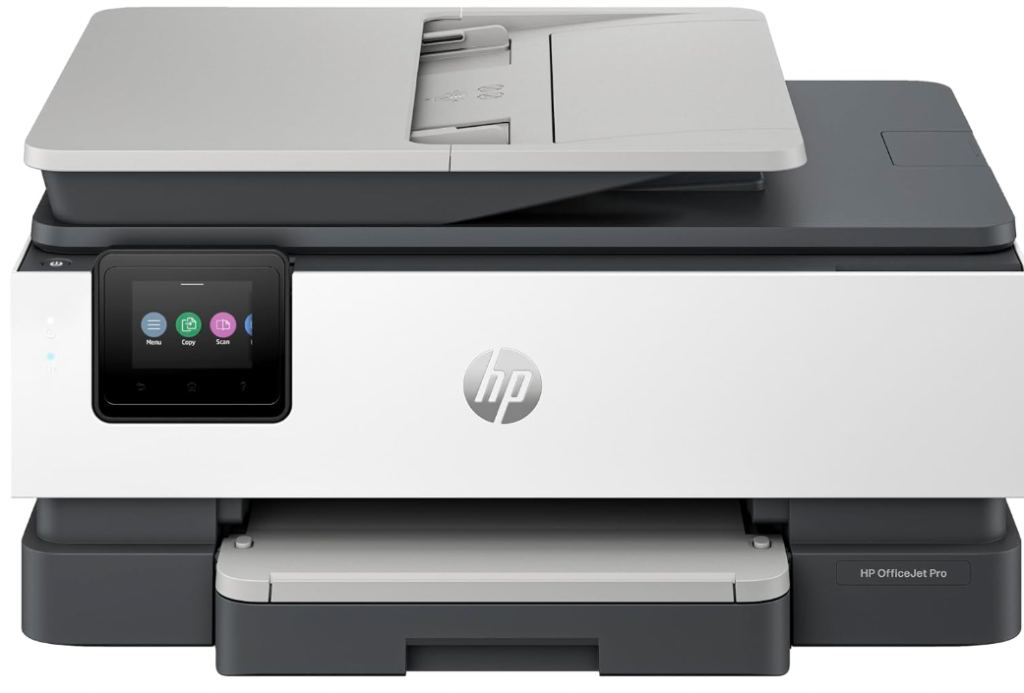
A colour business all-in-one built for throughput over photo quality, with print, scan, copy and fax in a mid-sized case. It sits a step below the laser office machine on price and a step above the household units on capability.
Where the household inkjets slow down is paper handling: small input trays and single-sheet scanning become the bottleneck long before print speed does. Business-class trays and a feeder remove that ceiling without moving to a laser engine.
Photo output is competent rather than impressive, so a household printing mainly holiday snaps is better served two entries down. Running a side business off the kitchen table, this is the balance point.
Pros
- Business paper handling with colour output
- Document feeder for multi-page jobs
- Print, scan, copy and fax
- Smaller and cheaper than the laser office unit
Cons
- Photo quality behind the dedicated photo model
- Cartridge costs add up at high volume
- Activating HP+ on this ‘e’ model ties it to genuine HP ink and needs an always-on internet connection
Key specs: Colour business inkjet all-in-one, automatic document feeder, print, scan, copy and fax, wireless.
CHECK ON AMAZON7. Epson EcoTank Photo ET-8500 – Best for Photos
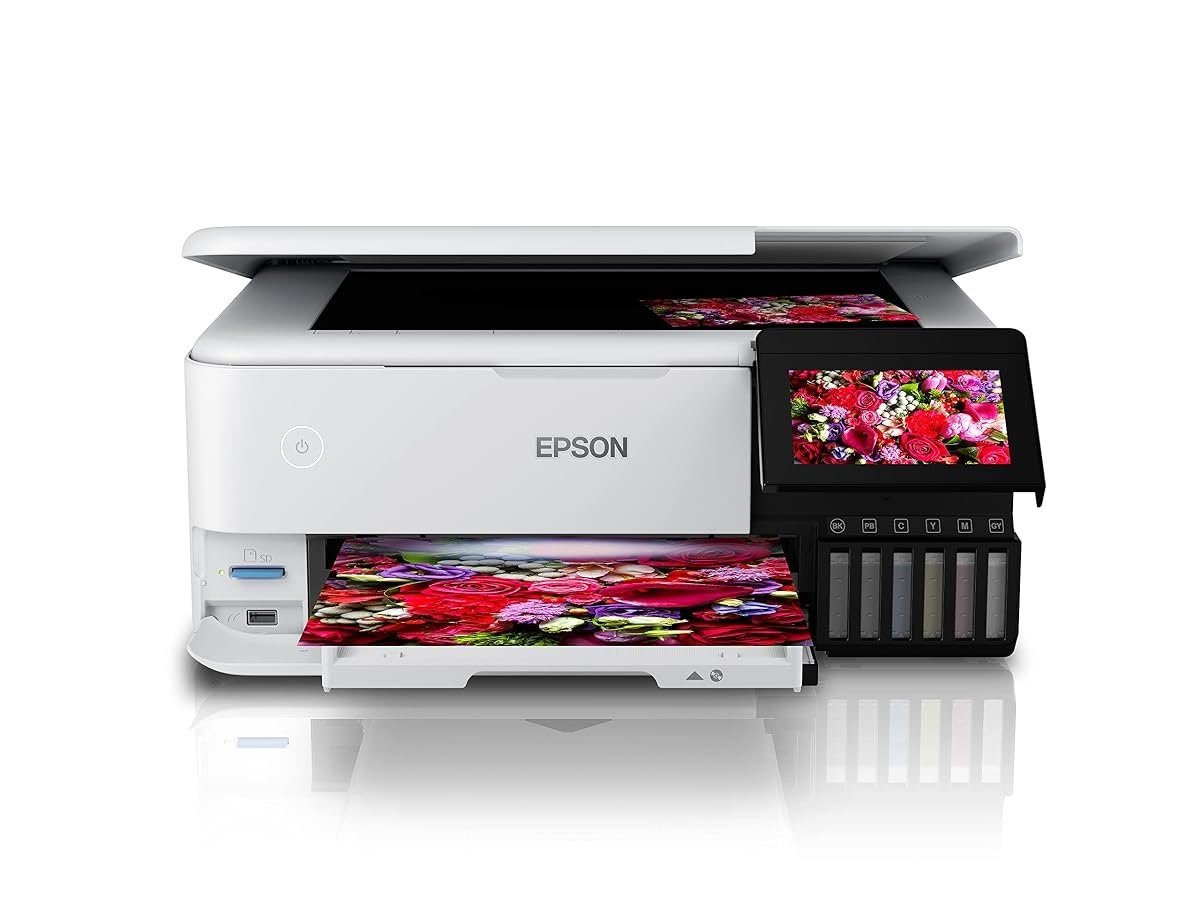
Photo quality without the cartridge bill. The ET-8500 uses six refillable ink tanks and comes with enough ink in the box for roughly 5,500 black and 4,900 colour pages, which Epson puts at about 185 cartridges’ worth. For a family that prints holiday snaps, school photos and the odd framed print, the ink savings are the whole point.
It is a full all-in-one with a 4.3-inch touchscreen, scanner and copier, a dedicated photo tray, automatic two-sided printing, and Wi-Fi plus Ethernet. Auto-stop ink bottles are keyed to each colour, so refilling is mess-free (and impossible to get wrong).
The catch is the upfront cost – it sits at the premium end of this guide – and it tops out at A4. If you print fewer than a few dozen photos a year, a cheap cartridge machine is the better buy.
Pros
- Six refillable tanks for very low running cost
- Ink in the box for thousands of pages
- Dedicated photo tray
- Touchscreen all-in-one with scanner
- Auto two-sided printing
Cons
- High upfront price
- A4 maximum – not for posters
- Ink-tank print heads still need regular use to avoid clogs
- Bulky for a small desk
Key specs: Colour EcoTank photo all-in-one, 6-colour Claria ET Premium ink tanks, print/scan/copy, A4 max, up to 16ppm black / 12ppm colour, 4.3-inch touchscreen, auto duplex, Wi-Fi, Ethernet and USB, about 8.4kg
CHECK ON AMAZON8. Canon PIXMA TS7760 Home 3-in-1 – Best Compact All-in-One
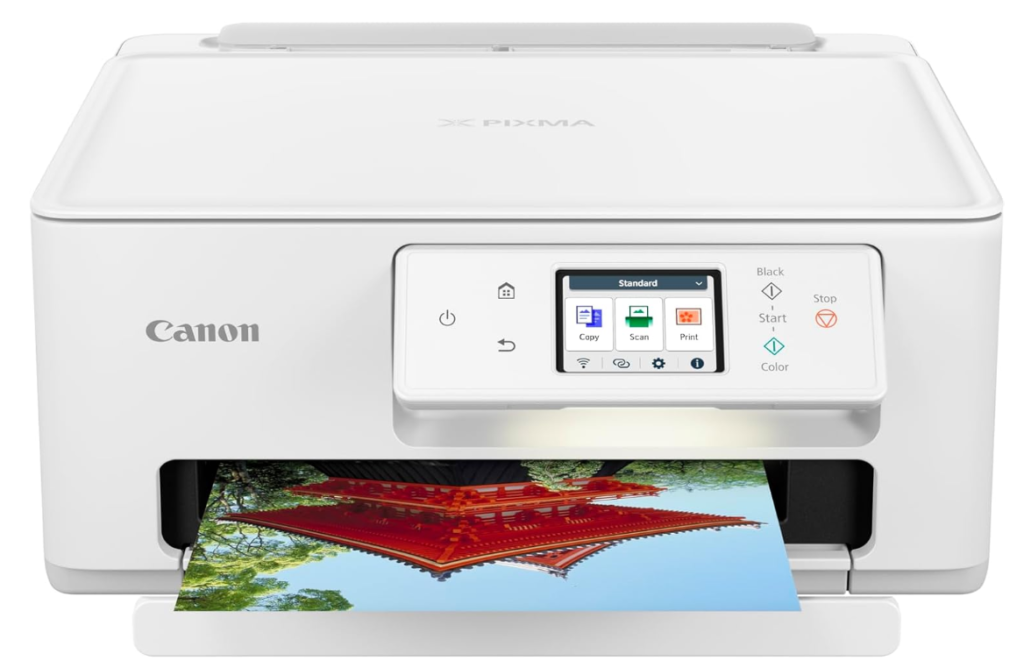
Print, scan and copy in a case scaled for a desk, not a dedicated printer table. It is among the smallest full-function machines in this guide.
Footprint decides where a printer lives, and where it lives decides whether it gets used. A machine that fits on a shelf beside a desk gets switched on for a single boarding pass; one that lives in a cupboard does not.
Paper capacity and speed are both modest, and a household printing daily stacks will find it slow. For a couple or a small family printing a few times a week, the size is the feature.
Pros
- Compact enough for a desk or shelf
- Full print, scan and copy functionality
- Simple wireless setup
- Quiet in normal use
Cons
- Small paper capacity
- Slower than the larger machines here
Key specs: Compact colour inkjet 3-in-1, print, scan and copy, wireless, mobile printing support.
CHECK ON AMAZON9. Epson Expression Home XP-4200 – Best for Occasional Use
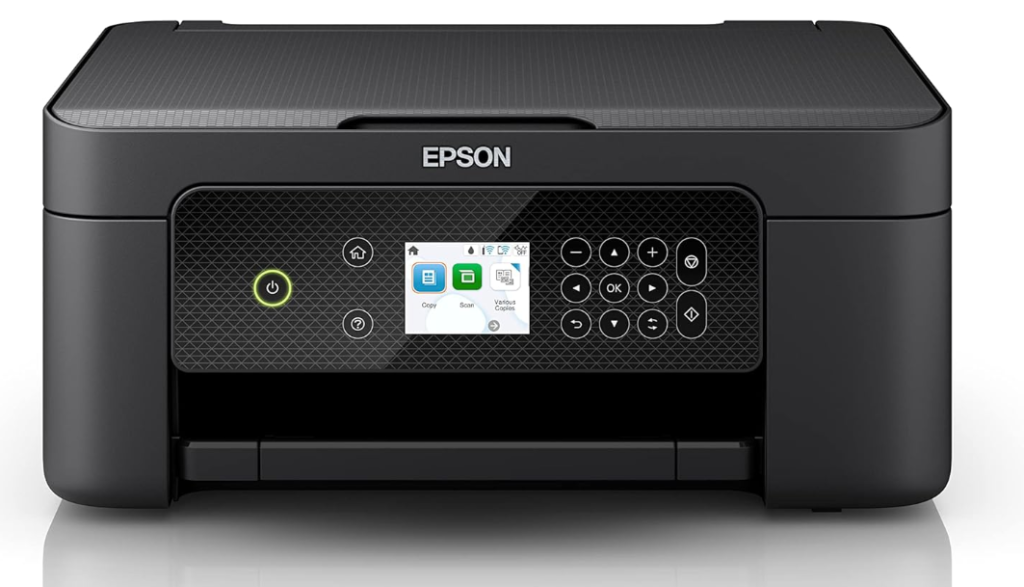
A small colour multifunction aimed squarely at households that print in short bursts and then forget the machine exists for a month. Individual ink cartridges mean only the empty colour gets replaced.
Single-cartridge colour systems waste money, because one exhausted colour retires a cartridge still holding the other two. Separate cartridges match spending to what actually gets used, which matters most when total volume is low.
Print speed is unremarkable and it will not keep up with sustained work. Printing a dozen pages a month, it is the machine least likely to have wasted your money by the time it is replaced.
Pros
- Individual ink cartridges cut waste
- Compact case suits infrequent use
- Print, scan and copy included
- Low upfront price
Cons
- Slow under sustained printing
- Inkjet nozzles can clog after long idle periods
Key specs: Compact colour inkjet multifunction, individual ink cartridges, print, scan and copy, wireless.
CHECK ON AMAZON10. Canon PIXMA TS3660 Home Printer – Best Budget Pick
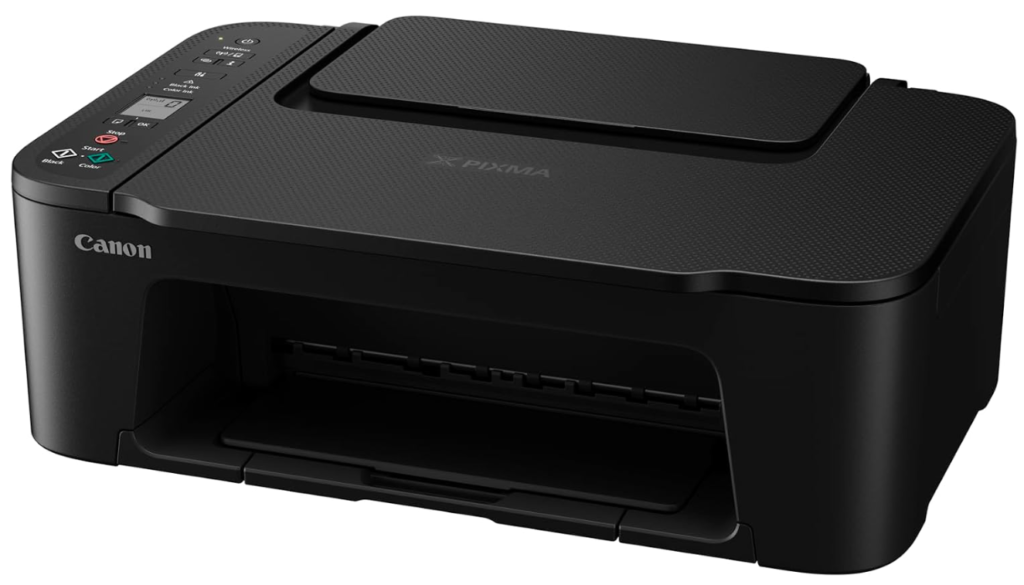
The lowest entry point in this guide, a basic colour three-in-one with wireless printing and little else. Controls are minimal and the case is plain.
An entry printer earns its place when the alternative is no printer at all. A student needing occasional assignment printing or a household printing shipping labels a few times a month does not need speed, trays or a feeder.
Cost per page is the highest here and it will be the first machine on this list to feel slow. Judged as the cheapest way to get wireless printing, scanning and copying into a house, nothing else competes.
Pros
- Lowest upfront price here
- Wireless printing, scanning and copying
- Small and light enough to move easily
- Simple setup
Cons
- Highest cost per page of any machine here
- Slow, with minimal paper capacity
Key specs: Entry-level colour inkjet 3-in-1, wireless print, scan and copy, compact case, mobile printing.
CHECK ON AMAZONHow to Choose the Best Home Printer in Australia
Work out your monthly page count before comparing anything else. Under about twenty pages a month, a cheap cartridge machine is the rational choice because you will never recover a tank printer’s upfront price. Above roughly fifty pages a month the arithmetic reverses sharply, and the cheap printer becomes the expensive one.
Decide honestly whether you need colour. A mono laser is faster, cheaper per page and far more reliable after idle periods than any inkjet. Households that print school assignments and photos need colour; households printing contracts and forms are usually paying for a capability they use twice a year.
Take idle behaviour seriously if you print in bursts. Inkjet nozzles dry and clog when a machine sits unused for weeks, and clearing them consumes ink. Laser toner is a powder and simply does not have this failure mode, which is why a laser suits the household that prints nothing for a month and then forty pages in a day.
Check for a document feeder if you scan more than one page at a time. Flatbed-only scanning is fine for a single form and miserable for a twenty-page contract. An automatic feeder is the single feature most likely to determine whether the scanner gets used at all.
Look at how the ink is divided, not just what it costs. Single tri-colour cartridges retire two full colours whenever the third runs dry. Separate cartridges for each colour, or refillable tanks, both avoid that waste, and the difference compounds over the life of the machine.
Confirm the connection suits your household. Wireless printing from phones is standard now, but a machine that only supports it through a manufacturer app is more fragile than one supporting AirPrint or Mopria directly. Australian Consumer Law guarantees apply to every printer sold here in addition to the manufacturer warranty, which covers a machine that fails to work as described.
You’ll Also Want
Cheap paper jams more and sheds dust into the rollers, so a ream of HP Office 80gsm A4 copy paper – one of the most-reviewed papers in Australia – is a sensible default for any of these machines.
Photo printers only look as good as the paper, and Canon Photo Paper Plus Glossy II 4×6 in a 400-sheet pack works in the photo trays of most inkjets here.
For A4 prints and the EcoTank or XP-15000, Epson Photo Paper Glossy A4 is matched to Epson’s inks for the truest colour.
Frequently Asked Questions
Is an inkjet or laser printer better for home use?
It depends on what you print. Inkjets handle colour and photos and cost less to buy. Laser printers are faster on text, cheaper per page, and far more reliable if the printer sits unused for weeks at a time. For a household that mostly prints school work and forms in black, a mono laser is usually the better long-term buy.
Are ink tank printers worth the extra cost?
Above roughly fifty pages a month, yes. Ink tank printers cost more upfront but refill from bottles at a fraction of cartridge prices, so they overtake a cheap cartridge machine on total cost well inside the first year of steady use. Below that, the higher upfront price takes years to recover.
Why does my printer use ink when I am not printing?
Inkjets run automatic nozzle cleaning cycles to stop the print head drying out, and those cycles consume ink. It is the main reason infrequent users find cartridges empty despite printing very little, and the main argument for a laser. Printing a test page once a week keeps nozzles clear with less waste than repeated cleaning cycles.
Do I need an all-in-one printer?
Only if you scan or copy. An all-in-one adds a scanner bed and often a document feeder, which is useful for forms and contracts. If you only ever print, a dedicated printer is faster, smaller and cheaper. Phone scanning apps can cover the occasional single page if you would rather save the money.
Can I print from my phone?
Yes. Every printer here supports wireless printing from phones and tablets. Support for AirPrint or Mopria is worth checking, since those work directly from the operating system rather than requiring the manufacturer’s own app. Apple devices use AirPrint and most Android phones use Mopria, both built in.
What is the cheapest printer to run in Australia?
Per page, a mono laser for text and an ink tank printer for colour. Entry-level cartridge inkjets have the lowest upfront price and the highest running cost, which is why they suit only very light users. Check the cost of replacement ink or toner before buying, since it outweighs the upfront price within a year or two of regular use.
Verdict
Page count decides this, not brand. A household printing steadily every week should take the HP Smart Tank 5105 Wireless All-in-One, whose bottle refills undercut every cartridge machine here within about a year. Where the printing is text and the machine will sit idle for weeks between jobs, the Brother HL-L2445DW Wireless Mono Laser is the more reliable answer at 32 pages per minute, and for a real home business the HP LaserJet Pro MFP 3101fdw adds the document feeder that makes multi-page scanning tolerable.