A wireless keyboard connects to a computer or tablet over Bluetooth or a 2.4GHz USB receiver instead of a cable, so the best wireless keyboards in Australia are the ones whose connection type, layout and battery life suit the desk they sit on. Bluetooth frees a USB port, while a dedicated receiver is more reliable in a crowded radio environment.
Four designs cover most buying. Full-size boards keep the number pad for data entry, compact layouts drop or combine keys to save desk width, mechanical keyboards swap membrane domes for individual switches, and tablet keyboard cases attach to a specific iPad or Android tablet and double as a cover.
Battery life separates these more than any other figure, and the boards compared here run from about 10 days between charges up to five months, with wireless range typically holding to 10 metres, or roughly 33 feet. Connection type, key travel and whether a number pad is needed settle most of the rest.
This guide compares ten wireless keyboards sold in Australia on connection type, layout, battery life and device switching. Anyone building out a home workspace from scratch will find the matching desk hardware in the guide to the best home printer.
Quick Picks
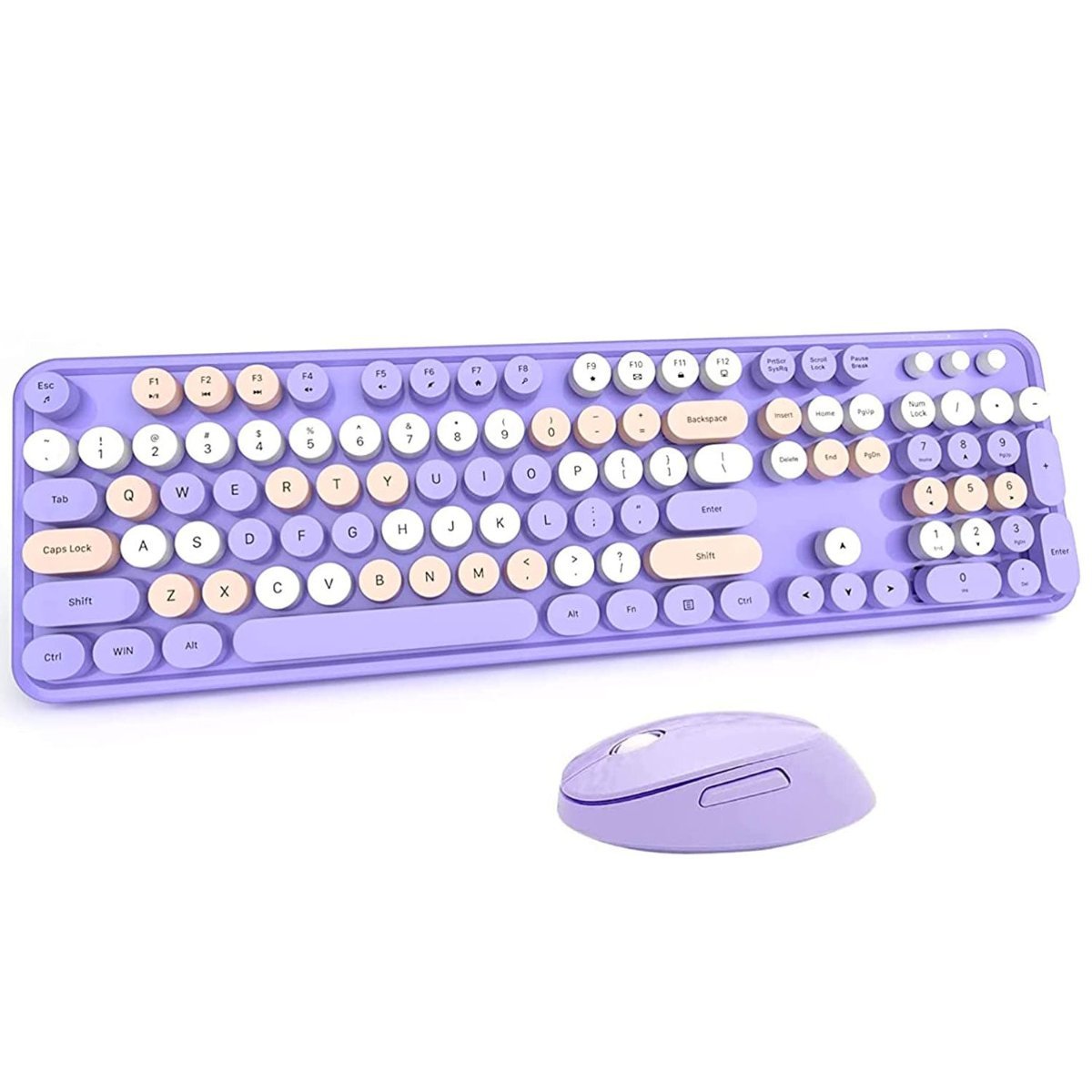
Mofii Wireless Keyboard and Mouse Combo
Compact keyboard and mouse on one USB receiver, with function keys combined to save desk width.
CHECK CURRENT PRICE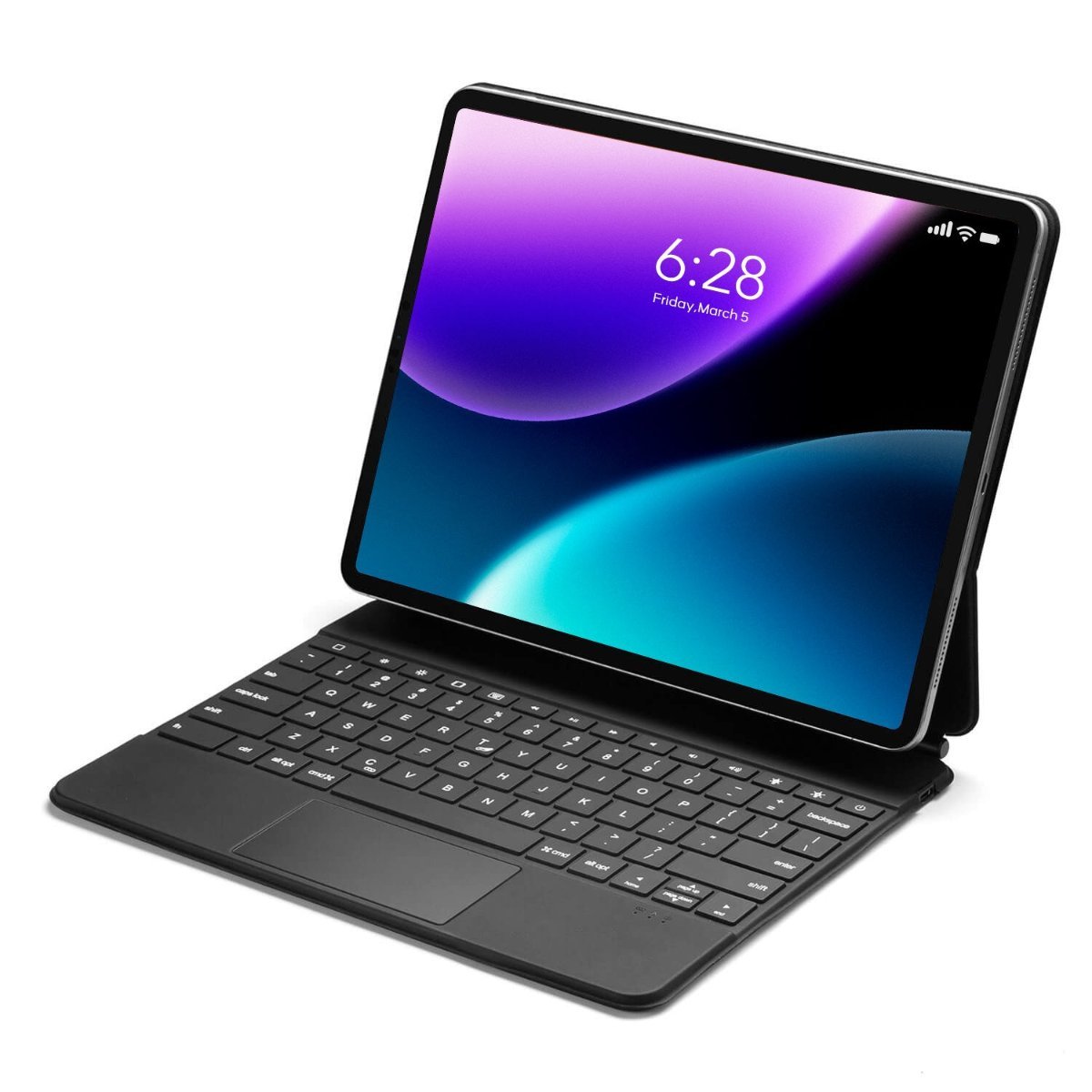
Best Wireless Keyboards in Australia Compared
| Product | Link | Type | Best For | Key Spec |
|---|---|---|---|---|
| Mofii Wireless Keyboard and Mouse Combo | Check price | 2.4GHz combo | Small desks | Compact layout, 10m range |
| Disney Wireless Keyboard and Mouse Combo | Check price | 2.4GHz combo | Children and shared desks | Curved keycaps, 10m range |
| iPad Pro Magnetic Keyboard Case with Trackpad | Check price | Tablet keyboard case | iPad Pro users | Trackpad, USB-C pass-through |
| Galaxy Tab S9 Ultra Bluetooth Keyboard Cover | Check price | Tablet keyboard case | Samsung tablet users | 120Hz touchpad, leather cover |
| Logitech MX Keys S Wireless Keyboard | Check price | Low profile | Productivity | 3 devices, 10m, 5 month battery |
| Logitech K400 Plus Wireless Keyboard with Trackpad | Check price | Keyboard with touchpad | TV-connected computers | 3.5 inch built-in touchpad |
| Redragon Antonium Wireless Mechanical Keyboard | Check price | Mechanical, tri-mode | Typing feel and gaming | 108 keys, 2.4G, BT and USB-C |
| Satechi Slim EX3 Wireless Keyboard | Check price | Full-size slim | Mac and Windows together | 4 devices, 5 week battery |
| Logitech Signature K650 Comfort Keyboard | Check price | Full-size with palm rest | All-day comfort | Integrated palm rest, spill resistant |
| JLab Epic Wireless Keyboard | Check price | Full-size | Switching between devices | 108 keys, multi-device toggle |
1. Mofii Wireless Keyboard and Mouse Combo – Best Compact Layout
Function keys are combined rather than given their own row here, which pulls the board in narrower than a full-size layout. A mouse is included and both run from a single USB receiver.
Plugging in the dongle is the whole setup, with no drivers and no pairing sequence, and the link holds to about 10 metres. Anti-interference handling keeps it steady in a room where other 2.4GHz devices compete for the band.
A condensed layout means some keys sit behind a function modifier, which takes a week or so to stop being annoying. On a narrow desk where a full-size board and a separate mouse will not both fit, that compromise buys the space back.
Pros
- Compact layout saves desk width
- Keyboard and mouse on one receiver
- No drivers or pairing needed
- About 10 metres of range
Cons
- Some keys behind a function modifier
- 2.4GHz only, no Bluetooth
Key specs: 2.4GHz wireless keyboard and mouse combo; single USB receiver; compact layout with combined function keys; about 10m range; plug and play.
CHECK CURRENT PRICE2. Disney Wireless Keyboard and Mouse Combo – Best for Kids Desks
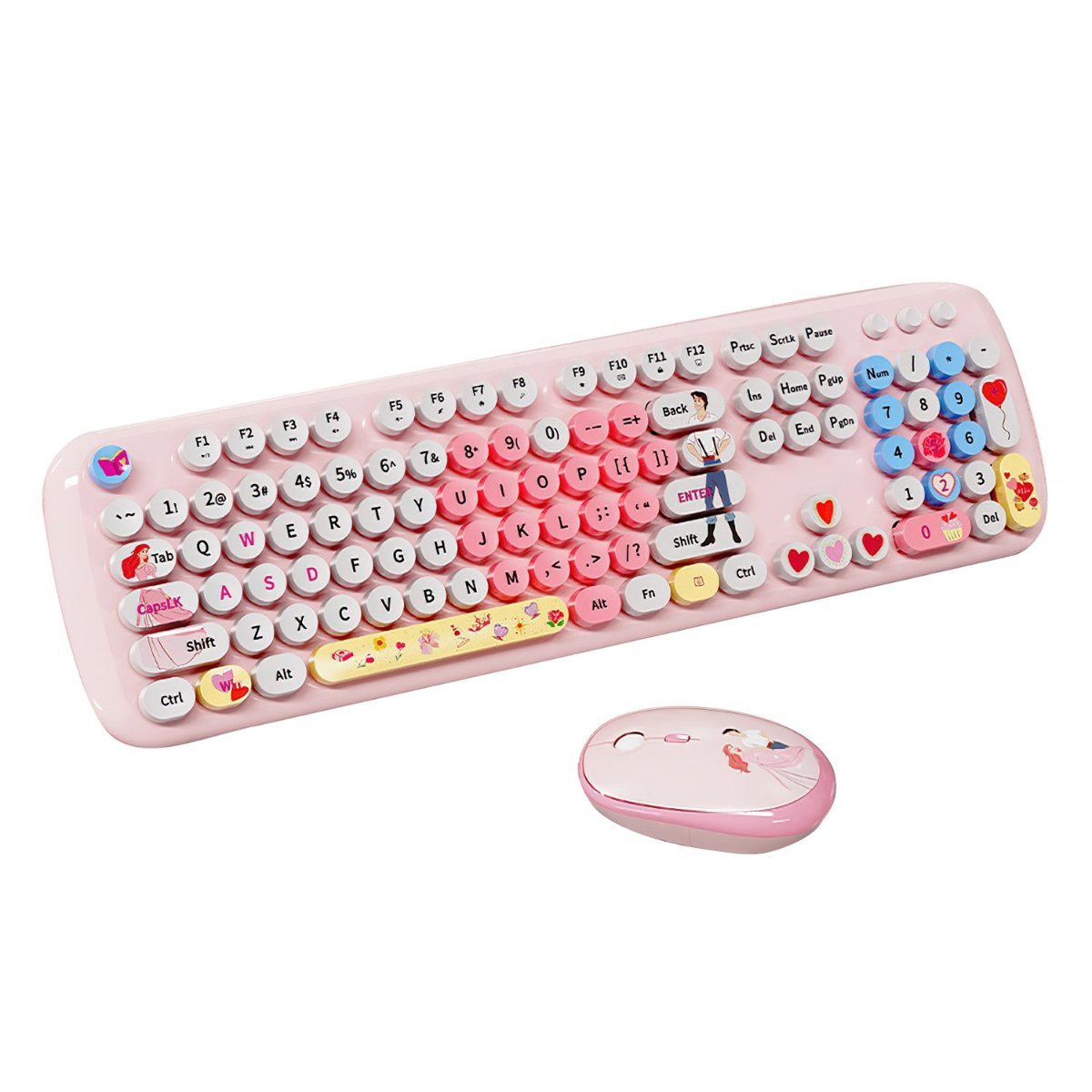
Curved keycaps cup the fingertip rather than sitting flat, and the set carries Disney artwork across the board and the mouse. Connection is the same 2.4GHz arrangement, working with desktops and laptops alike.
The curve is the functional part rather than the styling, because a dished keycap locates the finger without looking down, which matters most for someone still learning to touch type. Range holds to roughly 10 metres with no driver install.
Themed peripherals date faster than plain ones, and an adult workspace is not the target. On a homework desk or a shared family computer, the styling is the reason it gets used.
Pros
- Curved keycaps locate the finger
- Themed design suits a homework desk
- Plug and play with no drivers
- Works with desktops and laptops
Cons
- Styling limits where it suits
- 2.4GHz only, no Bluetooth
Key specs: 2.4GHz wireless keyboard and mouse combo; curved keycaps; USB receiver; about 10m stable range; desktop and laptop compatible.
CHECK CURRENT PRICE3. iPad Pro Magnetic Keyboard Case with Trackpad – Best for iPad
This is a case as much as a keyboard, attaching magnetically to a 13-inch iPad Pro and folding to protect front and back. A trackpad sits below the keys and a USB-C port passes charge through to the tablet.
Adding a trackpad changes how iPadOS is used, because cursor support turns tablet apps into something closer to desktop software. Pass-through charging means the tablet still charges while docked instead of needing the case removed.
It fits the M4 2024 and M5 2025 iPad Pro only, so it is worthless on any other tablet. Where an iPad is expected to replace a laptop on the road, the keyboard and trackpad together are what make that plausible.
Pros
- Trackpad brings cursor support to iPadOS
- USB-C pass-through charging
- Magnetic attachment with front and back cover
- Folds into a stand
Cons
- Fits 13-inch iPad Pro M4 and M5 only
- Adds noticeable weight to the tablet
Key specs: Magnetic keyboard case with trackpad; fits iPad Pro 13-inch M4 2024 and M5 2025; USB-C pass-through charging; front and back protection.
CHECK CURRENT PRICE4. Galaxy Tab S9 Ultra Bluetooth Keyboard Cover – Best for Android Tablets
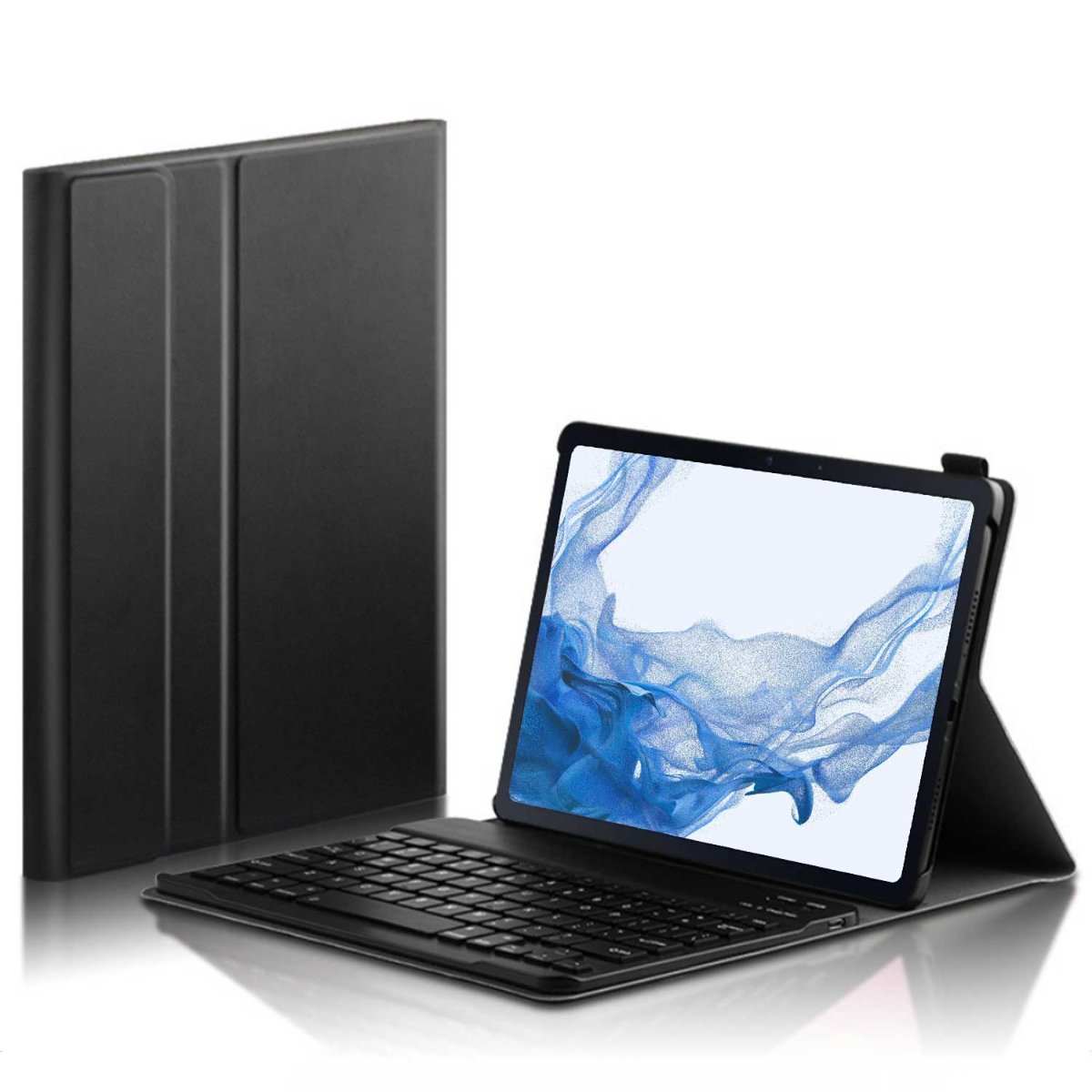
Built for the 14.6-inch Galaxy Tab S9 Ultra, this pairs a Bluetooth keyboard with a leather-finish folio and an upgraded 120Hz touchpad. The cover wraps the tablet when the keyboard is not in use.
A 120Hz touchpad tracks more smoothly than the 60Hz panels usual at this price, which shows up in cursor movement rather than on any specification sheet. Bluetooth pairing means no dongle occupies a port.
Like the iPad case above it is single-model, tied to one 14.6-inch tablet. For anyone typing at length on a Galaxy Tab rather than tapping at it, the folio removes the need to carry a separate keyboard.
Pros
- 120Hz touchpad tracks smoothly
- Bluetooth needs no dongle
- Leather-finish protective folio
- Purpose-built for a 14.6 inch tablet
Cons
- Fits Galaxy Tab S9 Ultra only
- Folio adds bulk to a large tablet
Key specs: Bluetooth keyboard cover with 120Hz touchpad; leather-finish folio case; fits Samsung Galaxy Tab S9 Ultra 14.6 inch.
CHECK CURRENT PRICE5. Logitech MX Keys S Wireless Keyboard – Best for Long Typing Sessions
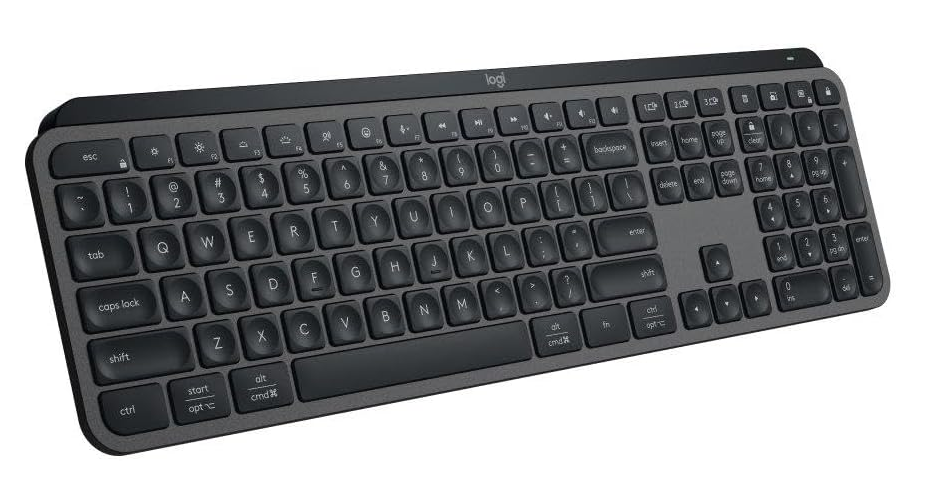
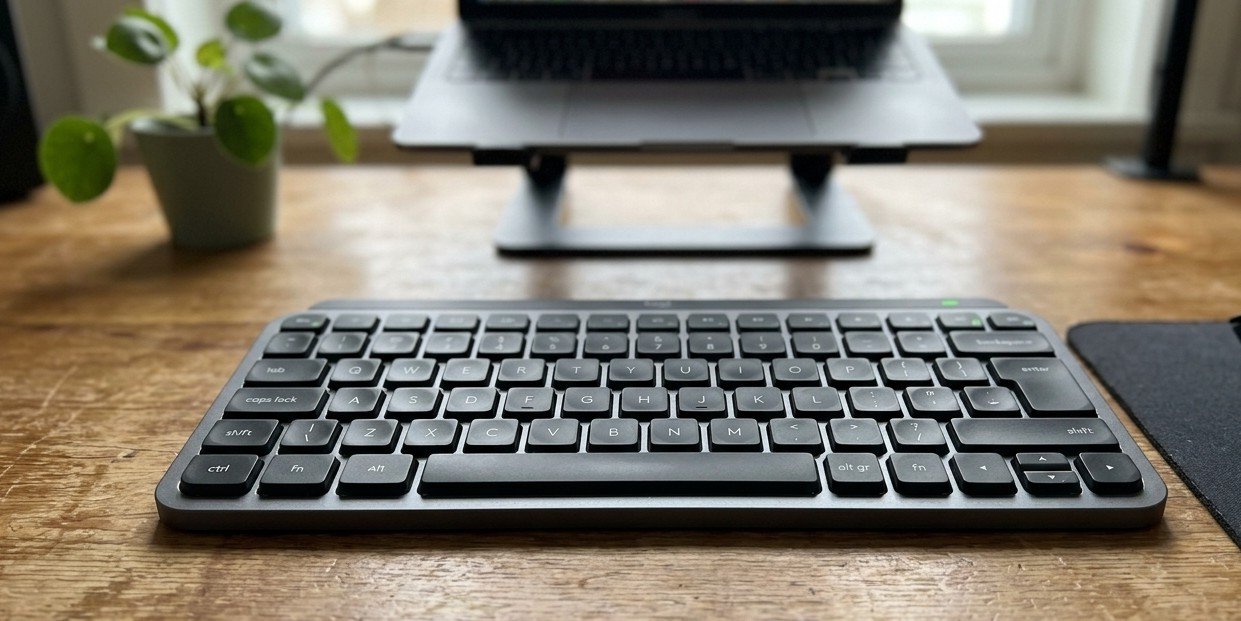
Low-profile keys and a programmable layout put this at the productivity end of the category, switching between up to three devices at the push of a button. Connection runs over Bluetooth low energy or the bundled Logi Bolt receiver.
Switching devices without re-pairing is the feature that earns a place on a desk carrying a laptop, a desktop and a tablet at once. Range holds to about 10 metres either way, and the layout is programmable through desktop software.
Battery lasts roughly 10 days with backlighting on and up to five months with it off, which makes the light the main power decision. Anyone typing all day rather than occasionally is who the key feel and programmability are aimed at.
Pros
- Switches between three devices instantly
- Bluetooth LE or Logi Bolt receiver
- Up to 5 months battery with backlight off
- Programmable keys via desktop software
Cons
- Backlighting cuts battery to about 10 days
- Low profile will not suit mechanical typists
Key specs: Low-profile wireless keyboard; 3-device switching; Bluetooth LE and Logi Bolt receiver; 10m range; up to 10 days backlit or 5 months unlit; programmable keys.
CHECK ON AMAZON6. Logitech K400 Plus Wireless Keyboard with Trackpad – Best for Lounge Room Use
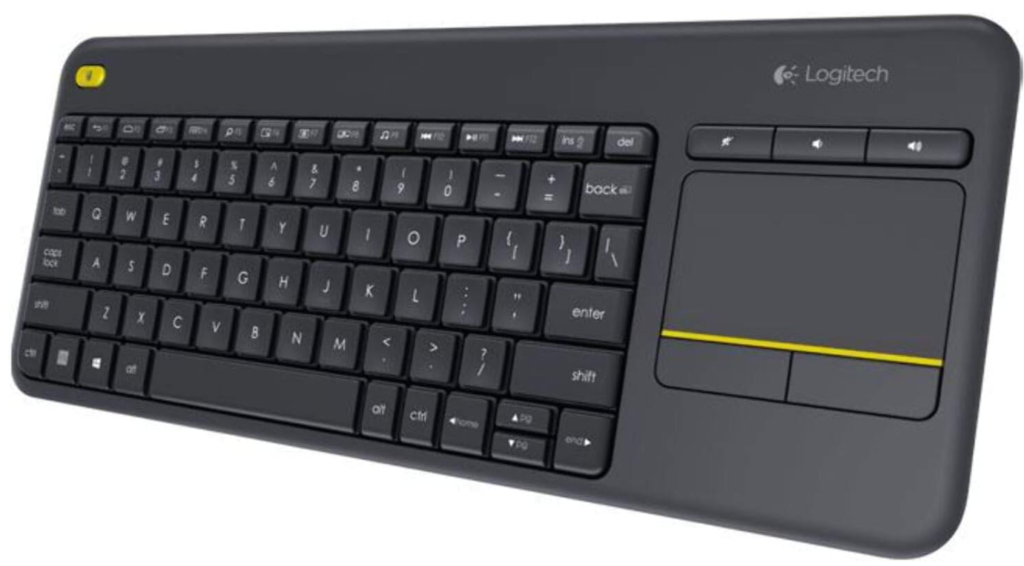
A 3.5 inch touchpad is built into the right of this board, removing the need for a mouse and a flat surface to run it on. Low-profile keys sit in a single moulded top case.
That layout exists for one situation, which is a computer connected to a television and operated from a couch where no desk is available. Long-range wireless keeps it working from across a room rather than at arm reach.
The touchpad is small by laptop standards and no substitute for a mouse in precision work. As the controller for a media PC or a TV-connected laptop, it is the only shape here that suits the job.
Pros
- Built-in 3.5 inch touchpad
- No desk or mouse surface needed
- Long wireless range
- Single-piece design travels well
Cons
- Touchpad too small for precision work
- Not suited to a conventional desk
Key specs: Wireless keyboard with integrated 3.5 inch touchpad; low-profile keys; USB receiver; long-range wireless; designed for TV-connected computers.
CHECK ON AMAZON7. Redragon Antonium Wireless Mechanical Keyboard – Best Mechanical Feel
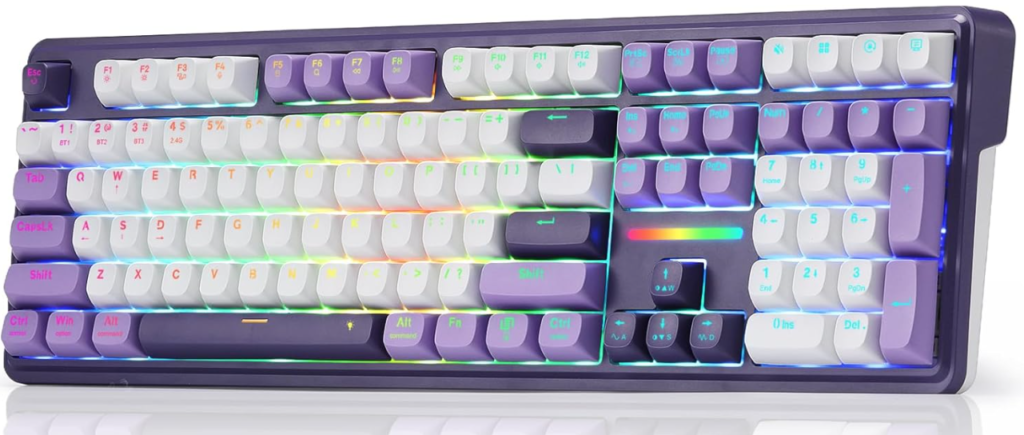
A full 108-key mechanical layout with gasket mounting and five layers of sound damping sits behind this one, running linear switches that are hot-swappable. Tri-mode connection covers low-latency 2.4GHz, Bluetooth and wired USB-C.
Gasket mounting and damping layers change the acoustics rather than the speed, giving a deeper sound than the hollow rattle of a cheap mechanical board. Anti-ghosting across 104 keys means simultaneous presses all register, which matters in games and fast typing alike.
Mechanical boards are taller, heavier and considerably louder than the membrane designs above, and hot-swap switches invite tinkering that not everyone wants. For anyone who dislikes the feel of low-profile keys, nothing else in this guide answers that.
Pros
- Full 108-key mechanical layout
- Tri-mode 2.4GHz, Bluetooth and USB-C
- Gasket mount with 5 damping layers
- Hot-swappable linear switches
Cons
- Louder and taller than membrane boards
- Heaviest keyboard here to carry
Key specs: 108-key wireless mechanical keyboard; tri-mode 2.4GHz, Bluetooth and USB-C; gasket mount with 5 sound damping layers; hot-swappable linear switches; 104-key anti-ghosting; RGB backlight.
CHECK ON AMAZON8. Satechi Slim EX3 Wireless Keyboard – Best for Mixed Mac and Windows
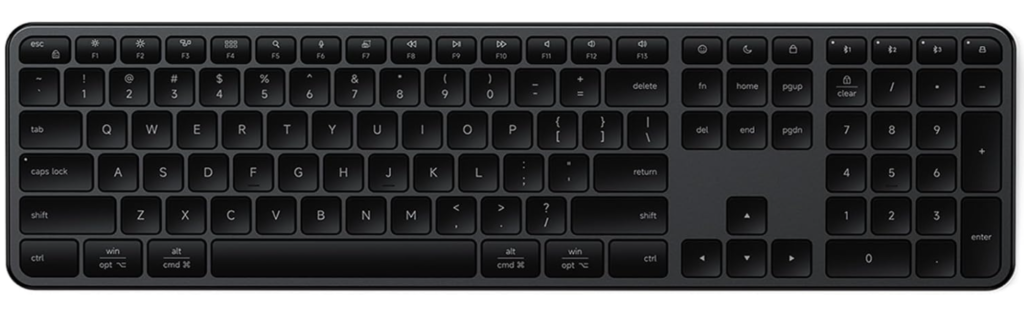
Four connections are available at once here, three over Bluetooth and one through a 2.4GHz dongle, across a full-size layout with a number pad. A physical toggle switches key mapping between macOS and Windows.
That hardware toggle is the substantive difference from software remapping, because modifier keys land where the operating system expects without configuring anything. A 450mAh USB-C battery runs about five weeks per charge.
There is no backlighting, which is the trade made for that battery figure. Where a desk runs a Mac and a Windows machine side by side, the physical switch removes daily friction the other boards leave in place.
Pros
- Four devices connected at once
- Physical macOS and Windows key toggle
- Full size with number pad
- About 5 weeks per charge
Cons
- No backlighting at all
- Slim profile gives shallow key travel
Key specs: Full-size slim wireless keyboard; 3 Bluetooth channels plus 2.4GHz dongle; physical macOS and Windows toggle; number pad; 450mAh USB-C rechargeable; about 5 weeks per charge.
CHECK ON AMAZON9. Logitech Signature K650 Comfort Keyboard – Best Wrist Support
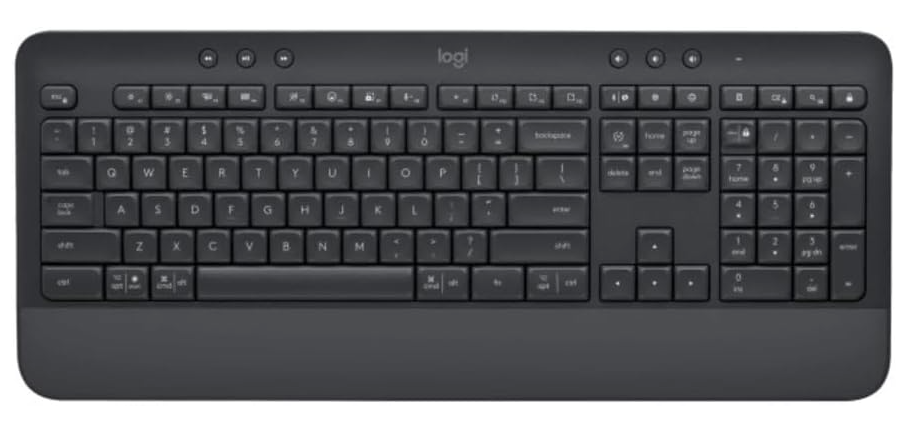
An integrated palm rest runs the width of this board rather than being a separate accessory that slides out of place. The layout is full-size with upgraded shortcut keys along the top.
Supporting the wrist changes the angle at which the hand meets the keys, which is what reduces strain across a long day at a desk. Spill-resistant construction and indicator lights for caps lock, connection and battery cover the practical details.
The attached rest makes the board deeper front to back, so a shallow desk or a keyboard tray may not take it. For anyone whose wrists ache by mid-afternoon, that depth is the entire point of the design.
Pros
- Integrated palm rest across full width
- Spill-resistant construction
- Indicator lights for caps, link and battery
- Supported by desktop customisation software
Cons
- Deeper front to back than plain boards
- Palm rest cannot be removed
Key specs: Full-size wireless comfort keyboard; integrated palm rest; spill-resistant; caps lock, connection and battery indicators; Windows and macOS software support.
CHECK ON AMAZON10. JLab Epic Wireless Keyboard – Best Plain Full-Size Board
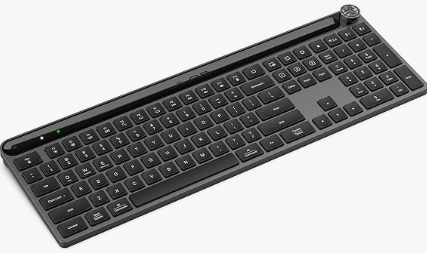
A 108-key full-size layout with a dedicated multi-device toggle covers the basics without adding a palm rest or mechanical switches. The finish is plain black across the whole board.
The toggle moves between paired devices directly rather than through a key combination, which is quicker in practice than holding a modifier and hunting for the right number. A full number pad is included rather than dropped to save width.
It carries none of the extras the boards above it offer, with no backlight, no palm rest and no programmable keys. As the plainest full-size option here that still switches devices cleanly, that restraint is what defines it.
Pros
- Full 108-key layout with number pad
- Dedicated multi-device toggle
- Plain finish suits any desk
- Straightforward with nothing to configure
Cons
- No backlighting or programmable keys
- No palm rest or wrist support
Key specs: 108-key full-size wireless keyboard; multi-device toggle; number pad; black finish.
CHECK ON AMAZONHow to Choose a Wireless Keyboard in Australia
Pick the connection type before the brand. A 2.4GHz USB receiver pairs once and stays reliable, which suits a desktop that never moves, but it occupies a port permanently. Bluetooth frees that port and works with tablets and phones, at the cost of an occasional reconnection delay when a machine wakes from sleep.
Decide whether the number pad earns its width. A full-size board pushes the mouse further right, which over a long day is a measurable shoulder cost. Anyone entering figures daily should keep the pad, and anyone who does not should take the desk space back with a compact layout.
Count the devices the keyboard must serve. Multi-device boards switch between two, three or four paired machines with a button rather than re-pairing each time. On a desk carrying a work laptop, a personal desktop and a tablet, that single feature saves more time than any other on this page.
Treat key feel as the thing you cannot fix later. Low-profile membrane keys are quiet and shallow, while mechanical switches are deeper, louder and heavier. No amount of software changes either, so anyone unsure should type on both before committing rather than reading specifications.
Check battery expectations honestly. Backlighting is the single largest drain, and boards quoting months of life almost always quote it with the lights off. A rechargeable USB-C battery removes the AA habit, but a keyboard that dies mid-sentence is worse than one that warns with an indicator light.
Match tablet cases to the exact model. Keyboard folios are cut for one tablet size and generation, and a case for a 13-inch iPad Pro will not fit an iPad Air or an older Pro. Australian Consumer Law covers a keyboard that fails early regardless of the stated warranty, so keep the receipt and note the purchase date.
Frequently Asked Questions
Is Bluetooth or a USB receiver better for a wireless keyboard?
A 2.4GHz USB receiver is generally more reliable and has lower latency, which suits gaming and a permanent desktop setup. Bluetooth is better where USB ports are scarce or the keyboard must work with a tablet or phone, and it is the only option on most tablet keyboard cases.
How long do wireless keyboard batteries last?
It varies enormously with backlighting. Boards with the lights off commonly run several weeks to five months, while the same keyboard backlit may need charging every week or two. Models running on AA batteries often outlast rechargeable ones between changes.
Can one wireless keyboard control several computers?
Yes, if it supports multi-device pairing. These boards hold two to four devices in memory and switch with a dedicated button or key, which avoids re-pairing each time and is the main reason to choose one over a single-device model.
Do wireless keyboards work with iPads and Android tablets?
Bluetooth models generally do, and tablet keyboard cases are built for it specifically. Cases are cut for one tablet model and generation, so compatibility must be checked exactly, while a standalone Bluetooth keyboard will pair with almost any tablet.
Are mechanical wireless keyboards worth it?
They are if key feel matters to you. Mechanical switches give deeper travel and a more defined actuation than membrane domes, and hot-swappable boards let the switches be changed later. They are louder, taller and heavier, which makes them a poor fit for shared offices.
Is there input lag on a wireless keyboard?
Not enough to notice in typing on any modern board. Competitive gaming is the only realistic case where latency matters, and a low-latency 2.4GHz connection rather than Bluetooth is the right choice there.
Verdict
For a desk that carries a laptop, a desktop and a tablet at once, the Logitech MX Keys S Wireless Keyboard switches between all three on a button press and runs months per charge with the backlight off. A computer wired to a television needs a different shape entirely, and the Logitech K400 Plus Wireless Keyboard with Trackpad is the only board here that works on a lap with no mouse and no desk. Where the priority is how the keys actually feel, the Redragon Antonium Wireless Mechanical Keyboard is the sole mechanical option, with gasket mounting and hot-swappable switches that no membrane board can approach.