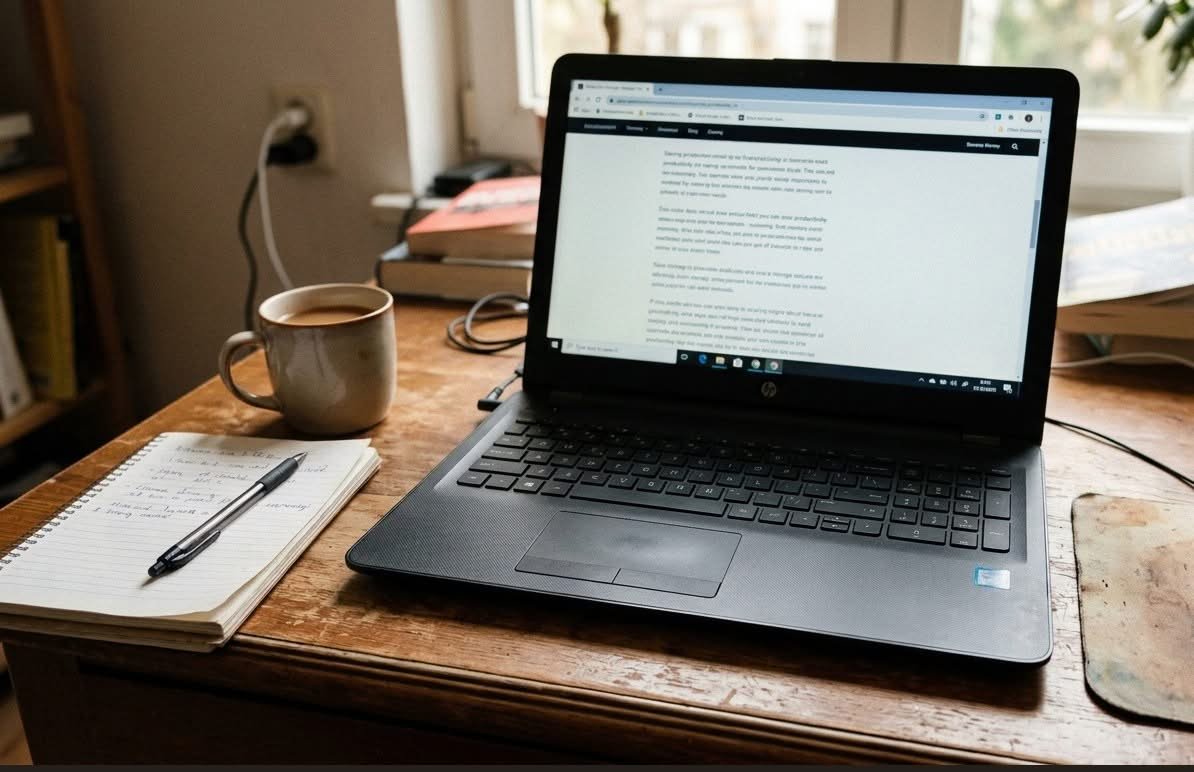
The best budget laptops in Australia balance a capable processor and enough RAM for real multitasking against a price well under what a mid-range new laptop costs, and the strongest value in this bracket right now comes from professionally graded refurbished machines from major brands rather than unbranded new budget models. A budget laptop is not defined by being the cheapest option available, but by giving genuine day-to-day performance without paying for features you will not use.
Budget laptops in this bracket fall into three broad shapes. A standard clamshell laptop is the familiar hinged design with a built-in keyboard, the safest choice for most buyers. A 2-in-1 laptop keeps its keyboard attached but folds the touchscreen back flat or into a tent shape. A tablet hybrid, such as Microsoft’s Surface Pro line, separates into a standalone tablet with a keyboard cover that often has to be bought separately.
Weight varies more than shoppers expect across this bracket: the lightest tablet hybrid in this guide weighs 891 grams (about 1.96 lb), while a comparably specified 15.6-inch laptop typically weighs close to double that. The criteria that separate a genuinely good budget laptop from a disappointing one are RAM headroom, storage capacity, whether the seller grades condition and backs it with a warranty, and whether the screen resolution matches what you will actually use it for.
This guide compares eight laptops available in Australia, from standard clamshell designs to 2-in-1 and tablet-hybrid formats, so you can match the shape and specification to how you actually plan to use it.
Quick Picks
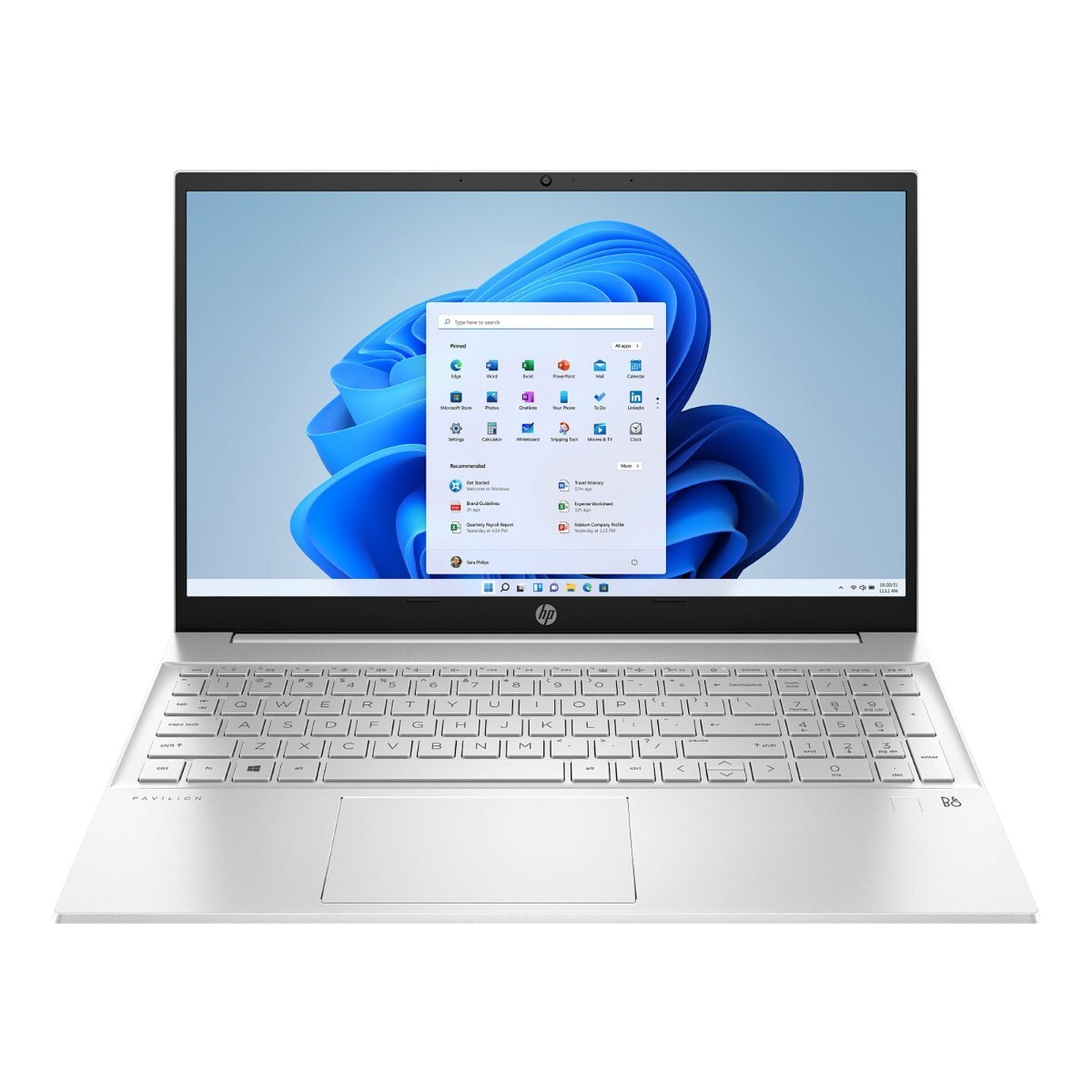
HP Pavilion 15.6″ Laptop i5-1240P (Refurbished)
Tested and graded refurbished HP with 512GB of storage, a genuinely generous amount for the price.
CHECK CURRENT PRICE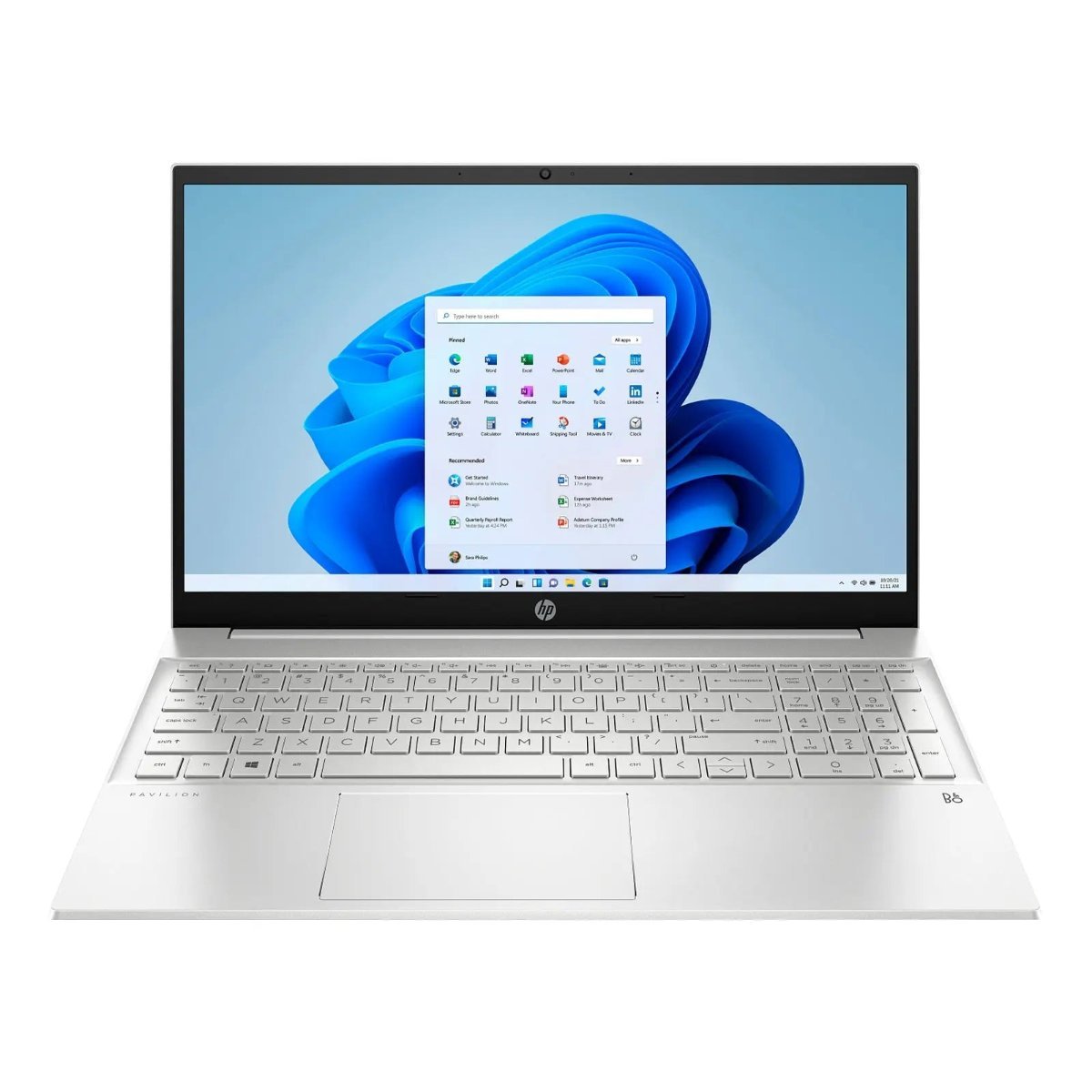
HP Pavilion 15.6″ Laptop R7-7730U (Refurbished)
The same Pavilion body with 16GB of RAM, the pick for heavy multitaskers.
CHECK CURRENT PRICE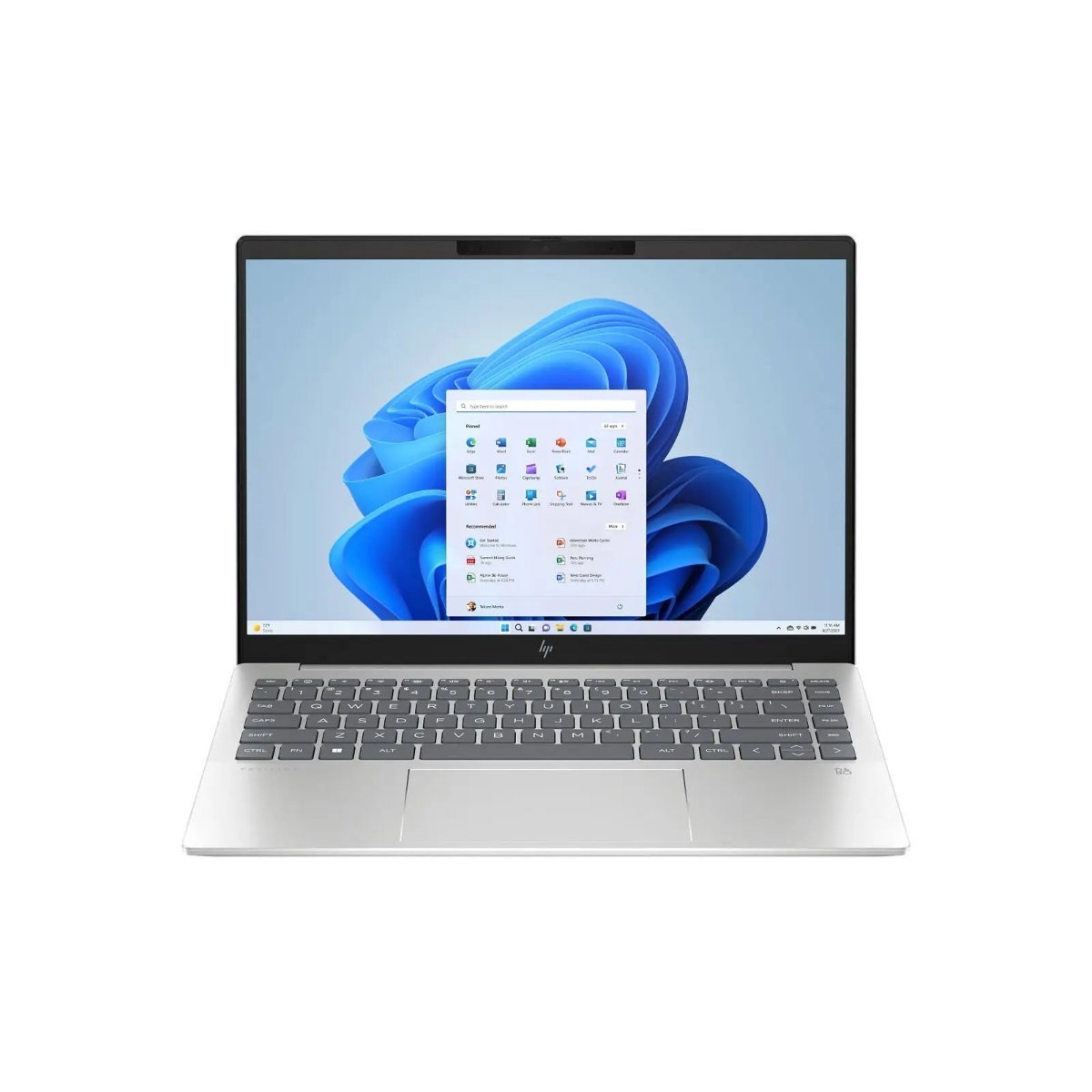
HP Pavilion Plus 14″ WQXGA 120Hz Laptop (Refurbished)
A sharp WQXGA 120Hz screen most budget laptops cannot match.
CHECK CURRENT PRICEThe 8 Best Budget Laptops in Australia Compared
| Product | Link | Type | Best For | Key Spec |
|---|---|---|---|---|
| HP Pavilion 15.6″ Laptop i5-1240P (Refurbished) | Check price | Refurbished | Best Overall Value | i5-1240P, 8GB RAM, 512GB SSD |
| HP Pavilion 15.6″ Laptop R7-7730U (Refurbished) | Check price | Refurbished | Best for Multitasking | Ryzen 7-7730U, 16GB RAM, 512GB SSD |
| HP Pavilion Plus 14″ WQXGA 120Hz Laptop (Refurbished) | Check price | Refurbished | Best Display | WQXGA 120Hz screen, i5-1335U, 16GB RAM |
| HP Envy x360 13.3″ OLED Laptop (Refurbished) | Check price | Refurbished | Best 2-in-1 Design | 2.8K OLED touchscreen, folds flat to a tablet |
| Lenovo IdeaPad 5 14″ 2-in-1 Laptop (Refurbished) | Check price | Refurbished | Best Lenovo Pick | 2-in-1 touch, i7-150U, 16GB RAM, 512GB SSD |
| Acer Swift 14″ Laptop with GTX1650 (Refurbished) | Check price | Refurbished | Best for Light Gaming | Dedicated GTX1650 graphics card |
| Microsoft Surface Pro 8 (Refurbished, Grade A) | Check price | Refurbished | Best Tablet Hybrid | 891g, 120Hz display, keyboard sold separately |
| Microsoft Surface Laptop 4 13.5″ (Refurbished, Grade A) | Check price | Refurbished | Best Standard Laptop Form Factor | AMD Ryzen 5, 256GB SSD, built-in keyboard |
1. HP Pavilion 15.6″ Laptop i5-1240P (Refurbished) – Best Overall Value
This Pavilion is graded as fully tested and restored rather than simply resold, and the 12th-generation Core i5 inside handles everyday browsing, office work and streaming without hesitation. 512GB of SSD storage is a genuinely generous amount at this price point, well past what most new budget laptops offer.
In daily use, 8GB of RAM is the ceiling for comfortable multitasking rather than a bottleneck for basic work, and the 15.6-inch FHD screen gives enough room for two windows side by side. Every unit carries a 12-month warranty, longer than most refurbishers offer.
The trade-off with any refurbished laptop is that stock is one unit at a time rather than an endless production run, so availability shifts week to week. Anyone comfortable buying a professionally restored laptop over a brand-new one gets the most value here.
Pros
- 512GB SSD, generous for this price
- 12-month warranty included
- Tested and graded rather than simply resold
Cons
- 8GB RAM is the ceiling for heavy multitasking
- Refurbished stock turns over, so this exact unit may sell out
Key specs: Intel Core i5-1240P, 8GB RAM, 512GB SSD, Windows 11 Home, 15.6″ FHD
CHECK CURRENT PRICE2. HP Pavilion 15.6″ Laptop R7-7730U (Refurbished) – Best for Multitasking
This Pavilion swaps in an AMD Ryzen 7 processor and doubles the RAM to 16GB, the biggest practical upgrade over the entry i5 model for anyone who keeps a dozen browser tabs and an office suite open at once.
The extra memory heads off the slowdowns that show up on 8GB machines once a video call, a spreadsheet and a browser are all running together, and the 512GB SSD carries over from the cheaper model. It is still a 15.6-inch FHD panel, so the screen experience does not change.
Paying more here buys headroom rather than a faster single-core experience, so it suits someone replacing an ageing laptop that already struggles with multitasking, more than someone doing light browsing who would be equally happy with the cheaper Pavilion above.
Pros
- 16GB RAM, double the entry Pavilion
- 512GB SSD
- 12-month warranty
Cons
- Costs more for RAM rather than a faster processor tier
- Same 15.6″ FHD screen as the cheaper model
Key specs: AMD Ryzen 7-7730U, 16GB RAM, 512GB SSD, Windows 11 Home, 15.6″ FHD
CHECK CURRENT PRICE3. HP Pavilion Plus 14″ WQXGA 120Hz Laptop (Refurbished) – Best Display
The Pavilion Plus trades the standard 1080p panel most budget laptops ship with for a sharper WQXGA resolution running at 120Hz, a genuine step up for anyone who spends the day looking at text and spreadsheets.
16GB of RAM comes standard here rather than as a paid upgrade, and the smaller 14-inch body keeps the whole laptop lighter than the 15.6-inch Pavilions above. Storage drops to 256GB, the one spec that takes a step back to make room for the better screen.
This suits someone who values a crisp, smooth display over maximum storage, and who is happy to lean on cloud storage or an external drive for anything beyond the operating system and everyday files.
Pros
- Sharp WQXGA resolution at 120Hz
- 16GB RAM as standard
- Lighter 14-inch body
Cons
- 256GB storage is tighter than the 15.6″ Pavilions
- Smaller screen may not suit everyone
Key specs: Intel Core i5-1335U, 16GB RAM, 256GB SSD, Windows 11 Home, 14″ WQXGA 120Hz
CHECK CURRENT PRICE4. HP Envy x360 13.3″ OLED Laptop (Refurbished) – Best 2-in-1 Design

The Envy x360 folds all the way back into a tablet, and the 2.8K OLED touchscreen makes that mode genuinely usable rather than a gimmick, with deep contrast and true blacks that a standard LCD budget panel cannot match.
A Core i7 and 16GB of RAM keep it comfortably ahead of the entry Pavilions on raw processing, and 512GB of storage matches the larger 15.6-inch models despite the smaller 13.3-inch body. The touchscreen and 360-degree hinge are the main reasons to pay more here rather than raw speed alone.
Anyone who wants to sketch, take notes by hand, or use the laptop as a tablet for reading gets real use out of the hinge and touch panel. A student or professional who only ever uses it as a standard laptop is paying for a feature they will not touch.
Pros
- 2.8K OLED touchscreen
- 360-degree hinge folds to a tablet
- Core i7 with 16GB RAM
Cons
- Paying for a hinge and touchscreen you may not use
- Smaller 13.3″ screen than the Pavilion range
Key specs: Intel Core i7-1250U, 16GB RAM, 512GB SSD, Windows 11 Home, 13.3″ 2.8K OLED touch
CHECK CURRENT PRICE5. Lenovo IdeaPad 5 14″ 2-in-1 Laptop (Refurbished) – Best Lenovo Pick
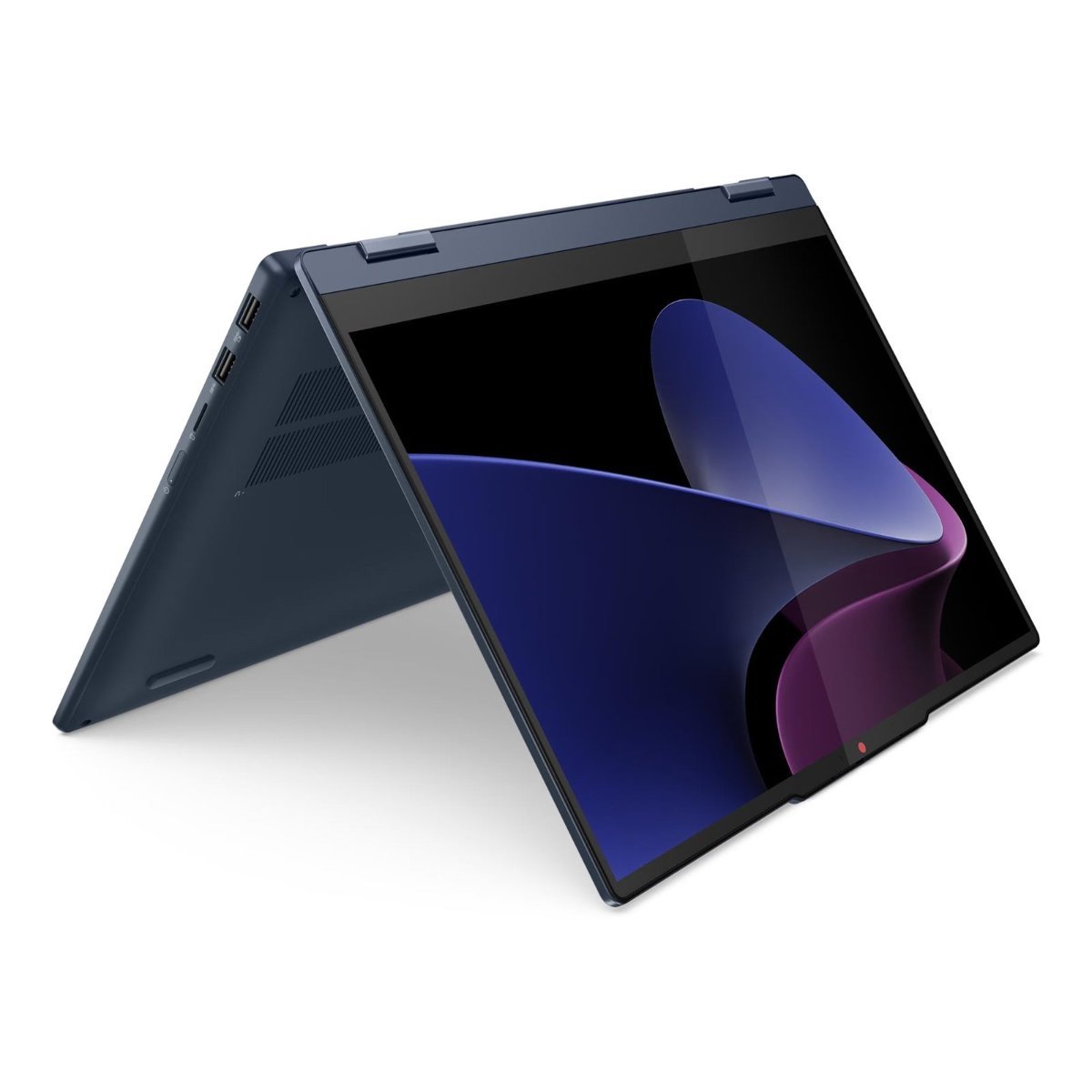
Lenovo’s IdeaPad 5 is the other 2-in-1 in this list, built around a WUXGA touchscreen and a hinge that folds flat, with a Core i7 and 16GB of RAM giving it similar processing headroom to the Envy x360 above at a lower price.
The 512GB SSD matches the larger Pavilions rather than the smaller Envy, so storage is not a compromise here the way it is on the Pavilion Plus. Build quality on Lenovo’s IdeaPad line has historically been a step below the premium Yoga range, which is reflected in the price gap between them.
This is the pick for someone who wants 2-in-1 flexibility and strong specs without paying Envy-level pricing, and who does not need the OLED panel to justify the cost.
Pros
- Core i7 with 16GB RAM
- 512GB SSD
- 2-in-1 touchscreen at a lower price than the Envy x360
Cons
- Build quality sits below Lenovo’s premium Yoga line
- Standard WUXGA panel, not OLED
Key specs: Intel Core i7-150U, 16GB RAM, 512GB SSD, Windows 11 Home, 14″ WUXGA touch 2-in-1
CHECK CURRENT PRICE6. Acer Swift 14″ Laptop with GTX1650 (Refurbished) – Best for Light Gaming
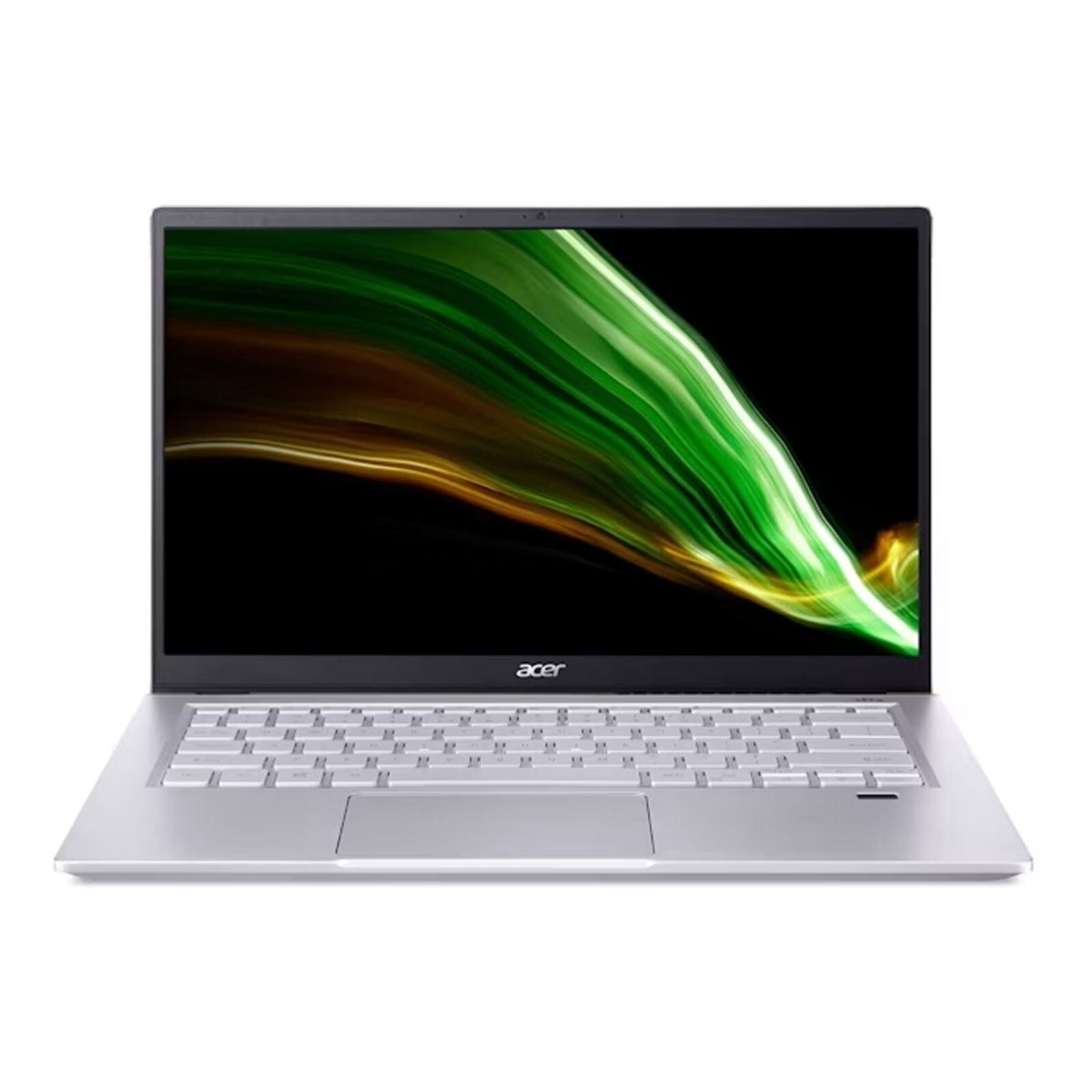
The Swift is the only laptop in this list with a dedicated graphics card, a GTX1650, rather than relying on the processor’s built-in graphics. That single difference is what lets it run older or less demanding games at playable settings, something none of the Pavilions or the IdeaPad can do.
The trade-off for the dedicated GPU is a step down elsewhere: an older Ryzen 5 processor and 8GB of RAM, both behind the Envy x360 and IdeaPad 5 on paper. The 512GB SSD holds up well against the rest of the list.
Choose this one specifically for the graphics card. Anyone who does not game is better served by the Pavilion R7-7730U above for the same money, with more RAM and a newer processor instead.
Pros
- Dedicated GTX1650 graphics card
- 512GB SSD
- Genuinely playable for light gaming, unlike every other pick here
Cons
- Older Ryzen 5 processor
- 8GB RAM is a step down from the IdeaPad and Envy x360
Key specs: AMD Ryzen 5-5500U, 8GB RAM, 512GB SSD, NVIDIA GTX1650, Windows 11 Home, 14″ FHD
CHECK CURRENT PRICE7. Microsoft Surface Pro 8 (Refurbished, Grade A) – Best Tablet Hybrid
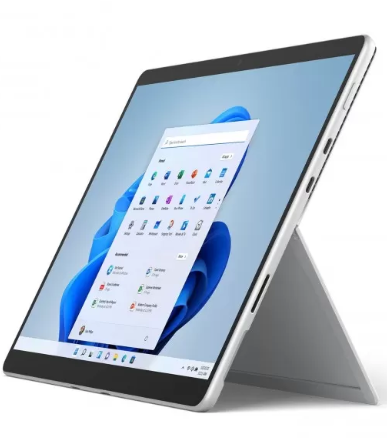
The Surface Pro 8 is a genuine 2-in-1 tablet rather than a laptop with a hinge, at just 891 grams with a 13-inch, 120Hz display that feels noticeably smoother than a standard 60Hz panel for scrolling and note-taking.
This unit is graded A, meaning minimal cosmetic wear invisible at arm’s length and verified battery health above 80 percent, with a 12-month warranty covering it. Two Thunderbolt 4 ports handle charging, external displays and fast storage through a single connector type.
The keyboard, known as the Type Cover, is sold separately and is not included in the box, an easy detail to miss when comparing the price against a standard laptop that already has a keyboard built in. Factor that into the real cost before deciding this is the cheaper option.
Pros
- Genuine 2-in-1 tablet at only 891g
- 120Hz display
- Graded and warrantied, not sold as-is
Cons
- Type Cover keyboard sold separately, not included
- Single unit in stock, availability changes fast
Key specs: Intel Core i5, 8GB RAM, 128GB SSD, 13″ 120Hz touchscreen, keyboard not included
CHECK CURRENT PRICE8. Microsoft Surface Laptop 4 13.5″ – Best Standard Laptop Form Factor

Unlike the Surface Pro 8, this is a conventional clamshell laptop with the keyboard built in, so there is no separate accessory to buy before it is ready to use. The AMD Ryzen 5 processor and 256GB SSD put it roughly in line with the entry Pavilion on paper.
The same Grade A rating applies here as on the Surface Pro 8 above: minimal cosmetic wear and verified battery health, backed by a 12-month warranty. The 13.5-inch screen sits between the smaller Envy x360 and the larger Pavilions in this list.
This is the straightforward choice for anyone who wants Surface build quality without the tablet-hybrid complications of the Pro 8, at a lower price than either the Envy x360 or the IdeaPad 5.
Pros
- Keyboard built in, no separate accessory needed
- Graded condition with a 12-month warranty
- Lower price than the 2-in-1 picks in this list
Cons
- 256GB SSD is on the smaller side
- Single unit in stock, availability changes fast
Key specs: AMD Ryzen 5, 8GB RAM, 256GB SSD, 13.5″ touchscreen, Windows 11
CHECK CURRENT PRICEHow to Choose a Budget Laptop in Australia
Decide how much RAM you actually need before looking at price. 8GB covers browsing, streaming and office work without trouble, but if you regularly run a video call, a spreadsheet and a dozen browser tabs together, 16GB removes a bottleneck that no processor upgrade will fix on its own.
Consider a graded refurbished laptop rather than ruling it out. A reputable refurbisher tests battery health, grades cosmetic condition, and backs the laptop with a genuine warranty, which is a meaningfully different proposition to buying a used laptop privately with no such checks. The specification-per-dollar is usually stronger than an equivalent new entry-level machine.
Match the form factor to how you will actually use it. A standard clamshell laptop needs no extra accessories and suits most buyers by default. A 2-in-1 is worth the premium only if you will genuinely use the touchscreen or the folded tablet mode. A tablet hybrid like Surface Pro can cost more in practice once you add a keyboard cover that is not included in the box.
Storage capacity matters more than most buyers expect. 256GB is workable if you lean on cloud storage, but 512GB gives real breathing room for local files, software installs and photos without needing to manage space constantly. If you plan to use the laptop mainly at a desk, pairing it with a full-size wireless keyboard is worth considering too, since a 13 or 14-inch built-in keyboard is cramped for long typing sessions.
Only pay for a dedicated graphics card if you will use it. Built-in processor graphics comfortably handle browsing, office work, streaming and video calls. A dedicated card like a GTX1650 is worth the trade-off in RAM or processor tier only if light gaming is a genuine use case, not a nice-to-have.
Check what is actually included in the box before comparing prices. A tablet-hybrid laptop that looks cheaper on paper can end up costing more once a separately sold keyboard cover is added, so compare the total cost of a working setup, not just the listed laptop price.
Budget laptops tend to run warm, and a laptop cooling pad keeps the vents clear when you’re working from the couch or bed.
Frequently Asked Questions
What counts as a budget laptop in Australia?
Most guides class a laptop as budget once it sits well under the price of a mid-range new machine, and genuinely capable options, including well-reviewed refurbished models from major brands, are commonly available for a few hundred dollars less again.
Is a refurbished laptop a good idea for a budget buy?
A refurbished laptop from a reputable seller that grades condition and provides a warranty is generally a strong budget option, often giving better specs for the price than an equivalent new entry-level laptop.
How much RAM does a budget laptop actually need?
8GB is workable for browsing, office work and streaming, but 16GB removes the slowdowns that appear once several browser tabs, a video call and an office application run at the same time.
What is the difference between a 2-in-1 laptop and a tablet hybrid like Surface Pro?
A 2-in-1 laptop has a hinge that folds the screen back but keeps its keyboard attached, while a tablet hybrid like Surface Pro separates into a tablet with a keyboard that attaches magnetically, often sold separately from the device itself.
Does a budget laptop need a dedicated graphics card?
Only if you plan to game or run graphics-heavy software. For browsing, office work and streaming, the graphics built into the processor are enough, and a dedicated card mainly adds cost.
How long should a budget laptop’s battery and warranty last?
Most budget and refurbished laptops in this category carry a 12-month warranty, and a battery in good health should comfortably get through a working day of typical office and browsing use.
Verdict
The HP Pavilion 15.6″ with the Ryzen 7 processor is the strongest all-round pick in this list, pairing 16GB of RAM with a 512GB SSD at a price well under a comparable new laptop. Anyone who wants a sharper screen over raw specification should look at the HP Pavilion Plus for its 120Hz WQXGA display, and buyers set on a tablet-style device should budget separately for the Surface Pro 8’s Type Cover before comparing its price against a standard laptop. Refurbished and graded stock changes week to week, so treat availability, not just specification, as part of the decision.