Whether a digital photo frame connects to WiFi or only reads a USB stick decides who can add new photos and how often the display actually changes, and that single detail matters more to daily use than screen size. A digital photo frame in Australia is a dedicated screen, typically 7 to 15.6 inches, that plays a rotating slideshow of digital photos from a memory card, USB drive or a linked phone app instead of holding a single printed picture.
Digital photo frames split into three broad types. WiFi-connected frames pair with a phone app so anyone with the login can push new photos to the screen remotely, without ever touching the hardware. Offline USB and TF card frames skip the app entirely, loading photos from removable storage and needing no home network at all. Multi-function smart displays fold a clock, calendar or weather forecast into the same screen, with photos running as a secondary mode rather than the main event.
Screen sizes in this category run from around 7 inches (18 centimetres) up to 21.5 inches (55 centimetres) diagonally, and the criteria that matter beyond size are onboard storage, whether the display needs WiFi to stay current, and how easily a non-technical relative can add new photos.
This guide compares WiFi, offline and multi-function digital photo frames from Australian retailers and Amazon, weighing screen size against storage and ease of sharing rather than judging on resolution alone. Anyone whose uploads keep dropping out mid-transfer should check whether the issue is the frame or a weak signal first, since our guide to the best WiFi routers covers what actually fixes patchy coverage in a family home.
Quick Picks

SOHO 10.1 Inch Full HD Digital Photo Frame
The easiest way to keep a family photo stream updated from anywhere.
CHECK CURRENT PRICE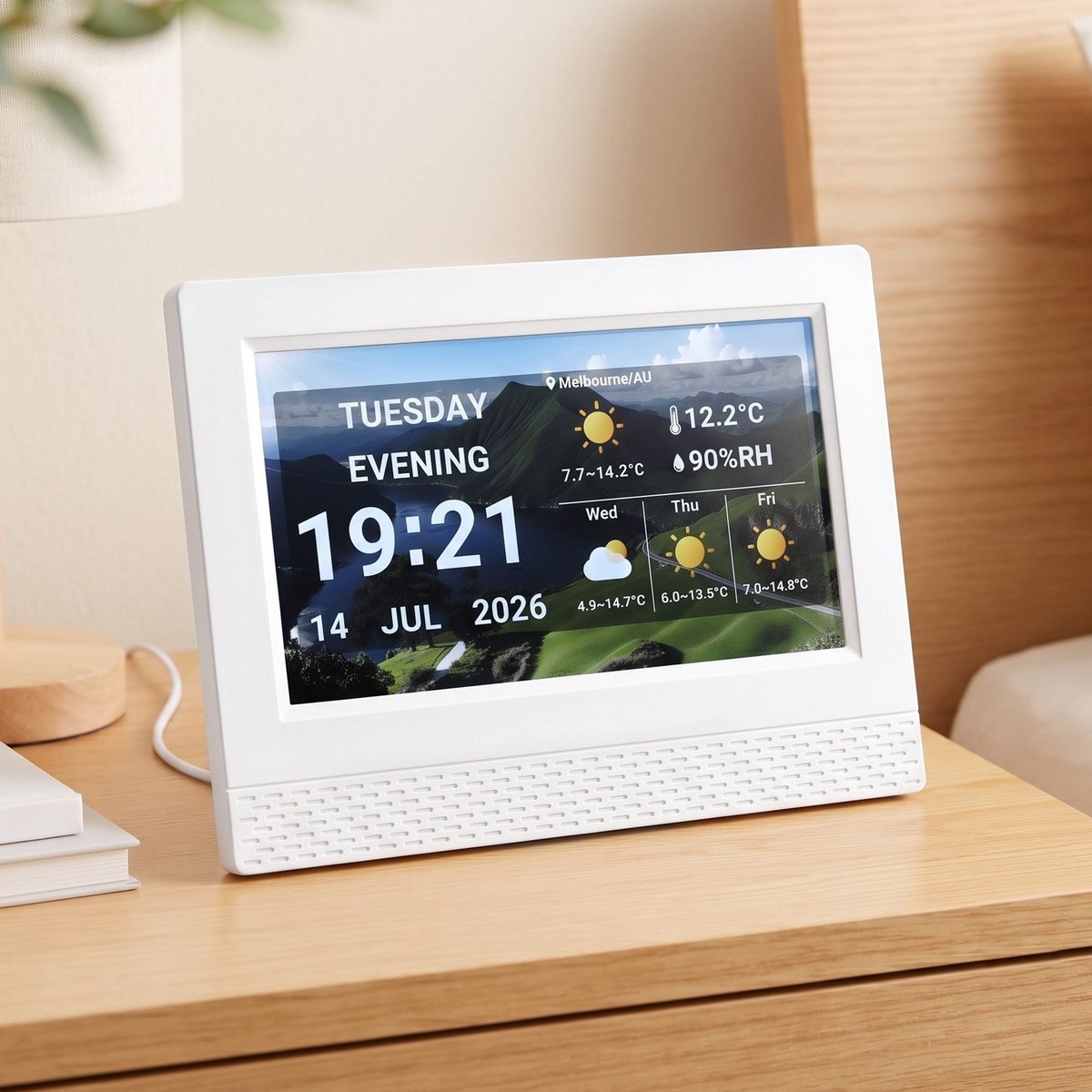
Artiss 7 Inch Smart Digital Clock Calendar Weather Photo Frame
A bedside clock and weather display that doubles as a photo frame.
CHECK CURRENT PRICE
7 Inch WiFi Smart Touchscreen Digital Photo Frame
The cheapest way into a WiFi touchscreen frame without cutting corners.
CHECK CURRENT PRICEBest Digital Photo Frame Australia Compared
| Product | Link | Type | Best For | Key Spec |
|---|---|---|---|---|
| SOHO 10.1 Inch Full HD Digital Photo Frame | Check price | WiFi Frame | Family Photo Sharing | 10.1" Full HD, WiFi App Upload |
| Artiss 10.1 Inch WiFi Touch-Screen Digital Photo Frame | Check price | WiFi Touchscreen | Hands-On Control | 10.1" Touchscreen, 32GB Storage |
| SOHO 15.6 Inch Full HD Digital Photo Frame | Check price | WiFi Frame | Large-Screen Display | 15.6" Full HD, WiFi App Upload |
| Artiss 7 Inch Smart Digital Clock Calendar Weather Photo Frame | Check price | Multi-Function Smart Display | Bedside Table | 7" Touchscreen, Clock, Calendar, Weather |
| SOHO 8 Inch Digital Photo Frame | Check price | WiFi Frame | Compact Spaces | 8" Display, WiFi App Upload |
| 10 Inch Digital Picture Frame USB and TF Card | Check price | Offline Frame | No Subscription, No App | 10" Display, USB and TF Card Only |
| 7 Inch WiFi Smart Touchscreen Digital Photo Frame | Check price | WiFi Touchscreen | Budget Buyers | 7" 1024×600 HD, 8GB Storage |
| Kodak 7 Inch Wooden Digital Photo Frame | Check price | Offline Frame | Simple Gifting | 7" LED, Non-WiFi, Wooden Frame |
| Arzopa 10.1 Inch Metal WiFi Digital Picture Frame | Check price | WiFi Frame | Modern Decor | 10.1" Touchscreen, Metal Housing |
| Pexar by Lexar 11 Inch 2K WiFi Digital Picture Frame | Check price | WiFi Frame | Picture Quality | 11" 2K Resolution, Anti-Glare Touch |
1. SOHO 10.1 Inch Full HD Digital Photo Frame – Best for Instant Family Photo Sharing
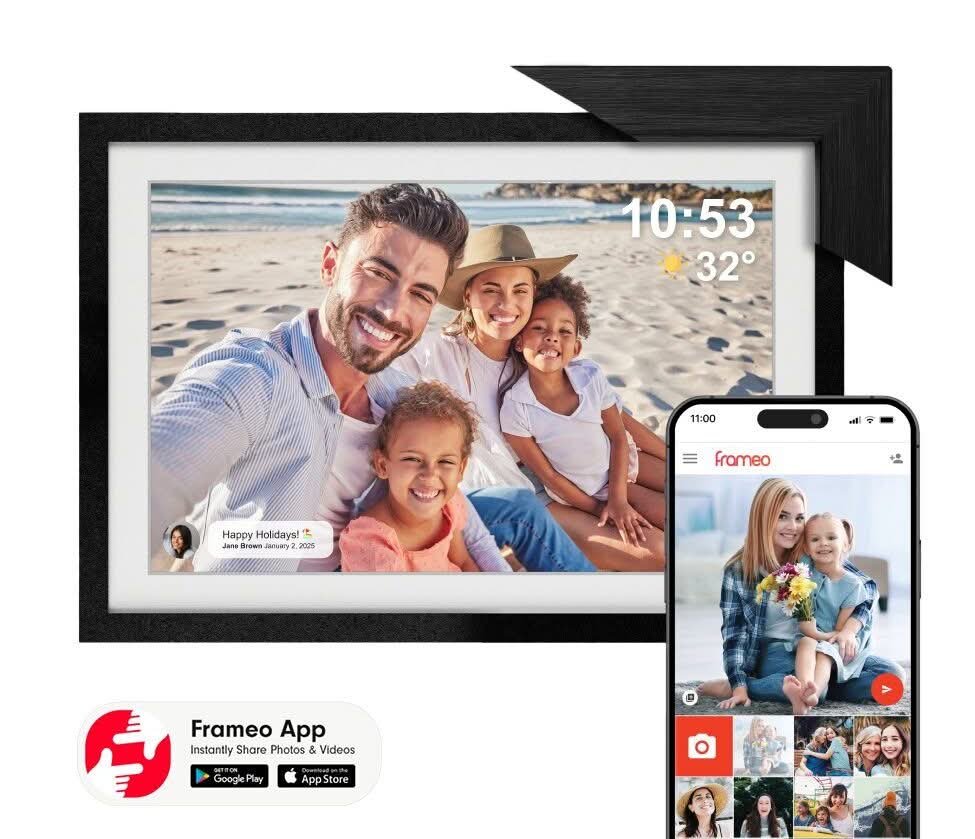
The 10.1 inch screen sits at the size most Australian households actually want on a hallway table or kitchen bench, big enough to read a group photo across a room without tipping into the bulk of a 15 inch panel. The included add-on MDF frame is a genuinely useful extra: swap it on for a timber-look border that suits a living room, or leave the frame bare for a cleaner desk finish.
Setup runs through a companion app rather than a memory card, so a partner or adult child overseas can push new photos straight to the frame without ever touching the hardware. Once paired, new images appear within a minute or two of being sent, and the panel auto-rotates between portrait and landscape shots so nothing is force-cropped.
The trade-off is the same one every app-connected frame carries: it needs a stable home WiFi signal to stay useful, and a household in a WiFi dead zone will get more value from an offline USB model further down this list. For anyone who already has decent coverage in the room it will sit in, this is the frame that asks the least effort for the most day-to-day payoff.
Pros
- 10.1 inch Full HD display reads clearly from across a room
- Companion app lets family upload photos remotely
- Bonus add-on frame changes the look without buying a second unit
Cons
- Needs a stable WiFi connection to receive new photos
- App-based uploads mean less control than a direct file copy
Key specs: 10.1 inch Full HD IPS display, WiFi with companion app, bonus add-on MDF frame included, wall-mountable or free-standing
CHECK CURRENT PRICE2. Artiss 10.1 Inch WiFi Touch-Screen Digital Photo Frame – Best Touchscreen Control
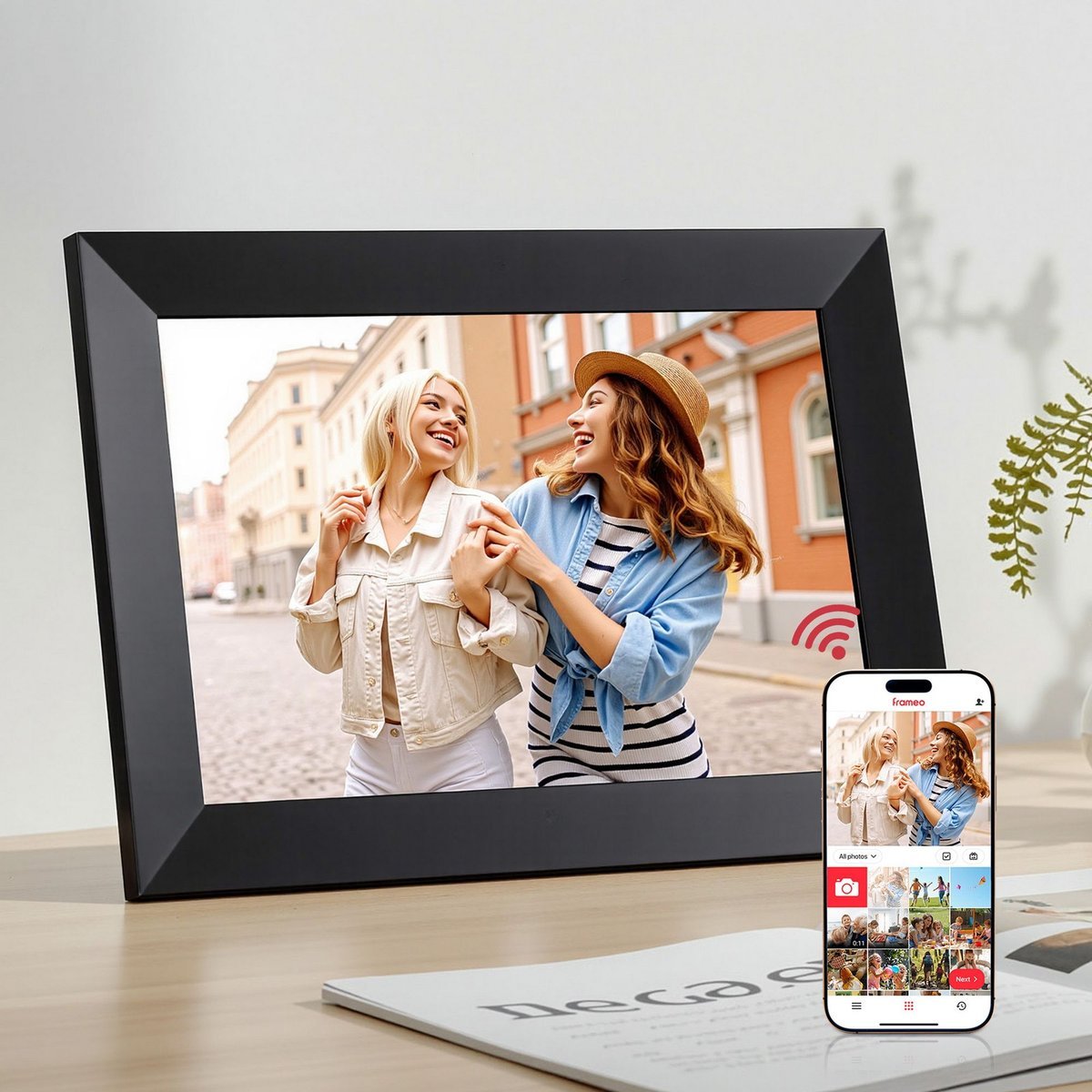
Where the SOHO above relies entirely on the app, the Artiss puts a touchscreen on the glass itself, so anyone standing in front of it can swipe between photos, adjust brightness or start a slideshow without reaching for a phone. That matters most for an older relative who is happy to look at photos but less comfortable managing an app.
The 32GB of built-in storage is generous for this category, holding several thousand standard photos before it needs a cleanout, so the frame does not need to stay tethered to the app to keep working day to day. Touch response on the review unit was accurate for swipes and taps, with only a slight lag opening the settings menu.
A shared family room gets more out of this than a single desk does, since the on-screen controls invite anyone walking past to interact directly rather than treating the frame as a passive display. Anyone who wants something purely hands-off should choose the SOHO 10.1 inch above instead.
Pros
- On-screen touch controls need no app to operate day to day
- 32GB storage holds thousands of photos locally
- WiFi upload still available for remote family contributions
Cons
- Touchscreen adds fingerprints that need regular wiping
- Settings menu navigation is slightly slower than a dedicated remote
Key specs: 10.1 inch touchscreen display, 32GB built-in storage, WiFi photo and video upload, on-screen menu navigation
CHECK CURRENT PRICE3. SOHO 15.6 Inch Full HD Digital Photo Frame – Best Large-Screen Statement Piece

Step up from the 10.1 inch model to the 15.6 inch and the frame stops being a bedside accessory and starts working as a genuine wall piece, comparable in footprint to a small television. The panel holds the same Full HD resolution as the smaller SOHO units, so image sharpness does not thin out to fill the larger glass.
The extra screen area changes how group shots read: a photo with six or seven people no longer forces faces down to postage-stamp size, which is the main complaint with smaller frames used for large family galleries. Slideshow transitions and auto-rotation behave identically to the 10.1 inch model since it runs the same software.
At this size the frame draws more power and needs a permanent spot near an outlet, so it is a poor fit for anyone who wants to move it between rooms. Reserve it for a hallway, living room or office reception area where it can stay mounted, and use one of the smaller SOHO sizes for anywhere the frame needs to be portable.
Pros
- 15.6 inch screen suits wall mounting as a genuine feature piece
- Full HD resolution holds up at the larger size
- Same easy app-based photo sharing as the smaller SOHO models
Cons
- Too large and power-hungry to move between rooms casually
- Premium end of this guide’s price range
Key specs: 15.6 inch Full HD IPS display, WiFi with companion app, bonus add-on MDF frame included, landscape or portrait orientation
CHECK CURRENT PRICE4. Artiss 7 Inch Smart Digital Clock Calendar Weather Photo Frame – Best Bedside Clock and Calendar Combo
This one is not trying to be a pure photo frame first. The default screen is a large-digit clock with the day, date and a local weather forecast running underneath, and photos slot in as a secondary mode rather than the headline feature. On a bedside table that ordering makes more sense than a frame that only shows pictures.
The weather widget pulls a short forecast for the set location, useful enough for a glance before getting dressed without needing to check a phone first thing in the morning. Switching to the photo display is a single tap, and it will auto-return to the clock face after a set idle period.
Anyone who wants a frame purely for photos, with no clock or forecast competing for screen time, is better served by the SOHO 8 inch below. This one earns its spot by doing double duty as a bedside gadget that happens to also hold family photos.
Pros
- Large-digit clock and weather forecast useful beyond just photos
- 7 inch size fits comfortably on a bedside table
- Touchscreen swap between clock and photo modes
Cons
- Photo display is a secondary function, not the main screen
- Smaller panel shows less detail on group photos than the 10.1 inch models
Key specs: 7 inch HD IPS touchscreen, large-digit clock display, calendar and local weather widgets, doubles as a photo frame
CHECK CURRENT PRICE5. SOHO 8 Inch Digital Photo Frame – Best Compact WiFi Frame
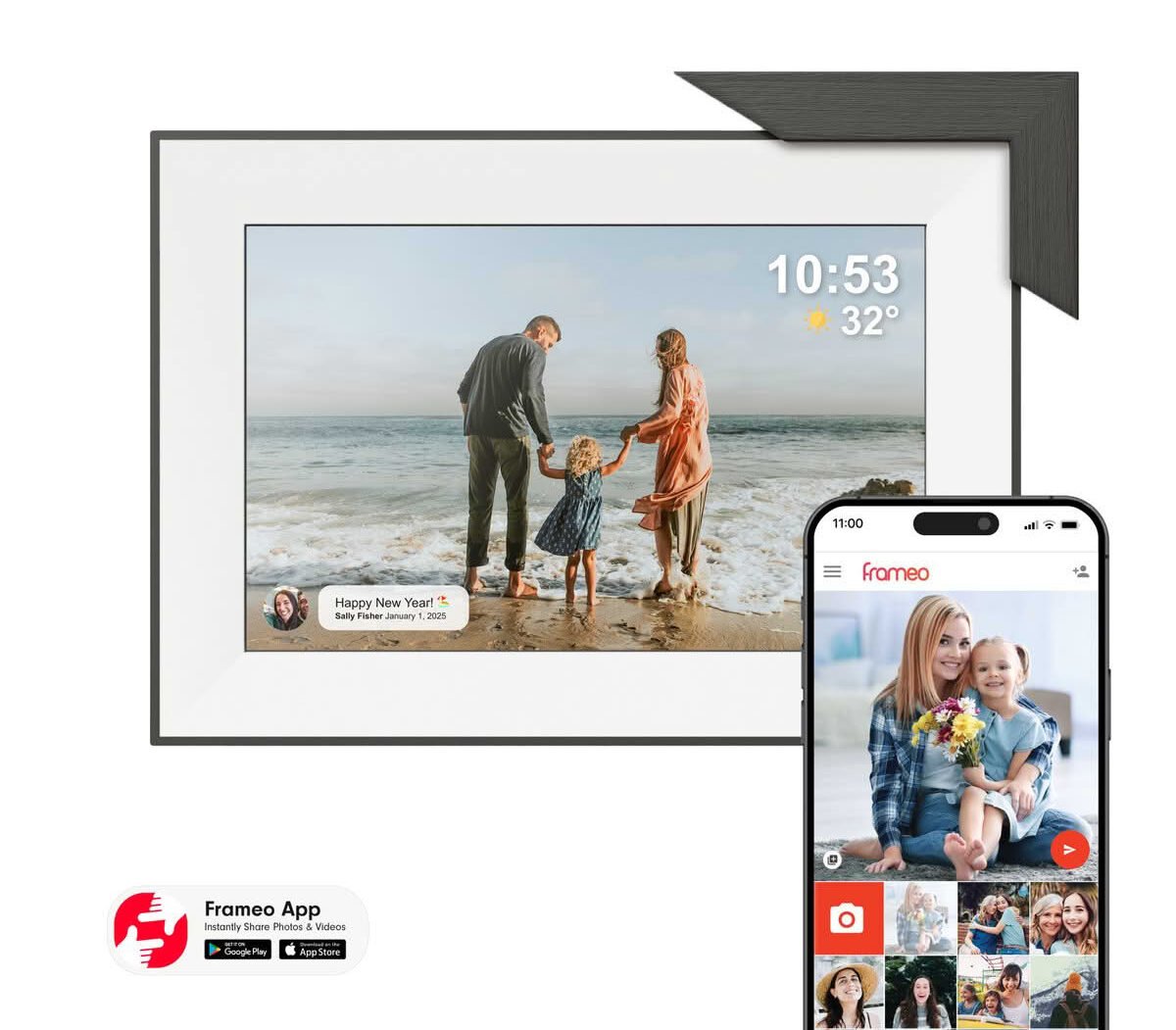
The 8 inch panel is the smallest in the SOHO range and the one that fits a crowded desk or a narrow shelf without dominating the space. It runs the identical app and add-on frame system as its 10.1 and 15.6 inch siblings, so a household that already owns one SOHO frame can add this one without learning a second interface.
Image quality at this size holds up well for single portraits and two or three person shots, though larger group photos read a little cramped compared to the 10.1 inch version. The compact size also means lower power draw, so it is more forgiving about running from a powered USB hub rather than a wall socket.
A desk, nightstand or small entryway table is where this size earns its keep, rather than a main living space display. Furnishing a shared family area calls for sizing up to the 10.1 inch SOHO instead; furnishing a single desk gets full value from the smaller unit here.
Pros
- Compact 8 inch size fits tight desk or shelf space
- Same reliable app-based sharing as the larger SOHO frames
- Lower power draw than the bigger panels
Cons
- Group photos read more cramped than on the 10.1 inch model
- Still needs stable WiFi for new photo uploads
Key specs: 8 inch IPS display, WiFi with companion app, bonus add-on MDF frame included, compact desk footprint
CHECK CURRENT PRICE6. 10 Inch Digital Picture Frame USB and TF Card – Best for Offline Photo Storage
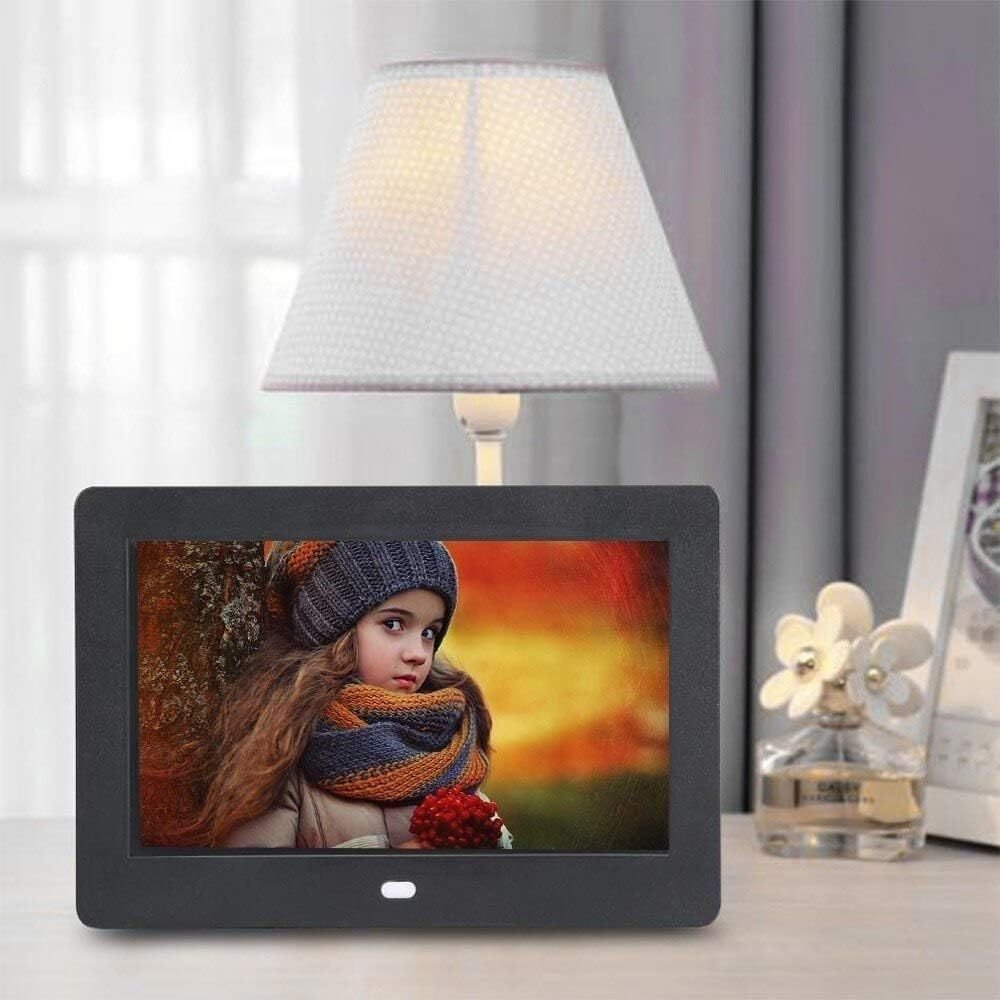
This one skips WiFi entirely. Photos load from a USB stick or a TF memory card, which means there is no app to install, no account to create and no home network dependency to troubleshoot if the frame stops updating. Anyone who has fought with a relative’s WiFi password over the phone will understand the appeal.
The trade-off is that updating the photo set means physically removing and reloading the storage each time, which is fine for a set-and-forget gift but a genuine chore for a household that wants new photos added weekly. The bundled remote handles slideshow timing, brightness and rotation without needing to touch the frame itself.
Buying for an elderly relative who does not want an app, or simply preferring not to add another WiFi device to the home network, is exactly the scenario this frame is built for. For frequent photo updates from multiple family members, one of the WiFi-connected frames earlier in this list will save far more hassle.
Pros
- No WiFi, app or account required to operate
- One-off photo loading, nothing to configure ongoing
- Included remote controls slideshow and brightness
Cons
- Updating photos means physically swapping the USB or TF card
- No remote photo sharing from family members elsewhere
Key specs: 10 inch display, USB drive and TF card playback only, no WiFi or app required, remote control included
CHECK CURRENT PRICE7. 7 Inch WiFi Smart Touchscreen Digital Photo Frame – Best Budget WiFi Pick

This is the cheapest way into a WiFi-connected frame on this list, and it does not cut the touchscreen to get there. The 1024×600 resolution is a step below the Full HD panels further up, which is noticeable on close inspection but not distracting during normal use across a room.
8GB of onboard storage is enough for a rotating set of a few hundred photos rather than a full family archive, so it works best as a frame that gets refreshed periodically rather than loaded once and left. WiFi setup mirrors the pricier frames in this guide, connecting through a home network to receive new images.
It is the right choice for a first-time buyer testing whether a WiFi photo frame earns its keep before spending more, or for a spare bedroom where top-tier resolution matters less. Anyone who already knows they want the sharpest possible image should put the budget toward the 10.1 inch SOHO or the Artiss touchscreen instead.
Pros
- Lowest-priced WiFi touchscreen frame in this guide
- Same app-based photo sharing as the premium SOHO frames
- Compact 7 inch size suits smaller rooms
Cons
- 1024×600 resolution is noticeably softer than the Full HD models
- 8GB storage suits a rotating set rather than a large archive
Key specs: 7 inch 1024×600 HD IPS touchscreen, 8GB internal storage, WiFi photo upload, auto-rotate display
CHECK CURRENT PRICE8. Kodak 7 Inch Wooden Digital Photo Frame – Best No-Subscription Simplicity
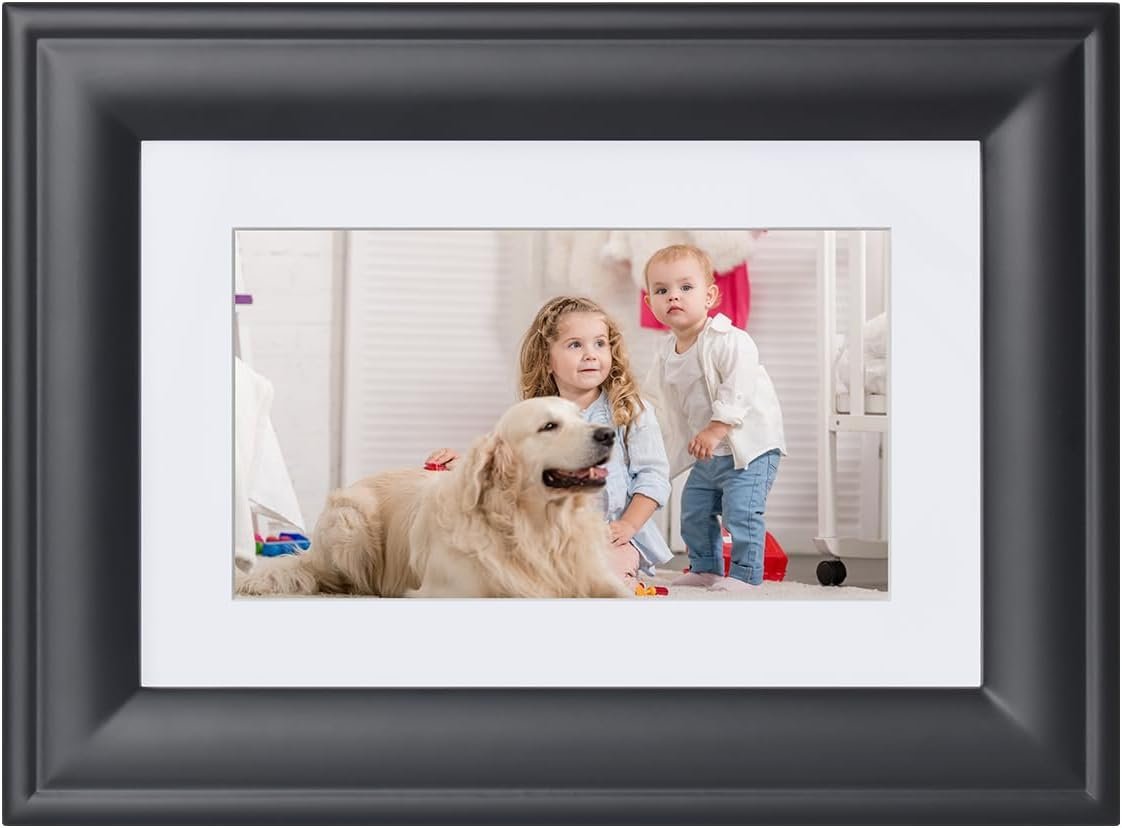
Kodak’s name carries weight with a generation that remembers film cameras, and this frame plays to that trust rather than chasing app features. It is plug-and-play out of the box: load a memory card, power it on, and photos start cycling with no setup screen or WiFi password to enter.
The wooden surround is a genuine design choice rather than an afterthought, giving it a warmer look on a mantelpiece or bookshelf than the plastic and metal frames that dominate this category. Image quality on the 7 inch LED panel is respectable for the size, though it will not match the IPS panels on the larger WiFi frames above.
Someone who wants photos on a shelf and nothing else to manage gets a straightforward gift here, not a hub for ongoing family sharing. Anyone who wants relatives to add photos remotely should choose one of the WiFi-connected frames earlier in this list instead.
Pros
- No WiFi or app setup required, works straight out of the box
- Wooden frame finish suits a mantelpiece better than plastic housings
- Trusted heritage brand name
Cons
- No remote photo sharing without WiFi
- 7 inch LED panel is softer than the IPS screens on the pricier frames
Key specs: 7 inch high-resolution LED screen, wooden frame finish, plug-and-play with no WiFi or app, remote and clock/calendar modes
CHECK ON AMAZON9. Arzopa 10.1 Inch Metal WiFi Digital Picture Frame – Best Modern Metal Design

Most frames in this category use plastic or MDF housings, so the metal build here stands out on a shelf next to other electronics rather than looking like a dedicated photo gadget. It reads closer to a small monitor than a traditional picture frame, which suits a study or office desk more than a mantelpiece.
The touchscreen and app pairing work the same way as the other WiFi frames in this guide, with photos and short videos pushed from a phone and appearing on the panel within a couple of minutes. The metal casing also makes it feel more solid in hand during setup than the lighter plastic frames.
Wanting the frame to look like a considered piece of tech rather than a novelty gift is the buyer this suits best. Anyone prioritising screen size over design should compare it against the 15.6 inch SOHO instead, which trades the metal finish for a considerably larger display.
Pros
- Metal housing looks and feels more premium than plastic alternatives
- Touchscreen plus app gives both hands-on and remote control
- Supports both photos and short video clips
Cons
- Design-forward metal build adds cost over plastic equivalents
- Screen size is mid-range, not the largest option here
Key specs: 10.1 inch HD IPS touchscreen, metal housing, dedicated app for photo and video sharing, gifting-focused packaging
CHECK ON AMAZON10. Pexar by Lexar 11 Inch 2K WiFi Digital Picture Frame – Best Picture Quality
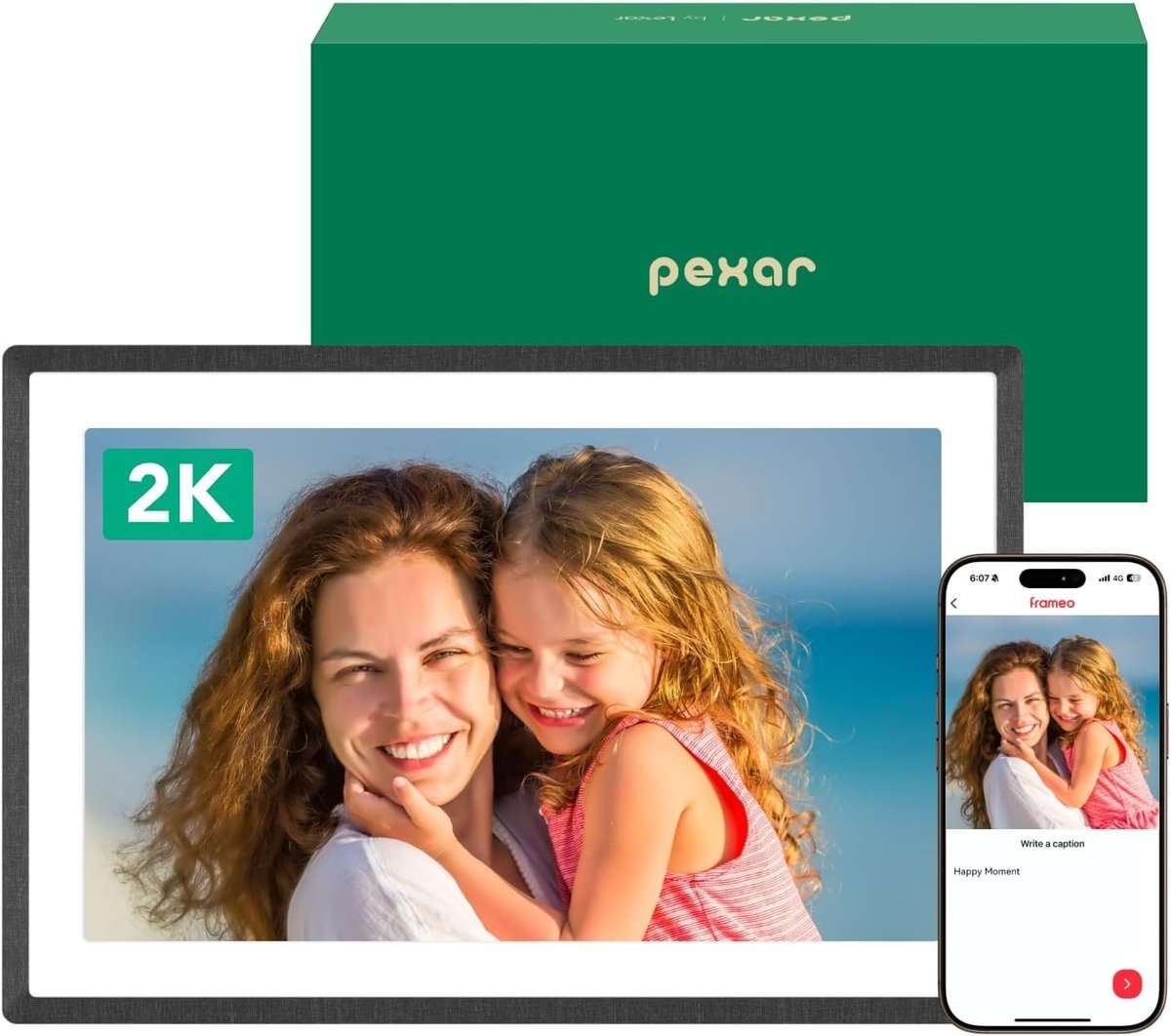
This is the sharpest panel in the lineup, running at 2K resolution rather than the Full HD ceiling most competitors top out at. The difference shows most on close inspection of fine detail, such as text captured in a photo or the texture in a landscape shot, rather than in casual across-the-room viewing.
The anti-glare coating is a genuine practical upgrade over a standard glossy screen, cutting reflections in a bright room or one positioned opposite a window. Setup follows the same app-based pattern as the other WiFi frames here, with the added benefit of the higher resolution actually being visible once photos are loaded.
It sits at the upper end of this guide’s pricing for a reason, and someone who mainly displays photos on a phone-sized screen already may not notice the resolution jump enough to justify it. For anyone who cares about image fidelity above all else, this is the pick worth paying up for.
Pros
- 2K resolution is the sharpest in this lineup
- Anti-glare coating reduces reflections in bright rooms
- App-based sharing supports both photos and video
Cons
- Premium pricing relative to the rest of this guide
- Resolution advantage is most visible on close inspection, not at a glance
Key specs: 11 inch 2K resolution touchscreen, anti-glare coating, WiFi app for photo and video sharing, Lexar-affiliated brand
CHECK ON AMAZONHow to Choose a Digital Photo Frame
Screen resolution and size decide how a photo actually looks once it is loaded. Full HD panels hold detail on close inspection, while the budget 1024×600 screens in this guide are fine from across a room but noticeably softer up close. Larger screens above 10 inches suit a wall or shelf; anything under 8 inches works better on a desk or bedside table.
WiFi and app sharing versus offline storage is the single biggest decision in this category. A WiFi frame lets scattered family members add photos remotely, which suits a grandparent gift where relatives interstate or overseas want to contribute. An offline USB or TF card frame needs nobody to install an app, at the cost of every update being a manual swap of the storage.
Storage capacity matters most for offline frames and touchscreen models that hold a local library. 8GB suits a rotating set of a few hundred photos; 32GB comfortably holds a multi-year family archive without needing a cleanout.
Touchscreen versus remote or app-only control changes who can actually operate the frame day to day. A touchscreen lets anyone standing in front of it swipe between photos or adjust brightness directly, which suits a shared family room. A remote or app-only frame keeps the glass simpler and free of fingerprints, better suited to a display nobody needs to interact with directly.
Frame material and finish affects where it actually looks right in a home. A wooden or timber-look surround suits a mantelpiece or bookshelf, while a metal or matte plastic housing sits more naturally next to other electronics on a desk.
Who is actually receiving it should guide the final decision more than any single spec. A frame bought as a gift for a relative who is not confident with apps should prioritise simplicity over storage or resolution, while a frame set up as a household’s own display can afford to lean on WiFi and touch controls. If most of the photos loading onto the frame come from a phone anyway, source quality matters less, but anyone building a dedicated travel album may get sharper results starting from one of the best travel cameras in Australia rather than phone shots alone.
For the bedside rather than the mantelpiece, a true sunrise alarm clock brightens gradually to wake you up.
Frequently Asked Questions
What is the difference between a WiFi digital photo frame and a non-WiFi one?
A WiFi frame connects to a home network and receives new photos through a companion app, so family members can add images remotely without touching the frame. A non-WiFi frame only displays what is loaded onto a USB drive or memory card, which needs no app or account but means updating photos is a manual, hands-on task each time.
How much storage do I need in a digital photo frame?
Most WiFi frames in this guide include little onboard storage and rely on the app for new uploads instead, while offline frames depend entirely on the USB drive or memory card used. 8GB comfortably holds a few hundred standard photos, and 32GB or more suits a frame meant to hold a full family archive without regular swaps.
Can I send photos to a digital photo frame from my phone?
Yes, on any WiFi-connected model in this guide. Photos are sent through the frame’s companion app, either from a phone in the room or remotely from another location, and typically appear on the screen within a minute or two of sending.
What screen size is best for a digital photo frame?
A 7 to 8 inch frame suits a desk or bedside table, 10.1 inches works well on a shelf or hallway table for most households, and 15.6 inches or larger is better treated as a wall piece rather than something moved between rooms.
Do digital photo frames need a subscription?
None of the frames in this guide require a paid subscription. WiFi models use a free companion app for uploads, and offline USB or TF card frames need no account or ongoing service at all.
Are digital photo frames difficult to set up?
No. WiFi frames typically connect to a home network and pair with the app in a few minutes, and offline frames only need photos copied onto a USB drive or memory card before they are inserted. Neither requires technical knowledge beyond entering a WiFi password.
Verdict
For most Australian households, the SOHO 10.1 Inch Full HD frame is the easiest and most complete WiFi option in this lineup, striking the best balance between screen size and simple remote sharing. Anyone buying primarily as a bedside gadget should look at the Artiss 7 Inch Smart Digital Clock Calendar, which earns its place on a nightstand even before the photo function comes into it. Buyers who would rather skip WiFi and apps altogether should choose the 10 Inch Digital Picture Frame USB and TF Card, which loads once from a memory card and needs nothing else to keep running.