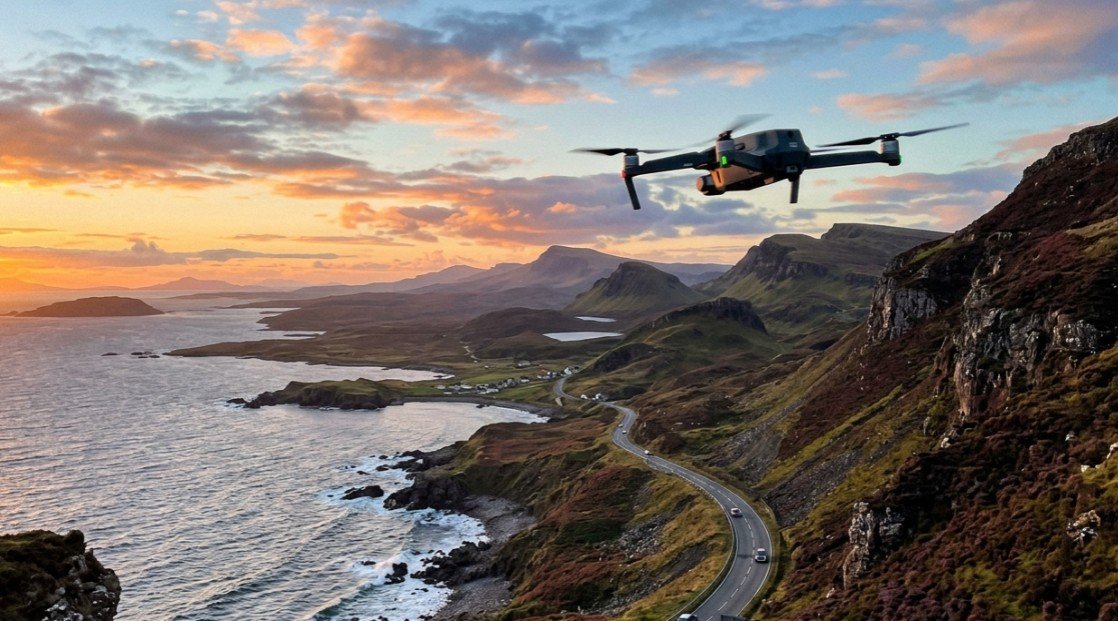
The best drones in Australia are camera carrying multirotor aircraft flown by remote control, stabilised either by a motorised gimbal or by optical flow sensors, and recording to onboard storage while streaming a live view to a phone. What separates a usable drone from a toy is stabilisation, because unstabilised footage from a moving airframe is unwatchable no matter how many pixels the sensor captures.
Stabilisation is what actually sorts this market into three groups. Gimbal stabilised drones mount the camera on a powered arm that cancels airframe movement mechanically. Optical flow drones hold position using downward sensors instead, which is cheaper and adequate at low altitude. GPS drones add satellite positioning for return to home and steady hovering in wind, which is the single feature most likely to save an expensive aircraft.
Flight time across this guide runs from 16 to 38 minutes per battery, and transmission range from 100 metres to 20 kilometres, or roughly 330 feet to 12.4 miles. The specifications that matter alongside those are camera resolution, whether stabilisation is a true gimbal or optical flow only, whether GPS return to home is fitted, and whether the aircraft lands under the 250 gram threshold that changes how CASA treats it.
Six aircraft make the list here, all in Australian stock: a 4K package with a hard case, three GPS and optical flow models from one range, and two sub-250 gram machines carrying 3-axis mechanical gimbals and long range transmission.
Quick Picks
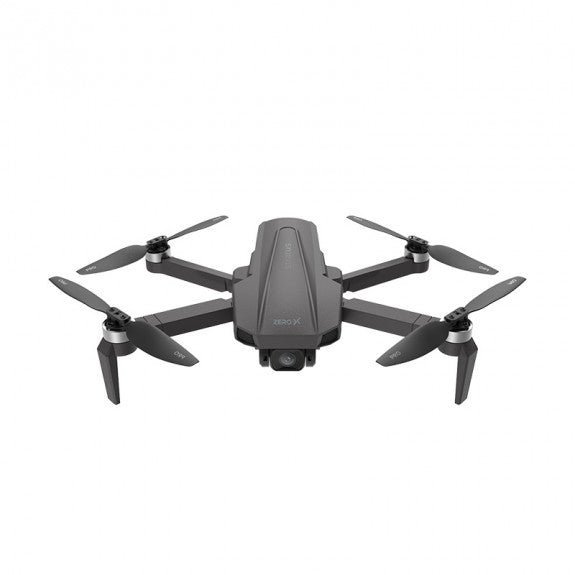
ZERO-X Pro D500 Stratus
The only 4K aircraft in this range, on an auto gimbal with 600 metres of range and a hard carry case included.
CHECK CURRENT PRICE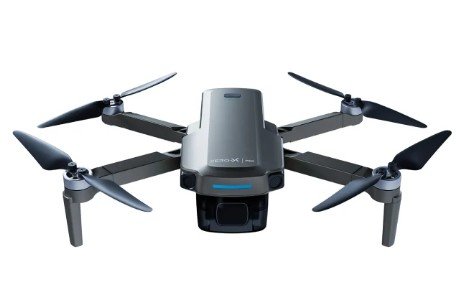
ZERO-X Pro Esen
Thirty minutes per battery on a folding airframe with mechanical stabilisation.
CHECK CURRENT PRICE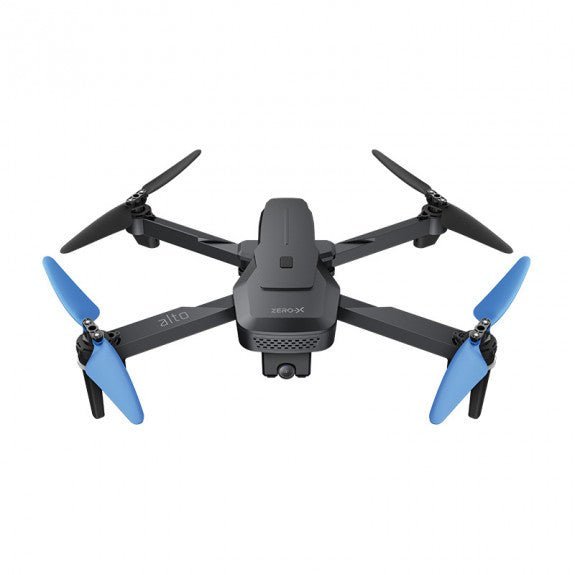
ZERO-X D200 Alto
The cheapest way in, with optical flow stabilisation and a 100 metre range that keeps a first drone close.
CHECK CURRENT PRICEThe 6 Best Drones in Australia Compared
| Product | Link | Type | Best For | Key Spec |
|---|---|---|---|---|
| ZERO-X Pro D500 Stratus | Check price | GPS gimbal drone | Aerial video with a case | 4K, 22 minutes, 600 m range |
| ZERO-X Pro Esen | Check price | Foldable gimbal drone | Portability | 1080p gimbal, 30 minutes, folds |
| ZERO-X D300 Cirrus | Check price | GPS gimbal drone | Balanced specification | 1080p FHD, 18 minutes, 600 m range |
| ZERO-X D200 Alto | Check price | Optical flow drone | Learning to fly | 1080p, 16 minutes, 100 m, optical flow |
| DJI Mini 3 | Check price | Sub-250 g gimbal drone | Longest flights | 4K HDR, 38 minutes, 10 km transmission |
| DJI Mini 4 Pro | Check price | Sub-250 g gimbal drone | Obstacle avoidance | 4K HDR, 34 minutes, 20 km, omnidirectional |
1. ZERO-X Pro D500 Stratus – Best 4K Package
The only 4K sensor in this range sits on an auto gimbal rather than leaning on software stabilisation, and it ships with a hard carry case. That case matters more on a drone than on most products, because the arms and propellers are what break loose in a bag. GPS and WiFi are both fitted.
Flight time is 22 minutes per battery and control range reaches 600 metres, roughly 1,970 feet, which already exceeds the visual line of sight Australian rules require. The 4K sensor is the reason to choose it: cropping and reframing in an edit costs resolution, and starting at 4K leaves room to do both and still deliver clean 1080p.
Battery capacity is not published for this listing and neither is whether the airframe folds, so check the packed dimensions before planning to carry it as hand luggage. Anyone shooting footage they intend to edit rather than post straight off the phone gets the most from this one, and it sits at the premium end of the range.
Pros
- Only 4K camera in this range
- Auto gimbal rather than software stabilisation
- 600 metre control range
- GPS and WiFi fitted
- Hard carry case included
Cons
- Battery capacity not published for this listing
- Folding capability not stated
- Premium end of this range
Key specs: 4K camera, auto gimbal stabilisation, 22 minute flight time, 600 m control range, GPS, WiFi, carry case included. Battery capacity and folding capability are not published for this listing.
CHECK CURRENT PRICE2. ZERO-X Pro Esen – Best Foldable Gimbal
Thirty minutes per battery buys the longest session of the four aircraft in this range, eight minutes more than the 4K model above it and nearly double the entry level unit. The camera records 1080p on a gimbal, so stabilisation stays mechanical rather than digital. The airframe folds, making it the easiest of the range to carry.
Half an hour changes what a single outing can cover, because a 16 minute aircraft realistically gives ten usable minutes once takeoff, positioning and a safety margin for the return are accounted for. Doubling that removes the mid session landing and battery swap. The model number is ZXMP-D400.
The compromise is resolution: 1080p leaves no headroom to crop in an edit the way 4K does, and control range is not published for this listing. Anyone cross-shopping this against the 4K model above is really choosing between time in the air and room to reframe later, and walkers heading to a location on foot will feel the folding airframe more than the pixel count.
Pros
- 30 minute flight time, the longest of the four in this range
- Foldable airframe for transport
- Gimbal stabilised rather than digital
- 1080p camera on a powered gimbal
Cons
- 1080p leaves no cropping headroom in an edit
- Control range not published for this listing
- GPS not explicitly confirmed in the listing
Key specs: 1080p camera with gimbal, 30 minute flight time, foldable airframe, model ZXMP-D400. Control range is not published for this listing.
CHECK CURRENT PRICE3. ZERO-X D300 Cirrus – Best Mid Range GPS
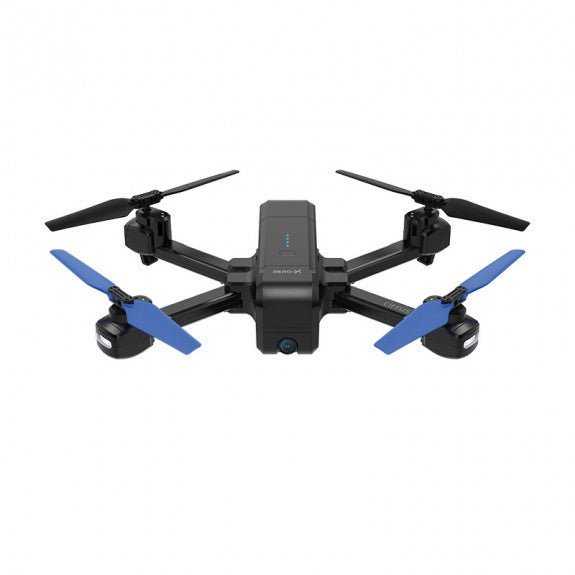
Stripping the sensor back to 1080p FHD while keeping the 600 metre range, the GPS and the auto gimbal of the 4K model is the whole idea of this one. Every feature that protects the aircraft is retained and only the camera is reduced.
Flight time is 18 minutes, and WiFi handles the live view to a phone. GPS earns more than its line on a specification sheet, because an aircraft without it drifts on wind and has no return to home function, which is how inexpensive drones are most often lost rather than broken. Buyers who post straight to a phone instead of editing on a desktop are the natural fit, since they gain the protective features without paying for resolution they will not use.
Eighteen minutes is the second shortest flight time in this guide, and neither battery capacity nor folding capability is published. Anyone weighing this against the entry level unit below is trading a higher outlay for GPS and a real gimbal, which is the upgrade most likely to keep the aircraft in one piece.
Pros
- Keeps the 600 metre range and GPS of the 4K model
- Auto gimbal stabilisation
- WiFi live view to a phone
- Costs less than the 4K model for the same protective features
Cons
- 18 minute flight time is second shortest here
- 1080p rather than 4K
- Battery capacity and folding capability not published
Key specs: 1080p FHD camera, auto gimbal stabilisation, 18 minute flight time, 600 m control range, GPS, WiFi. Battery capacity and folding capability are not published for this listing.
CHECK CURRENT PRICE4. ZERO-X D200 Alto – Best Beginner Pick
Optical flow replaces the gimbal on this airframe, holding position with downward facing sensors reading the ground rather than moving the camera on a powered arm. It folds, records 1080p Full HD, and is the least expensive way into aerial video in this guide.
Control range is 100 metres and flight time 16 minutes, both the shortest here, and the listing does not mention GPS. That short range is less of a limitation than it looks for a first aircraft, because 100 metres already sits near the edge of comfortable visual tracking for someone learning, and a drone kept close is a drone kept.
Optical flow works well at low altitude over textured ground and degrades over water, uniform surfaces and at height, which is the real constraint rather than the range figure. Without GPS there is no return to home, so this one has to be flown within sight and landed by hand. Buy it as a first aircraft or a gift, learn on it, and put the savings toward a gimbal model once the skills are there.
Pros
- Least expensive entry in this guide
- Foldable airframe
- 1080p Full HD video
- Optical flow holds position well at low altitude
- 100 metre range keeps a beginner’s aircraft close
Cons
- No GPS mentioned, so no return to home
- Optical flow degrades over water and at height
- 16 minute flight time is the shortest here
Key specs: 1080p Full HD video, optical flow stabilisation, 16 minute flight time, 100 m control range, foldable airframe. GPS is not mentioned in this listing.
CHECK CURRENT PRICE5. DJI Mini 3 – Best Flight Time
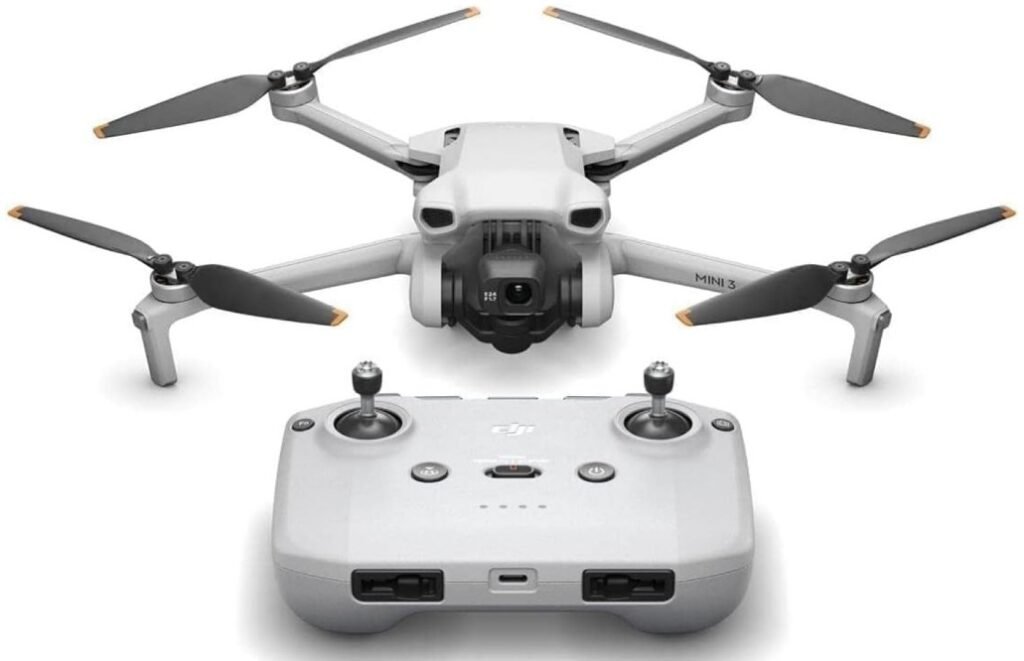
A 38 minute rating per battery is the longest in this guide by eight minutes, and it comes on an airframe that weighs under 249 grams. The camera shoots 4K HDR on a 3-axis mechanical gimbal, and video transmission is rated to 10 kilometres, or about 32,800 feet.
That weight figure does more work than any other number here. CASA sets its rules by aircraft weight among other factors, and the sub-250 gram class is treated differently from heavier aircraft, which is why the category exists at all rather than being a marketing line. GPS auto return is integrated, and the gimbal rotates for true vertical shooting, so footage framed for a phone screen does not have to be cropped out of a landscape frame.
The transmission figure is a laboratory maximum in clear conditions and is far beyond anything Australian visual line of sight rules permit, so read it as link reliability at legal distance rather than a range to use. Set against the 4K model at the top of this guide, it trades a hard case and a lower outlay for 16 extra minutes of flight, a mechanical 3-axis gimbal and the weight class, which is a straightforward trade for anyone flying regularly.
Pros
- 38 minute flight time, the longest here
- Under 249 grams
- 3-axis mechanical gimbal
- 4K HDR video with true vertical shooting
- GPS auto return integrated
Cons
- Transmission range is a clear-conditions maximum, not a usable range
- No hard case in the base configuration
- Premium end of this guide
Key specs: 4K HDR video, 3-axis mechanical gimbal, 38 minute flight time, 10 km video transmission, GPS auto return, true vertical shooting, under 249 grams.
CHECK ON AMAZON6. DJI Mini 4 Pro – Best for Obstacle Avoidance
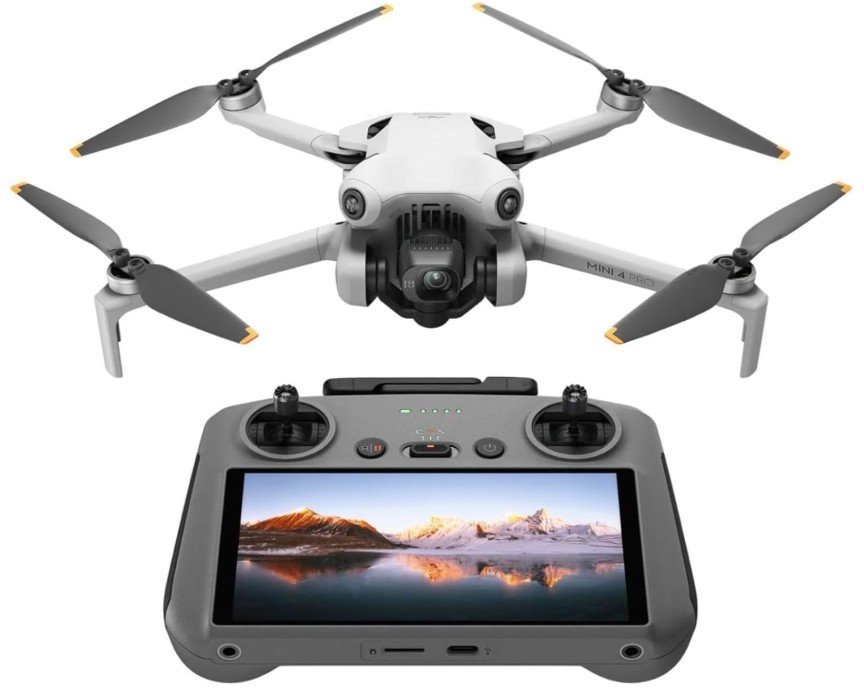
Omnidirectional vision sensing is what separates this aircraft from every other one here: it reads obstacles on all sides rather than only below, and adjusts instead of flying into them. Flight time is 34 minutes, transmission is rated to 20 kilometres, and it also lands under 249 grams. A screen remote controller is included rather than relying on a phone.
All-round sensing changes the failure mode that costs people aircraft. Optical flow and GPS both help a drone hold position, but neither sees a tree branch or a fence line on approach, and collision rather than drift is what ends most flights close to the ground. The included controller with its own screen also removes the phone from the loop, which matters when a call arrives mid flight.
Thirty-four minutes is four short of the aircraft above it, and this is comfortably the most expensive option in the guide, so the sensing hardware is what the extra outlay buys. It earns that in tight spaces such as tree lines, buildings and coastal scrub, and it is the one aircraft here worth choosing specifically for flying somewhere cluttered.
Pros
- Omnidirectional obstacle sensing on all sides
- 20 km video transmission rating
- Under 249 grams
- 34 minute flight time
- Screen remote controller included
Cons
- Most expensive option in this guide
- 34 minutes is four short of the longest here
- Sensing hardware adds little for open-field flying
Key specs: 4K HDR video, omnidirectional vision sensing, 34 minute flight time, 20 km video transmission, screen remote controller included, under 249 grams.
CHECK ON AMAZONHow to Choose a Drone
A gimbal is worth more than megapixels. Five of these six aircraft stabilise the camera on a powered arm, and one uses optical flow sensors instead. Gimbal footage is smooth at any altitude, while optical flow holds position well over textured ground at low height and degrades over water, uniform surfaces and at altitude. Resolution only starts to matter once the picture is already steady, and it pays off on a wall rather than a phone screen, which is what the best portable projector in Australia turns a blank one into.
GPS is the feature that saves the aircraft. A drone with satellite positioning holds a hover in wind and returns to its launch point on command or on low battery. Without it, a gust pushes the aircraft and there is no automated way to bring it back, which is how inexpensive drones are most commonly lost rather than broken.
Halve the quoted flight time when planning. Published figures are measured hovering in still air, and real flying against wind with repositioning drains a battery faster. A 16 minute rating gives perhaps ten usable minutes once a margin for the return leg is reserved, which is why the 38 minute model changes the experience more than the specification gap suggests.
Weight decides which rules apply. The 250 gram threshold separates the two sub-249 gram aircraft here from the rest, and CASA requirements differ by weight among other factors. Anyone choosing between a heavier gimbal aircraft and a sub-250 gram one should read the current CASA conditions first, because the lighter class can be simpler to fly legally.
Range is limited by the rules, not the radio. Recreational flying in Australia is governed by CASA, and the standard conditions include keeping the aircraft within visual line of sight, below 120 metres, at least 30 metres from people, and clear of controlled aerodromes and emergency operations. A 10 or 20 kilometre transmission rating therefore describes signal reliability at legal distances rather than permission to fly further. The same reasoning applies to fixed cameras: if the goal is watching a property rather than filming it, the best home security cameras in Australia do that job continuously and without a battery to land.
Check current registration requirements before flying. CASA distinguishes recreational from commercial operation, and requirements have changed more than once, including thresholds tied to aircraft weight. Anyone flying for paid or business purposes should confirm registration and accreditation obligations with CASA directly rather than relying on a retailer listing, and every aircraft sold here carries consumer guarantees under Australian Consumer Law regardless of the manufacturer’s own warranty period.
Frequently Asked Questions
Do I need to register a drone in Australia?
It depends on how you fly it. CASA treats recreational and commercial operation differently, and obligations have been revised more than once, with some thresholds tied to aircraft weight. Anyone flying for business or paid work should confirm current registration and accreditation requirements with CASA directly before a first flight.
How high can you legally fly a drone in Australia?
CASA standard operating conditions for recreational flying cap altitude at 120 metres above ground level. The same conditions require keeping the aircraft within visual line of sight, at least 30 metres from people, and clear of controlled aerodromes and emergency operations.
Does a drone under 250 grams have different rules?
Weight is one of the factors CASA uses to set requirements, and the sub-250 gram class is treated differently from heavier aircraft. Two aircraft in this guide sit under 249 grams for that reason. Because the detail has changed more than once, confirm the current conditions with CASA rather than relying on a product listing.
What is the difference between gimbal and optical flow stabilisation?
A gimbal physically moves the camera on a powered arm to cancel airframe movement, producing smooth footage at any altitude. Optical flow uses downward facing sensors to hold position over the ground, which works well at low height over textured surfaces but degrades over water, plain surfaces and at altitude.
How long do drone batteries actually last?
Expect noticeably less than the quoted figure. Published flight times are measured hovering in still air, while real flying against wind with repositioning drains a battery faster. Reserving a margin for the return leg means treating a 16 minute rating as roughly ten usable minutes.
Is 4K worth it over 1080p on a drone?
Only if the footage will be edited. Starting at 4K leaves resolution in hand for cropping and reframing and still delivers clean 1080p output. Anyone posting straight from a phone without editing will see little benefit and is better served by longer flight time, GPS or obstacle sensing.
Verdict
Footage headed for an edit is best served by the ZERO-X Pro D500 Stratus, the only 4K aircraft in its range and the only one arriving with a hard case, both of which matter more than the resolution figure alone suggests. Regular flyers who want the longest sessions and the lighter regulatory class should look at the DJI Mini 3 instead, whose 38 minutes and 3-axis mechanical gimbal lead this guide outright. For a first aircraft, the D200 Alto keeps range short and cost low while the skills develop, and losing it would cost the least of anything here.