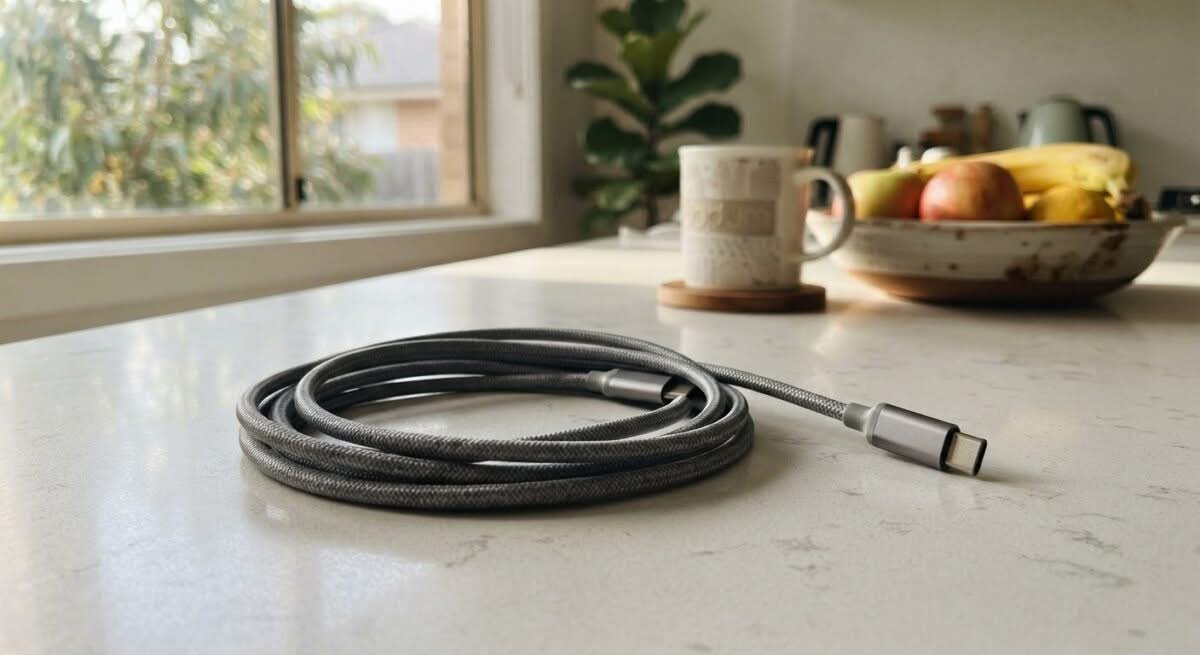
The European Union forced every phone maker selling there to ship USB-C by the end of 2024, and Australia never passed an equivalent law – but an Australian buying a new phone, tablet or laptop today gets the same USB-C port anyway, because no manufacturer builds two separate product lines for two different markets. A USB-C cable is the physical link between that port and a wall charger, a power bank, a laptop or a monitor, carrying power, data or video signals, sometimes all three, depending on what’s actually built into the wire inside. Picking the best USB-C cable Australia actually needs comes down to matching wattage, length and, for some jobs, data or video capability to the device on the other end, not just grabbing whichever cable is cheapest on the shelf.
Three real jobs split this category. A charging-only cable, the cheapest and most common type, moves power and nothing else, rated by wattage alone. A cable with data-transfer capability adds a second job, moving files to or from an external drive or a phone at speeds a charging-only cable’s thinner wiring can’t manage. A small number of cables go further again, adding video output so a laptop or phone can drive an external monitor through the same port, a capability worth checking for specifically since most cables, including several on this page, don’t include it.
Wattage is the number every listing leads with, and it ranges from 100W up to 240W across this line-up – the difference between comfortably charging a phone and being able to fast-charge a 16-inch MacBook Pro from the same cable. The number worth checking second is what the cable’s connectors actually are: a couple of picks here use a magnetic MagSafe or a DisplayPort connector on one end instead of a second USB-C plug, a distinctly different job hiding under the same broad category name.
Ten USB-C cables sit in this comparison, from a bare charging-only cable through to one that also pushes 8K video to a monitor, sourced from two of this site’s approved Australian retail partners plus Amazon AU for the handful of internationally recognised brands neither partner stocked.
Best USB-C Cable Australia Compared
| Product | Link | Type | Best For | Key Spec |
|---|---|---|---|---|
| Tough On 240W USB-C to USB-C Nylon Braided Cable | Check price | USB-C to USB-C, 240W | Best High-Wattage Everyday Cable | 240W max PD, nylon braided |
| Tough On 100W USB-C Right Angle Cable | Check price | USB-C to USB-C, right angle | Best Right-Angle Design | 100W, right-angle plug |
| Tough On 100W USB-A to USB-C Right Angle Cable | Check price | USB-A to USB-C, right angle | Best for Older USB-A Chargers | 100W, fits older USB-A chargers |
| Tough On 240W USB-C Cable 5 Pack | Check price | USB-C to USB-C, 5-pack | Best Value Multi-Pack | 5 cables, 240W each |
| 140W USB-C to MagSafe 3 Charging Cable | Check price | USB-C to MagSafe 3 | Best for MacBook MagSafe Charging | 140W, magnetic MagSafe 3 connector |
| 240W 4-in-1 USB-C Cable with Breathing Light | Check price | 4-in-1 multi-connector, 240W | Best Multi-Connector with LED Indicator | 4-in-1 connectors, LED indicator |
| Anker 100W USB-C to USB-C Cable 2-Pack | Check price | USB-C to USB-C, 2-pack | Best Proven Track Record | 100W, 66,744 reviews |
| UGREEN 100W USB-C to USB-C Cable 2-Pack | Check price | USB-C to USB-C, 2-pack | Best Value from a Recognised Brand | 100W, 19,395 reviews |
| Silkland 240W USB-C All-in-One Cable | Check price | USB-C to USB-C, charge+data+video | Best All-in-One Charging, Data and Video | 240W, 20Gbps, 8K video |
| Amazon Basics USB-C to DisplayPort Cable | Check price | USB-C to DisplayPort | Best Budget Display-Out Cable | 4K@60Hz, bi-directional |
1. Tough On 240W USB-C to USB-C Nylon Braided Cable – Best High-Wattage Everyday Cable
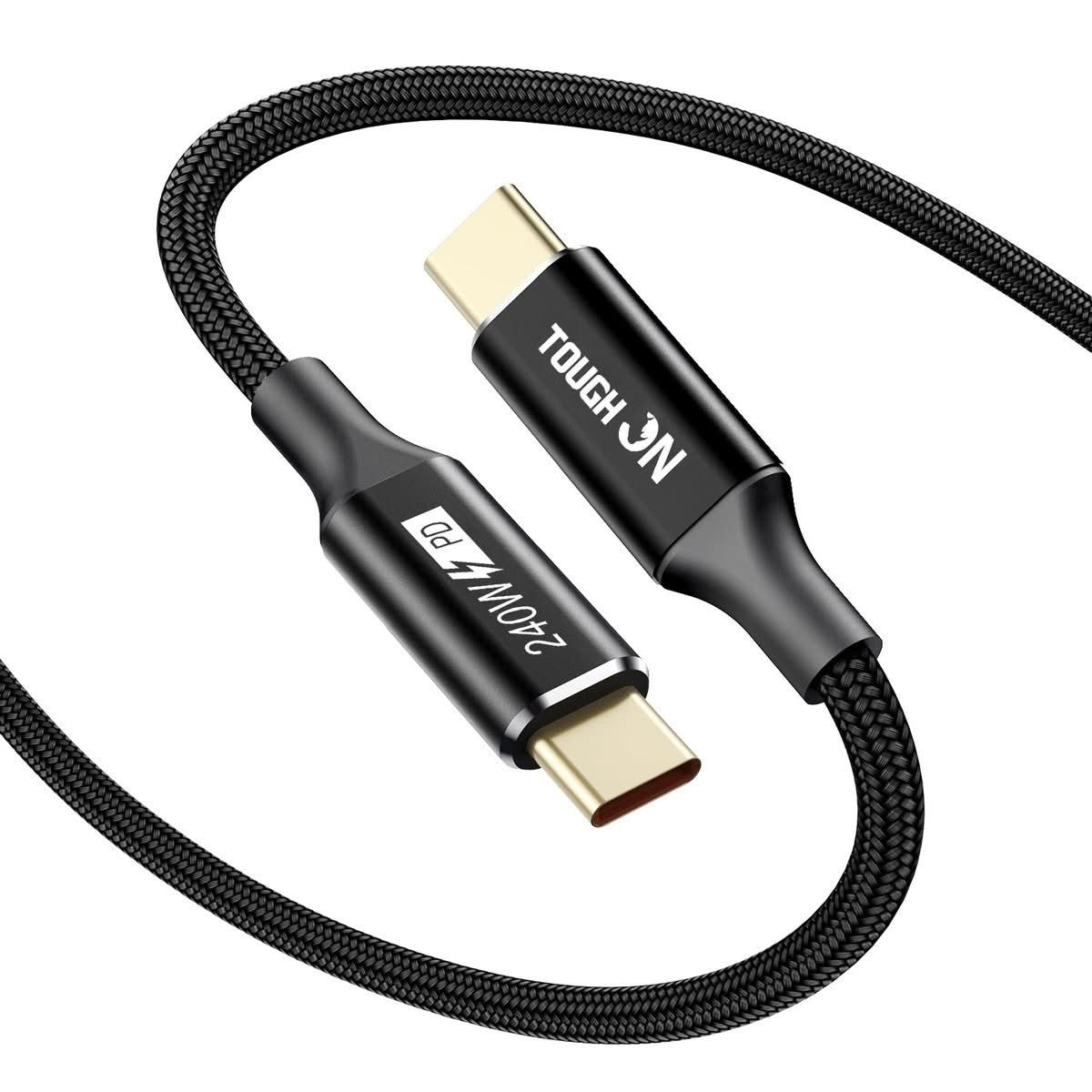
240 watts is enough headroom to fast-charge a MacBook Pro alongside an iPhone or a Samsung flagship, all from the same cable, without ever wondering if the wattage is the reason a laptop is charging slowly. A thinner nylon braid than most cables at this price bends more easily around a desk instead of fighting to hold a coil shape.
A magnetic velcro tie is built into the cable itself, not a separate accessory that gets lost in a drawer within a week, which actually matters for keeping a desk usable rather than a tangle of cords behind the monitor. It comes in 0.3m, 1m and 2m lengths and as a single cable or a 2-pack.
It’s sold directly by an Australian phone repair specialist instead of a generic marketplace listing, which matters if a cable fails early and warranty support means an actual local business, not an overseas seller – the same kind of backup a Bunnings or JB Hi-Fi till receipt gives, not an anonymous online storefront.
Pros
- 240W max output covers a laptop and a phone from the same cable spec
- Built-in velcro tie keeps cable clutter under control without a separate accessory
- Available in 0.3m, 1m and 2m lengths to match the actual desk or bag setup
Cons
- 240W is only reached with a charger that also supports it – the cable alone doesn’t add wattage a charger can’t supply
- Nylon braid is thinner than some premium cables, a deliberate trade for flexibility over bulk
- No data-transfer or video-output spec listed, so treat it as a charging cable specifically
Key specs:
- Power: 240W max, PD 3.1
- Build: nylon braided, built-in velcro tie
- Lengths: 0.3m, 1m, 2m
2. Tough On 100W USB-C Right Angle Cable – Best Right-Angle Design
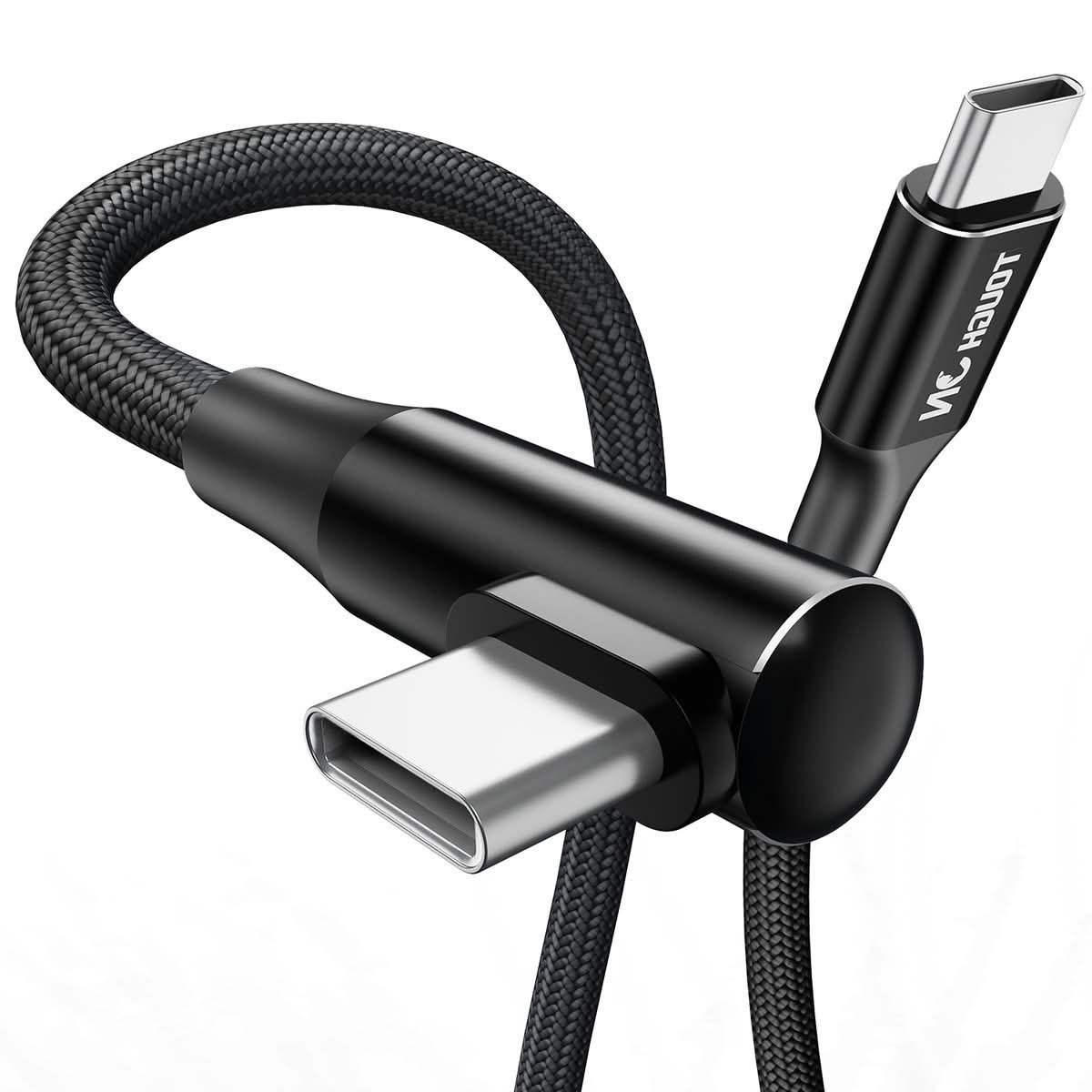
A right-angle plug is a small design choice that solves a real problem: a straight cable jutting out of a phone in landscape mode gets in the way of a hand or a case, while a 90-degree plug tucks flat against the device instead, particularly useful for gaming or watching video while it charges.
100 watts covers most phones, tablets and a good number of laptops without needing the full 240W a MacBook Pro can pull, and 18 reviews on the retailer’s own site back up the day-to-day reliability claim instead of leaving it as an untested spec sheet.
It’s available in 1m and 2m lengths, both right-angled at the same end, so check which end plugs into the wall charger versus the device before assuming the bend suits both.
Pros
- Right-angle plug keeps the connector out of the way during landscape use or gaming
- 100W covers most phones, tablets and many laptops
- 18 reviews on the retailer’s own site, real feedback instead of an unverified spec claim
Cons
- Only one end is right-angled, worth checking which end suits the actual setup before ordering
- 100W tops out short of the 240W ceiling the braided pick above reaches
- Right-angle plugs can be an awkward fit in a case with a recessed charging port
Key specs:
- Power: 100W max
- Plug: 90-degree right angle
- Lengths: 1m, 2m
3. Tough On 100W USB-A to USB-C Right Angle Cable – Best for Older USB-A Chargers
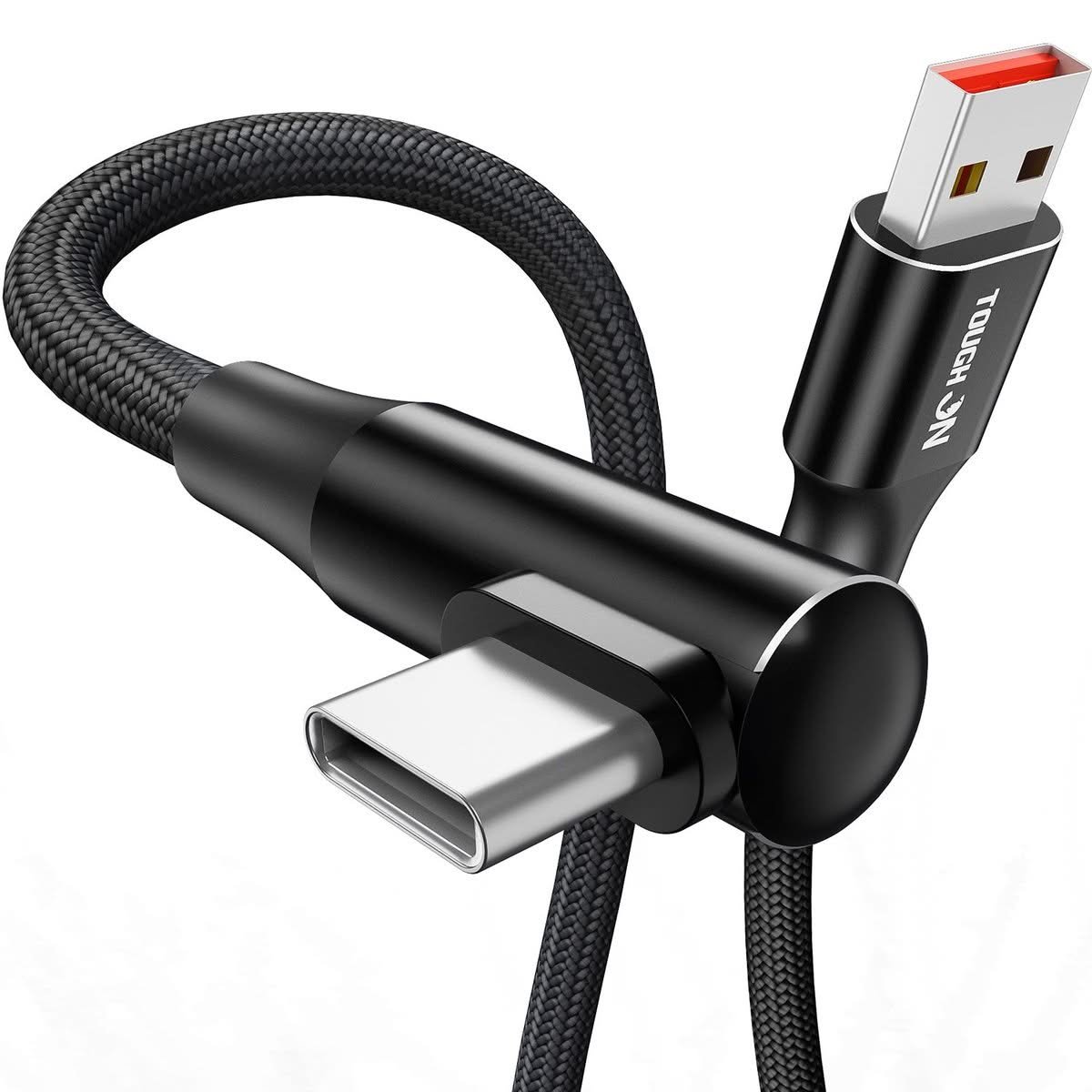
Not every charger in a household is USB-C on both ends yet – a car charger, an old power bank or a wall plug bought years ago is often still USB-A, and this is the cable that bridges the two without buying a whole new charger just to top up a new USB-C phone.
The same right-angle design and 100W ceiling as its USB-C-to-USB-C sibling carries over here, and 9 reviews on the retailer’s site suggest it holds up the same way in daily use, not just on paper.
The trade-off with any USB-A cable is the older, slower charging standard on that end – the USB-C end can pull 100W only if the USB-A charger on the other end can actually supply it, which most older USB-A chargers can’t.
Pros
- Bridges older USB-A chargers, car adaptors and power banks to a newer USB-C device
- Same right-angle design and 100W ceiling as the USB-C to USB-C version
- 9 reviews on the retailer’s site back up real-world reliability
Cons
- Actual charging speed is capped by the USB-A charger’s own output, often well under 100W
- Won’t support the video or high-speed data features a native USB-C to USB-C cable can
- A stopgap for older gear, not the pick for a brand-new all-USB-C setup
Key specs:
- Power: up to 100W (limited by the USB-A charger used)
- Plug: 90-degree right angle on the USB-C end
- Lengths: 1m, 2m
4. Tough On 240W USB-C Cable 5 Pack – Best Value Multi-Pack
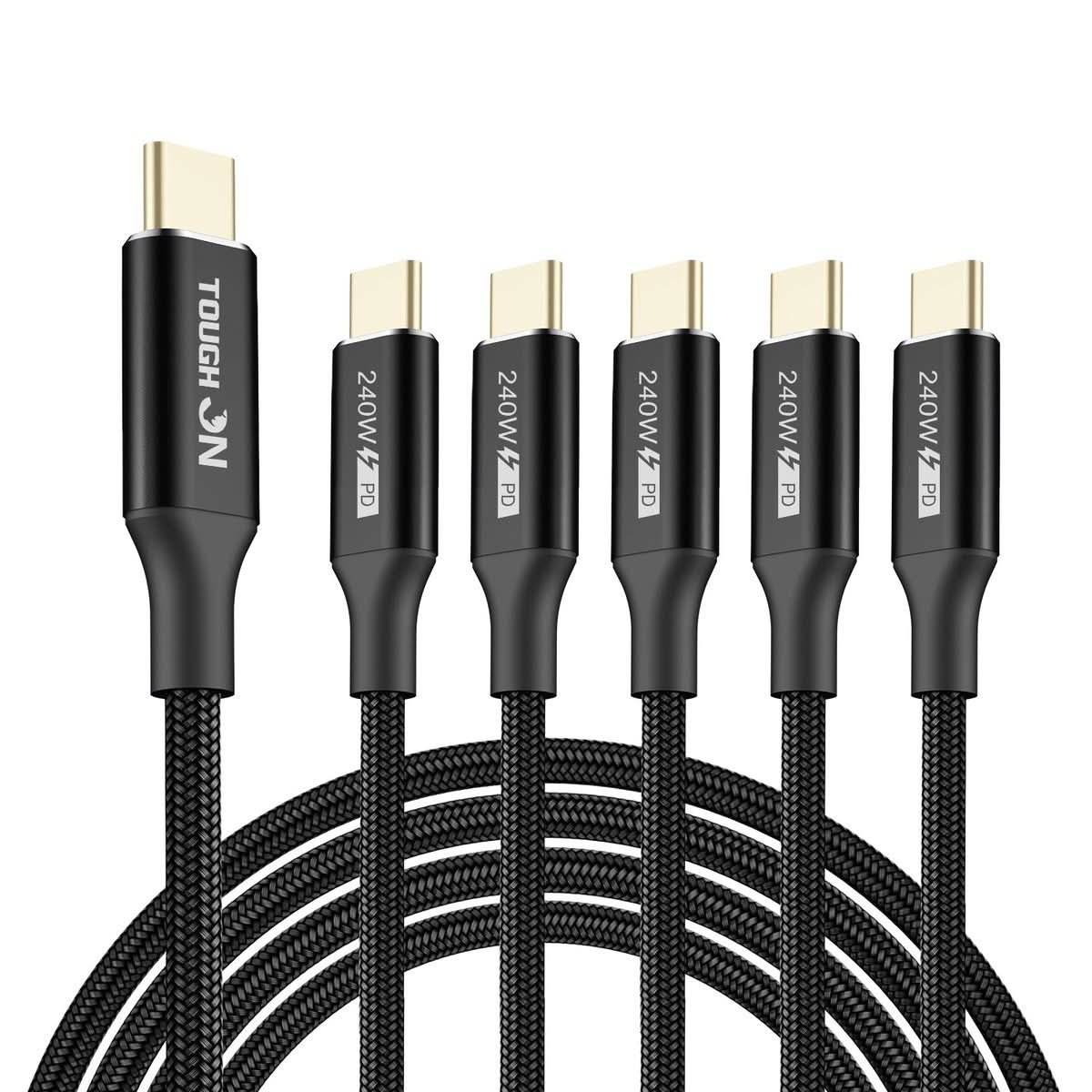
Five cables at once solves the household problem properly instead of buying one replacement every time a cable frays: one for the kitchen bench, one for the car, one for each bedside table, and a spare still in the packet for whenever the next one gives out.
Each cable in the pack carries the same 240W PD 3.1 spec and nylon braid as the single braided cable at the top of this page, not a cut-down version to hit a lower per-unit price – the saving comes from buying five at once, not from thinner wire.
The obvious trade-off is upfront cost against buying one cable today: this only makes sense once more than two or three cables are actually needed, not as the first cable in a household with just one USB-C device.
Pros
- Five full-spec 240W cables, not a cut-down bulk version
- Solves the buy-one-when-it-frays cycle in one order
- Same nylon braid and PD 3.1 rating as the single-cable version
Cons
- Higher upfront cost than a single cable, only worth it buying for multiple rooms or people
- All five ship in the same length unless the listing’s variant is checked carefully
- Overkill for a single-person, single-device household
Key specs:
- Quantity: 5 cables per pack
- Power: 240W max, PD 3.1, per cable
- Build: nylon braided
5. 140W USB-C to MagSafe 3 Charging Cable – Best for MacBook MagSafe Charging
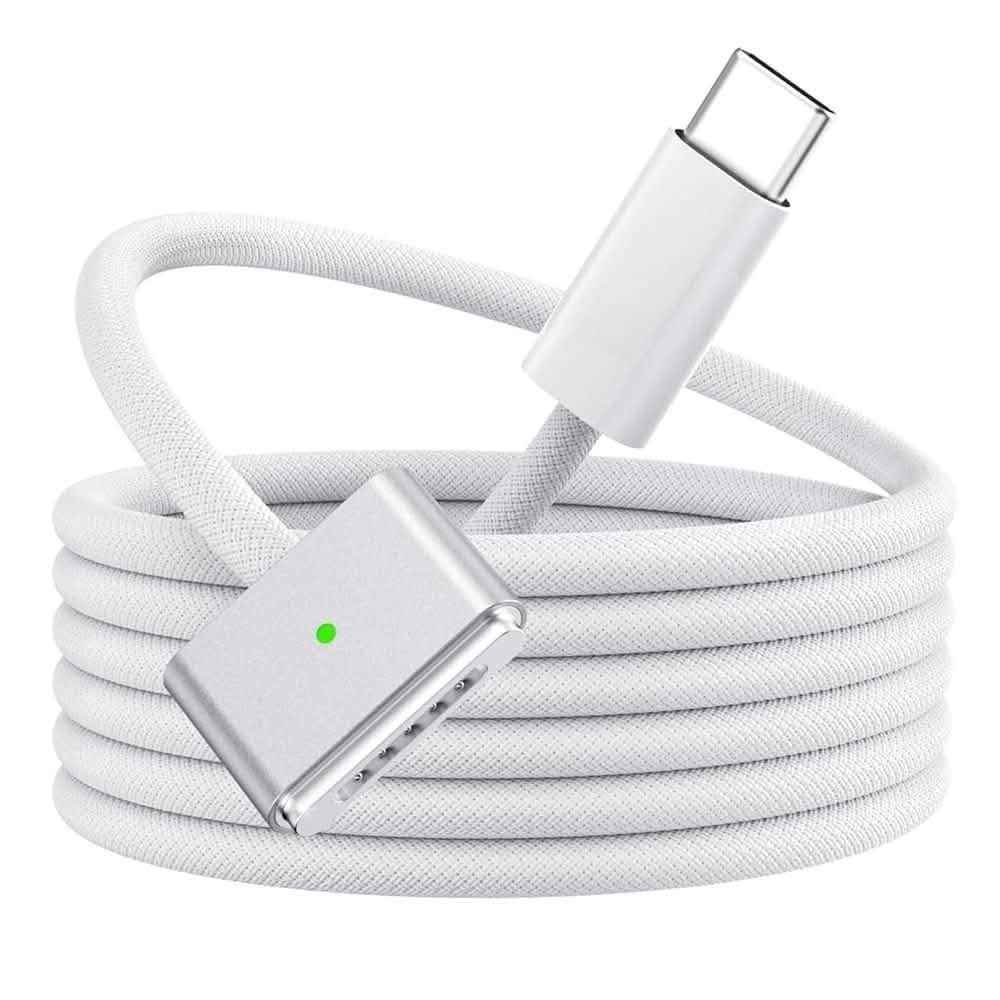
This isn’t a USB-C to USB-C cable at all on one end – it swaps the device-side plug for a magnetic MagSafe 3 connector, the same style Apple ships with newer MacBook Pro models, so a cable that pops off cleanly if someone trips over it beats a rigid USB-C plug that could rather drag the laptop off a desk.
140 watts covers the charging demand of a 14 or 16-inch MacBook Pro at full tilt, and the 2-metre length reaches further than most bundled charging cables manage, useful for a couch or a shared desk where the power point isn’t right next to the seat.
It’s a properly new listing without an established review history yet, so this is a pick worth trusting on the strength of the MagSafe connector solving a real problem, not on a large body of buyer feedback.
Pros
- MagSafe 3 magnetic connector detaches safely instead of dragging a laptop off a desk
- 140W covers a 14 or 16-inch MacBook Pro’s full charging demand
- 2 metre length reaches further than most bundled charging cables
Cons
- No review history yet on this specific listing
- Only works with MagSafe 3 compatible MacBook Pro models, not a universal USB-C cable
- Can’t be used to charge a phone or tablet, unlike every other pick on this list
Key specs:
- Connector: USB-C to MagSafe 3
- Power: 140W max
- Length: 2 metres
6. 240W 4-in-1 USB-C Cable with Breathing Light – Best Multi-Connector with LED Indicator
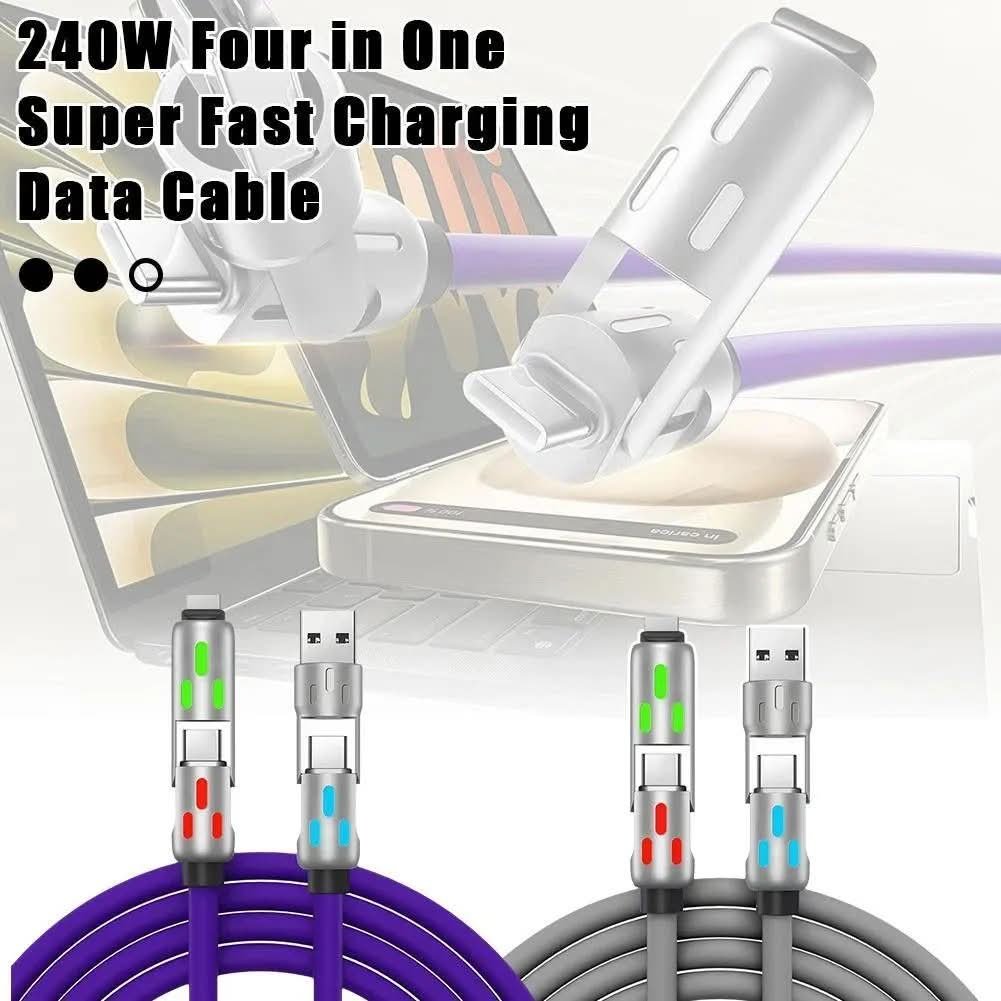
One cable body with four connector options built in covers a household that hasn’t fully switched to USB-C everywhere – older phones, an iPad with a Lightning port, and newer USB-C devices can all be charged from the one cable instead of a drawer full of different leads.
A breathing LED built into the cable body glows while charging and fades once the device is full, a properly useful visual cue at 2am that doesn’t need checking the phone screen to confirm it’s actually charging.
Like the MagSafe cable above, this is a newer listing without an established review track record, so weigh the convenience of one cable covering four connector types against buying individually reviewed cables for each device instead.
Pros
- Four connector types in one cable body for a mixed-device household
- Breathing LED indicator shows charging status without checking the screen
- 240W rating covers laptop-level charging on the USB-C connector
Cons
- No review history yet on this specific listing
- A multi-connector cable is inherently bulkier at the connector end than a dedicated single-connector cable
- Actual charging speed on the non-USB-C connectors depends on that port’s own standard, not the 240W USB-C rating
Key specs:
- Connectors: 4-in-1 multi-connector
- Power: 240W max (USB-C connector)
- Feature: breathing LED charge indicator
7. Anker 100W USB-C to USB-C Cable 2-Pack – Best Proven Track Record
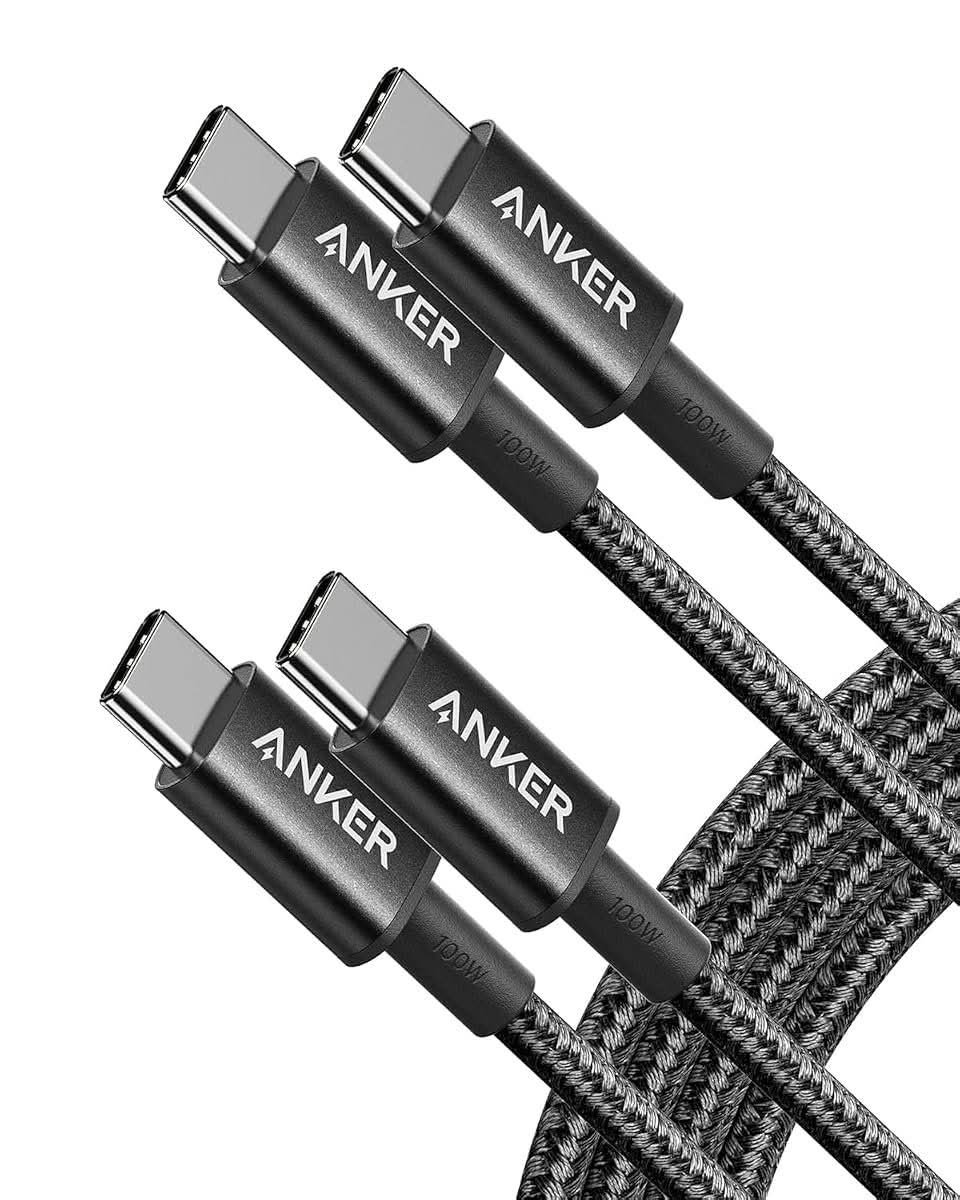
66,744 reviews at 4.7 stars is not a typo – this is one of the most bought and most reviewed USB-C cables sold in Australia, from a brand whose name on a charging cable carries real weight after building that reputation on power banks and wall chargers first.
100 watts covers a laptop, tablet or phone through the same cable, and a hard-wearing nylon exterior is rated for roughly 5,000 bends at the plug, the point where a cheap cable usually frays first. Two cables in the pack means a spare exists before the first one wears out.
It explicitly doesn’t support video output, so anyone wanting to run a monitor off the same cable should look to the Silkland or AmazonBasics picks further down this page instead – this one does one job, charging, and does it at scale.
Pros
- 66,744 reviews at 4.7 stars, the deepest review base of any pick on this list
- 100W output with a nylon exterior rated for roughly 5,000 bends
- Two cables per pack, a spare on hand before the first wears out
Cons
- No video output support, charging only
- 100W is solid but short of the 240W ceiling the top picks on this page reach
- A well-known name costs a little more than an unbranded cable with similar specs
Key specs:
- Power: 100W max
- Build: nylon exterior, approx 5,000-bend rating
- Pack: 2 cables, 6ft (1.8m) each
8. UGREEN 100W USB-C to USB-C Cable 2-Pack – Best Value from a Recognised Brand
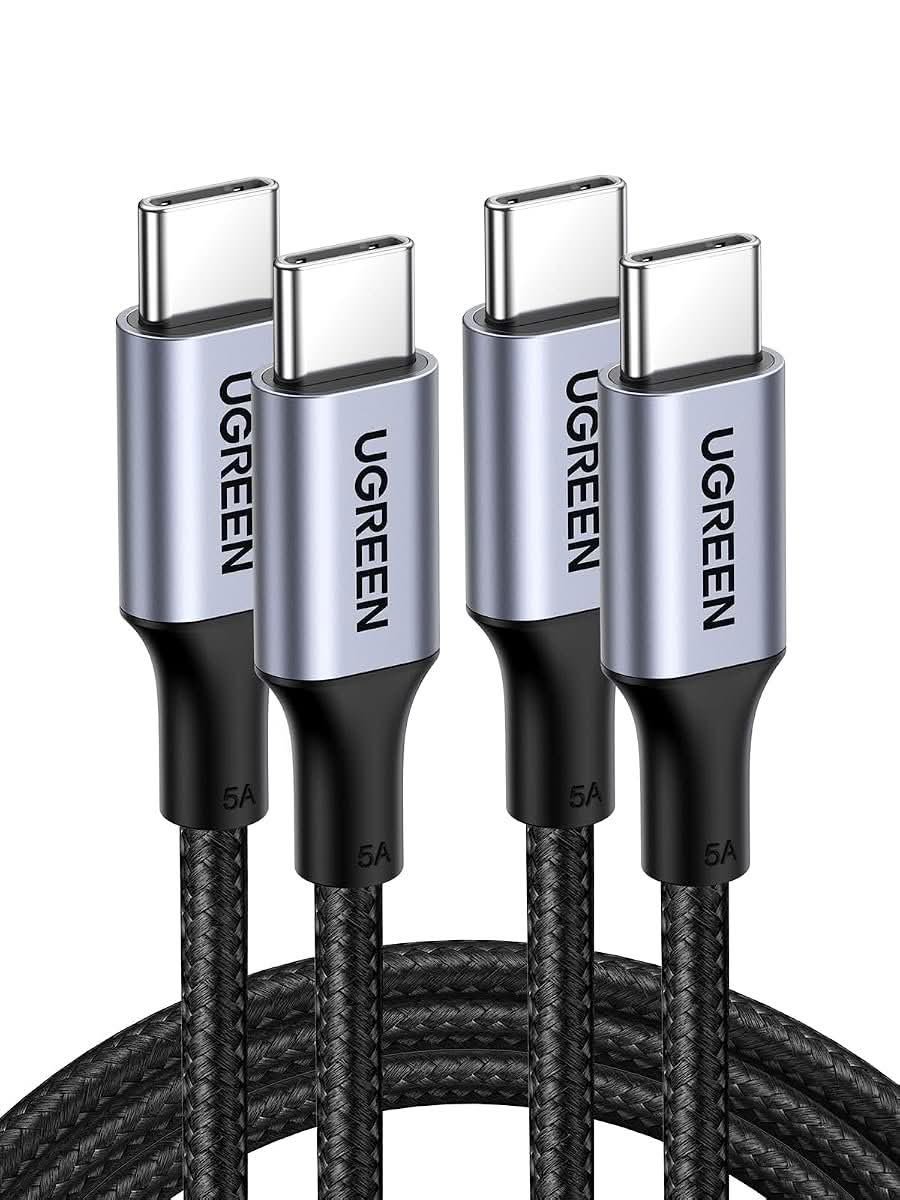
19,395 reviews at 4.7 stars for roughly two-thirds the price of the Anker pick above makes this the value argument on this page: a recognised, established brand instead of an unknown name, without paying the premium the market leader commands.
100W PD covers the same everyday charging range as the Anker pick, and the listing offers length options from 0.25m up to 3m, a wider spread than most competitors bother stocking, useful for anyone who wants one short cable for a power bank and a longer one for a bedside table.
It ships in a 2-pack as standard, so the per-cable cost works out lower again once that’s factored in, and 1,000-plus bought in the past month says this isn’t a niche pick propped up by a handful of early reviews.
Pros
- 19,395 reviews at 4.7 stars, deep evidence at a lower price than the market leader
- Length options from 0.25m to 3m, wider than most competing listings
- 1,000-plus bought in the past month, an actively popular seller, not a niche listing
Cons
- Fewer total reviews than the Anker pick above, though still a very deep sample
- No video output support, the same charging-only limit as the Anker pick
- Nylon braiding is not specified the way it is on the Tough On and Anker picks
Key specs:
- Power: 100W max PD
- Lengths: 0.25m, 0.5m, 1m, 2m, 3m options
- Pack: 2 cables, 1m each in the base listing
9. Silkland 240W USB-C All-in-One Cable – Best All-in-One Charging, Data and Video
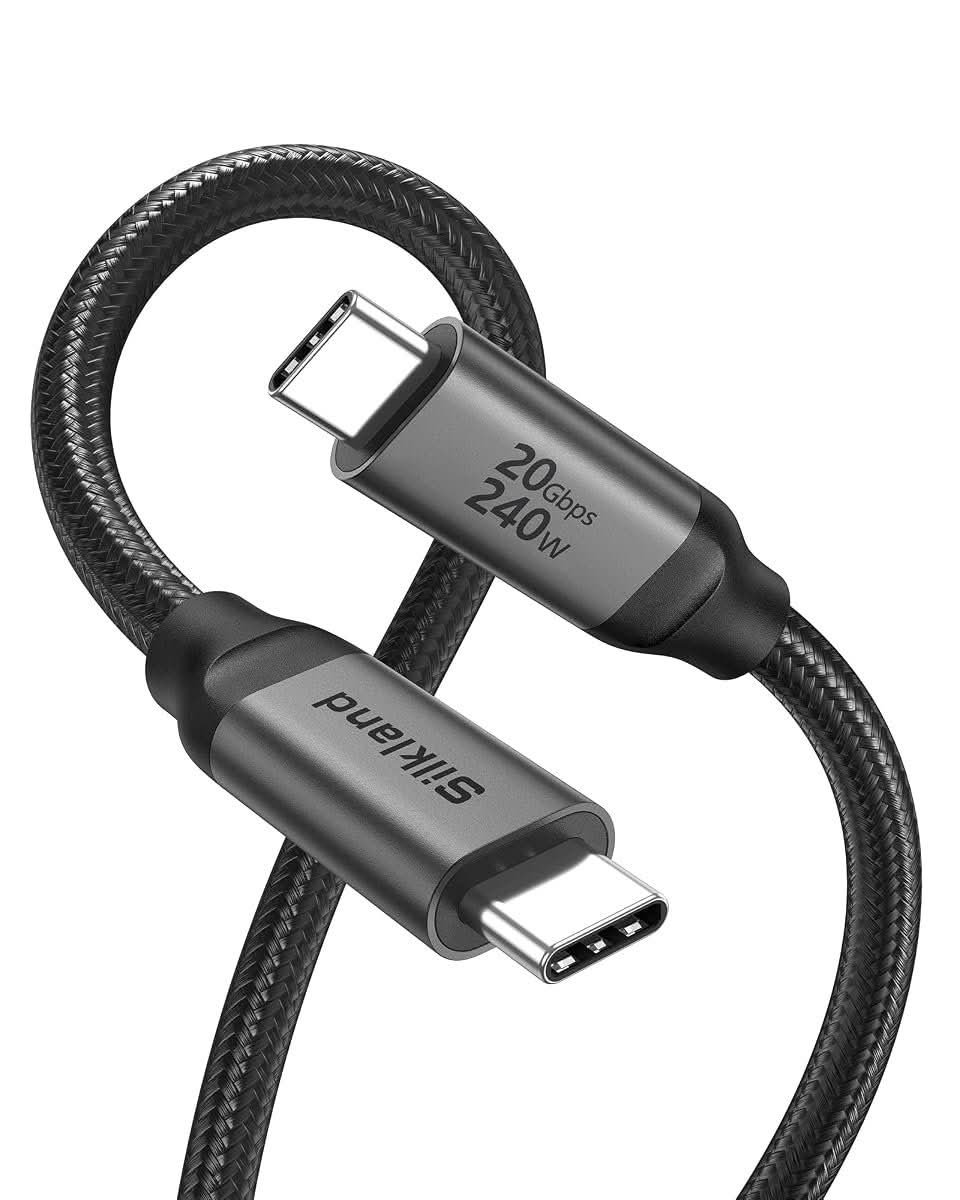
Three jobs in one cable: 240W charging, 20Gbps data transfer fast enough for an external SSD, and video output up to 8K at 30Hz or 4K at 144Hz to a compatible monitor – most cables on this page do exactly one of these three things, this one does all three from the same USB-C to USB-C plug.
2,992 reviews at 4.7 stars back up a real track record instead of a spec sheet nobody’s actually tested, and the video function specifically needs a laptop or phone whose USB-C port supports DP Alt Mode – most recent MacBooks and flagship Android phones do, but it’s worth confirming before buying for that reason alone.
That versatility comes at a price roughly in the middle of this list, a fair trade for anyone who’d otherwise be buying three separate cables for charging, a hub and a monitor lead.
Pros
- Combines 240W charging, 20Gbps data and up to 8K video output in one cable
- 2,992 reviews at 4.7 stars, a real track record
- Replaces three separate cables for anyone using all three functions
Cons
- Video output only works if the source device’s USB-C port supports DP Alt Mode – check before buying
- Costs more than a charging-only cable like the Anker or UGREEN picks above
- Overkill for anyone who only ever charges a phone from it
Key specs:
- Power: 240W PD fast charging
- Data: 20Gbps (USB 3.2 Gen 2×2)
- Video: up to 8K@30Hz, 4K@144Hz (DP Alt Mode required)
10. Amazon Basics USB-C to DisplayPort Cable – Best Budget Display-Out Cable
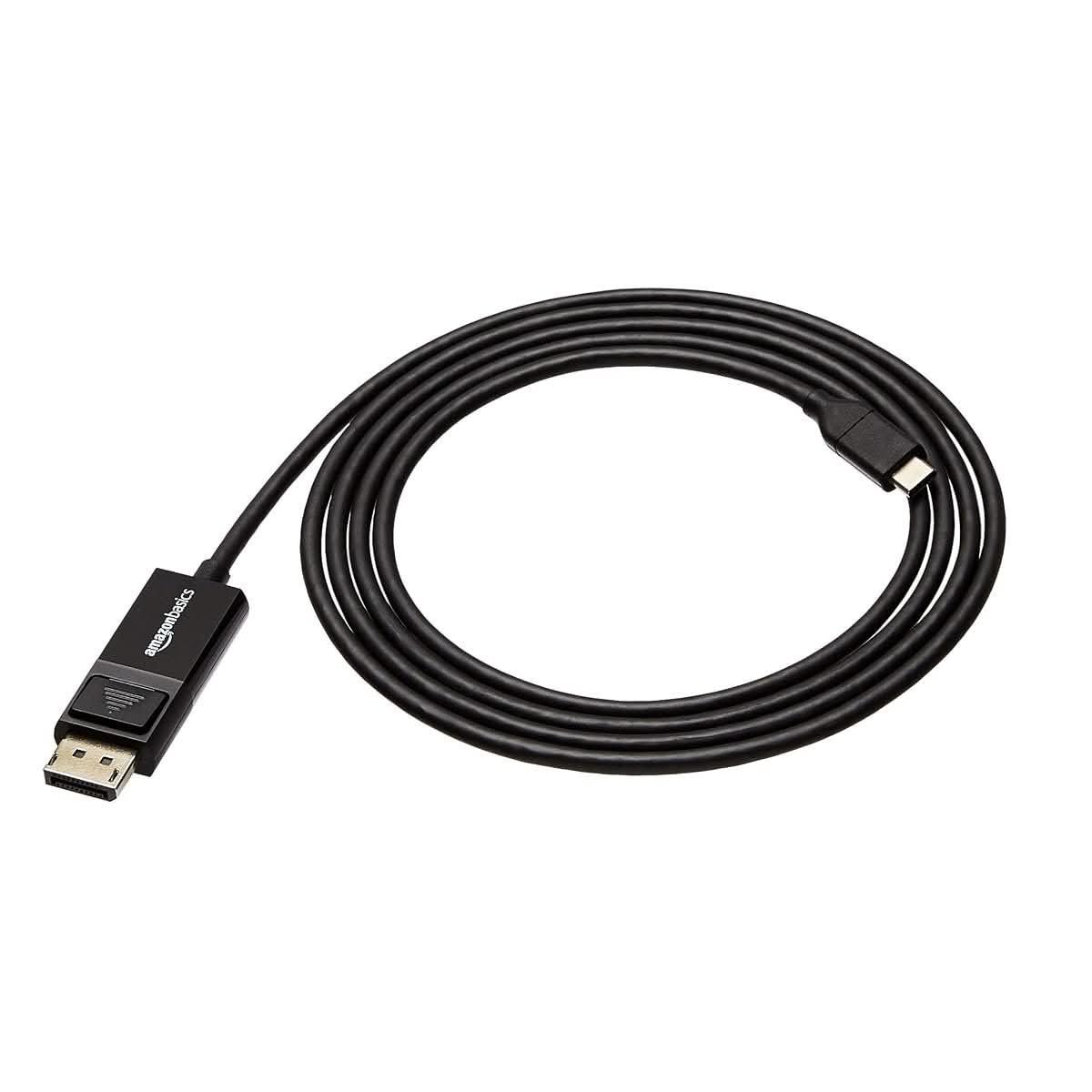
This one swaps the DisplayPort connector in for the second USB-C plug, a properly different cable to everything else on this page, not a variant – useful specifically for connecting a USB-C laptop or phone to an external monitor that only has a DisplayPort input, not a second USB-C port.
4K at 60Hz covers a proper monitor setup for work or a presentation, and the connection runs bi-directionally, so it works whether the USB-C device or the DisplayPort monitor is doing the sending. 2,100 reviews at 4.4 stars is a solid, unremarkable track record for a cable that does one job reliably.
At roughly two-thirds the price of the Silkland all-in-one above, it’s the budget pick for anyone who only needs the video function and doesn’t care about the extra charging or data-transfer capability bundled into a pricier cable.
Pros
- Purpose-built for a USB-C to DisplayPort monitor connection, not a compromise adapter
- Bi-directional, works from either the USB-C or the DisplayPort end
- Roughly two-thirds the price of the Silkland all-in-one pick above
Cons
- No charging function at all – this is a display cable, not a power cable
- 4K@60Hz is a step down from the Silkland pick’s 8K ceiling
- Only useful for a DisplayPort monitor specifically, not a second USB-C or HDMI display
Key specs:
- Connector: USB-C to DisplayPort
- Video: 4K@60Hz, bi-directional
- Length: 0.9m or 1.8m
How to Choose a USB-C Cable in Australia
Match wattage to the most demanding device the cable will ever charge, not the average one. A 100W cable comfortably covers a phone and most laptops. Stepping up to 240W only matters if a 16-inch MacBook Pro or an equivalent high-power laptop is actually in the house.
Check the connector on both ends before assuming “USB-C cable” means USB-C at both ends. The MagSafe and DisplayPort picks on this list swap one end for a different connector entirely – a properly useful trade for the right job, a wasted purchase for the wrong one.
Data transfer speed only matters if the cable is actually moving files, not just power. A charging-only cable is fine for a phone on a nightstand. Anyone backing up photos to an external drive needs to check the Gbps figure specifically, not just the wattage.
Buying for a shared house or a family? A multi-pack works out cheaper per cable than buying one at a time, and having a spare on hand beats a scramble when one frays halfway through a Melbourne share house’s morning rush out the door.
A cheap, unbranded cable from an anonymous listing carries a real safety cost, not just a reliability one. South Australia’s Metropolitan Fire Service warns that electronic accessories can pose a fire risk when they’re poorly made. Buy from a retailer that stands behind the product, not just whoever has the lowest price on a given day.
Length matters more than it looks like on a product page. A 0.3m cable is great next to a bed or a power bank in a bag; the same length is useless for a couch three metres from the nearest power point. Measure the actual gap before ordering.
You’ll Also Want
A cable can only deliver as much power as the charger behind it allows, so a wattage mismatch usually sits at the wall, not in the cable – a 30W dual-port GaN travel wall charger covers phones and most tablets from a single compact plug.
For the car, a dedicated 60W dual-port car charger with PD 3.0 avoids relying on an old cigarette-lighter adapter that was never built for modern fast-charging wattages.
For anywhere without a power point nearby, the best power banks in Australia covers the other half of staying charged on the move – most use the same USB-C cables already covered on this page.
Frequently Asked Questions
What does the wattage on a USB-C cable actually mean?
Wattage describes the maximum power a cable can safely carry between a charger and a device, not the speed a phone or laptop will actually charge at – that’s set by the charger and the device itself, whichever is lower. A 100W cable is enough for most phones, tablets and many laptops. Only step up to 240W if a high-power laptop like a 16-inch MacBook Pro is actually part of the setup.
Can any USB-C cable transfer data, or just charge?
No. Charging-only cables use fewer internal wires and are built specifically for power, not data, so plugging one into an external drive or a phone for a file transfer either won’t work or will run at a crawl. Check the cable’s listed data-transfer speed, usually given in Gbps, before relying on any USB-C cable to move files rather than just charge a device.
Do I need a special cable for video output over USB-C?
Yes. Video output over USB-C needs a cable specifically built to carry that signal, and the source device’s own USB-C port needs to support DP Alt Mode as well – the cable alone can’t add video capability a phone or laptop’s port doesn’t have. Check both the cable’s spec and the device’s own USB-C port capability before buying one for connecting to a monitor.
Is it safe to use a cheap, unbranded USB-C cable?
It carries a real risk, not just a reliability one. South Australia’s Metropolitan Fire Service warns that electronic devices and their accessories can pose a fire risk if they’re poorly made or don’t comply with Australian electrical standards, and the ACCC has recalled non-compliant USB-C charging gear sold in Australia before. Buying from a retailer that stands behind the product is worth more than saving a few dollars on an anonymous listing.
Why do some “USB-C cables” have a different connector on one end?
Because the plug on one end doesn’t have to be USB-C just because the cable is marketed as a USB-C cable – it only means one end definitely is. A MagSafe charging cable or a USB-C to DisplayPort cable both use a standard USB-C connector on one end and a completely different connector built for a specific job on the other, a real trade-off worth checking before assuming any USB-C cable fits any USB-C device.
Does cable length affect charging speed?
Only slightly, and mostly at longer lengths. A well-made cable up to about 2 metres shouldn’t lose meaningful charging speed, but a longer or thinner cable can introduce enough resistance to slow high-wattage charging down. Data transfer speed is more sensitive to length than charging is, so a long cable used for shifting files to a drive is more likely to show a real slowdown than one used only for charging.
Verdict
For most everyday charging, the Anker or UGREEN 2-packs cover a phone, tablet and most laptops without asking for a premium price – UGREEN if the priority is value, Anker if a longer, deeper review history matters more. Anyone who also needs to move files quickly or run an external monitor should look to the Silkland all-in-one instead, the only cable on this page that does all three jobs. For a MacBook specifically, the MagSafe pick is worth the narrower use case for the safety of a magnetic connector alone.