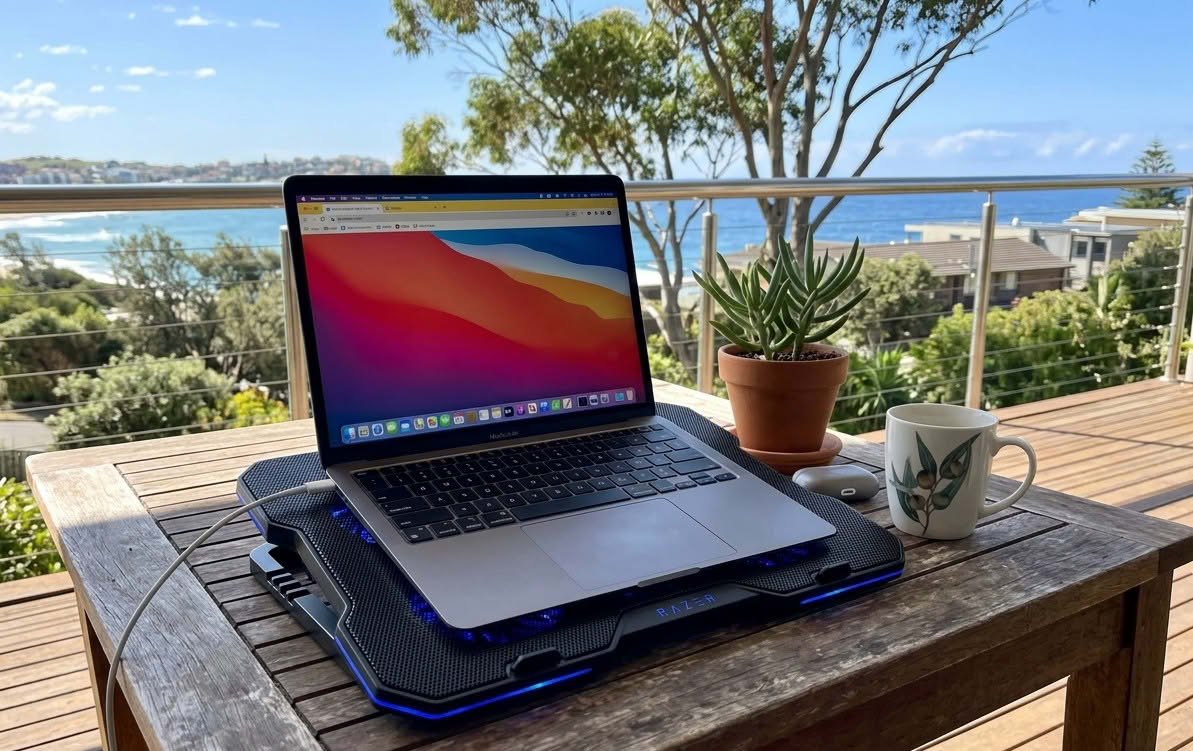
A laptop’s own internal fan pulls air through vents on the base and sides, and sitting that laptop directly on a doona, a pillow or your actual lap blocks those vents completely – the CPU keeps generating the same heat with nowhere for it to go. A laptop cooling pad is a flat platform with its own fan or fans built in, sitting the laptop up on a raised, ventilated surface so air can actually move underneath it instead of getting trapped against fabric.
Multi-fan mesh pads use three to six small fans spread under a mesh surface for broad, even airflow across the whole laptop base – the most common design in this category. Single large-fan pads use one bigger fan, usually 160mm to 200mm, positioned under the laptop’s main heat zone instead of spreading airflow thin. Aluminium-surface pads add a metal plate that conducts heat away from the laptop directly, on top of whatever fan sits underneath. Passive stands skip the fan entirely and rely on angle and airflow alone – not covered in this guide, since the products here all use active, powered cooling.
Fan count and speed are the numbers printed on every listing, but cutting capacity – sorry, cooling capacity – actually comes down to airflow volume, and the eight pads in this guide range from a single 160mm fan up to six fans running simultaneously. The spec worth checking next to it is USB power draw and port type: every pad here runs off a laptop USB port instead of a wall charger, and a handful specifically support USB-C for newer ultrabooks that dropped USB-A entirely. ProductReview’s review of the TopMate C12, one of the picks in this guide, flags a real limitation worth knowing before buying any cooling pad in this category: none of them meaningfully help once room temperature itself climbs past the mid-20s.
Eight laptop cooling pads make up this comparison, from a single-fan aluminium stand through to a six-fan RGB gaming pad, all sourced through Amazon Australia after this site’s usual retail partners came back with no genuine active-cooling pad in stock – the closest hits were passive laptop stands sold at Officeworks and similar office retailers, a different product entirely. If the laptop itself is the actual problem instead of just needing better airflow, our guide to the best budget laptops covers replacing it outright.
Best Laptop Cooling Pads Australia Compared
| Product | Link | Type | Best For | Key Spec |
|---|---|---|---|---|
| Cooler Master NotePal X-Slim II | Check price | Single large fan | Recognised brand | 200mm fan, up to 15.6in |
| KLIM Wind Laptop Cooling Pad | Check price | Multi-fan mesh | High airflow | 4 fans, 1200rpm, up to 19in |
| TopMate C12 Laptop Cooling Pad | Check price | Multi-fan mesh, RGB | Large 17in laptops | 6 fans, 8 heights, LCD display |
| Havit Ergonomic Laptop Cooling Pad | Check price | Multi-fan mesh, compact | Ergonomic compact | 3 fans, 2 height settings |
| TeckNet Laptop Cooling Pad | Check price | Multi-fan mesh, slim | USB-C only laptops | 2 fans, USB-A or USB-C |
| 6-Fan Laptop Cooling Pad with Phone Holder | Check price | Multi-fan mesh | Budget feature-rich | 6 fans, 5 heights, phone holder |
| Coolertek N2 Laptop Cooling Pad | Check price | Multi-fan mesh, budget | Ultra-budget | 2 fans, up to 17in |
| Aluminium Laptop Cooling Stand | Check price | Single fan + aluminium | Slim aluminium build | 160mm fan, 1000-1400rpm, 7 heights |
How We Picked
This guide checked active, fan-powered laptop cooling pads specifically, not passive stands, laptop risers or docking stations that happen to use the word ‘cooling’ in their listing without an actual fan. Eight products survived filtering for confirmed Australian stock, in-stock status at time of writing, and real functional difference from each other instead of the same base design under a different brand label – several near-identical six-fan RGB pads sold under different names were deliberately narrowed down to one representative pick instead of padding the list with clones. ProductReview listings were checked for each model where individual coverage existed.
1. Cooler Master NotePal X-Slim II – Best Recognised Brand
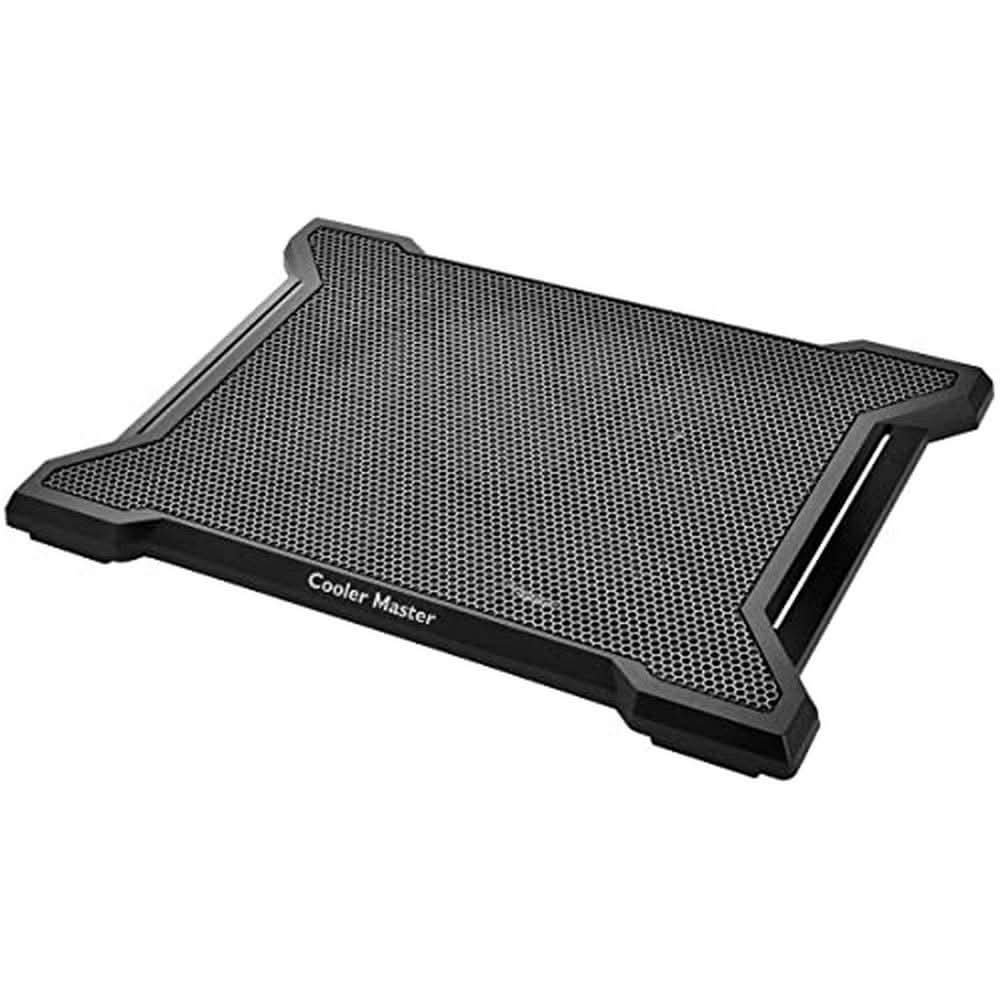
Cooler Master is one of the few really established names in PC cooling generally, not just laptop accessories – the same engineering that goes into their desktop CPU coolers shows up here as a single quiet 200mm fan instead of several small, buzzy ones. The honeycomb mesh surface and ergonomic tilt are built for one job done well: steady airflow under the whole base of the laptop, not a feature checklist.
There’s no RGB, no phone holder and no multiple height settings – just a fan, a stand, and cable management on the underside to keep the USB lead tidy. That simplicity is the actual selling point for anyone who wants a cooling pad to disappear into the background of a desk setup instead of announce itself.
This suits anyone who specifically wants a recognised cooling brand behind the purchase, with the trade-off that a single fan moves less total air than the multi-fan pads elsewhere here – a truly hot-running 17-inch gaming laptop is better matched to the TopMate or KLIM picks below.
Pros
- Cooler Master is a clearly established name in PC cooling, not just a laptop-accessory label
- Single 200mm fan runs quiet while still moving real airflow across the whole base
- Simple, no-frills design with tidy cable management – nothing to configure or fuss with
Cons
- Only supports laptops up to 15.6 inches – not a fit for a larger 17-inch machine
- Single fan moves less total airflow than the multi-fan pads elsewhere among these eight
- No height adjustment – one fixed ergonomic angle only
Key specs: 200mm single fan – supports up to 15.6in laptops and tablets – ergonomic fixed tilt – cable management channel
CHECK ON AMAZON2. KLIM Wind Laptop Cooling Pad – Best High-Airflow
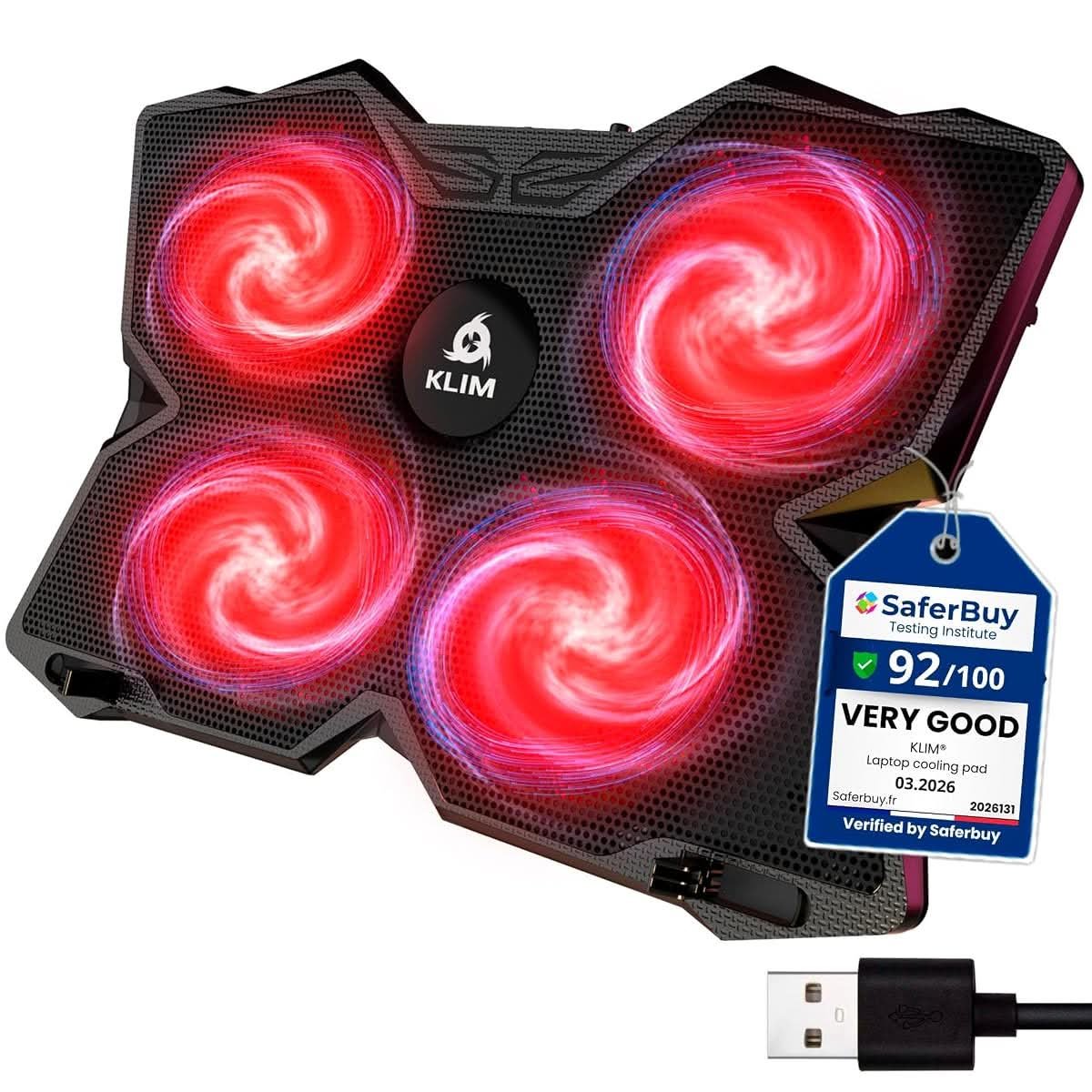
KLIM markets the Wind as the most powerful cooling pad on the market, and the spec sheet backs up at least part of that claim: four fans spinning up to 1200rpm each, covering the full footprint of laptops from 11 up to 19 inches, with the largest sizes overhanging the edges slightly but still sitting stable on the two rear legs and frontal locating pegs.
The stand-out detail buried in the fine print is a 5-year warranty – plainly long for a category where most competitors offer 12 or 24 months, and a real signal of how confident KLIM is in the build quality holding up. Two USB ports mean the pad doesn’t use up the laptop’s only spare port just to run its own fans.
This suits anyone running a larger 15-19 inch laptop who wants the most airflow available without stepping up to a full RGB gaming pad – the trade-off is a fairly plain black design next to the TopMate’s RGB lighting and LCD display below.
Pros
- 4 fans at up to 1200rpm cover the full range from 11 to 19 inch laptops
- 5-year warranty is far longer than most competitors in this category
- Two rear legs and frontal pegs keep even an oversized laptop stable, not just balanced
Cons
- Plain black design with no lighting or display, next to flashier RGB competitors
- Larger 17-19 inch laptops overhang the edges of the pad, even if they stay stable
- Fixed two-leg incline only, not the multiple height settings some competitors offer
Key specs: 4 fans, up to 1200rpm – fits 11-19in laptops – 2 USB ports – 5-year warranty
CHECK ON AMAZON3. TopMate C12 Laptop Cooling Pad – Best for Large 17 Inch Laptops
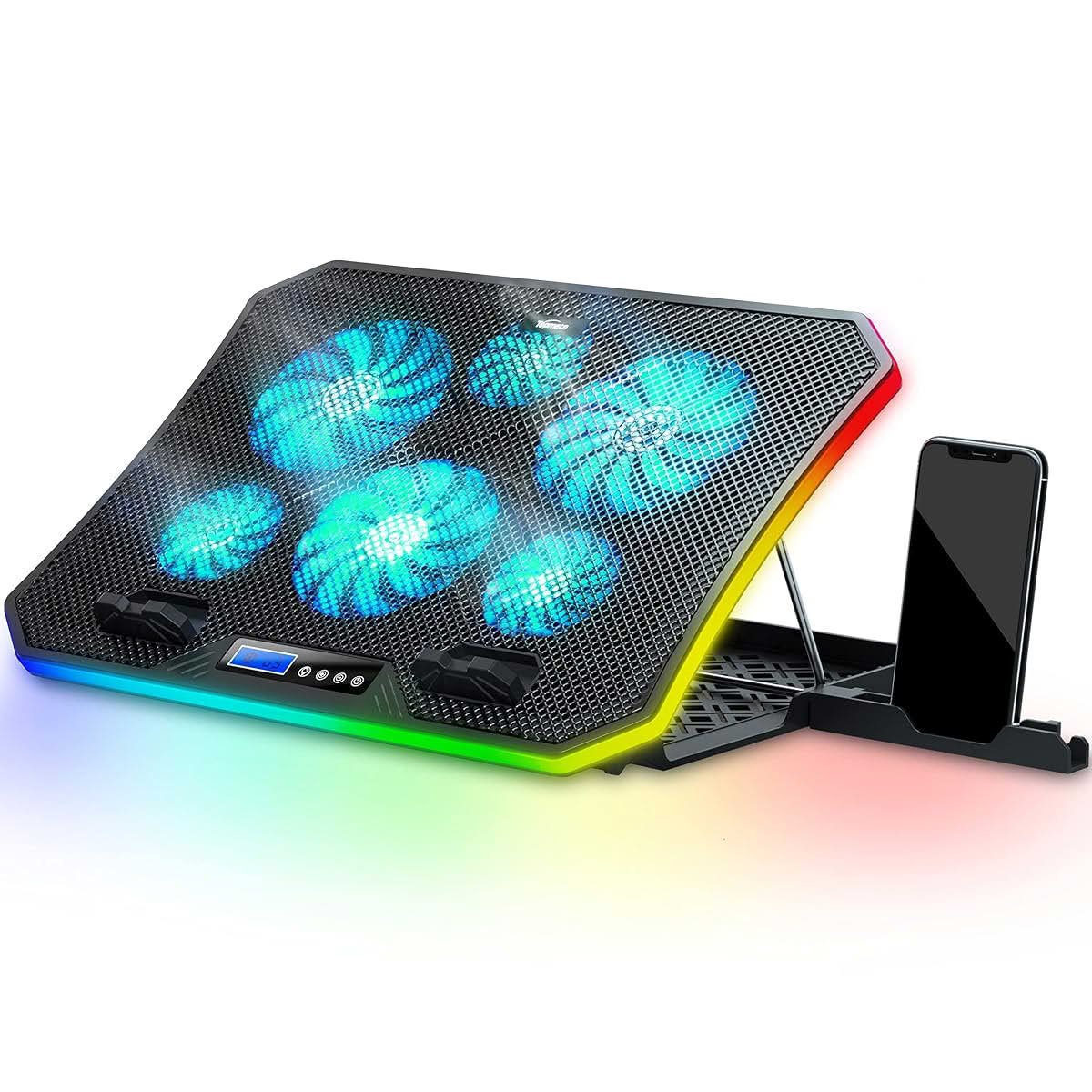
Six fans – three small, three large – sit under a mesh surface big enough for a true 17.3-inch gaming laptop, with an LCD display on the front edge controlling both fan speed across three operating modes and ten RGB lighting modes running along the pad’s edge strip. Eight height settings cover everything from nearly flat to a steep typing angle.
ProductReview.com.au’s own listing for this exact model puts it at a mixed but honest 2 out of 5 from early reviews – solid, broad, and quiet in operation, but the recurring complaint is real and worth knowing upfront: it doesn’t meaningfully cool a laptop that’s already running hot once the room itself is warm, something that applies to every fan-only cooling pad in this category, not just this one. The reviewer’s specific gripe was the LED activating automatically on power-up with no way to disable it from the box.
This is the pick for the biggest laptop in this lineup’s compatibility range and the most configurable fan and lighting setup – not a pick for anyone expecting it to fix a really overheating machine on a 30-degree day, which no cooling pad in this category will do.
Pros
- Fits laptops up to 17.3 inches, the largest confirmed compatibility of any pick on this list
- 8 height settings and 3 fan modes give more configuration than any other pad here
- Hideable phone holder and a large, stable base suit both desk and lap use
Cons
- ProductReview.com.au’s own listing confirms real-world cooling drops off once room temperature climbs, same limitation as this whole category
- LED lighting activates automatically on power-up with no default-off option
- Bulkier and heavier than the single-fan or 2-fan picks here, worth checking against bag space
Key specs: 6 fans (3 small, 3 large) – 8 height settings – RGB edge lighting, 10 modes – LCD display – phone holder – fits up to 17.3in
CHECK ON AMAZON4. Havit Ergonomic Laptop Cooling Pad – Best Ergonomic Compact
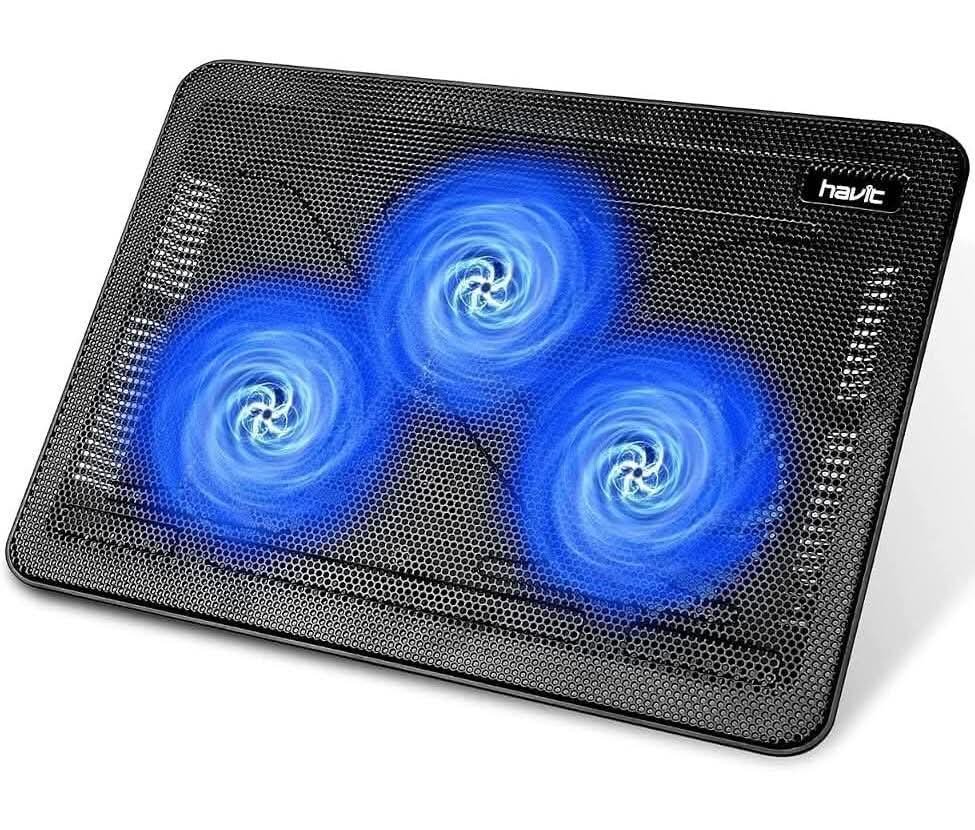
Havit keeps this one deliberately compact – three fans under a mesh surface, two height settings, and a slim enough profile to truly fit in a laptop bag instead of needing its own dedicated carry space. The metal mesh surface doubles as a stable carrying platform, not just a fan grille.
This is closer to the Cooler Master above in philosophy than the six-fan gaming pads elsewhere among these eight – fewer features, but each one aimed at portability instead of maximum airflow. Two USB ports keep a spare connection free for a mouse or a flash drive.
Pros
- Clearly slim and portable – fits in a laptop bag instead of needing separate carry space
- Three fans still cover a broad, even airflow area despite the compact size
- Metal mesh surface provides a stable, wear-resistant carrying platform
Cons
- Only two height settings, fewer configuration options than most pads in this lineup
- Three fans move less total air than the four-to-six-fan pads above
- No RGB, phone holder or LCD display – a stripped-back feature set
Key specs: 3 fans – 2 height settings – metal mesh surface – 2 USB ports – ultra-portable design
CHECK ON AMAZON5. TeckNet Laptop Cooling Pad – Best for USB-C Only Laptops
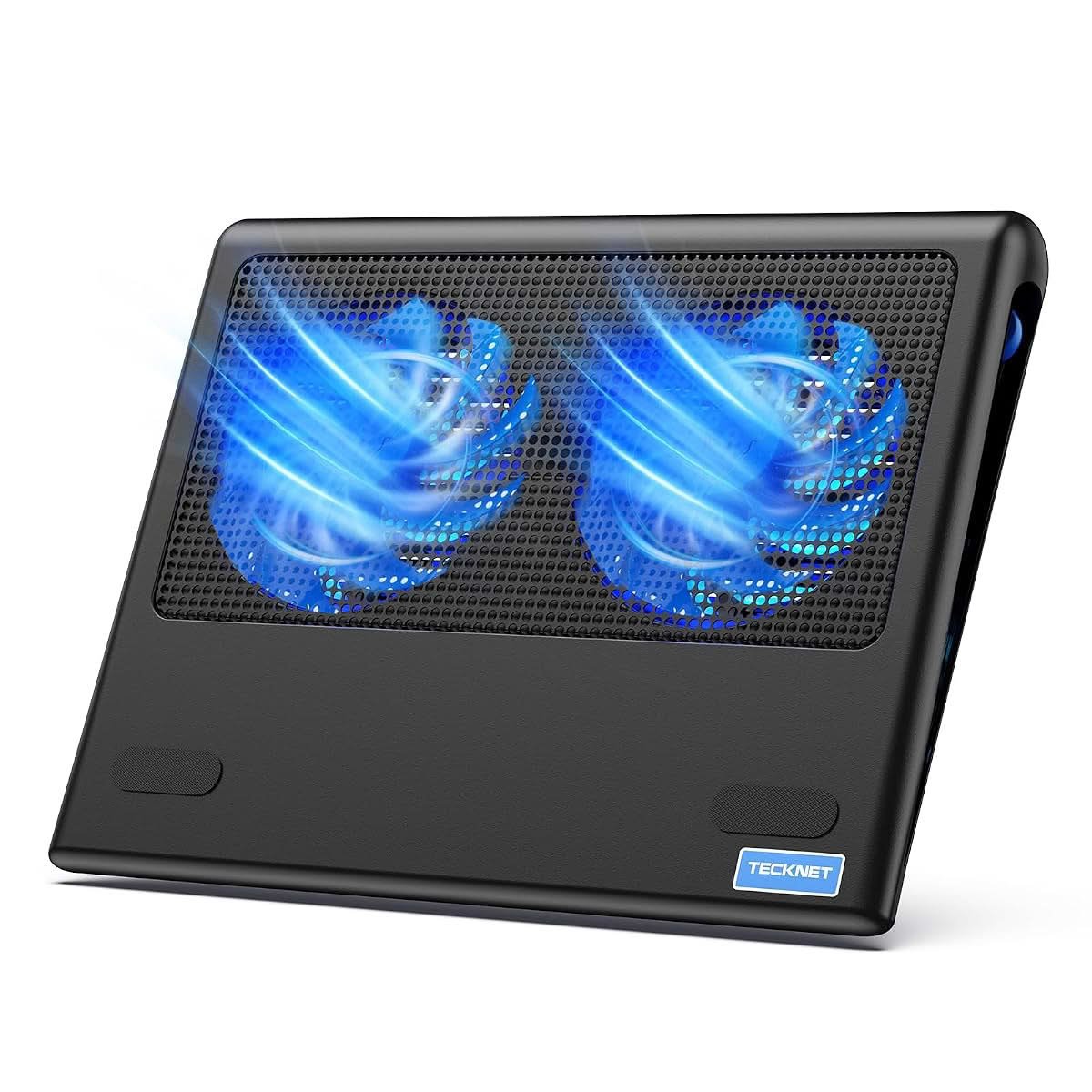
TeckNet solves a specific, increasingly common problem: newer ultrabooks and MacBooks that ship with USB-C only, no USB-A port to plug a traditional cooling pad into. This one runs off either connector, with an USB-C cable and an USB-A cable both included instead of needing a separate adapter bought on top.
Two fans keep the profile slim and the design plainly lap-friendly – a flat bottom specifically intended to isolate heat between the laptop and an actual lap, not just a desk. A rear LED indicator shows it’s powered on without adding decorative lighting elsewhere on the pad.
This suits anyone with an USB-C-only laptop who’d otherwise need a separate adapter or dongle just to power a cooling pad – for a laptop with a spare USB-A port already, the Havit or Coolertek below cover the same 2-fan category without needing to think about connector type at all.
Pros
- Works with both USB-C and USB-A laptops out of the box, cables for both included
- Flat bottom design specifically built for actual lap use, not just a desk
- 36-month warranty when registered, longer than most budget competitors
Cons
- Only 2 fans, less total airflow than the 3-to-6-fan pads elsewhere on this list
- No height adjustment – a fixed slim profile only
- Registration required to activate the full 36-month warranty period
Key specs: 2 fans – USB-C and USB-A compatible (both cables included) – flat lap-friendly base – 36-month warranty (registered)
CHECK ON AMAZON6. 6-Fan Laptop Cooling Pad with Phone Holder – Best Budget Feature-Rich

Six fans and a phone or tablet holder built into the frame put this close to the TopMate above on paper, at a noticeably lower price point – the trade-off shows up in five height settings instead of eight and no RGB lighting or LCD display, a straightforward six-fan pad instead of a full gaming-accessory experience.
Universal compatibility claims stretch from 12 to 17.3 inches, covering most of the laptop brands actually sold in Australia – Dell, MacBook Pro, Lenovo, HP and ASUS specifically named in the listing. This is the pick for really wide airflow coverage without paying for lighting and a display screen that don’t affect the actual cooling.
Pros
- Six fans at a noticeably lower price than the similarly-specced TopMate above
- Phone or tablet holder built into the frame at no extra cost
- Wide claimed compatibility across 12 to 17.3 inch laptops from major brands
Cons
- No RGB lighting, LCD display or fan-mode switching the TopMate above includes
- Five height settings instead of eight, fewer angle options
- Generic brand with less established track record than Cooler Master or KLIM
Key specs: 6 fans – 5 height settings – phone/tablet holder – fits 12-17.3in laptops – 2 USB ports
CHECK ON AMAZON7. Coolertek N2 Laptop Cooling Pad – Best Ultra-Budget
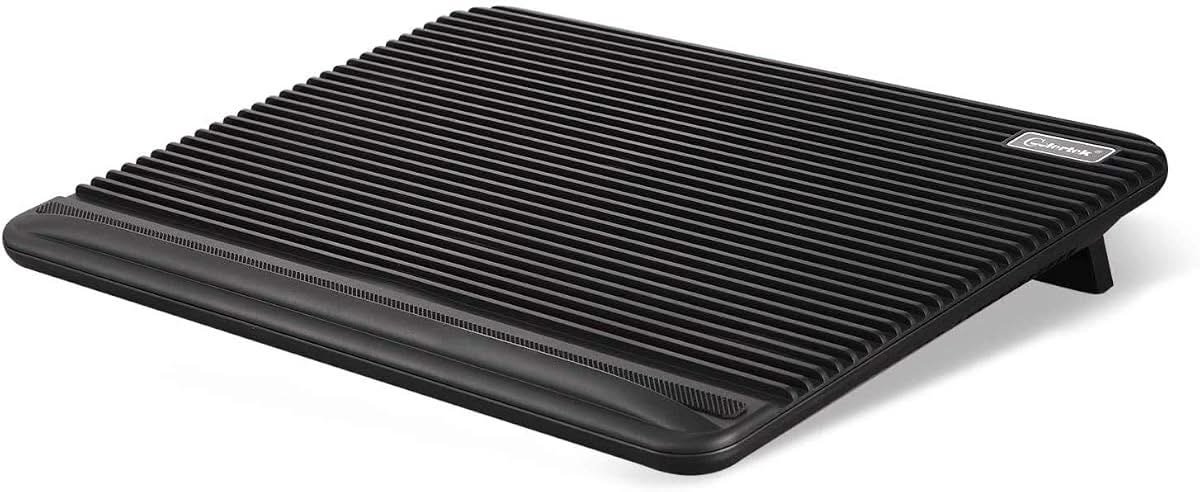
The cheapest proper multi-fan pad here, with two fans under an ABS plastic mesh surface built specifically to be wear-resistant instead of cut costs on durability to hit the price point. It compatible span – 11 to 17 inches – covers everything from a compact ultrabook to a larger gaming laptop on the same stand.
Two USB 2.0 ports beyond the one powering the fans themselves mean it doesn’t cost a spare port to use, and the height-adjustable, non-slip design keeps the fundamentals covered without chasing extra features. This is a truly no-frills pick instead of a stripped-down version of a pricier pad.
Pros
- Cheapest solid multi-fan pad among these eight by a clear margin
- ABS plastic mesh is specifically built wear-resistant, not just cheap
- Wide 11-17 inch compatibility on one stand
Cons
- Only two fans – noticeably less total airflow than the four-to-six-fan pads above
- No RGB, phone holder or multiple fan-speed modes
- Less established brand recognition than Cooler Master, KLIM or Havit
Key specs: 2 fans – fits 11-17in laptops – ABS mesh surface – 2 USB 2.0 ports – height adjustable
CHECK ON AMAZON8. Aluminium Laptop Cooling Stand – Best Slim Aluminium Build
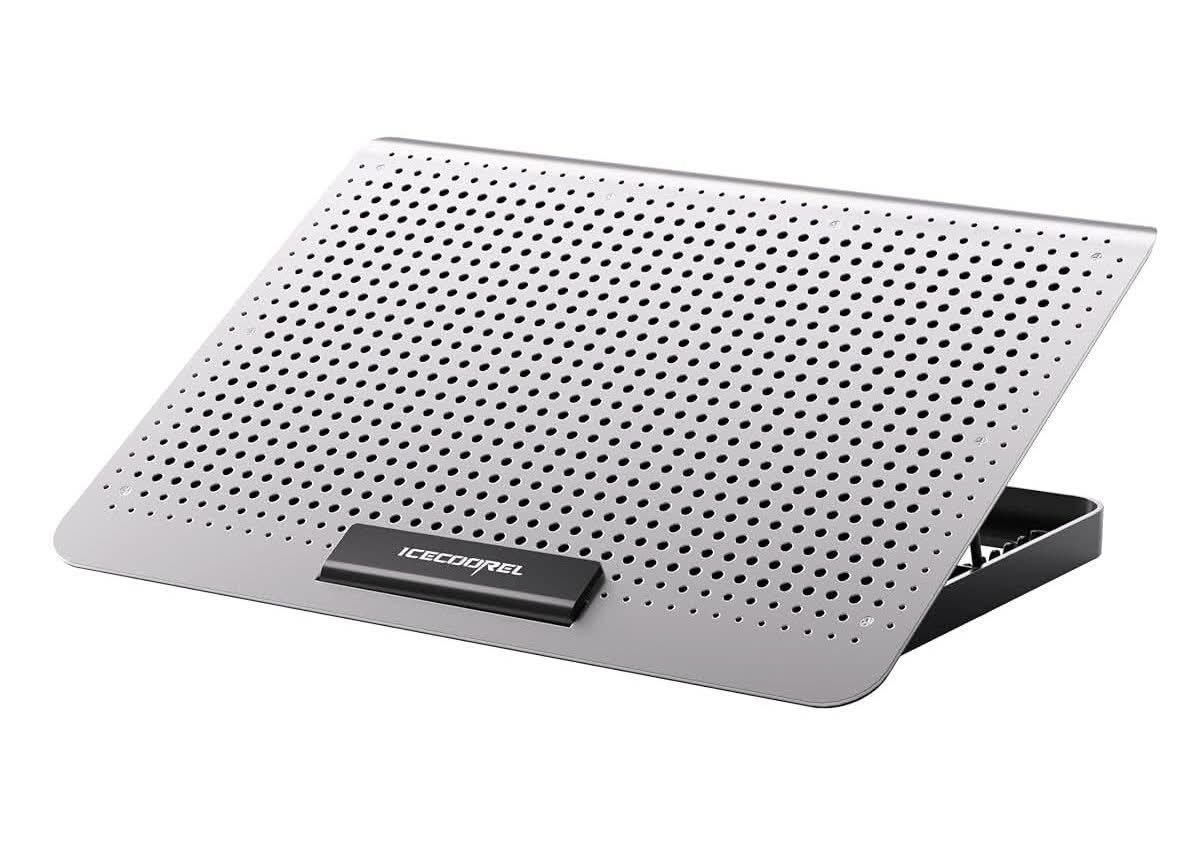
This is the only pick in this lineup that pairs a fan with an actual metal surface instead of fabric mesh – a single 160mm fan spinning at 1000-1400rpm sits underneath an aluminium alloy plate that draws heat away from the laptop directly through conduction, on top of whatever the fan itself manages through airflow.
At 1.35lb it’s the lightest and slimmest pad on this list, clearly built to live in a laptop bag instead of stay parked on one desk – seven height settings and raised baffles that stop the laptop sliding off make it double as a proper stand, not just a cooling accessory bolted onto one.
This suits anyone who wants a slim, travel-friendly pad and likes the idea of metal heat conduction backing up the fan, over the bulkier multi-fan mesh pads that move more air but don’t fold down as flat or slide into a bag as easily.
Pros
- Aluminium surface conducts heat away from the laptop directly, not just airflow alone
- Lightest and slimmest pad here at 1.35lb – plainly bag-friendly
- Seven height settings plus raised baffles that stop the laptop sliding off
Cons
- Single fan moves less total air than the multi-fan mesh pads elsewhere among these eight
- Metal surface can feel and sound different underneath a laptop than a fabric mesh pad
- Fits up to 15.6 inches only, not a match for a larger 17-inch laptop
Key specs: Aluminium alloy surface – 1 fan, 160mm, 1000-1400rpm – 7 height settings – 2 USB 2.0 ports – 1.35lb
CHECK ON AMAZONHow to Choose a Laptop Cooling Pad in Australia
Fan count matters less than actual airflow volume and placement. Six small fans spread thin can move less useful air under the laptop’s actual hot zone than one well-placed large fan – check where the fans sit relative to where your specific laptop vents, not just the number printed on the box.
A cooling pad helps most with airflow-blocking, not a laptop that’s simply working hard. Sitting a laptop on a doona, a pillow or an actual lap blocks the vents completely, and a cooling pad fixes exactly that problem. It won’t meaningfully lower temperatures on a laptop already struggling with dust-clogged internal fans or thermal paste past its useful life – that needs an internal clean, not a pad underneath it.
Check USB port type before assuming any pad will just plug in. A newer ultrabook or MacBook with USB-C only needs either an USB-C-compatible pad like the TeckNet above or a separate adapter bought on top – check this before ordering instead of discovering it on unboxing day.
Room temperature really limits what any cooling pad can achieve. A real ProductReview.com.au complaint about a budget cooling stand specifically calls out failing in the Northern Territory’s heat – low airflow becomes a real problem once the room itself is already warm, not just a minor inconvenience. A Darwin wet season or a Brisbane summer without air conditioning running pushes any fan-only pad past what it can meaningfully achieve, same as a Perth home over 40 degrees in January.
Slim aluminium pads suit travel; multi-fan mesh pads suit a fixed desk setup. Only ever using this at one desk, or carrying it between locations regularly? The lightest, slimmest pads in this lineup fold flat and slide into a laptop bag, while the six-fan RGB pads are built to stay put once positioned.
Match height adjustment to actual typing comfort, not just cooling. A pad tilted too steeply strains the wrists over a full working day regardless of how well it cools – multiple height settings let you find a truly comfortable typing angle first, then adjust for airflow second. Our guide to the best portable monitors covers the other common desk-ergonomics upgrade worth considering alongside a cooling pad.
You’ll Also Want
Dust build-up inside a laptop’s own vents and fan is a real contributor to overheating a cooling pad alone can’t fix – a can of compressed air used every few months clears it out properly before it becomes a real problem.
A laptop stand riser works well alongside any of the pads above for anyone also running an external keyboard and mouse at a desk, lifting the screen to eye level while the cooling pad handles airflow underneath.
Our guide to the best WiFi extenders covers the other common desk-setup fix worth checking if a laptop runs hot specifically while downloading or streaming over a weak connection.
Frequently Asked Questions
Do laptop cooling pads actually work?
Yes, but specifically for the problem they’re built to solve: restoring airflow to a laptop’s vents that would otherwise be blocked by a soft surface like a bed, a couch or an actual lap. A cooling pad won’t meaningfully lower temperatures on a laptop that’s already overheating due to dust-clogged internal fans, degraded thermal paste, or clearly hot room temperature – those need different fixes, not a fan underneath the laptop.
How many fans does a laptop cooling pad need?
There’s no fixed number that guarantees better cooling – fan placement relative to a laptop’s actual vents matters more than raw fan count. A single well-positioned 160-200mm fan can move as much useful air as several smaller fans spread thin across the whole surface. Check where a specific laptop’s own vents sit before assuming more fans automatically means better results for that machine.
Can I use a laptop cooling pad with an USB-C only laptop?
Only if the pad specifically supports USB-C power, since most laptop cooling pads on the market still use USB-A as standard. A small number of models, including USB-C-compatible picks, ship with both cable types included so they work regardless of which port style the laptop has. Check the listed compatible connector type before buying if a laptop has dropped USB-A entirely, which is increasingly common on newer ultrabooks and MacBooks.
Will a cooling pad damage my laptop?
No, a true cooling pad poses no risk to a laptop under normal use, since it only adds external airflow underneath instead of connecting to or altering anything inside the machine. The only real precaution is checking the pad’s USB power draw doesn’t overload an older or lower-powered USB port, which is rarely an issue on laptops made in the last decade. Using a pad from an established brand with real specifications listed reduces this risk further.
Does a laptop cooling pad drain the battery faster?
Slightly, if the cooling pad draws power through the laptop’s own USB port instead of a separate wall adapter, since that power comes from the same battery running everything else. The draw is small compared to the screen or CPU under load, so the difference is minor on battery power, and irrelevant entirely when the laptop is already plugged in and charging, which covers most cooling-pad use at a desk.
Why does my laptop still run hot with a cooling pad?
A cooling pad only fixes airflow blocked by the surface underneath the laptop – it can’t compensate for internal dust build-up, ageing thermal paste, or a really hot room, all of which are common real-world limitations confirmed in actual buyer reviews across this category. If a laptop still runs hot with a cooling pad in use, an internal clean or a thermal paste replacement addresses the actual cause more directly than switching to a different pad.
Verdict
The Cooler Master NotePal X-Slim II is worth the step up for anyone who wants a clearly established cooling brand behind a simple, single-fan design, while the KLIM Wind is the better call for a larger 15-19 inch laptop that needs more total airflow and a longer warranty. Budget-focused buyers get the most for the least with the Coolertek N2’s straightforward two-fan design, and anyone stuck with an USB-C-only ultrabook should go straight to the TeckNet instead of sourcing a separate adapter for a different pad.