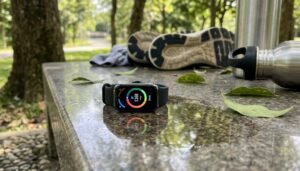
A coin-sized tag can travel through Australian airport security switched on, tucked inside checked luggage, without triggering a single question – the same lithium button cell that gets a power bank pulled from a bag at the gate. That is the starting point for the best bluetooth trackers in Australia: small Bluetooth transmitters, usually no bigger than a car key fob, that broadcast a low-power signal other nearby phones pick up and relay back to the owner’s map, with no SIM card and no ongoing data plan of its own. Attach one to keys, a wallet, a suitcase or a bike, and losing that one specific object stops being an afternoon spent retracing steps.
Every tracker in this guide leans on one of several different crowd-finding networks to work once it drifts out of Bluetooth range of its own phone: Apple’s Find My network (only iPhones report a tag’s position), Google’s Find Hub network (any Android phone, not tied to one brand), Samsung’s SmartThings Find (Galaxy phones specifically, a smaller pool inside Android), and Tile’s own network (only other Tile or Life360 app users). A handful of dual-network tags now report to both Apple’s and Google’s networks at once, and that single fact matters more than any range figure on the box – a tracker with brilliant Bluetooth range is still just sitting quietly on a shelf until someone else’s phone actually walks past it. That is also the line that separates this guide from a completely different device family: GPS trackers for cars report a live position over their own mobile network instead, at the cost of a running SIM fee, and answer a different question entirely – not “where did I leave this” but “where is this right now.”
Range is the number every listing leads with, and it is the least reliable one here. Manufacturers in this guide claim anywhere from 80 to 150 metres of open-air Bluetooth range, but CHOICE’s own lab testing found real indoor range as low as roughly six metres, and outdoor range as low as nine, against unobstructed claims many times higher. The number that actually predicts whether a lost item gets found is not printed on any box: it is how many other phones near that item are running the same network, which is why an iPhone-only tag and an Android-only tag can behave completely differently in the same house.
This guide compares ten Bluetooth item trackers sold in Australia, spanning every major crowd-finding network so the right pick matches the phone actually in your pocket, not just the keys in your hand – from a bare single-network keyring tag through to a rechargeable dual-network wallet card, with one entry built to work across both major ecosystems at once.
Quick Picks

MiLi MiTag Duo
Reports to both Apple’s Find My and Google’s Find Hub networks from the same tag, so it works no matter which phone finds it first.
CHECK CURRENT PRICE
Apple AirTag (2nd Gen)
Taps into Apple’s Find My network, the largest crowd-finding pool in Australia, with Ultra Wideband precision finding on newer iPhones.
CHECK CURRENT PRICE
Samsung Galaxy SmartTag2
NFC tap-to-navigate and compass-guided finding built specifically for Samsung’s own SmartThings Find network.
CHECK CURRENT PRICEBest Bluetooth Tracker Australia Compared
| Product | Link | Type | Best For | Key Spec |
|---|---|---|---|---|
| MiLi MiTag Duo | Check price | Dual-network tag | Best dual-network tracker | 80-100m range, IP67, dual Apple/Google network |
| Apple AirTag (2nd Generation) | Check price | Single-network tag (Apple) | Best for iPhone owners | UWB Precision Finding, IP67, CR2032 |
| Samsung Galaxy SmartTag2 | Check price | Single-network tag (Samsung) | Best for Galaxy owners | NFC tap-to-navigate, IP67, CR2032 |
| Chipolo CARD | Check price | Dual-network wallet card | Best rechargeable wallet card | Qi rechargeable, dual Apple/Google network |
| Chipolo LOOP | Check price | Dual-network keyring tag | Best rechargeable keyring tag | USB-C rechargeable, 125dB speaker |
| Life360 Tile Pro | Check price | Single-network tag (Tile) | Best range and loudest ring | 150m range, replaceable battery, IP68 |
| Life360 Tile Mate | Check price | Single-network tag (Tile) | Best all-rounder key finder | 105m range, up to 3-year battery |
| Satechi FindAll Wallet Card | Check price | Single-network wallet card (Apple) | Best premium wallet card | Qi/Qi2/MagSafe, 2-year warranty |
| UGREEN FineTrack Slim | Check price | Single-network wallet card (Apple) | Best budget wallet tracker | 1.7mm thin, 4,593 Australian ratings |
| ATUVOS Key Finder | Check price | Single-network tag (Apple) | Best cheapest replaceable-battery tag | CR2032 replaceable, IP67, anti-tracking alert |
How We Picked
We ran a full sweep of Australia’s approved retail partners before turning to the marketplace, checking stock, pack-size duplicates and real catalogue depth across every merchant this site works with. Bluetooth trackers turned out to be one of the thinnest categories checked all year – only a single partner stocks a properly writable, in-stock tag, and it earns the top commission-ranked spot below. Everything else in this lineup comes from Amazon AU, verified individually for stock, Australian ratings and delivery.
Selection favoured real crowd-network coverage over any single spec: every major network (Apple, Google, Samsung and Tile) is represented at least once, pack-size duplicates sharing the same underlying product were collapsed into a single entry, and every rating quoted is the product’s own Australian review count, not a marketing figure. Commission does not override that ranking when a lower-commission tag is the better pick for a given network.
1. MiLi MiTag Duo – Best Dual-Network Tracker
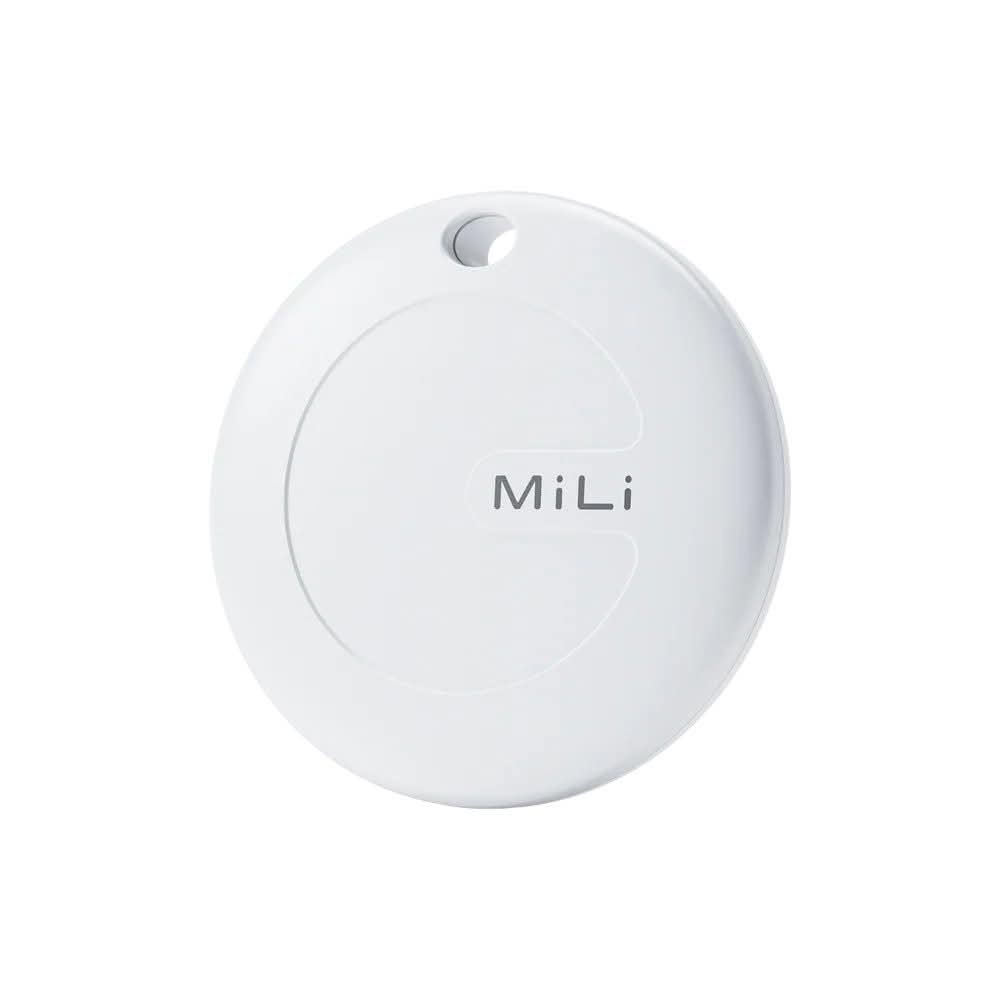
The MiTag Duo is the only tracker in this lineup built to answer to both networks at once: pair it once and it reports its position to Apple’s Find My network through an iPhone nearby, or to Google’s Find Hub network through an Android phone, whichever happens to walk past first. That matters more than it sounds – a lot of Australian households split down the middle on phones, and every single-network tag on this list bets on one side of that split being covered. Rated IP67 and pitched at an open-air range of 80 to 100 metres, it is a properly capable dual-network tag in its own right, not a watered-down version of a single-network one.
The catch sits in the battery. It runs on a sealed lithium cell rated for 6 to 8 months, and the listing does not spell out whether that cell is user-replaceable, which puts it closer to a wear item than the rechargeable cards you will find further along this list. Buying it as a four-pack brings the per-tag cost down enough to make that trade-off easier to live with, especially across a full set of keys, a wallet and a couple of bags.
Pros
- Reports to Apple’s Find My network AND Google’s Find Hub network from the same tag
- IP67-rated for rain and dust
- Sold as a 4-pack, so cost per tag is low for outfitting several items at once
Cons
- Sealed 6-8 month battery with no clear owner-replacement path, closer to disposable than the rechargeable options here
- No Ultra Wideband precision finding, so the last few metres are guesswork compared with an iPhone using an AirTag
Key specs: IP67 water and dust resistance, Bluetooth 5.2, 80-100m open-air range, dual Apple Find My and Google Find Hub compatibility, approx. 6-8 month sealed battery
CHECK CURRENT PRICE2. Apple AirTag (2nd Generation) – Best for iPhone Owners
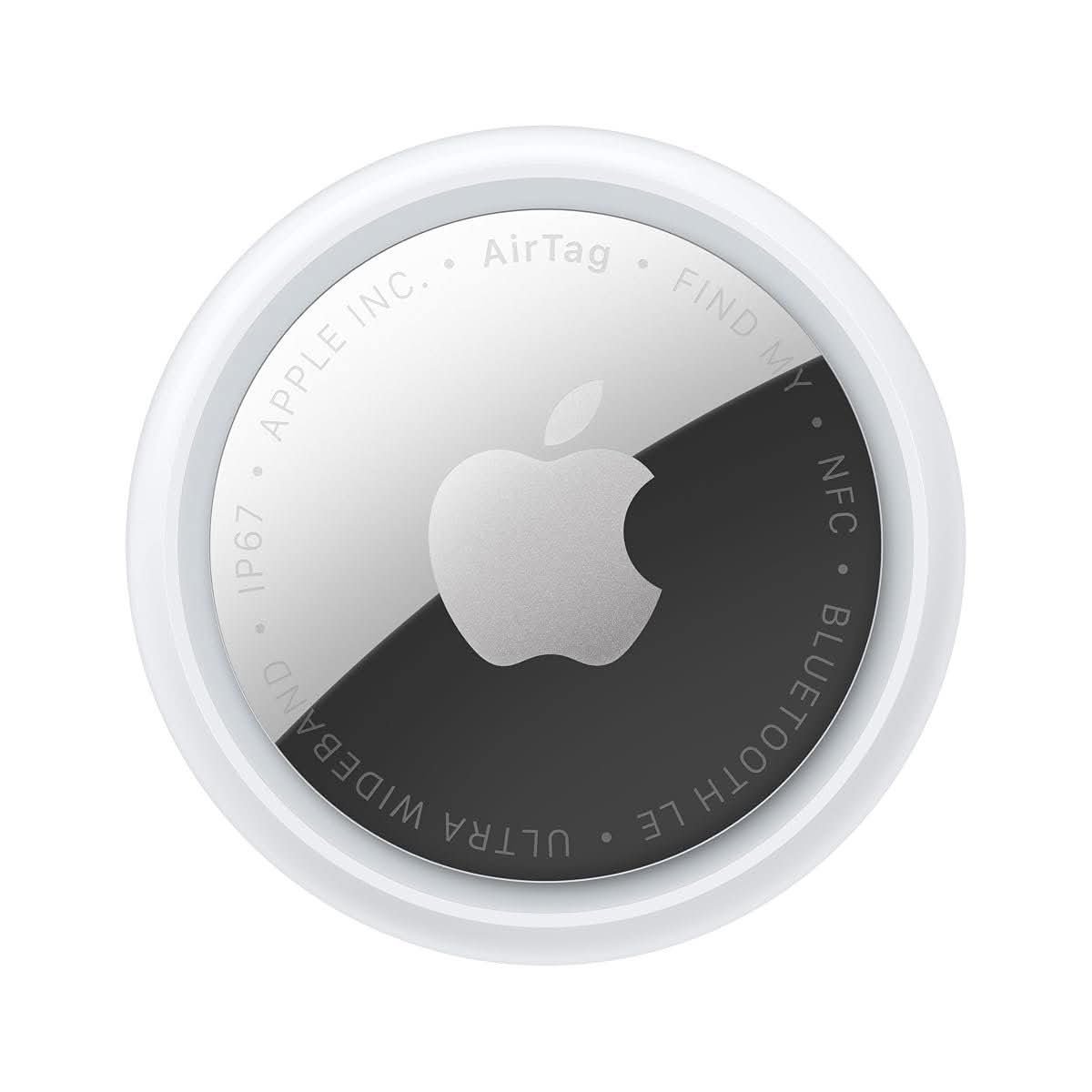
AirTag is the default pick for a reason that has nothing to do with the tag itself: Apple’s Find My network already runs quietly on every iPhone in Australia, and iPhones make up somewhere around 55 to 65 percent of the country’s phones depending on whether you count app traffic or actual sales. A tracker only works as well as the number of strangers’ phones walking past it, and on that measure alone, AirTag starts well ahead of everything else here.
The hardware backs it up. The second generation adds Ultra Wideband-guided Precision Finding on newer iPhones (walking you toward the tag with an on-screen arrow and distance, not just a rough blob on a map) and a speaker rated 50 percent louder than the original. Apple has also been upfront about one real weak point: back in 2022 the company conceded its own alert-with-sound feature exists partly because a tag’s speaker can be tampered with, an admission most rivals do not bother making.
That reach does not automatically win over local buyers: ProductReview.com.au’s Australian reviewers rate it 2.5 out of 5 from 41 reviews, a reminder that ubiquity is not the same as satisfaction. What the spec sheet cannot paper over is more basic – AirTag reports only to Apple’s own network and pairs only through an iPhone. It is the wrong buy outright the moment a Samsung or Pixel phone is doing the finding.
Pros
- Runs on Apple’s Find My network, already installed on the huge majority of iPhones in Australia
- Ultra Wideband Precision Finding on supported iPhones gives a direct arrow and distance, not just a map blob
- 50 percent louder speaker than the first-generation AirTag
Cons
- Works only through an iPhone; a Samsung or Pixel phone cannot use it to find anything
- Rated only 2.5 out of 5 by Australian ProductReview reviewers, despite the network advantage
- Apple has itself acknowledged the tag’s speaker can be tampered with to defeat the alert sound
Key specs: CR2032 replaceable battery (more than a year per CHOICE), IP67, Ultra Wideband Precision Finding on compatible iPhones, Apple Find My network only
CHECK ON AMAZON3. Samsung Galaxy SmartTag2 – Best for Galaxy Owners
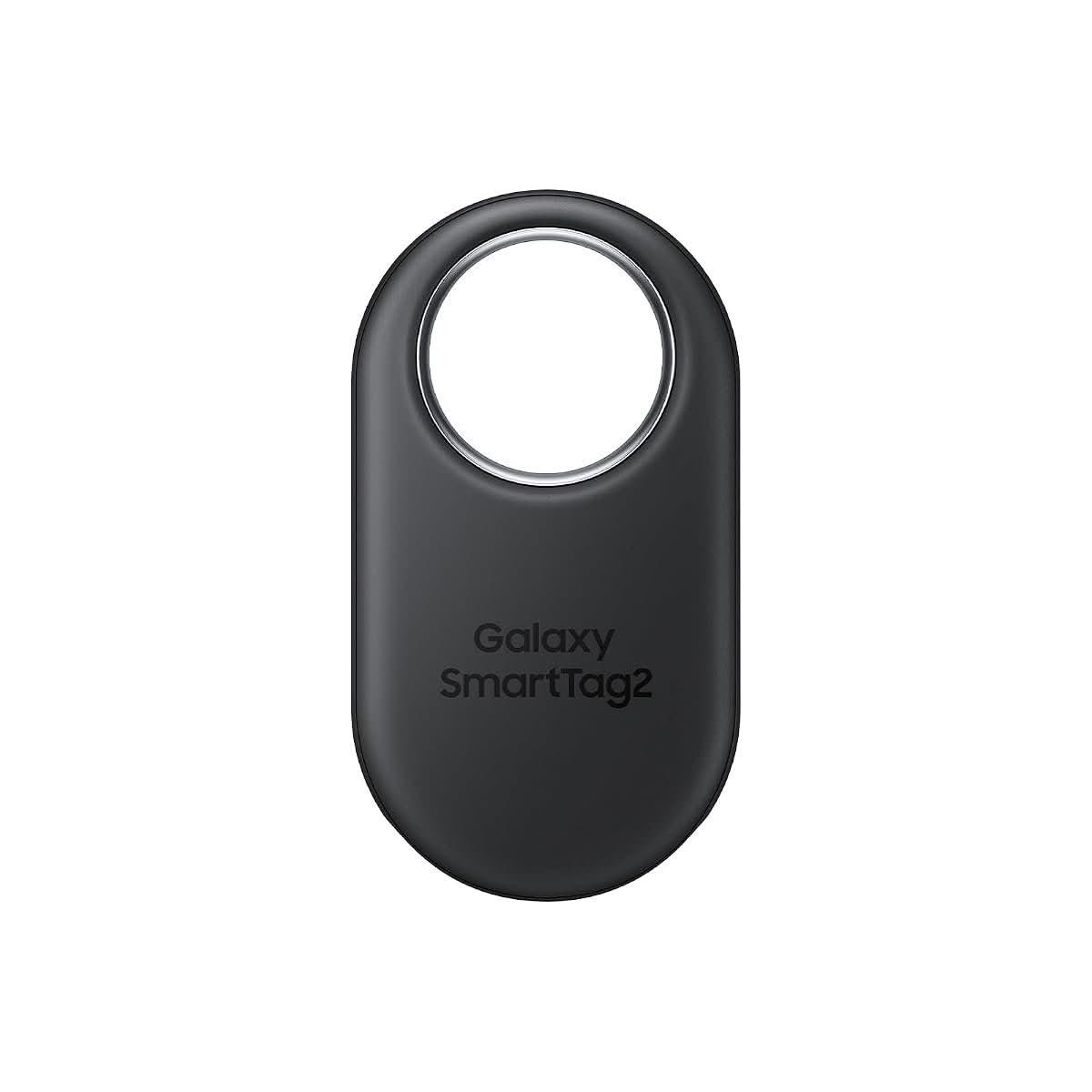
Think of SmartTag2 as the Android answer to the AirTag above, with one real caveat: it reports to Samsung’s own SmartThings Find network, not the wider Google Find Hub network that covers every Android phone regardless of brand. Samsung phones account for roughly 60 percent of Android handsets in Australia, so SmartThings Find realistically reaches a bit over a fifth of all Australian phones – a smaller pool than AirTag’s, but still a real crowd network, not a marketing label.
The tag itself pulls ahead on convenience. Tap the ring button on a nearby Galaxy phone and NFC hands you straight to compass-guided navigation, no waiting for GPS or Bluetooth to settle first. It needs Android 9.0 or newer with at least 3GB of RAM and the SmartThings app installed, not a hurdle on any Galaxy phone sold in the last several years, but worth checking before assuming an older handset will play along.
Pros
- NFC tap-to-navigate hands off to compass-guided directions instantly on a nearby Galaxy phone
- IP67 rated, and one of the cheaper tags at this price point
- 4.7 out of 5 from over 1,500 Australian ratings
Cons
- Reports only to Samsung’s own SmartThings Find network, not Google’s broader Find Hub network that covers all Android phones
- Needs a fairly recent Galaxy phone (Android 9.0+, 3GB RAM) and the SmartThings app for the full feature set
- Chunkier clip-on shape than a wallet-card tracker, so it does not slide into a wallet as neatly as the Chipolo or Satechi cards further along this list
Key specs: IP67 water and dust resistance, NFC tap-to-navigate, compass-guided AR Find, Samsung SmartThings Find network
CHECK ON AMAZON4. Chipolo CARD – Best Rechargeable Wallet Card
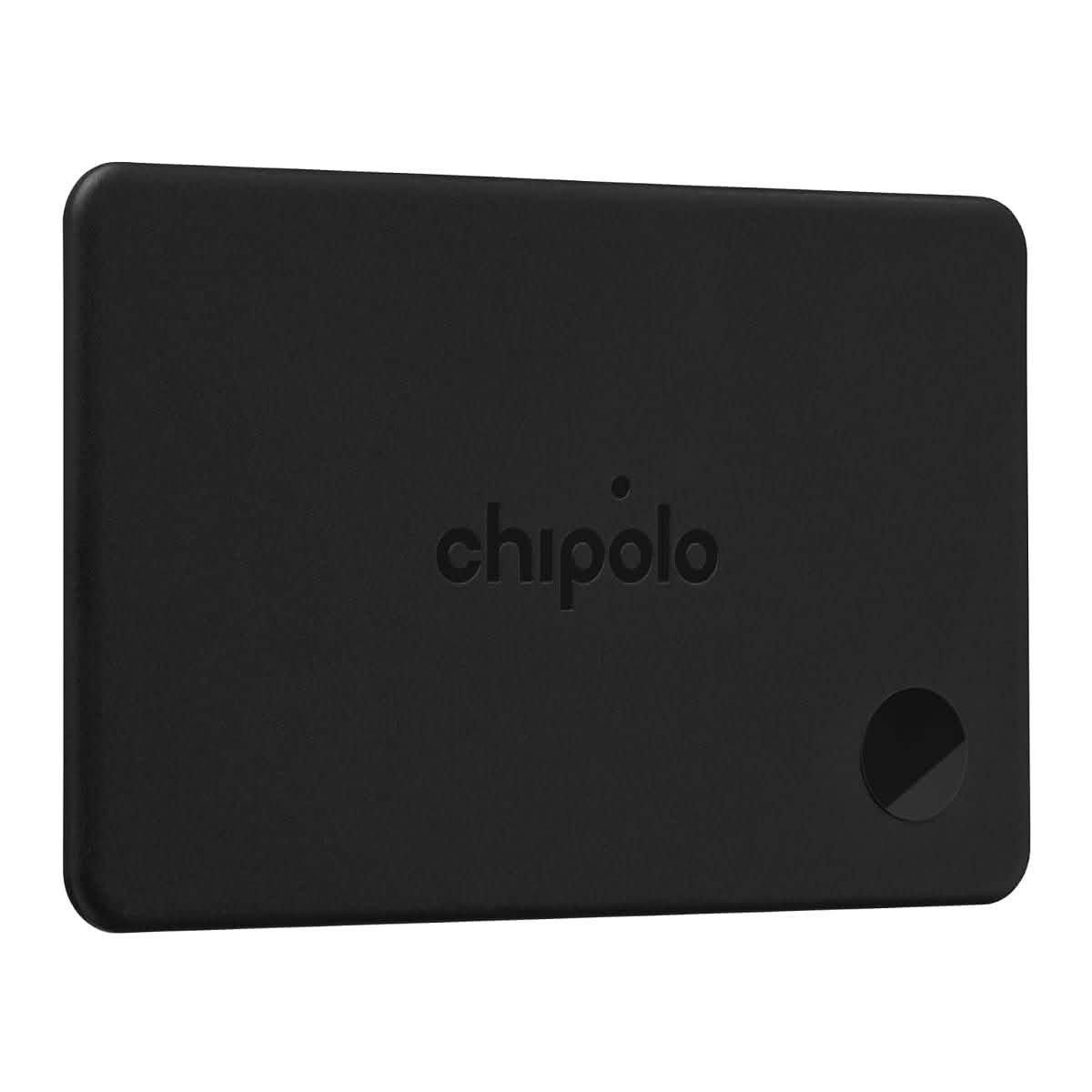
Chipolo CARD solves the problem that trips up both AirTag and SmartTag2 above: it reports to Apple’s Find My network and Google’s Find Hub network at the same time, so it does not care which phone eventually walks past it. For a wallet or passport pouch specifically, that flexibility is worth more than range or volume, since the whole point is that someone else’s random phone finds it in a taxi or a lost-and-found box.
It charges on a Qi wireless charger instead of running through coin cells, and Chipolo claims up to a year on a single charge. That is a real ownership-cost win over anything using CR2032 cells further along this list, provided the wireless charger habit actually sticks – a rechargeable tag left flat in a drawer for six months helps nobody.
A side-mounted sound outlet is a small but real design choice: it aims the ring sound out past the edge of a wallet, not muffled inside leather and cards, exactly where most competing wallet cards lose their alert to silence.
Pros
- Reports to both Apple’s Find My network and Google’s Find Hub network from the same tag
- Rechargeable via Qi wireless charging, up to a year per charge on Chipolo’s own figures
- Side-corner sound outlet aims the alert past the edge of a wallet instead of muffling it
Cons
- Needs a Qi charger in the routine, and a rechargeable tag is only as reliable as the habit of charging it
- Costs more than a single-network wallet card with a similar feature set (see UGREEN and Satechi further along)
- No physical keyring hole, so it only really suits a flat wallet or pouch, not keys
Key specs: Dual Apple Find My and Google Find Hub compatibility, Qi wireless rechargeable (up to 1 year per charge), side-mounted speaker outlet, slim wallet card format
CHECK ON AMAZON5. Chipolo LOOP – Best Rechargeable Keyring Tag
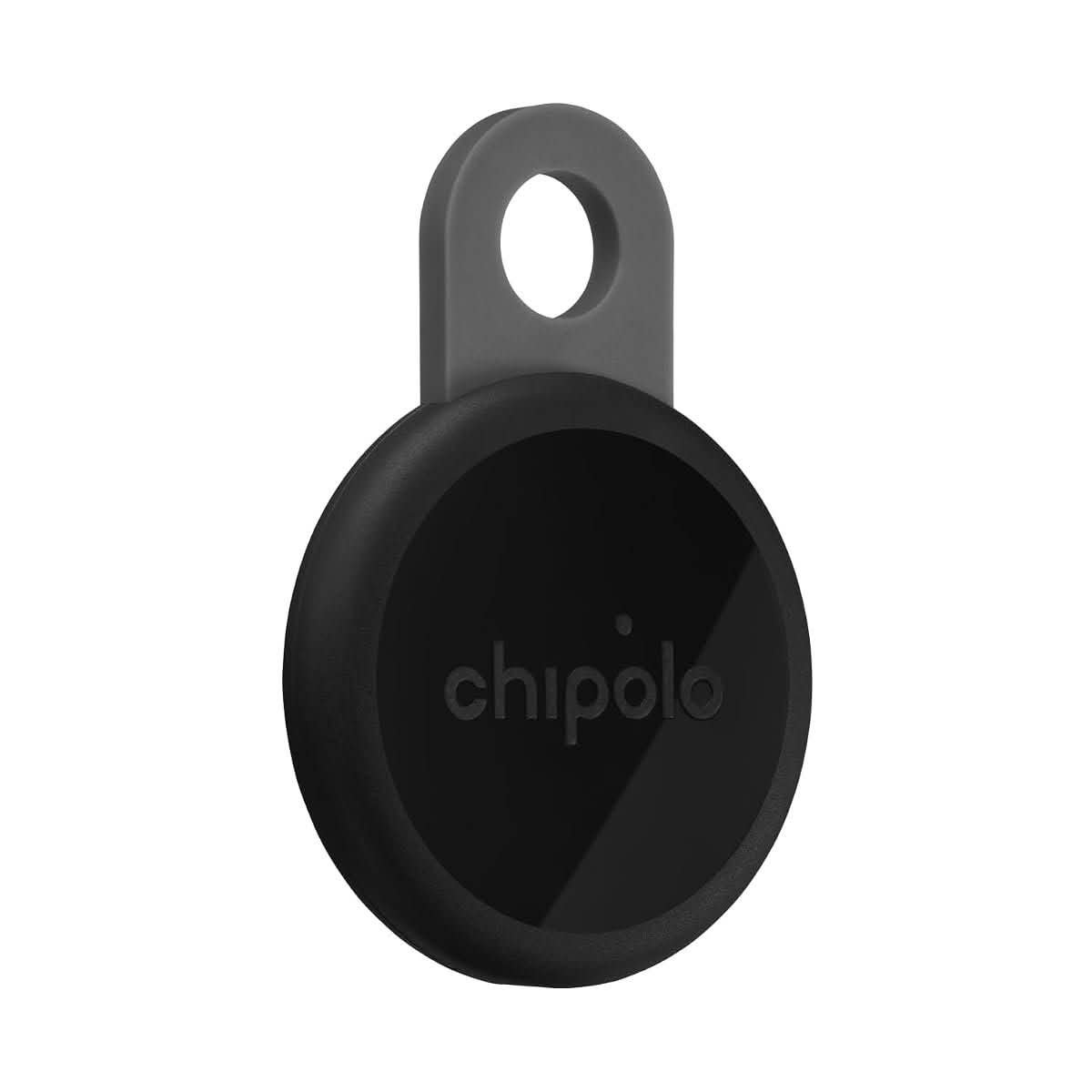
LOOP is CARD’s sibling in keyring form, not wallet-card form: the same dual Apple Find My and Google Find Hub compatibility, the same rechargeable battery, built around a flexible silicone loop instead of a flat card. USB-C charging instead of Qi is arguably the more practical choice for keys, since a keyring tag is more likely to end up next to a phone cable than a wireless charging pad.
Chipolo also rates LOOP’s speaker at 125 decibels, loud enough in practice to hear from a couple of rooms away, and builds the shell from at least half recycled materials with FSC-certified paper-only packaging – a small thing, but a properly checkable one, not a vague environmental claim. The trade-off is the one that follows any rechargeable tag around: no drawer full of spare coin cells means no five-minute fix when the battery finally does run flat away from a charger.
Pros
- Same dual-network compatibility as Chipolo CARD, in a keyring format instead of a wallet card
- USB-C rechargeable, up to a year per charge on Chipolo’s figures
- 125 decibel rated speaker, among the loudest tags in this lineup
- At least 50 percent recycled shell materials with FSC-certified packaging
Cons
- Runs flat with no CR2032 backup option, so a dead battery away from a charger is a real dead end until you get home
- Costs the same as the CARD above for a different shape, not a cheaper alternative
Key specs: Dual Apple Find My and Google Find Hub compatibility, USB-C rechargeable (up to 1 year per charge), 125dB rated speaker, silicone loop keyring attachment, 50%+ recycled materials
CHECK ON AMAZON6. Life360 Tile Pro – Best Range and Loudest Ring
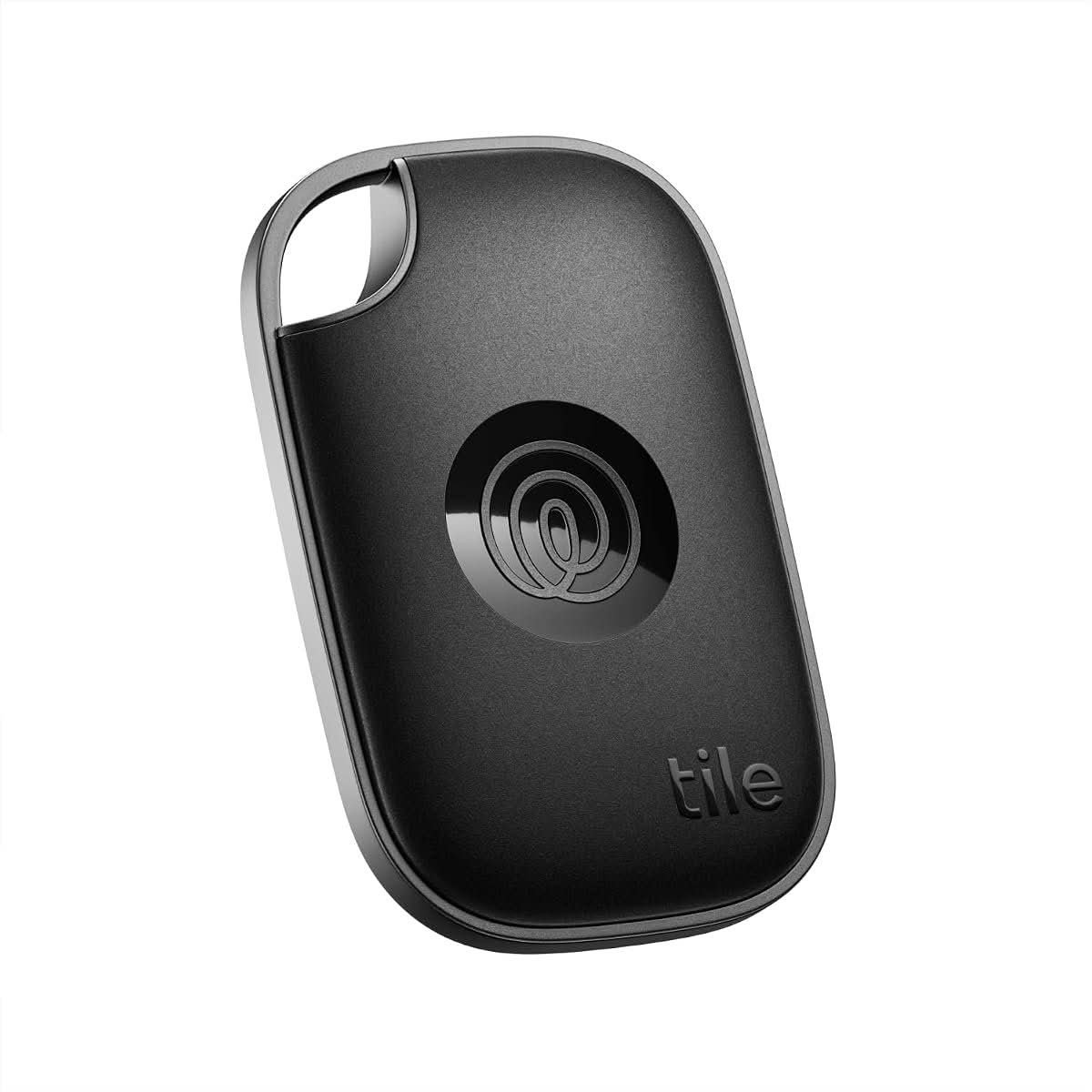
Here is the honest caveat before the spec sheet: Tile Pro does not report to Apple’s Find My network or Google’s Find Hub network at all. It runs on Tile’s own separate network through the Life360 app, and Life360’s combined UK, Australia, Canada and New Zealand user base sits at roughly 13 million people, a fraction of the billion-device pools AirTag and SmartTag2 tap into. A Tile only gets found by another Tile or Life360 user walking past, a smaller crowd in Australia than either of the big two.
What Tile Pro does better than everything else here is raw range and volume: a claimed 150 metre Bluetooth range (500 feet, on Tile’s own spec sheet) and a ring loud enough to hear from another room, with a battery Tile rates at a year and says is user-replaceable, not sealed. For someone who has already built a Life360 family-safety habit and just wants one more thing on the same map as everyone else’s phone, that context outweighs the smaller network.
Reviewers are lukewarm, not glowing – 3.9 out of 5 from 157 ratings, the softest score of anything on this list, which lines up with a tag that trades crowd-network reach for its own ecosystem.
Pros
- Longest claimed Bluetooth range in this lineup at 150 metres
- User-replaceable battery rated for around a year, not sealed or coin-cell only
- Slots directly into an existing Life360 family-safety setup on the same map
Cons
- Does not use Apple’s Find My network or Google’s Find Hub network at all, only Tile’s own, smaller Life360 network
- Softest rating on this list at 3.9 out of 5 from 157 Australian ratings
- Only useful for finding by another Tile or Life360 user, a noticeably smaller crowd in Australia than Apple or Google’s
Key specs: 150m (500ft) Bluetooth range, user-replaceable battery (approx. 1 year), IP68 rated, Tile/Life360 network only
CHECK ON AMAZON7. Life360 Tile Mate – Best All-Rounder Key Finder
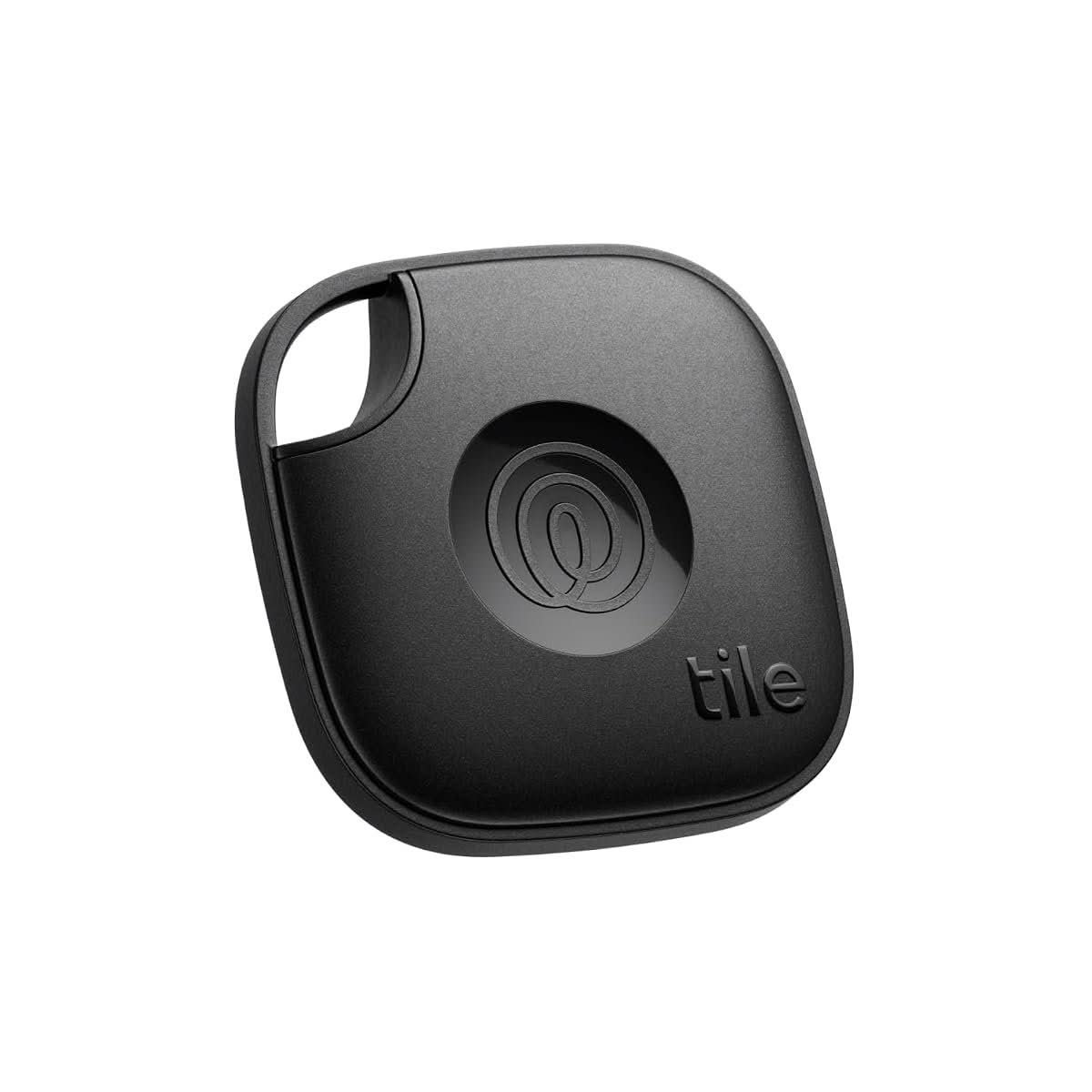
Tile Mate trades some of Tile Pro’s range for battery life: 105 metres (350 feet) claimed range against Tile Pro’s 150, but up to three years out of the same battery instead of roughly one. For keys or a bag that mostly stays within Bluetooth range of a phone anyway, that swap makes sense – the extra 45 metres of range on Tile Pro matters far less than not touching the battery again for two extra years.
It carries an Amazon’s Choice badge in Australia and the stronger rating of the two Tile entries here (4.4 versus 3.9), for what that is worth given both share the same network limitation described above. Anyone weighing Tile Mate against Tile Pro should read that entry first – the trade-off between the two is range against battery life, not one being simply better.
Pros
- Longer battery life than Tile Pro at up to three years, on the same replaceable-battery design
- Stronger Australian rating than Tile Pro, at 4.4 out of 5 from 250 ratings
- Carries an Amazon’s Choice badge in Australia
Cons
- Shorter claimed range than Tile Pro, at 105 metres against 150
- Same network limitation as Tile Pro, no Apple Find My or Google Find Hub, only Tile’s own smaller network
Key specs: 105m (350ft) Bluetooth range, up to 3 year replaceable battery, IP68 rated, Tile/Life360 network only
CHECK ON AMAZON8. Satechi FindAll Wallet Card – Best Premium Wallet Card
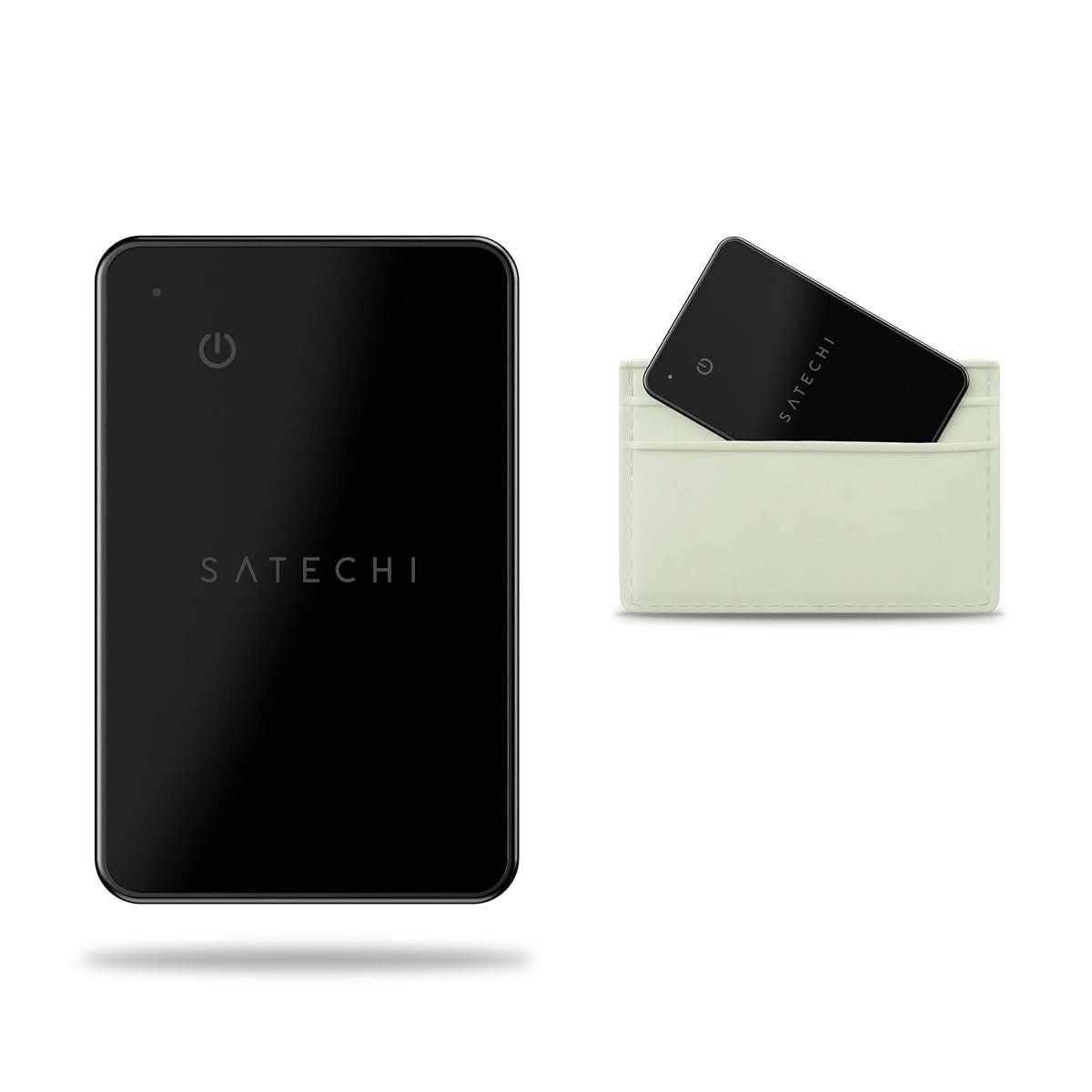
FindAll sits a notch above the Chipolo CARD and UGREEN Slim below on build and warranty, not on network reach – it works with Apple’s Find My network only, the same single-network limitation as UGREEN, but backs it with a two-year warranty against manufacturing defects, longer than most tags bother offering. The card itself measures a properly wallet-friendly 8.5 by 5.4 by 0.22 centimetres, thin enough to sit under a stack of cards without adding a noticeable bulge.
Charging covers Qi, Qi2 and MagSafe pads, a wider spread than Chipolo CARD’s Qi-only charger, so it plays nicely with whatever wireless charging setup is already sitting on a nightstand. The trade-off is the one every Find My-only wallet card shares: an Android household gets nothing from it, network reach included.
Pros
- Charges on Qi, Qi2 or MagSafe pads, a wider range than most wallet-style trackers here
- 2-year warranty against manufacturing defects, longer than most competitors offer
- Slim 8.5 x 5.4 x 0.22cm profile built specifically to sit flat in a wallet
Cons
- Apple Find My network only, so an Android phone in the household cannot use it to find anything
- Costs close to Chipolo CARD for a broadly similar feature set, so the choice mostly comes down to charging-pad compatibility and warranty length
Key specs: Apple Find My network only, Qi/Qi2/MagSafe wireless rechargeable, 8.5 x 5.4 x 0.22cm, 2 year warranty
CHECK ON AMAZON9. UGREEN FineTrack Slim – Best Budget Wallet Tracker
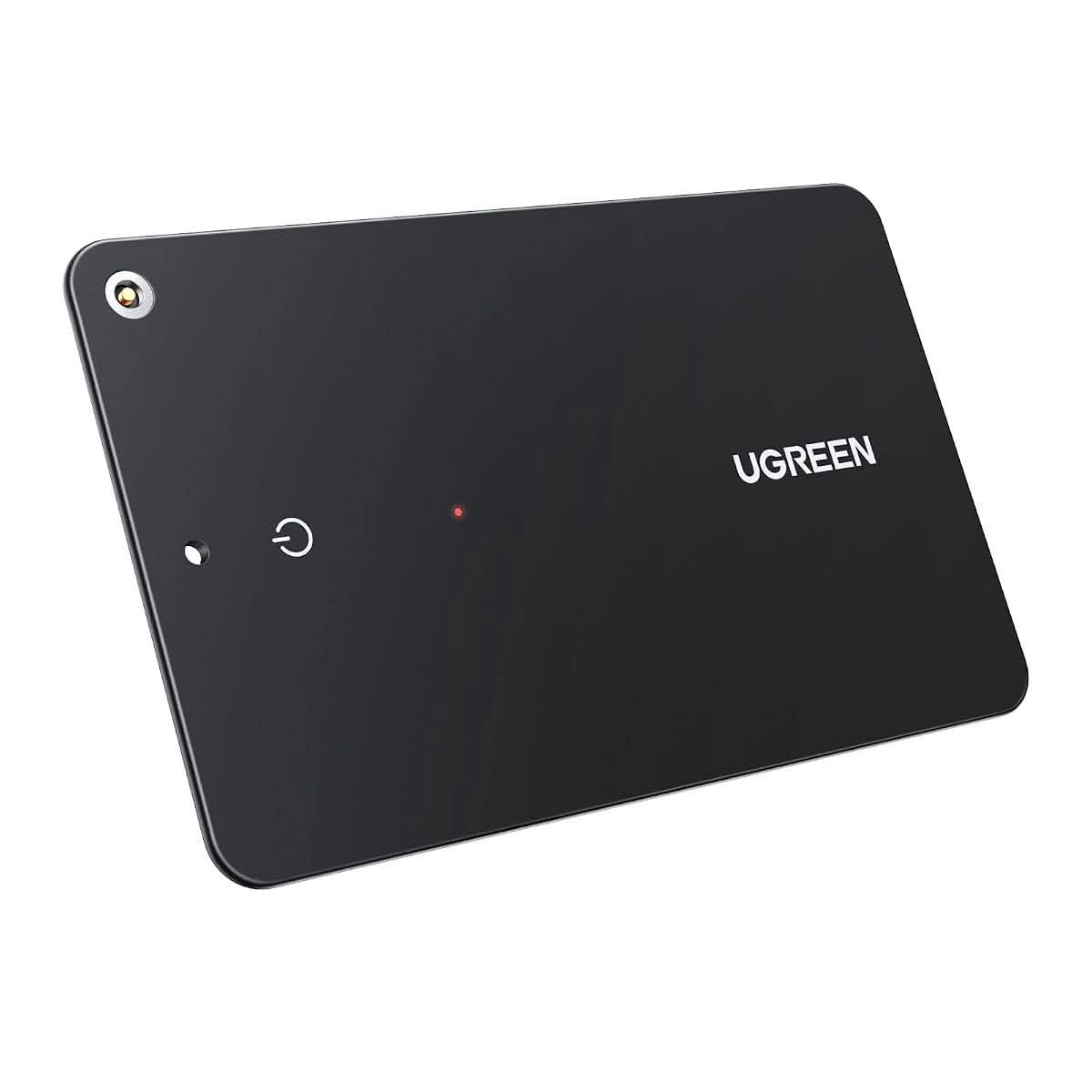
UGREEN FineTrack Slim carries the deepest Australian review base of any tracker in this guide by a wide margin – 4,593 ratings at 4.4 out of 5, more than double every other entry combined. That volume alone is worth something: a tag this cheap with this many buyers still rating it well is a different risk profile than a similarly priced tag nobody has reviewed.
At 1.7 millimetres thick, it is built to disappear inside a wallet, not announce itself, and the magnetic charging puck claims up to 12 months per charge with real-time battery level checks in the app. One family-friendly detail worth knowing: it supports sharing to five iPhones from one owner account, and a single iPhone can track up to 32 of these tags at once, which suits a household running several trackers at once.
It is Apple Find My only, the same limitation as Satechi above, and the note buried in UGREEN’s own listing is blunt about it: iOS, iPadOS and macOS only, nothing else.
Pros
- Deepest Australian review base of any tracker here, 4,593 ratings at 4.4 out of 5
- Ultra-thin 1.7mm profile built specifically for a wallet
- Supports sharing to 5 iPhones and pairing up to 32 tags per phone, useful for a multi-tracker household
Cons
- Apple Find My network only; UGREEN’s own listing states plainly it is iOS, iPadOS and macOS only
- Magnetic charging puck is another charger to keep track of, on top of everything else in a bag
Key specs: 1.7mm ultra-thin profile, magnetic rechargeable (up to 12 months per charge), shares to 5 iPhones / 32 tags per phone, Apple Find My network only
CHECK ON AMAZON10. ATUVOS Key Finder – Best Cheapest Replaceable-Battery Tag
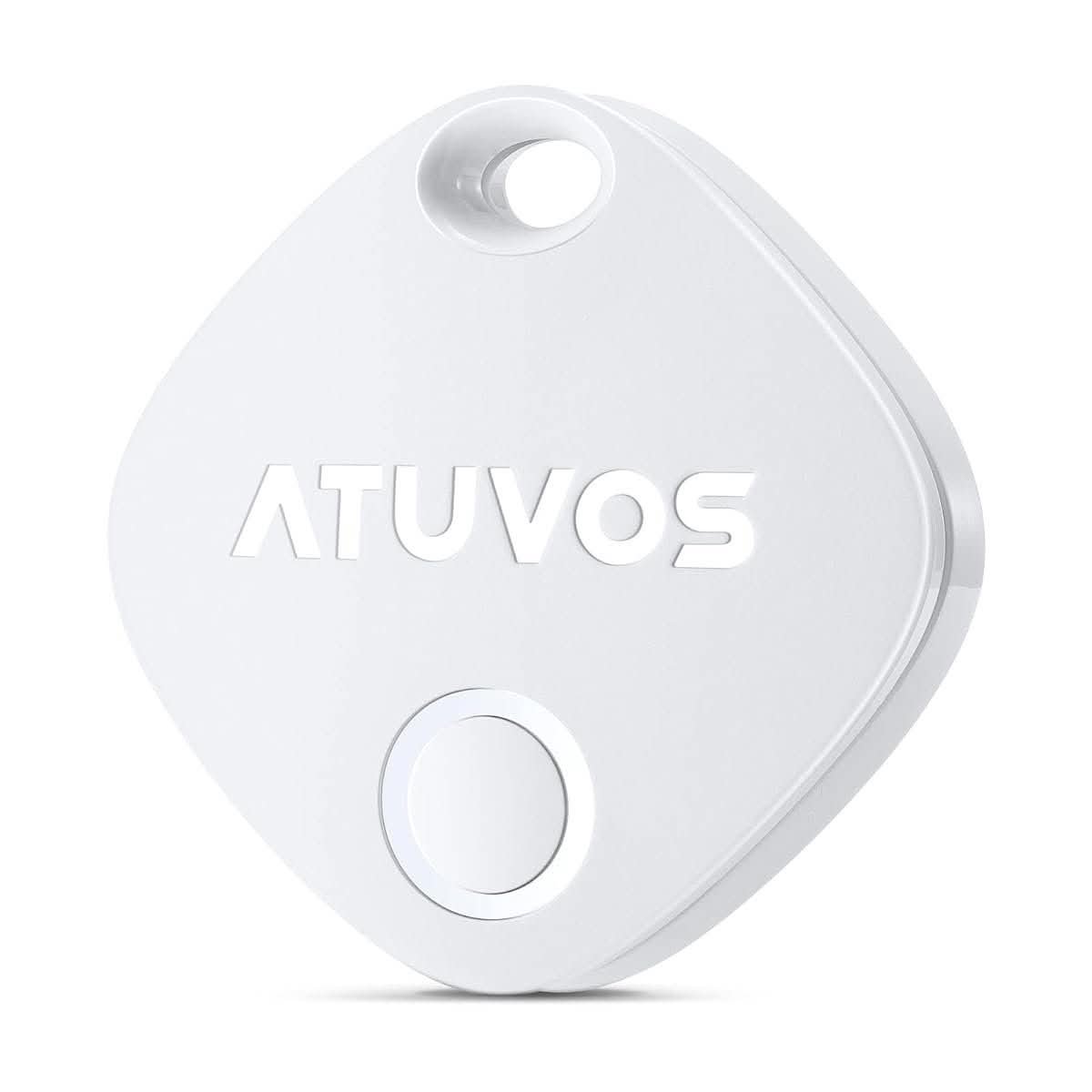
This is the cut-price pick. It does not pretend otherwise: ATUVOS Key Finder is the most affordable tag in this entire guide, and it still pulls a respectable 4.2 out of 5 from 1,307 Australian ratings, a solid outcome for a budget tag with no brand recognition behind it.
It runs on a replaceable CR2032 coin cell rated for around a year rather than a sealed or rechargeable battery, so running cost is a spare battery bought once a year, not a proprietary charger. It also builds in the same anti-tracking alert that Apple’s own network provides – if someone else’s tag ends up travelling with an iPhone it does not belong to, that iPhone gets notified automatically, the same unwanted-tracking safeguard covered in more detail below.
The catch is the one every single-network tag on this list shares: Apple Find My only, so it is not an option at all in an Android household. Cheap. Reviewed enough to trust.
Pros
- The most affordable pick in this entire lineup, at 4.2 out of 5 from 1,307 Australian ratings
- Replaceable CR2032 battery rated for about a year, no proprietary charger required
- Includes the same anti-tracking alert system built into Apple’s Find My network
Cons
- Apple Find My network only, no option for an Android household
- No Ultra Wideband precision finding, so the last few metres rely on Bluetooth signal strength alone, less precise than AirTag’s arrow-and-distance guidance
Key specs: CR2032 replaceable battery (approx. 1 year), IP67 rated, Apple Find My network only, built-in anti-tracking alert
CHECK ON AMAZONHow to Choose a Bluetooth Tracker in Australia
Match the network to the phone, not the tag. Which network does the tag in your cart actually report to? An iPhone household gets nothing useful from a Samsung SmartThings Find tag, and an Android household gets nothing from an Apple Find My-only card, no matter how good the reviews are. Apple Find My, Google Find Hub, Samsung SmartThings Find and Tile’s own network are four distinctly different pools of phones, and a dual-network tag such as the MiLi or Chipolo picks above is the only kind that hedges across more than one.
Treat the range figure on the box as a ceiling, not a promise. CHOICE’s own lab testing measured real indoor range as low as around six metres and outdoor range as low as nine, against manufacturer claims running well past that in open air. A tag’s real-world performance depends far more on how many compatible phones are nearby than on its rated metres, which is the whole point of picking a network with real local density over one with a bigger number on the packaging.
A tracker is legal to leave switched on inside checked luggage, and almost nobody realises it. CASA and Qantas both state in writing that a device containing 0.3 grams or less of lithium-metal content, which covers the coin-cell batteries in most of these tags, does not need to be turned off in checked baggage. Virgin Australia puts it even more plainly: small built-in devices like bag tags powered by button cells are fine to go in checked baggage. Anyone using one of the picks from our guide to the best luggage for international travel should still check the specific airline’s policy, since Jetstar’s own position could not be independently confirmed and is worth a direct check before departure.
Know how to check for a tag that is not yours. Both Apple and Android now alert a phone automatically if an unfamiliar tag appears to be travelling with it for an extended period, and Android additionally lets you run a manual scan on demand from Settings, something an iPhone cannot do by itself. The NSW Crime Commission’s own 2024 investigation found that 82 percent of people charged with unlawfully using a tracking device were committing a domestic violence offence, and eSafety’s advice is worth repeating here: if you ever find an unfamiliar tracker, get advice before switching it off, since disabling one can sometimes destroy the evidence of who put it there.
Decide up front whether you want to replace a battery or charge one. CR2032 coin-cell tags (AirTag, SmartTag2, UGREEN, ATUVOS) run about a year before a five-minute battery swap; rechargeable tags (both Chipolo picks, MiLi) need a wireless charger or USB-C cable in the routine instead, and stop reporting position the moment they run flat with no spare cell to swap in. Neither approach is wrong, exactly, though a tag left in a rarely-opened suitcase pocket is arguably better served by a coin cell that keeps working without anyone remembering to charge it.
A coin-cell tracker is still a coin-cell battery, and that carries a real child-safety risk. CHOICE’s own safety testing flagged several trackers, including the original AirTag, as small enough for a young child to choke on or swallow, alongside the button-battery risk that comes with any coin-cell device left within reach. Store a spare or a removed battery the same way you would any other button cell in a home with small children, out of reach and out of a bin they can dig through.
You’ll Also Want
A four-pack of Duracell CR2032 cells covers a full year of swaps across every coin-cell tag on this list, cheaper per battery than buying single blister packs whenever one dies. Duracell CR2032 4-pack.
Samsung’s Galaxy SmartTag2 has no built-in keyring hole of its own, so a soft silicone case with a loop attached turns it into something you can actually clip to a set of keys or a zip. Silicone case for SmartTag2.
AirTag ships as a bare disc with nothing to attach it to anything – a keychain case solves that in one go and doubles as light scuff protection. Keychain case for AirTag.
Frequently Asked Questions
Do Bluetooth trackers work in Australia?
Yes. Apple’s Find My network, Google’s Find Hub network and Samsung’s SmartThings Find network all operate in Australia, relying on nearby phones running the same network rather than a mobile signal of their own. Coverage tracks phone density closely, so a tracker works reliably in most Australian suburbs and cities, and less reliably in properly remote areas with fewer phones passing by.
Can I take a Bluetooth tracker on a plane in checked luggage?
Yes, and it does not need to be switched off first. CASA and Qantas both confirm that a device containing 0.3 grams or less of lithium-metal content, which covers the coin-cell batteries most trackers use, does not need to be turned off in checked baggage. Virgin Australia states the same for small button-cell devices like bag tags. Always check the specific airline’s rule before flying, since policies can change.
What is the difference between Apple Find My, Google Find Hub and Tile’s network?
Each is a separate crowd of phones reporting tag locations back to their owners. Apple Find My uses only iPhones; Google Find Hub uses any Android phone; Samsung’s SmartThings Find uses Galaxy phones specifically; and Tile’s own network relies on other Tile or Life360 app users, a noticeably smaller pool in Australia than the phone-maker networks. A dual-network tag reports to two of these at once.
Do I need to charge a Bluetooth tracker or replace its battery?
It depends on the model. Trackers using a CR2032 coin cell, such as AirTag, SmartTag2, UGREEN and ATUVOS, typically run for around a year before a quick battery swap. Rechargeable tags, such as both Chipolo picks and the MiLi MiTag Duo, need a wireless charger or USB-C cable in the routine instead, and stop reporting a location the moment the battery runs flat with nothing to swap in.
How do I know if someone has hidden a tracker on me without my knowledge?
Both Apple and Android now alert a phone automatically if an unfamiliar tag appears to be travelling with it for an extended period, and Android also allows a manual scan on demand from its safety settings, something an iPhone cannot do by itself. If an unfamiliar tracker turns up, get advice before switching it off, since disabling one can sometimes destroy evidence of who placed it there.
Are Bluetooth trackers safe for a house with young children?
Treat any coin-cell tracker with the same caution as other button-battery devices. Testing by CHOICE found some trackers, including the original AirTag, small enough for a young child to swallow, and a swallowed button battery is a serious medical emergency. Keep trackers and any spare batteries stored well out of reach, and choose a rechargeable model over a coin-cell one if small children are often nearby.
Match the network to the phone actually doing the finding and most of this decision solves itself: an iPhone household gets the most reliable coverage from the Apple AirTag, a Galaxy household is better served by the Samsung SmartTag2, and anyone who wants one tag that works regardless of which phone finds it should go straight to the MiLi MiTag Duo at the top of this list, the only pick here built to answer to both major networks from day one.