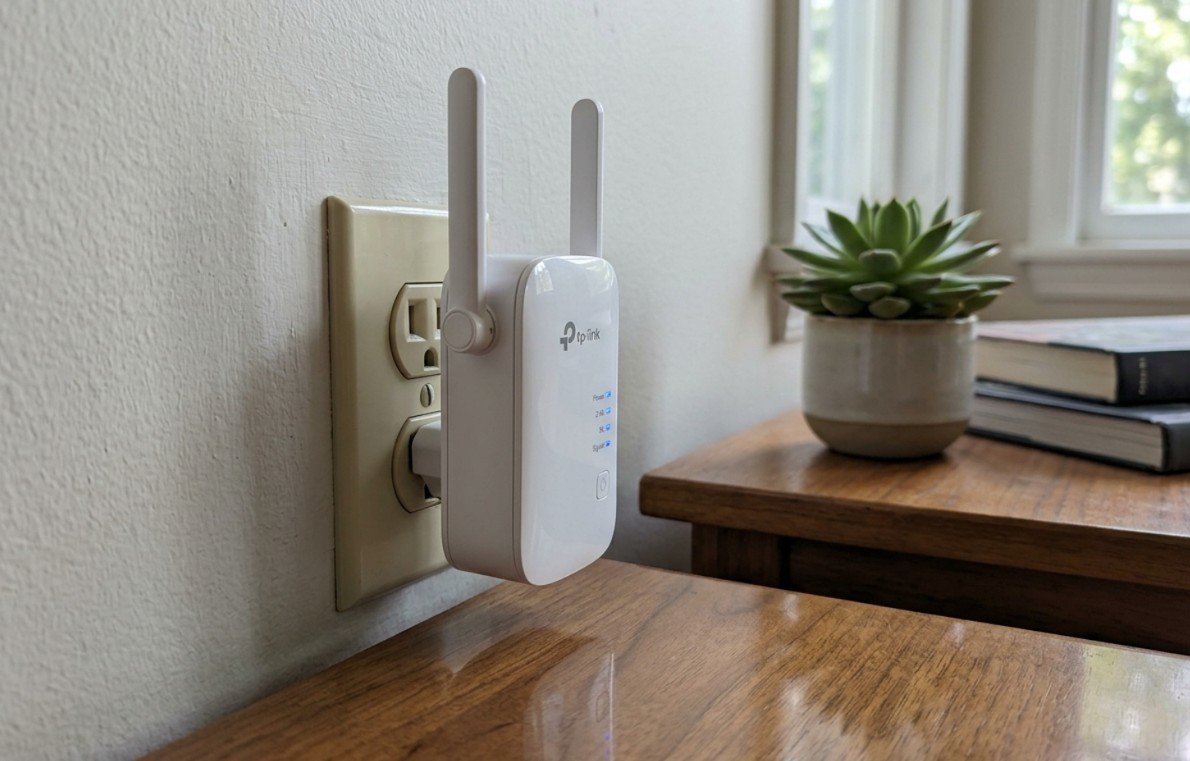
A WiFi extender is a small plug-in device that picks up your existing router’s signal and rebroadcasts it further into the house, filling in the dead zones a single router can’t reach on its own. That’s a different job to a router or a modem, which create and manage the network in the first place. An extender just amplifies and relays a signal that already exists, sitting between the router and whatever’s struggling to connect – a back bedroom, a garage, or the far end of a Queenslander with the router stuck in the front hallway. Finding the best wifi extender australia has on shelves right now comes down to matching that type of device to the specific dead zone, not defaulting to the priciest box available.
Australian buyers can choose between three broad types. Traditional extenders/repeaters plug into a wall socket partway between the router and the dead zone, rebroadcasting the existing network under a slightly different name. WiFi 6 (AX) extenders use the newer WiFi standard for better performance with modern phones, smart TVs and laptops, and many support EasyMesh so the extended signal blends into one network name instead of forcing a manual switch. Mesh add-on nodes work differently again – sold to extend an existing mesh system from the same brand, not any router you already own, they hand off between nodes more smoothly than a traditional extender but only work with a matching system already installed.
Coverage area, usually quoted in square metres, is the spec that actually separates these products, and the ten compared here run from a compact single-room fix rated around 60 square metres up to a WiFi 6 mesh unit rated well past 100. The spec buyers skip past is the number of connected devices it’s built to handle, not just the metres – a share house with six phones, two smart TVs and a game console streaming at once needs a higher device-count rating than the square-metre figure alone suggests. An Ethernet port on the extender (handy for a smart TV or console that doesn’t want to share WiFi with everything else) is also worth checking before assuming every unit has one. Not all of them do.
This guide compares ten WiFi extenders sold in Australia, from a WiFi 6 mesh-capable flagship down to a compact single-room budget fix, covering traditional plug-in extenders, WiFi 6 models and one mesh add-on node, so most home layouts and budgets get a fair shot.
The 10 Best WiFi Extenders in Australia Compared
| Product | Link | Type | Best For | Key Spec |
|---|---|---|---|---|
| TP-Link RE705X AX3000 Dual Band WiFi 6 Extender | Check price | WiFi 6 (AX3000) | Whole-home mesh blending | 160MHz, EasyMesh, WPA3, gigabit port |
| D-Link E15 Eagle PRO AI AX1500 Mesh WiFi Range Extender | Check price | WiFi 6 (AX1500) | AI-assisted mesh roaming | MU-MIMO, WPA3, gigabit port |
| Linksys Velop Micro Mesh WiFi 6 Add-on Node (1-Pack) | Check price | WiFi 6 mesh add-on | Extending an existing Velop mesh system | Up to 139sqm, 150+ devices |
| NETGEAR WiFi 5 Range Extender (EX6110) | Check price | WiFi 5 (AC1200) | Larger 90sqm homes | 20 devices, compact wall-plug |
| TP-Link RE450 AC1750 Dual Band WiFi Extender | Check price | WiFi 5 (AC1750) | Best-reviewed all-rounder | 4K streaming rated, mesh whole-home |
| BrosTrend AX1500 WiFi 6 Extender | Check price | WiFi 6 (AX1500) | Wired devices via Ethernet | Up to 185sqm, 40 devices, gigabit port |
| Xiaomi Mi WiFi Range Extender Pro | Check price | Dual-band | Value-focused buyers | Compact plug-in design |
| NETGEAR WiFi 5 Range Extender (EX3110) | Check price | WiFi 5 (AC750) | Compact single-room fix | 60sqm, 20 devices |
| Tenda AC1200 WiFi Extender (A18Pro) | Check price | WiFi 5 (AC1200) | Budget dual-band | 30 devices, gigabit port |
| TP-Link TL-WA850RE N300 WiFi Extender | Check price | WiFi 4 (N300) | Cheapest single-room fix | Single-band 2.4GHz, EasyMesh |
How We Picked
We researched this category online across a wide range of Australian retailers and marketplace listings, comparing properly branded, in-stock networking hardware against generic dropship listings that only mention “WiFi” in passing, and cross-checked standout picks against Choice’s home networking coverage and ProductReview.com.au’s brand-level buyer feedback to make sure a strong spec sheet held up against independent reviewers and real owners, not just the product photo. Around 30 individual listings were surveyed across traditional extenders, WiFi 6 models and mesh add-on nodes, filtered down to established-brand, in-stock, domestically dispatched products, and checked against a specialist electronics and phone-accessories merchant list that turned out to carry none of this category at all.
1. TP-Link RE705X AX3000 Dual Band wifi Extender – Best for Whole-Home Mesh Blending
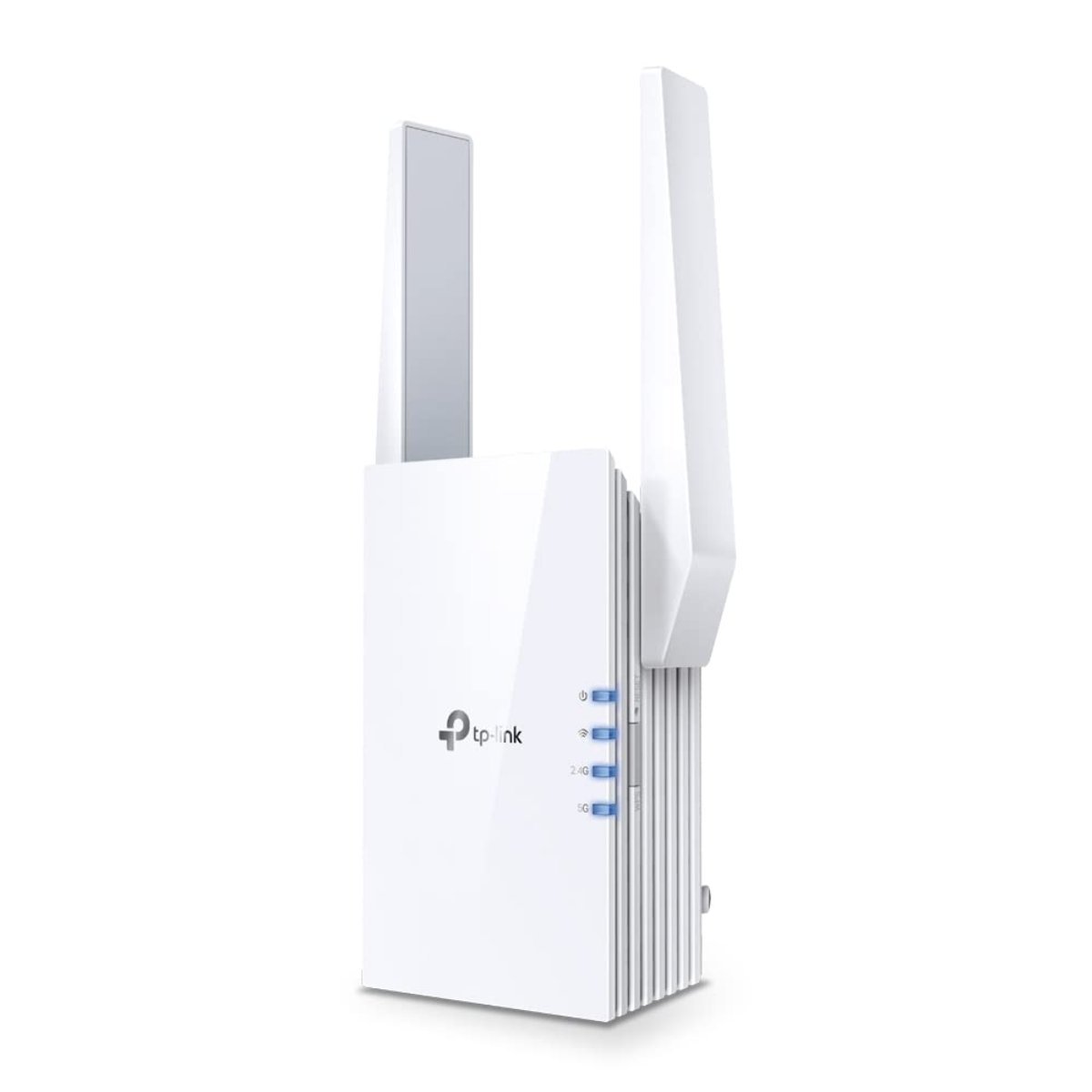
This is the extender to reach for if the goal is one network name from the front door to the back fence, not two separate WiFi names you have to switch between by hand. EasyMesh support means it hands off between the router and the extender as you walk through the house, roughly the way a proper mesh system does, without needing a matching mesh router underneath it.
At AX3000 with 160MHz channel width, it’s built for the newer WiFi 6 devices most Australian households have picked up over the last couple of years – recent phones, current-gen smart TVs, a WiFi 6 laptop – and pulls more real throughput from those than an older WiFi 5 unit manages with the same gear. The single gigabit Ethernet port is worth knowing about if a smart TV or console nearby would rather take a wired connection than share airtime with everything else in the house.
It’s the priciest pick here. Amazon AU reviewers consistently flag setup as properly simple through the Tether app, which matters more than it sounds once you’re standing on a chair hunting for the sweet spot between router and dead zone. Want the mesh-blending trick without paying flagship money? The RE450 a few places down does much the same job on the older WiFi 5 standard for a fair bit less.
Pros
- EasyMesh blends the extended signal into one network name instead of two
- WiFi 6 (AX3000) support for noticeably faster real-world speed on newer devices
- Gigabit Ethernet port for a wired smart TV or console
Cons
- The most expensive pick here, a real step up from the WiFi 5 options further down
- EasyMesh only blends cleanly with EasyMesh-compatible routers; an older router still shows it as a second network name
- The Tether app occasionally needs a factory reset to reconnect after a router firmware update, a recurring niggle in owner feedback rather than a dealbreaker
Key specs: WiFi 6 (AX3000) · 160MHz · EasyMesh · WPA3 · gigabit Ethernet port
CHECK ON AMAZON2. D-Link E15 Eagle PRO AI AX1500 Mesh WiFi Extender – Best AI-Assisted Mesh Roaming
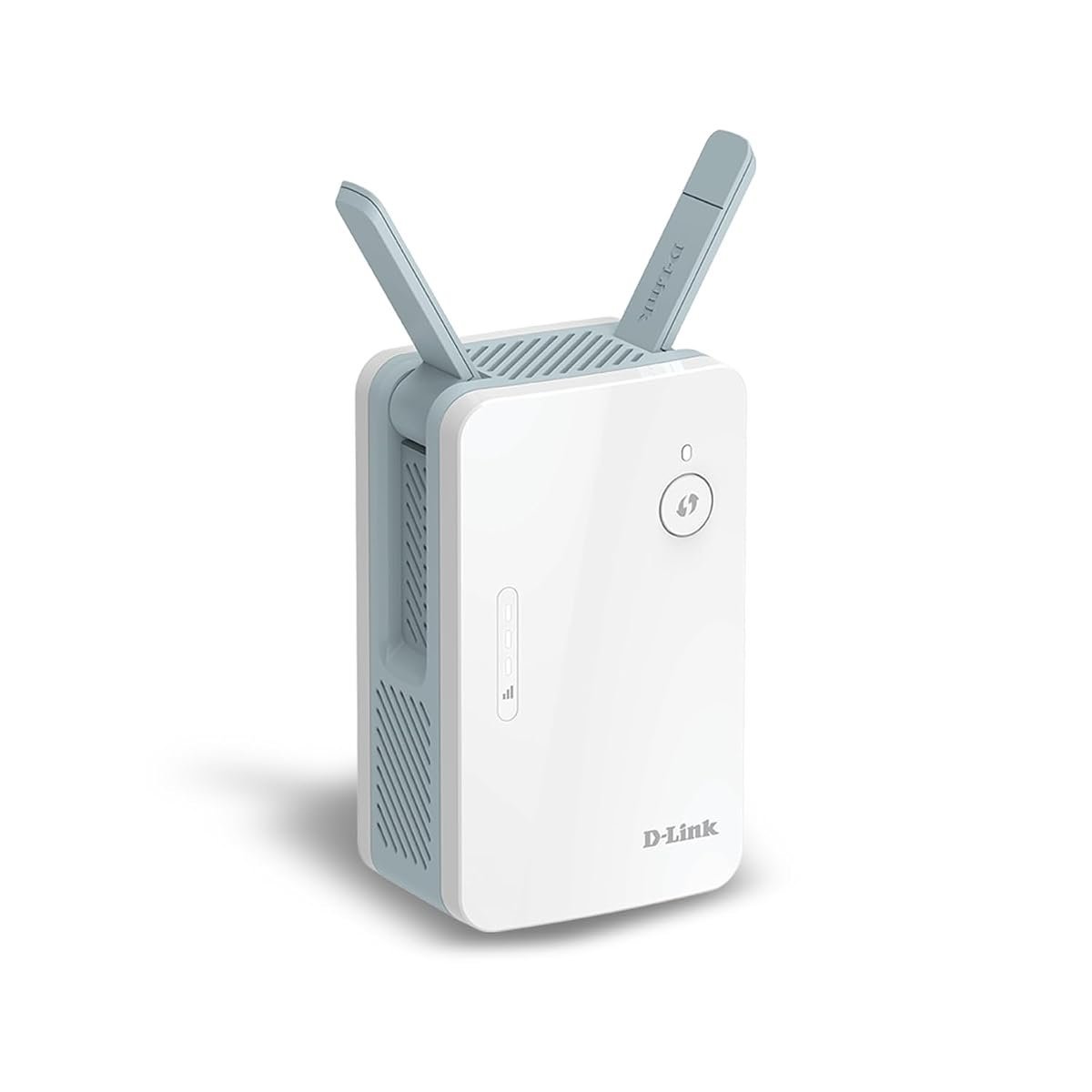
D-Link’s take on the mesh-extender crossover leans on its EAGLE PRO AI app to handle the fiddly bits – device prioritisation, basic network health checks, and roaming decisions between router and extender – instead of leaving you to dig through a router-style admin panel on a phone screen. Sold and dispatched directly by D-Link’s own Australian storefront, not a smaller third-party reseller, which matters if a warranty claim ever comes up.
At AX1500 it sits a notch below the RE705X above on raw throughput, but MU-MIMO support means it can talk to multiple devices at once instead of queuing them. Handy in a share house in inner-city Melbourne where three people are all on video calls at the same time. The smart LED on the front dims automatically at night, a small but properly useful detail if the extender lives in a hallway near a bedroom.
Not a dealbreaker, but the review count on this specific listing is thinner than most of the other picks. A recurring theme in the reviews that do exist: the AI-driven automatic optimisation feature settles down and works better after the first 24 hours, so don’t judge it on day one.
Pros
- EAGLE PRO AI app handles roaming and device prioritisation without manual router-style configuration
- MU-MIMO support for multiple devices active at once
- Sold directly through D-Link’s own Australian storefront
Cons
- Thinner review count on this listing than the RE705X or RE450 above and below it
- AI optimisation feature needs a settling-in period before it works as advertised
- No option to run it as a plain access point if you’d rather skip the mesh features entirely
Key specs: WiFi 6 (AX1500) · MU-MIMO · WPA3 · gigabit Ethernet · EAGLE PRO AI app
CHECK ON AMAZON3. Linksys Velop Micro Mesh WiFi 6 Add-on Node – Best for Extending an Existing Mesh System
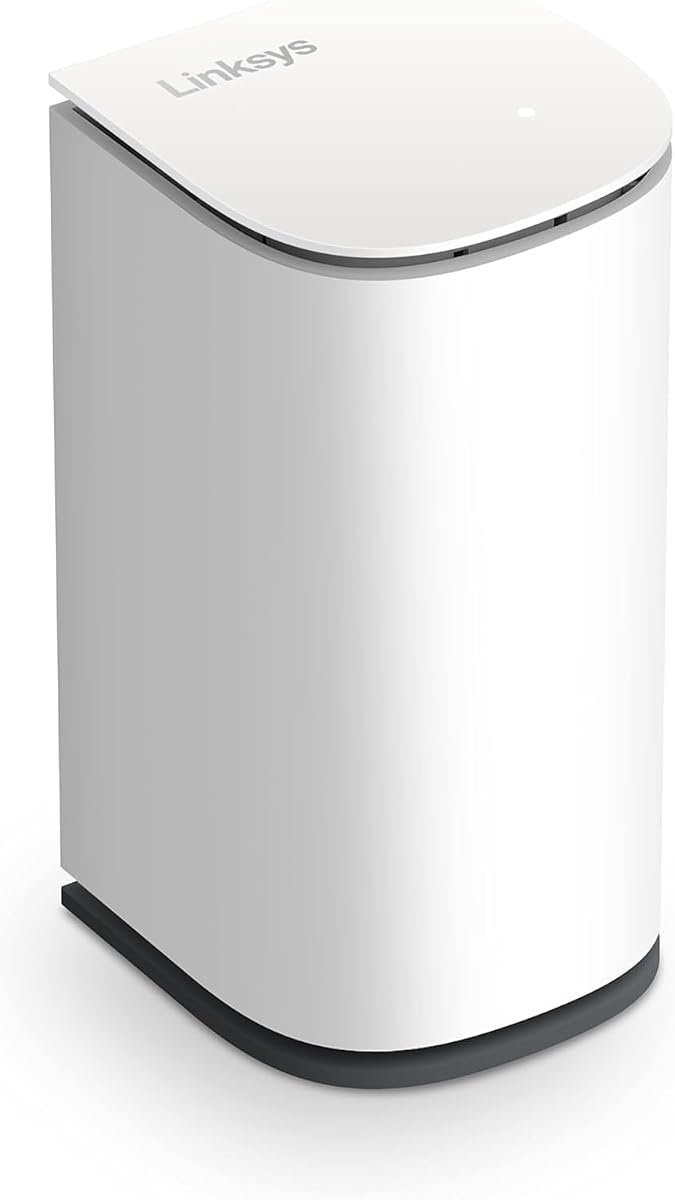
Here’s the honest catch up front: this only works if there’s already a Linksys Velop mesh system in the house. Buy it to bolt onto a different brand’s router and it does nothing useful at all. Every other product on this page is a universal extender that works with any router; this one is a single add-on node built specifically to expand an existing Velop system when one room still drops out.
That narrow purpose is also the point. Rated for up to 139 square metres of additional coverage and 150-plus devices, it hands off between nodes the way a proper mesh system does, not the slightly clunkier reconnect a traditional extender manages when you walk from one end of the house to the other – useful in a double-storey home where everyone’s carrying a laptop or phone between floors all day. Quiet on the network side, too – no separate WiFi name to manage, no manual switching, it just becomes part of the mesh already running, which matters if a less tech-savvy household member is the one who’ll be connecting new devices to it.
A restock check right before this went live turned up the same picture as when this list was first put together: still just one unit left on this listing, with delivery now running out to mid-September, roughly the 2.5-week wait it showed at sourcing time too. It’s confirmed dispatched locally though, not an overseas Global Store gamble, so the wait is a stock problem rather than an import one. Worth grabbing now if it’s the right fit; if it does sell out before you get to it, every traditional extender elsewhere on this page works with any router regardless of brand.
Pros
- Purpose-built to extend an existing Linksys Velop mesh system specifically
- Smooth node-to-node handoff, no separate WiFi network name to manage
- Rated for 150+ devices, well above the traditional extenders on this page
Cons
- Only works with an existing Velop mesh system, useless bolted onto a different brand’s router
- Stock on this specific listing is thin, still down to one unit at recheck
- Too new on this listing to have a meaningful verified buyer review trail yet, unlike the RE450 or BrosTrend picks below
Key specs: WiFi 6 mesh add-on node · up to 139sqm · 150+ devices · Velop-system only
CHECK ON AMAZON4. NETGEAR WiFi 5 Range Extender (EX6110) – Best for Larger Homes
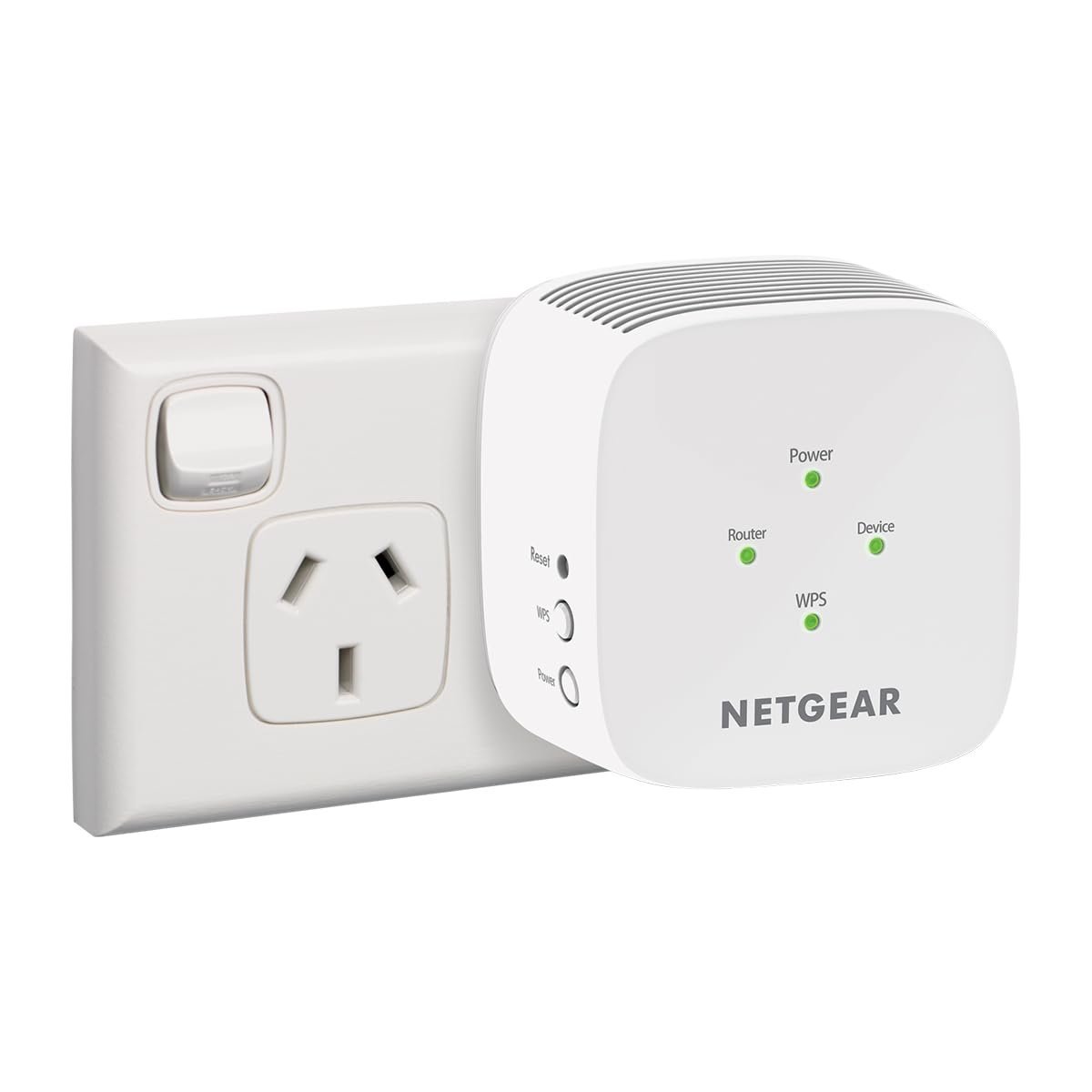
Where the EX3110 further down is built for a single stubborn room, this one’s rated for a full 90 square metres of additional coverage – the kind of number that suits a larger brick veneer home in the outer suburbs, router at one end, kids’ rooms at the other. AC1200 dual-band splits traffic across 2.4GHz and 5GHz, so older smart-home gadgets on the slower band don’t drag down a phone or laptop trying to use the faster one.
It’s a straightforward, no-nonsense compact wall-plug design. Nothing to configure beyond the initial WPS pairing button press for most households, and Netgear’s own app handles anything beyond that. Sitting at roughly the mid-range price for this category in Australia, comparable to what you’d pay at Harvey Norman for a similar spec on the shelf.
This is WiFi 5, not WiFi 6, so it sits a step below the RE705X and D-Link picks above on raw generation – a sensible middle ground for a household that isn’t chasing the newest standard, just more square metres of usable signal. Amazon AU reviewers run a touch more mixed here than on the smaller EX3110, mostly centred on the usual extender gripe: signal strength drops off faster than the box number suggests once you’re through two internal walls instead of one.
Pros
- Rated for 90 square metres, more coverage than the compact single-room picks here
- AC1200 dual-band splits traffic between older and newer devices
- Simple wall-plug setup, minimal configuration needed
Cons
- WiFi 5, not WiFi 6, so newer devices won’t see the same speed gains as the RE705X or D-Link picks above
- Real-world coverage drops off faster through multiple internal walls than the rated 90sqm implies
- No Ethernet port, so it’s WiFi-only for connecting a wired device
Key specs: WiFi 5 (AC1200) · up to 90sqm · 20 devices · compact wall-plug design
CHECK ON AMAZON5. TP-Link RE450 AC1750 Dual Band WiFi Extender – Best-Reviewed All-Rounder
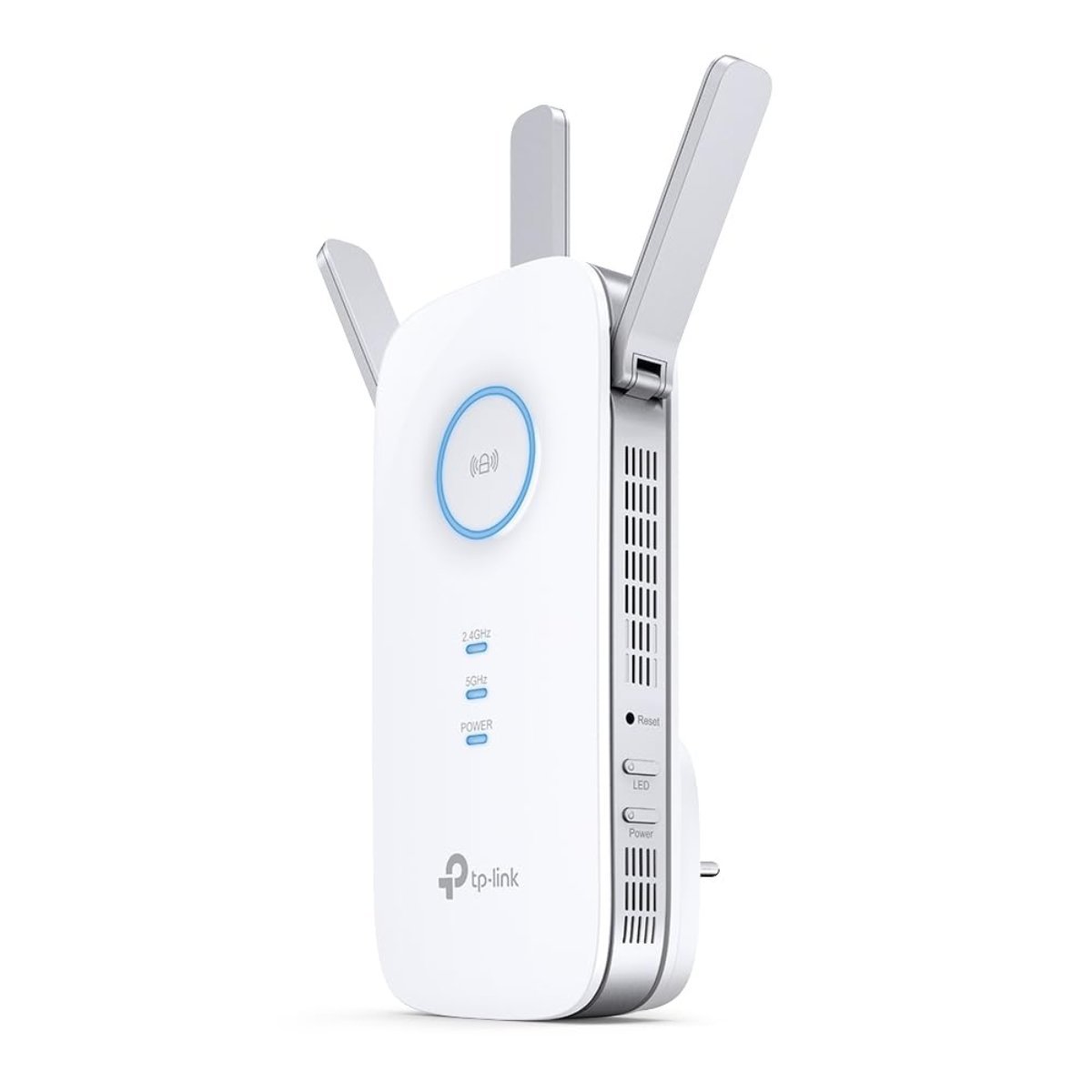
A step down in price from the RE705X above, this carries much the same whole-home mesh-blending trick on the older WiFi 5 standard instead of WiFi 6. AC1750 still comfortably handles 4K streaming, and with well over 600 verified reviews on this listing – more than every other pick here bar the TL-WA850RE below – it’s the one buyers seem to settle on without much second-guessing.
It suits a household that wants one network name and no manual switching without paying WiFi 6 prices: a share house streaming Netflix on a smart TV in the back room while someone else is on a video call up front, say. Setup runs through the same Tether app as the RE705X, so if there’s already a TP-Link router or extender in the house, the learning curve is close to zero.
Capped at WiFi 5 speeds is the trade-off for that lower price. Fine for most households; gamers and anyone with a house full of new WiFi 6 devices should look up at the RE705X instead.
Pros
- Well over 600 verified reviews, the strongest review trail here alongside the TL-WA850RE
- Whole-home mesh-blending on the more affordable WiFi 5 standard
- Rated for 4K streaming without buffering complaints in owner feedback
Cons
- WiFi 5 only, so it won’t get the same speed benefit as the RE705X above on newer devices
- No gigabit Ethernet port, unlike the RE705X and BrosTrend picks below
- Runs noticeably warm to the touch after a few hours of continuous use, a recurring but non-fault-triggering observation in owner reviews
Key specs: WiFi 5 (AC1750) · mesh whole-home blending · WPA3 · 4K streaming rated
CHECK ON AMAZON6. BrosTrend AX1500 WiFi 6 Extender – Best for Wired Devices
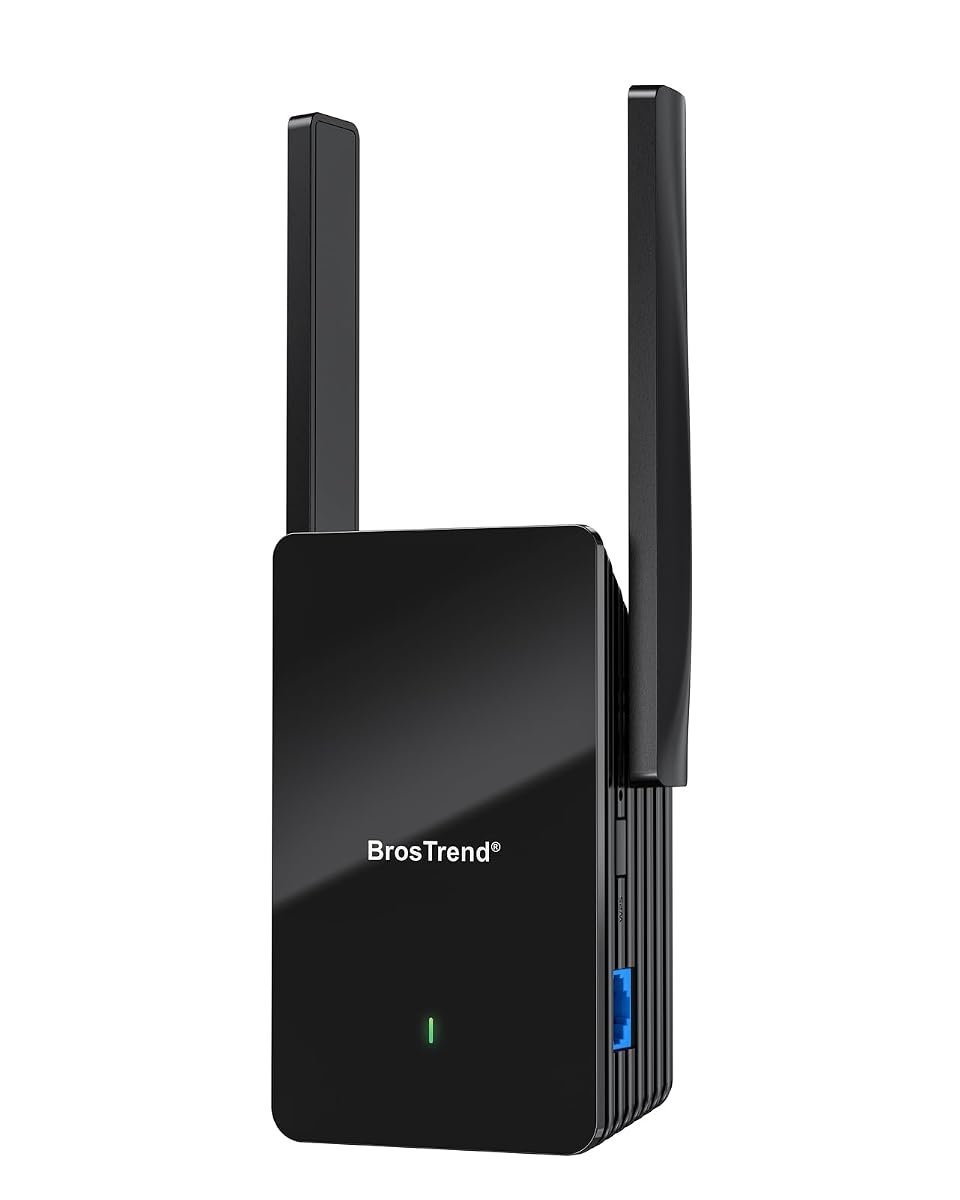
Sold and dispatched directly through BrosTrend’s own Australian storefront, not a marketplace reseller with a vague seller name, this is the pick for a household with something that specifically wants a wired connection near the dead zone – a smart TV, a games console, a NAS box – since the gigabit Ethernet port does that job without the extender eating into wireless bandwidth for everyone else in the house.
Rated for up to 185 square metres and 40 devices, it has the biggest coverage number of any WiFi 6 pick here, and with over 1,600 verified reviews on this listing the buyer feedback trail actually backs that figure up instead of resting on a handful of early adopters. Setup runs through a browser-based interface instead of a dedicated app – a small thing, but one some buyers prefer over yet another phone app cluttering their home screen.
It does the job without much fuss. A recurring complaint in Amazon AU reviews is that the two external antennas – about the width of a fist held out from the wall – make it noticeably bulkier than the D-Link or Netgear picks above, so it needs a double power socket or a spare slot on a powerboard instead of sharing a single wall outlet.
Pros
- Gigabit Ethernet port for a wired smart TV, console or NAS box
- Largest rated coverage (185sqm) of any WiFi 6 pick here
- Deep verified review base, over 1,600 ratings on this listing
Cons
- Bulkier than the D-Link or Netgear extenders above, needs a double socket or powerboard slot
- Browser-based setup instead of an app, a plus for some, an extra step for others used to app-based extenders
- External antennas can’t be repositioned, so orientation is fixed by where the socket happens to be
Key specs: WiFi 6 (AX1500) · up to 185sqm · 40 devices · gigabit Ethernet port
CHECK ON AMAZON7. Xiaomi Mi WiFi Range Extender Pro – Best Value Pick
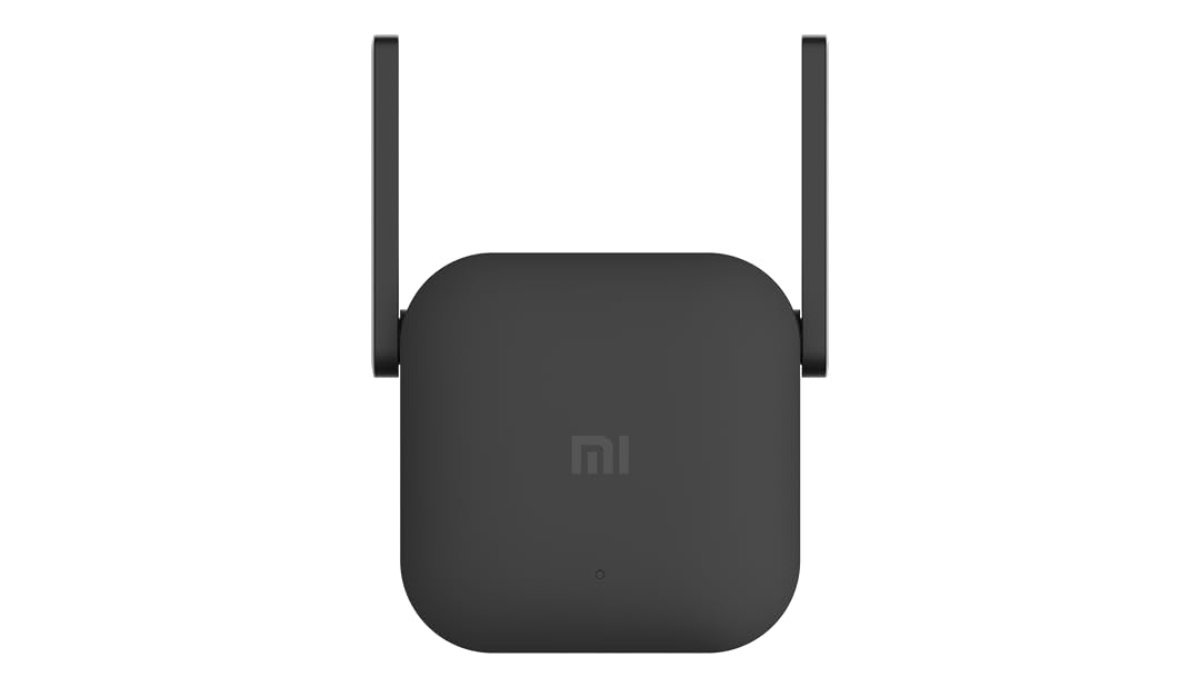
Xiaomi’s name carries less recognition in Australian networking circles than TP-Link or Netgear, but the Mi Range Extender Pro undercuts most of the WiFi 6 picks here while still offering dual-band coverage in a compact housing that barely sticks out from the wall. It’s sold through a dedicated Australian-fulfilled listing instead of shipping direct from an overseas warehouse, with delivery running a little slower than the fastest picks here but still well within a normal domestic window.
It’s a straightforward, no-frills extender. No mesh-blending, no AI roaming features – plug it in, run the setup, done. That simplicity is the actual selling point for a reader who just wants the dead zone fixed without learning a new app. Roughly the most affordable pick here for a genuinely dual-band unit.
Nearly 300 verified reviews sit at a solid but not spectacular 3.9 out of 5 – roughly the same band as the D-Link and Netgear EX6110 picks above, a step below the 4.5-star run the TP-Link and Tenda picks manage. Worth it if the price gap over those is the deciding factor; worth skipping if the strongest review consensus matters more to you.
Pros
- Undercuts most WiFi 6 competitors here on price for solid dual-band coverage
- Compact housing, barely protrudes from the wall socket
- Simple setup with no mesh or AI features to configure
Cons
- Review average sits a step below the strongest picks here, D-Link and Netgear EX6110 territory, not RE450 or Tenda territory
- Delivery runs a little slower than the fastest picks here, worth checking at checkout if timing matters
- Companion app and documentation lean more heavily on Xiaomi’s broader smart-home ecosystem than a dedicated networking app would
Key specs: Dual-band · compact plug-in design · straightforward setup, no mesh features
CHECK ON AMAZON8. NETGEAR WiFi 5 Range Extender (EX3110) – Best Compact Single-Room Fix
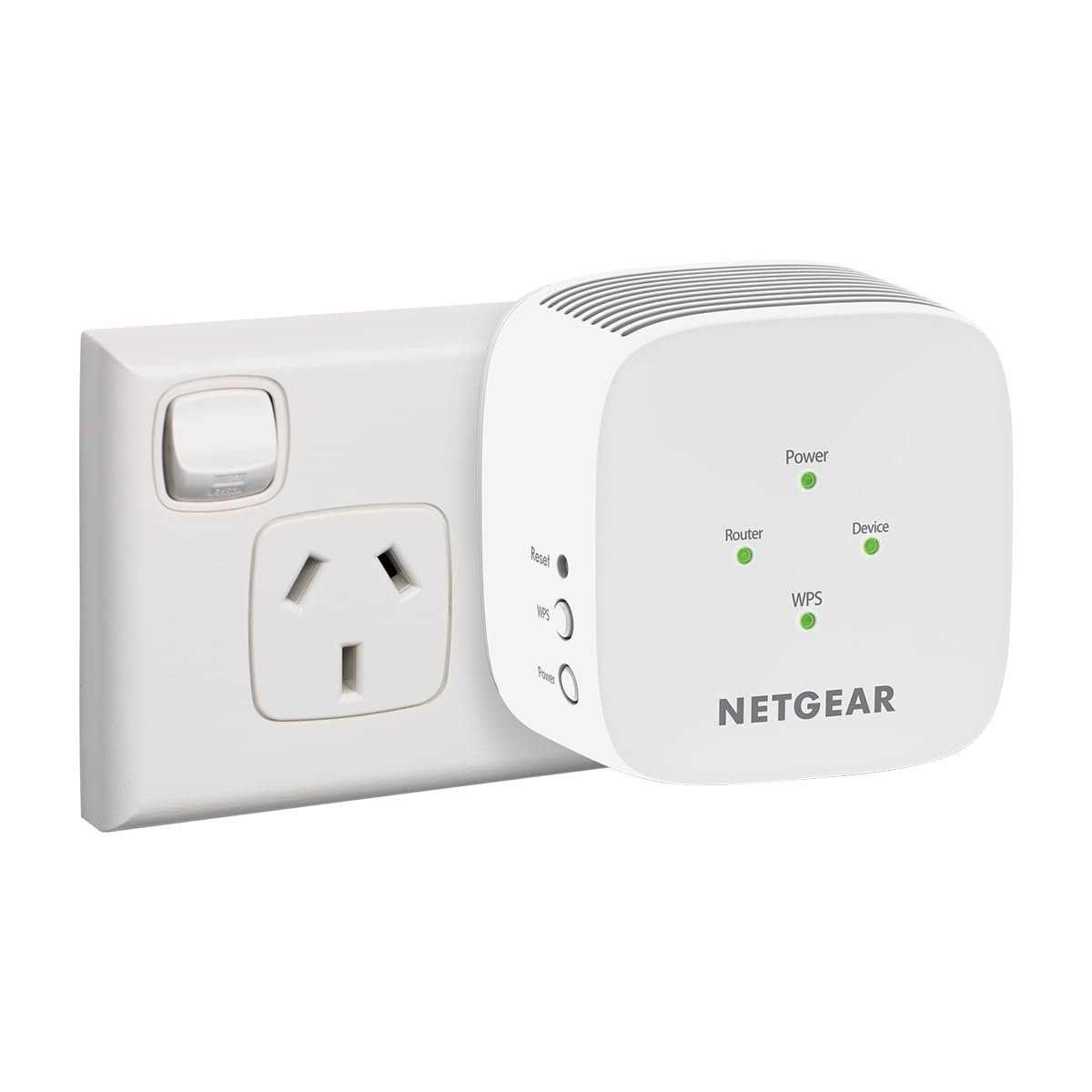
Not every dead zone needs a whole-home solution. If it’s just the home office at the back of the house or a granny flat that loses signal the moment the door shuts, this is the pick sized for exactly that – rated for 60 square metres, noticeably smaller than the EX6110 above, and priced to match as the most affordable Netgear on this page.
The compact wall-plug design means it doesn’t hang off the socket the way the bulkier BrosTrend unit further up does, a real consideration in a hallway where people brush past it daily. Setup is the same WPS-button pairing as its EX6110 sibling, an easy two-minute job for most routers.
At AC750 it’s the lowest-spec WiFi 5 option here after the single-band TL-WA850RE below, so it’s not the pick for a household streaming 4K on multiple devices at once. For a single laptop or phone finally getting reliable signal in a room that previously had none, though, it does exactly what’s asked of it.
Pros
- Compact design, doesn’t protrude far from the wall socket
- Simple WPS-button setup, no app required if you don’t want one
- Sold through the marketplace’s own resale channel for this authentic Netgear SKU, not a random third-party import
Cons
- Lowest throughput rating among the dual-band picks here, not suited to heavy multi-device streaming
- No Ethernet port for a wired connection
- Coverage claim of 60sqm assumes an open layout, a besser-block or double-brick wall in the way will cut that down fast
Key specs: WiFi 5 (AC750) · up to 60sqm · 20 devices · compact wall-plug design
CHECK ON AMAZON9. Tenda AC1200 WiFi Extender (A18Pro) – Best Budget Dual-Band
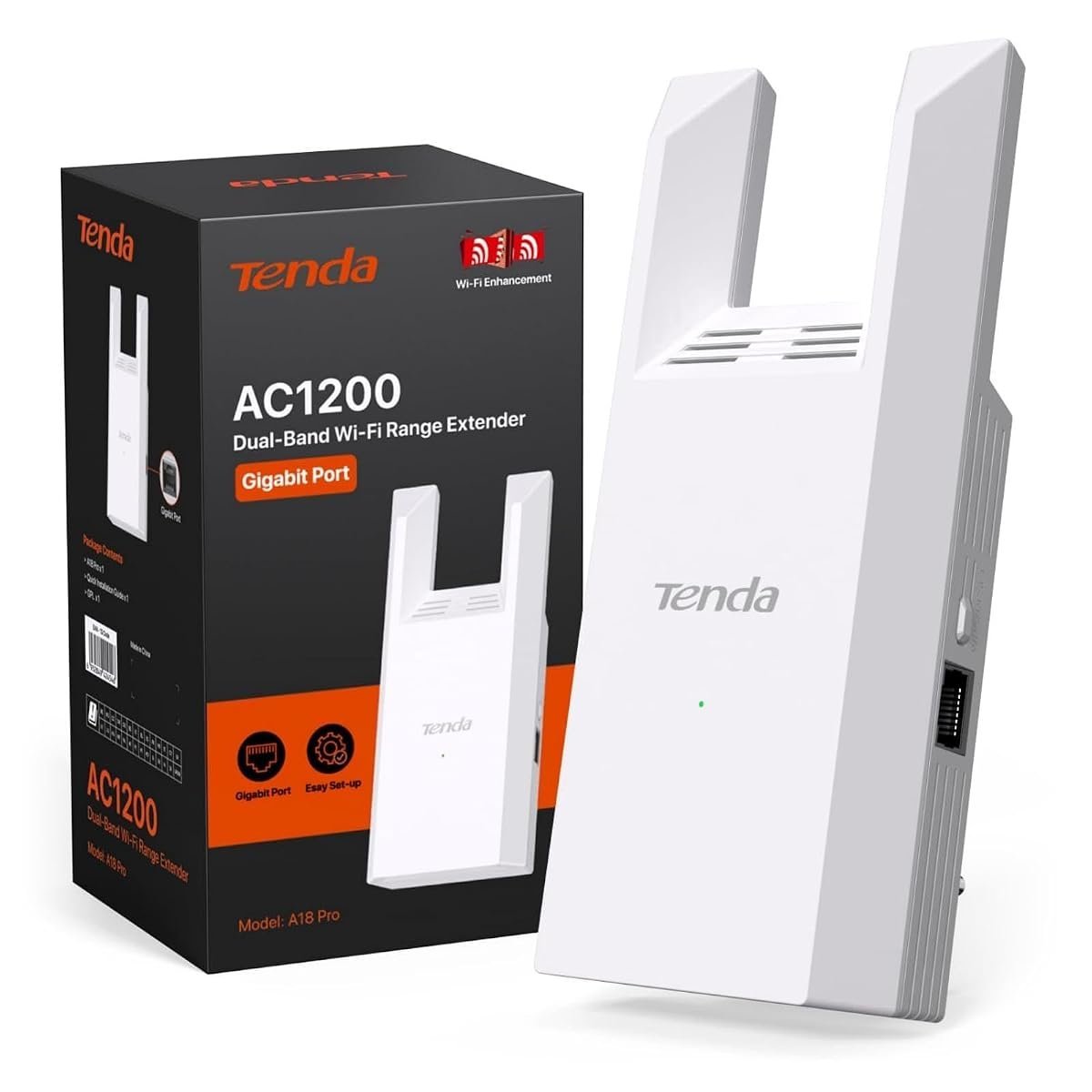
This is the budget dual-band pick that doesn’t feel like a compromise once it’s running, sold directly through Tenda’s own Australian storefront instead of a marketplace listing with a vague seller name. AC1200 covers the same rough speed bracket as the pricier Netgear EX6110 above, and the gigabit Ethernet port is a real point of difference at this price – most extenders this cheap skip it entirely.
Rated for 1,500 square feet (a bit over 130 square metres) and 30 devices, it undersells itself slightly next to the specific square-metre figures Netgear and D-Link quote, but real-world performance in Amazon AU reviews holds up well against those pricier picks for a household that isn’t chasing WiFi 6. It’s the cheapest way into the dual-band tier of this lineup, though not the absolute rock-bottom price – the single-band TL-WA850RE below claims that instead.
Not a dealbreaker, but the compact housing runs warmer than the Netgear picks above during long streaming sessions. Give it a bit of airflow, not a spot jammed behind a couch.
Pros
- Gigabit Ethernet port at a properly budget price point, unusual for this tier
- Sold directly through Tenda’s own Australian storefront
- Real-world performance holds up well against pricier dual-band picks in owner feedback
Cons
- Runs warmer than the Netgear picks above during long continuous use
- Coverage quoted in square feet rather than square metres on the listing, easy to misread at a glance
- App setup occasionally needs a second attempt if the phone connects to the wrong WiFi network mid-pairing, a common first-time-setup complaint
Key specs: WiFi 5 (AC1200) · roughly 130sqm rated · 30 devices · gigabit Ethernet port
CHECK ON AMAZON10. TP-Link TL-WA850RE N300 WiFi Extender – Best Cheapest Single-Room Fix
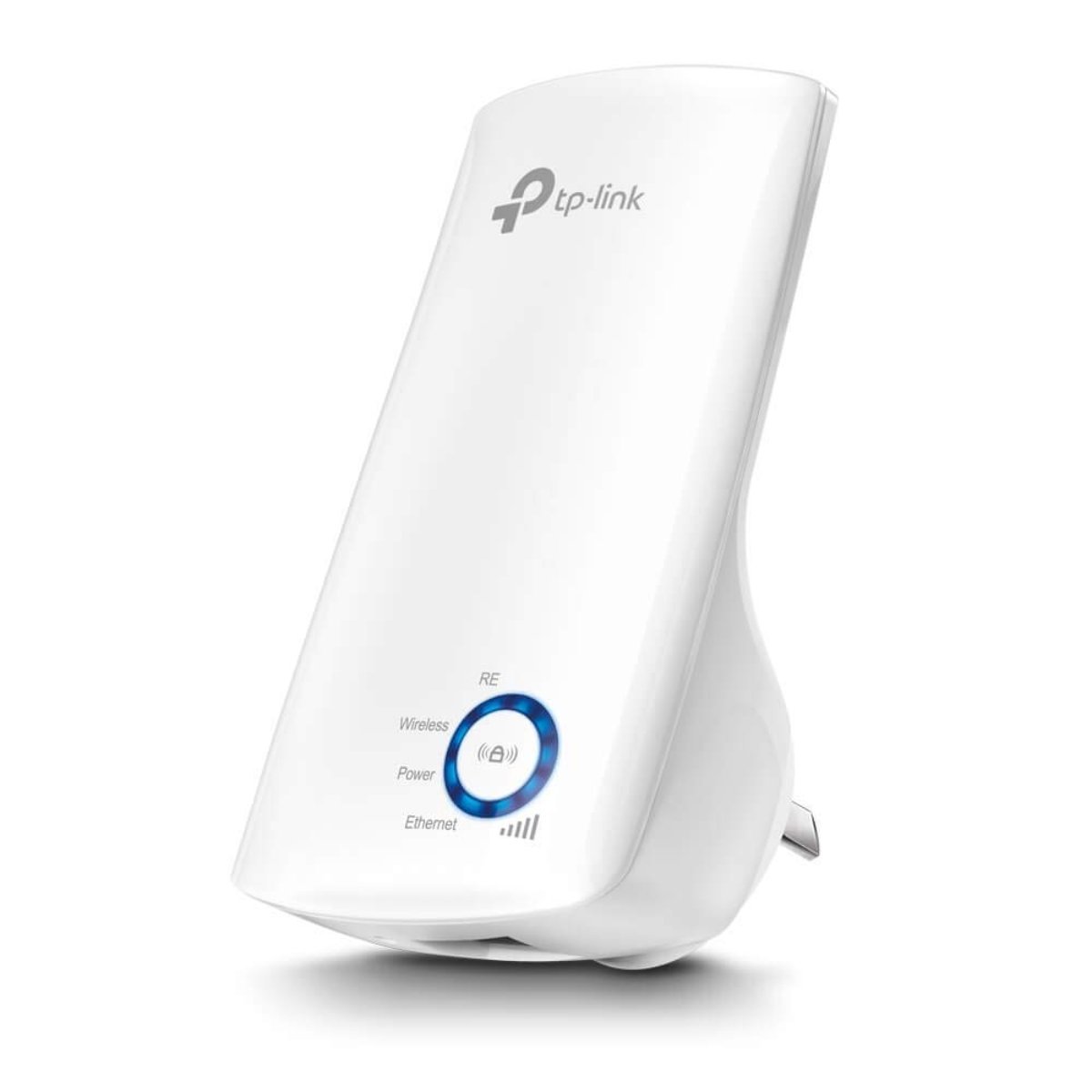
The cheapest pick by a wide margin, and with over 2,100 verified reviews it’s proof that plenty of Australian households just need one room fixed, not a whole-home overhaul. Single-band 2.4GHz N300 won’t win any speed records, but for a phone, a laptop or a smart speaker that just needs a reliable signal in a room the router doesn’t reach, it does exactly that one job.
EasyMesh carries over from TP-Link’s pricier picks here, so an existing TP-Link router can still blend it into one network name instead of a separate WiFi entry to switch to by hand. A genuinely useful feature to find at this price point, not something you’d expect on the cheapest unit in the lineup. The budget tier for WiFi extenders in Australia effectively starts here.
Skip it for 4K streaming or gaming. Single-band 2.4GHz shares spectrum with every other smart-home gadget, baby monitor and neighbour’s WiFi in range, so it struggles harder in a dense unit block than a standalone house on a quarter-acre block. For fixing one weak room cheaply, though, this is the most sensible pick on the page.
Pros
- Cheapest pick here by a wide margin
- EasyMesh support even at this budget price point, blends into an existing TP-Link network
- Over 2,100 verified reviews, the deepest review trail of any pick here
Cons
- Single-band 2.4GHz only, shares spectrum with every other smart-home device in range
- Struggles more in a dense apartment block with lots of overlapping WiFi networks than in a standalone house
- No Ethernet port, so a wired smart TV or console can’t connect through it
Key specs: WiFi 4 (N300) · single-band 2.4GHz · EasyMesh · compact plug-in design
CHECK ON AMAZONHow to Choose a WiFi Extender
Work out whether it’s one room or the whole house that needs fixing. A single stubborn room – a home office, a granny flat, a garage – is a job for a compact single-room extender like the Netgear EX3110 or the TP-Link TL-WA850RE above. A whole-home dead-zone problem, the kind where the back half of a Queenslander or a double-storey brick veneer barely gets a bar of signal, calls for a mesh-blending extender like the RE705X or RE450, or a proper mesh system if the budget stretches that far.
Check what WiFi standard your existing router already runs. Buying a WiFi 6 extender to pair with a five-year-old WiFi 5 router won’t get you WiFi 6 speeds – the extender can only relay as fast as what it’s talking to. If you’re not sure, Choice’s home networking coverage is a reasonable independent starting point for understanding what your existing setup is actually capable of before spending extra on a newer standard.
Think about where the extender will physically live. It needs a wall socket roughly halfway between the router and the dead zone, not tucked behind a couch or inside a cupboard where it’ll lose half its range through timber or plasterboard before it even starts working. A double-brick or besser-block wall between the extender and the room it’s meant to be fixing will cut real-world coverage well below the box number, no matter which pick you choose.
Don’t confuse a mesh add-on node with a universal extender. Products like the Linksys Velop node above only work with an existing matching mesh system – buy one without that system already installed and it won’t do anything useful. Every other pick on this page works with any existing router, the safer default if you’re not certain what you’ve already got.
Factor in device count, not just square metres. A single reader working from home needs far less headroom than a share house running phones, smart TVs, a games console and a laptop all at once. The device-count rating on the box is the number that actually predicts whether things slow down at peak usage, more so than the square-metre figure most buyers focus on first.
Setting up a home network from scratch, not patching one dead zone? Sort out the router and NBN connection point first – the best WiFi routers in Australia guide covers the other half of getting a home network right, and getting the router placement sorted first often shrinks the dead zone an extender needs to fix in the first place. ProductReview.com.au’s electronics category is also worth a browse for brand-level buyer sentiment beyond any single marketplace listing before committing to one brand.
You’ll Also Want
A UGREEN Ethernet cable is worth having on hand for pairing the BrosTrend, RE705X or Tenda picks above with a wired smart TV or console through the built-in Ethernet port, since a flat cable tucks under carpet edges far more easily than the thick cord some routers ship with.
An energy-monitoring smart plug answers the question everyone asks eventually about a device left running 24/7: what it actually costs on the power bill. At roughly 30 cents per kilowatt hour on most AU plans, running one extender around the clock for a year works out to next to nothing, but worth checking instead of assuming.
A surge-protected powerboard is cheap insurance for the socket an extender lives on, since a unit plugged into an unprotected double adapter is one power surge away from an unplanned replacement.
Frequently Asked Questions
Do I need a WiFi extender or a new router?
A WiFi extender is the right fix when your existing router works fine but its signal just doesn’t reach every room, since it relays a network that already exists instead of replacing it. A new router makes more sense if the whole house has weak signal everywhere, including rooms close to the router, or if the router itself is more than five or six years old and struggling with modern device counts regardless of distance.
How far apart should a router and WiFi extender be placed?
Position the extender roughly halfway between the router and the room that’s struggling, somewhere it can still pick up a strong signal from the router while broadcasting a properly improved one into the dead zone. Placing it too close to the dead zone means it’s relaying an already-weak signal; placing it too close to the router barely extends coverage at all.
Will a WiFi extender slow down my internet speed?
A traditional single-band extender can roughly halve throughput compared with a direct router connection, since it receives and rebroadcasts on the same channel. A dual-band or WiFi 6 extender with EasyMesh support handles this far better by using separate channels for the backhaul and the client connection, one reason the newer picks on this page generally hold up better under heavy use than a basic single-band unit.
Can I mix extender brands with my existing router?
Yes, for every product here except the Linksys Velop mesh add-on node, which only works with an existing Velop system from the same brand. A traditional extender, including the WiFi 6 models on this page, works with any router brand since it simply relays the existing WiFi signal instead of needing to match a proprietary mesh protocol.
How many devices can one WiFi extender support?
Most extenders here are rated for 20 to 40 devices, though the Linksys Velop mesh add-on node claims over 150 thanks to its mesh-specific handoff design. Treat the device-count rating as a ceiling for smooth performance, not a hard cutoff – a household with more devices than the rating will usually still connect, but streaming and video calls will compete for bandwidth sooner than the rating suggests.
Are cheaper WiFi extenders worth buying, or should I spend more upfront?
A budget single-room extender like the TL-WA850RE above is worth every dollar if the problem is one specific weak room and nothing more, since paying extra for whole-home mesh-blending features you won’t use doesn’t make sense. Spend more on a WiFi 6 or mesh-blending pick only if the dead zone spans multiple rooms or the household runs enough devices that a basic extender would visibly bottleneck under everyday use.
Verdict
For most Australian households chasing one blended network across the whole house, the TP-Link RE705X earns its price with real WiFi 6 speed and EasyMesh handoff, while anyone on a tighter budget gets nearly the same whole-home trick from the RE450 on the older WiFi 5 standard. If it’s just one stubborn room that needs fixing, not the whole house, the TL-WA850RE does that single job for a fraction of the outlay – and if there’s already a Linksys Velop mesh system installed, the Velop Micro add-on node is the only pick here built specifically to slot into it.