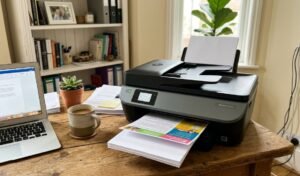
A USB flash drive is a small solid-state storage device that plugs directly into a USB port and holds files without needing a network, a cable to another device, or power of its own. Photos, documents, a movie for the car trip, a bootable operating system installer: anything that fits on the drive travels with it, readable on almost any laptop, desktop or, increasingly, phone with the right connector. No subscription, no app required on the receiving end, no internet connection needed to move a file across the room or across the country.
Three shapes cover what’s sold in Australia. Standard USB-A drives are the classic shape, plugging into the rectangular port still standard on most desktops and older laptops. Dual-connector drives carry both a USB-A and a USB-C plug on the same body, usually swivelling or sliding to switch, built for moving files straight off a phone. Multi-adapter drives add a Lightning or Micro-USB tip as well, aimed squarely at freeing up space on an iPhone without opening a single app.
Capacity and transfer speed are the two numbers that actually separate these ten, ranging from 32GB up to 512GB and from around 30MB/s on the cheapest USB 2.0-class sticks to 130MB/s or more on a proper USB 3.2 drive. The spec most buyers never check, and should, is real versus advertised capacity: a suspiciously cheap drive claiming a terabyte or more almost always runs firmware that lies to the operating system, silently overwriting old files once the actual chip fills up instead of storing the new ones properly.
Ten drives make the list here, all sourced through one marketplace after a full retailer sweep turned up almost nothing else in stock. Running from a basic 32GB stick through to a 512GB phone-and-computer drive, every one of them ships from Australian-facing stock, not an overseas seller with a multi-week wait.
Best USB Flash Drive Australia Compared
| Product | Link | Type | Best For | Key Spec |
|---|---|---|---|---|
| SanDisk Ultra Flair 128GB USB Flash Drive | Check price | USB-A, USB 3.0 | Everyday file transfer | 128GB, up to 150MB/s |
| Kingston DataTraveler Exodia 128GB USB Flash Drive | Check price | USB-A, USB 3.2 | Budget bulk storage | 128GB, USB 3.2 Gen 1 |
| SanDisk Ultra Dual Drive Go 128GB USB-C Flash Drive | Check price | Dual USB-A/USB-C | Phones and tablets | 128GB, swivel USB-A + USB-C |
| SanDisk Ultra Luxe 256GB USB Flash Drive | Check price | USB-A, USB 3.1 | Higher capacity, premium build | 256GB, full metal casing |
| Kingston DataTraveler Kyson 256GB Metal Flash Drive | Check price | USB-A, USB 3.2 | High-speed large-file transfer | 256GB, up to 200MB/s |
| Silicon Power Marvel M02 32GB Aluminum Flash Drive | Check price | USB-A, USB 3.2 Gen 1 | Compact everyday carry | 32GB, aluminum casing |
| Lexar JumpDrive Dual Drive USB-C 64GB Flash Drive | Check price | Dual USB-A/USB-C | Budget phone-to-computer transfer | 64GB, swivel dual connector |
| Netac UM3 32GB Metal Flash Drive | Check price | USB-A, USB 3.2 | Cheapest genuine option | 32GB, IPX8 water resistant |
| TEKISM 32GB 5 Pack USB Flash Drives | Check price | USB-A, USB 3.2 Gen 1 | Offices, classrooms and gifting | 5 x 32GB |
| 512GB 3-in-1 USB Flash Drive for iPhone and Android | Check price | Lightning/USB-C/USB-A multi-adapter | iPhone photo and video backup | 512GB, 3-in-1 connector |
How We Picked
Eight Australian retailer catalogues were swept before drafting, on top of a dedicated search of two electronics-focused merchants. The result was thin to the point of not being usable: one supplier had exactly two flash drive listings, and one of those had no clean product photo anywhere in its image gallery, every single frame a marketing slide with overlaid text and app screenshots instead of a plain shot of the actual drive. Both listings were dropped and the full ten built from one marketplace instead, sticking to a plain photo standard that matches every other image on this site instead of publishing a table pointing at a slide deck.
Selection leaned on review depth, brand recognition and confirmed in-stock Australian availability. We don’t physically test every product. Selections are informed by affiliate partnerships, but commission does not override editorial ranking when a lower-commission product is the better pick.
1. SanDisk Ultra Flair 128GB USB Flash Drive – Best for Everyday Use
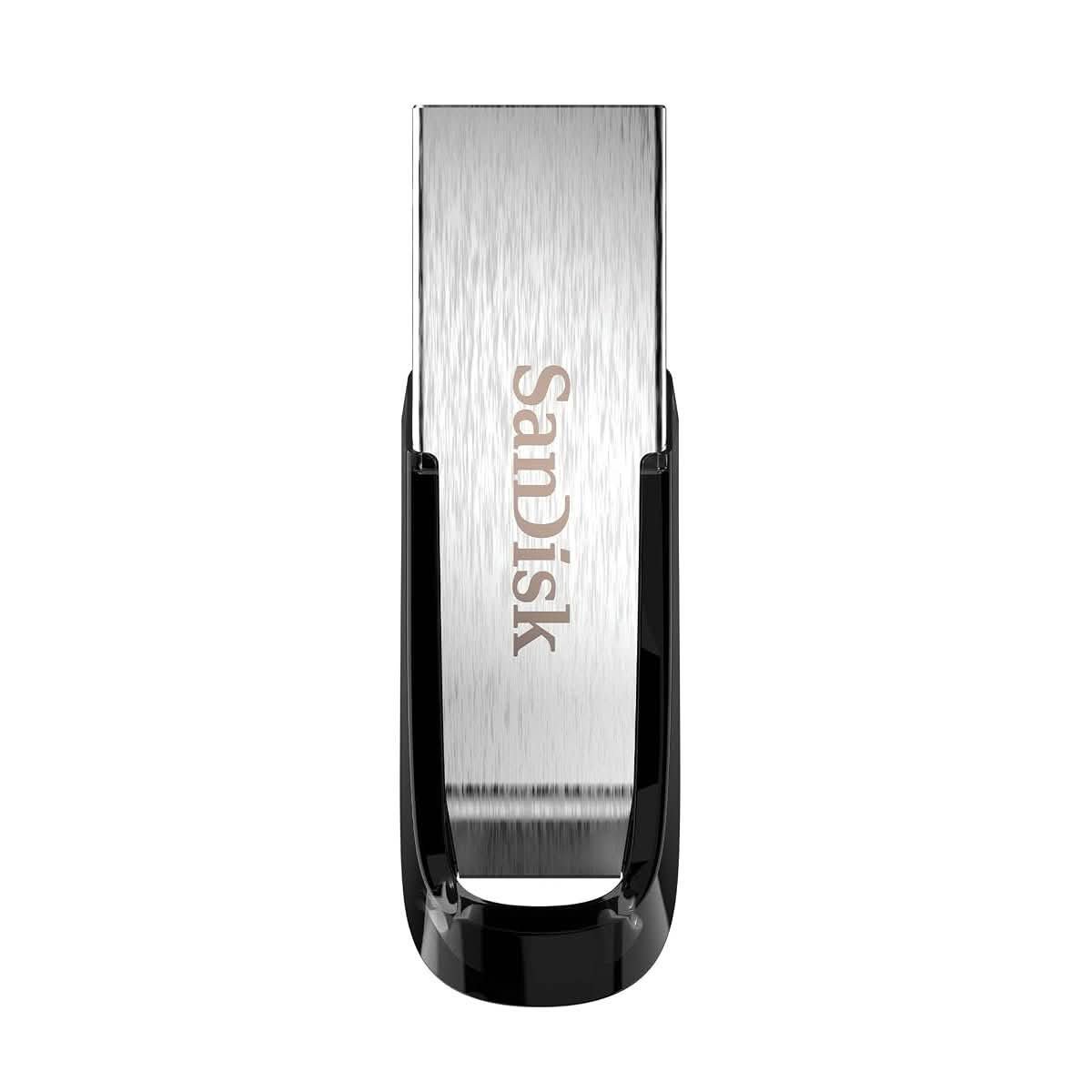
More than 104,000 ratings sit behind this one, easily the deepest review base of any drive on this list, and it is the default recommendation for a reason. USB 3.0 delivers up to 150MB/s, fast enough that copying a folder of family photos or a semester of uni notes takes seconds instead of minutes, and the metal-and-plastic body survives the bottom of a school bag without the connector bending.
128GB covers most everyday needs without paying for capacity that never gets used. A sliding cap protects the connector, and unlike the cheapest sticks on this list, there is no loose lid to lose down the back of a desk drawer. Nothing exotic here. It just does the job every time, which is exactly what a review base this deep tends to mean.
The one honest limit is USB-A only. If phones and tablets with a USB-C port are the main reason for buying, skip down to the SanDisk Ultra Dual Drive Go below instead.
Pros
- Deepest review base of any drive here, over 104,000 ratings
- Up to 150MB/s transfer speed handles large folders quickly
- Sliding cap design means nothing to lose or misplace
- 128GB sits at the sweet spot for everyday photo and document storage
Cons
- USB-A only, no USB-C or phone-direct option
- Plastic body flexes slightly under real pressure, unlike the metal-cased drives further down this list
- Advertised 150MB/s is a best-case figure; real-world transfers of many small files run noticeably slower
Key specs: 128GB, USB 3.0, up to 150MB/s read, sliding cap, 4.4 stars from 104,397 ratings
CHECK ON AMAZON2. Kingston DataTraveler Exodia 128GB USB Flash Drive – Best Budget High-Capacity
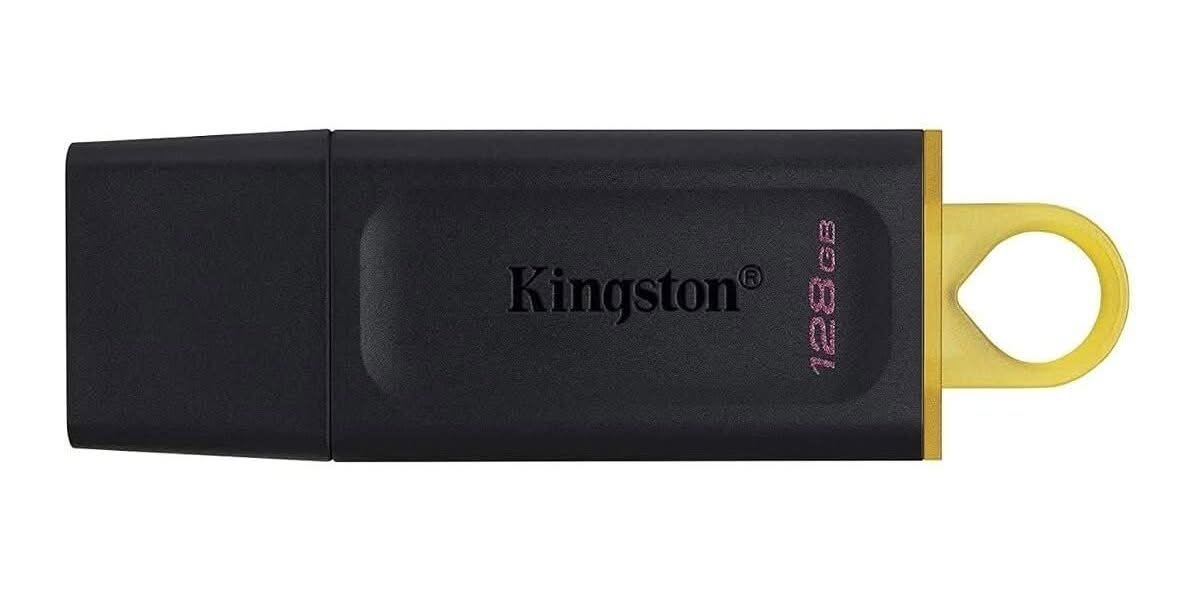
Kingston is the brand IT departments reach for when a drive needs to just work, and this one carries 65,000-plus ratings on the strength of doing exactly that, well under the SanDisk above for the same 128GB. A large loop on the cap attaches straight to a keyring, and the cap itself is a separate piece rather than a swivel or slider.
That separate cap is also the trade-off. It is the one part here with no tether, and it is the first thing that goes missing in a school bag or a glovebox. Kingston’s own accessory range covers this with a keyring loop, worth using from day one instead of after the cap disappears.
Pros
- Well below the price of comparable 128GB drives from other brands
- Large keyring loop built into the cap
- Kingston’s broad retail presence in Australia makes warranty support straightforward
- USB 3.2 Gen 1 speed is a real step up from basic USB 2.0 sticks
Cons
- The detachable cap has no tether and is easy to lose
- 4.2 stars is the lowest rating of any drive on this list, mostly cap-related complaints
- No USB-C option in this specific model
Key specs: 128GB, USB 3.2 Gen 1, detachable cap with keyring loop, 4.2 stars from 65,498 ratings
CHECK ON AMAZON3. SanDisk Ultra Dual Drive Go 128GB USB-C Flash Drive – Best for Phones and Computers
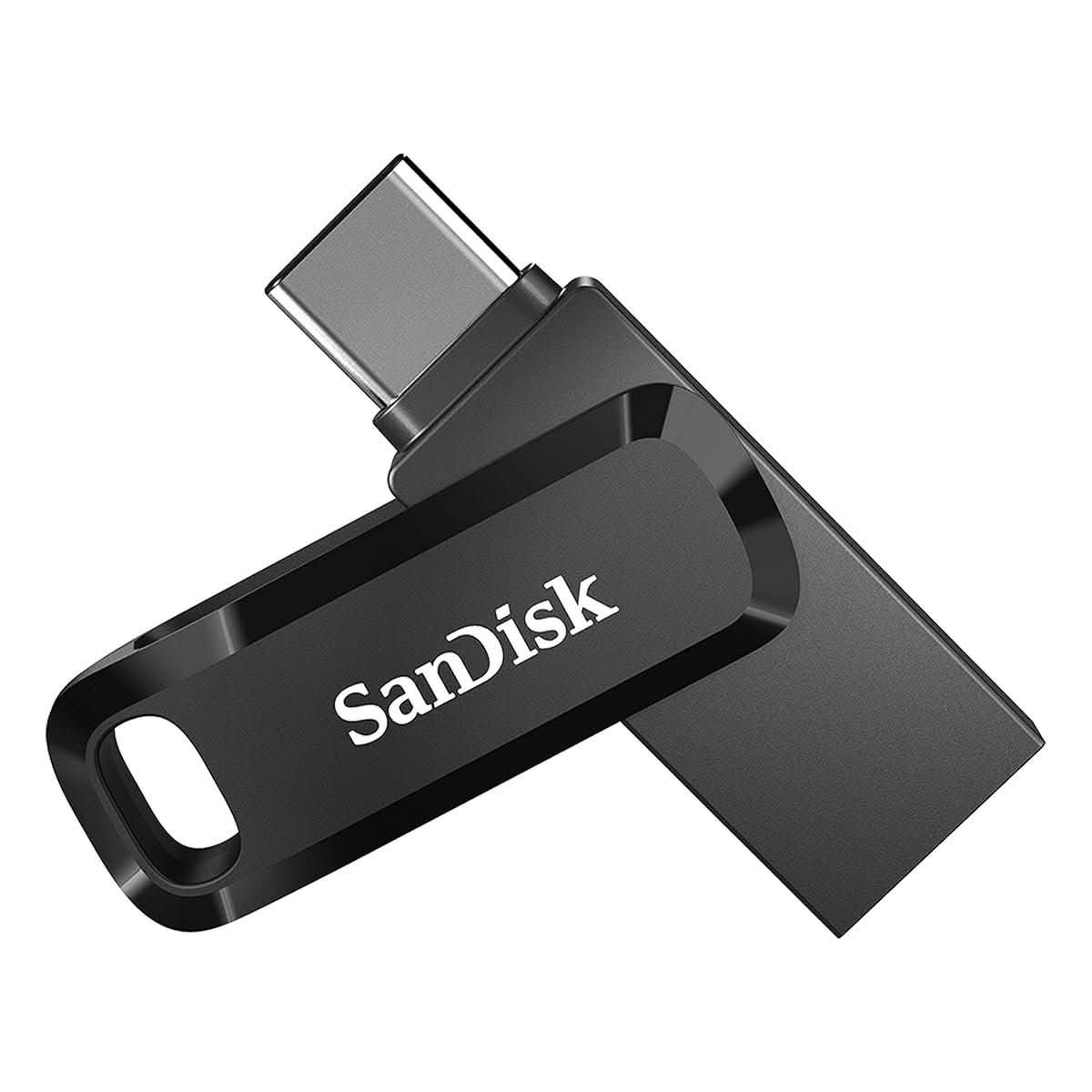
A swivel body carries a full USB-A plug on one end and USB-C on the other, so the same drive moves photos off an Android phone in the car park and then plugs straight into a laptop back home. That single-drive flexibility is the whole pitch, and 34,818 ratings at 4.6 stars suggest it lands well with Australian buyers who own a mix of USB-A and USB-C devices.
Handy for anyone whose phone storage keeps filling up with photos and videos: plug it in, move the camera roll across, and free up gigabytes without touching a cloud subscription. The swivel mechanism protects both connectors when closed, no separate cap to lose.
Pros
- Single drive covers both USB-A computers and USB-C phones
- Swivel design protects both connectors with nothing separate to lose
- Strong 4.6-star rating from close to 35,000 reviews
- Genuinely useful for clearing phone storage on the go
Cons
- Costs more than the USB-A-only SanDisk above for the same 128GB
- Swivel mechanism loosens slightly after years of heavy daily use
- Read speed is a step down from the dedicated USB-A drive, the trade-off for dual connectors
Key specs: 128GB, dual USB-A and USB-C, swivel design, 4.6 stars from 34,818 ratings
CHECK ON AMAZON4. SanDisk Ultra Luxe 256GB USB Flash Drive – Best Premium Metal Build
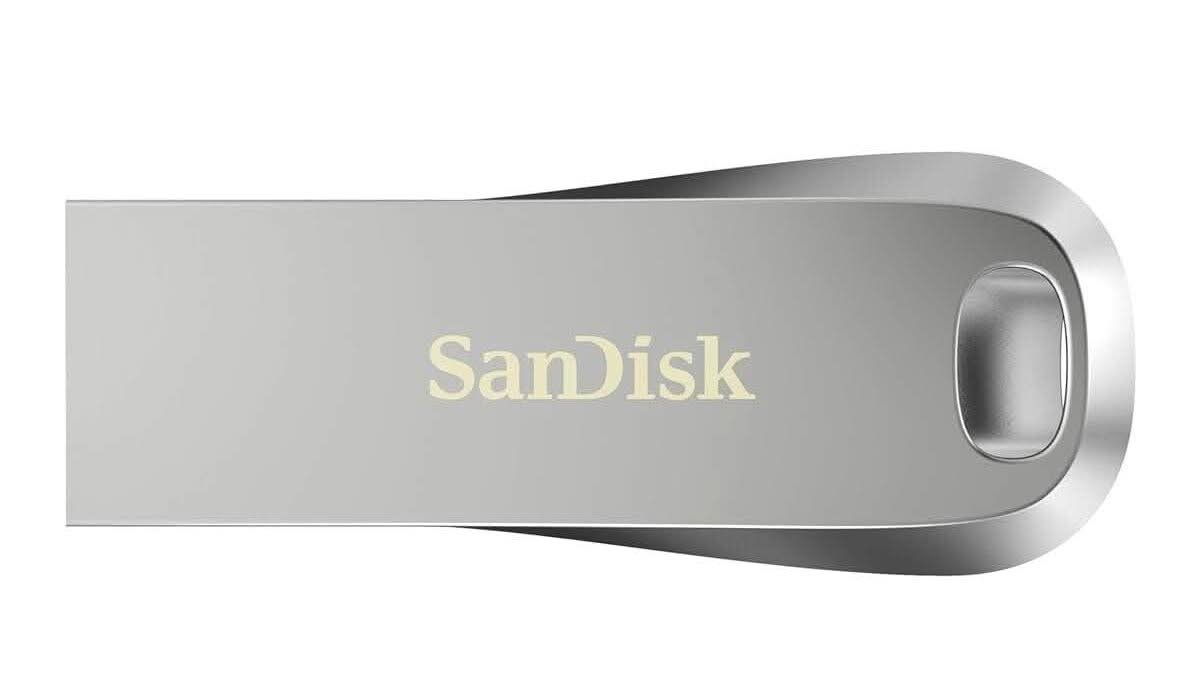
A full cast-metal body replaces the plastic shell on every other SanDisk in this lineup, and it shows the moment you pick it up: noticeably heavier, no flex anywhere, closer to a piece of jewellery than a stick of storage. Up to 150MB/s at 256GB means a full-length movie transfers in well under a minute, and 24,309 reviews back the 4.6-star average.
This is the drive for anyone who has watched a plastic-cased stick crack at the connector after a year in a pocket with keys and coins. The metal body costs more for the privilege, and it is heavier to carry than the Kingston or Silicon Power picks elsewhere on this list, small trade-offs against a drive that should outlast most of them.
Pros
- Full metal casing survives daily pocket carry far better than plastic-bodied drives
- 256GB and up to 150MB/s covers large media libraries comfortably
- 4.6 stars from over 24,000 ratings
- No cap to lose, no swivel mechanism to wear out
Cons
- Noticeably heavier than every plastic drive on this list
- Premium build costs more per gigabyte than the Kingston Exodia above
- Metal body can feel cold and slippery straight out of a winter coat pocket
Key specs: 256GB, USB 3.1 (Gen 1), up to 150MB/s, full metal casing, 4.6 stars from 24,309 ratings
CHECK ON AMAZON5. Kingston DataTraveler Kyson 256GB Metal Flash Drive – Best for High-Capacity Metal Build
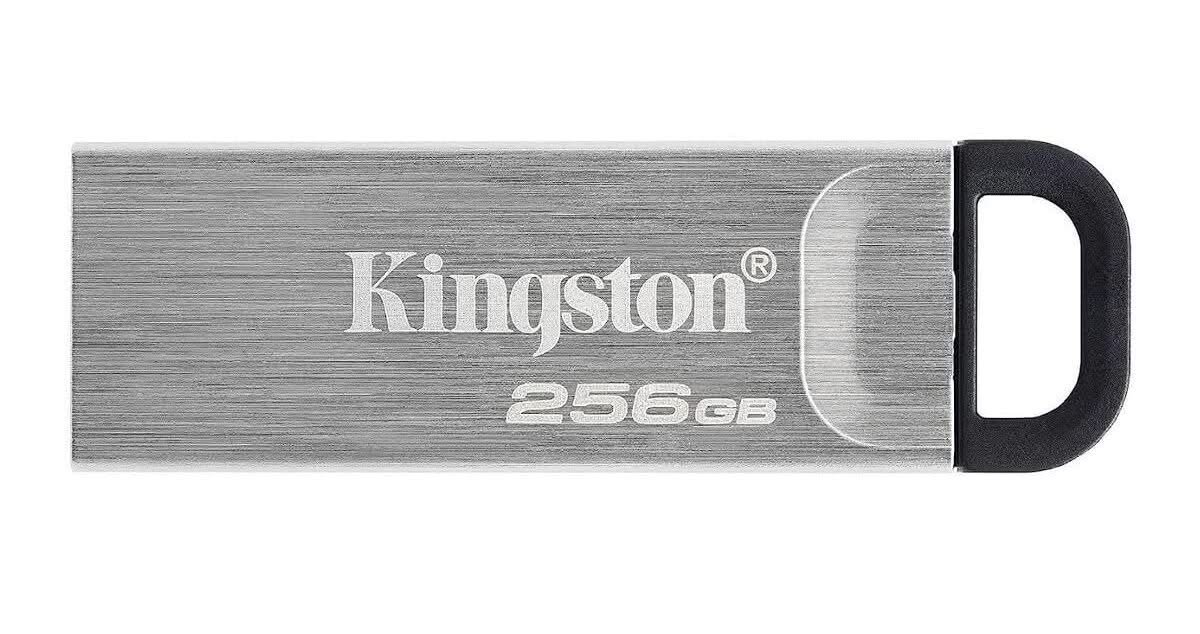
Kingston’s own metal-bodied answer to the SanDisk Ultra Luxe above, and it wins on raw speed: up to 200MB/s against the SanDisk’s 150MB/s, a real difference when the file being moved is a video project and not a folder of documents. A capless swivel design keeps the connector covered with no separate piece to lose, and a loop on the body takes a keyring or a lanyard.
14,541 ratings at 4.6 stars puts it in a near-dead heat with the SanDisk Ultra Luxe on paper. Pick between them on connector style: swivel-and-loop here against a fully enclosed metal body there. Anyone regularly moving large video files should lean toward this one for the speed alone.
Pros
- Faster rated transfer speed than the SanDisk Ultra Luxe at the same capacity tier
- Capless swivel design with an integrated carry loop
- Strong 4.6-star rating from over 14,000 reviews
- Metal casing built for daily carry
Cons
- Swivel mechanism exposes the connector slightly more than a fully enclosed metal body
- 256GB sits at a price point well above the entry drives on this list
- The loop, while useful, adds a small amount of bulk in a tight pocket
Key specs: 256GB, USB 3.2, up to 200MB/s read, metal capless swivel design, 4.6 stars from 14,541 ratings
CHECK ON AMAZON6. Silicon Power Marvel M02 32GB Aluminum Flash Drive – Best Compact Keyring Pick
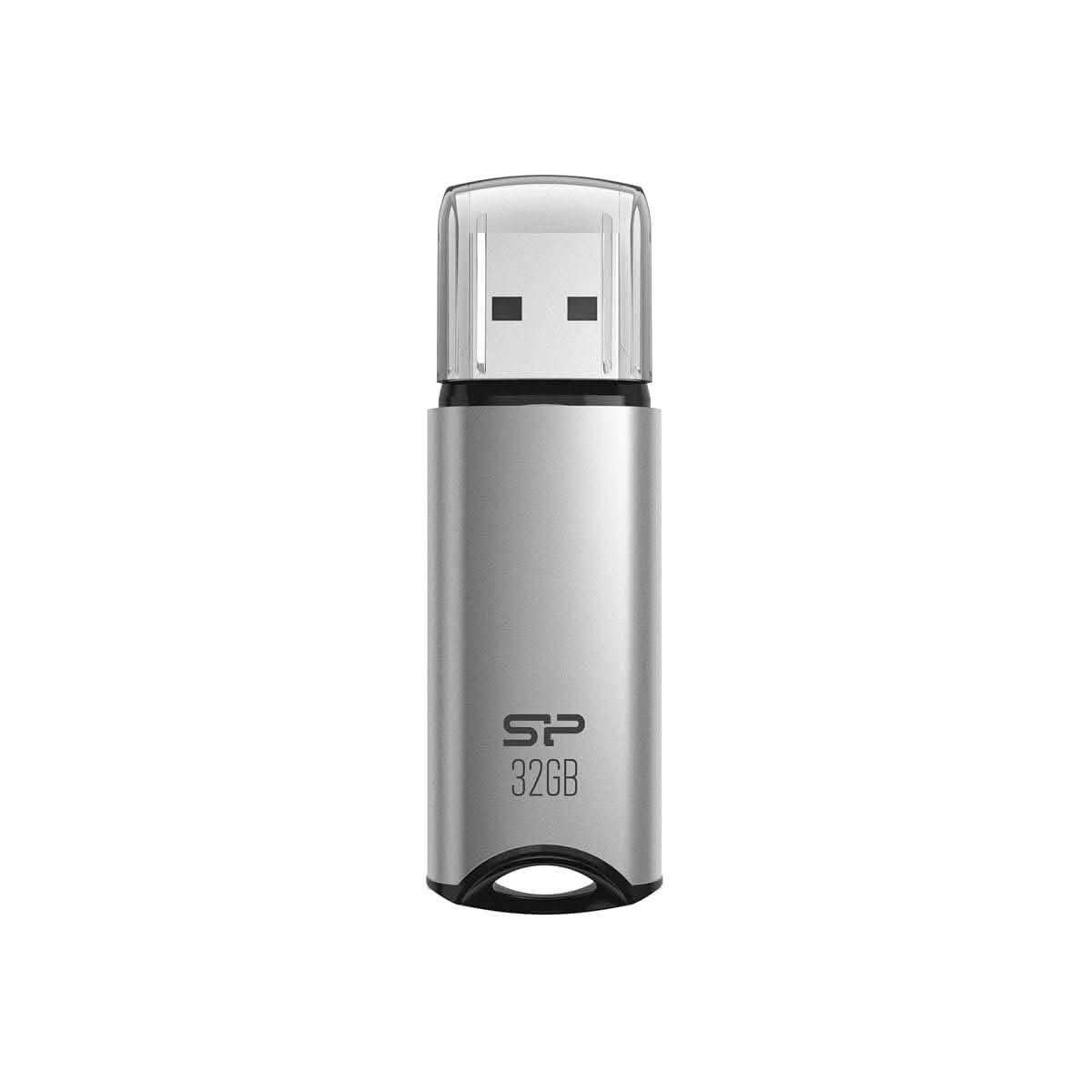
A small aluminium body with a built-in strap hole, roughly the size of a car key, and it is the one on this list that is actually comfortable to leave permanently clipped to a keyring instead of tucked in a drawer for the odd job. 32GB is a fraction of the capacity further up this list, enough for documents and a handful of photo folders, not a media library.
Bundled software adds AES 256-bit encryption and a file recovery tool most buyers will never touch, but it is there for anyone who does. At 1,439 ratings and 4.6 stars, it has a smaller review base than the big names above with no real gap in reported reliability.
Pros
- Compact aluminium body suited to permanent keyring carry
- Built-in strap hole, no adapter or separate loop needed
- Bundled encryption and file-recovery software
- 4.6 stars from a solid, if smaller, review base
Cons
- 32GB capacity is thin next to every other drive in this comparison
- Detachable cap, same loss risk as the Kingston Exodia above
- Bundled software is Windows-focused and adds little value on Mac or Chromebook
Key specs: 32GB, USB 3.2 Gen 1, aluminium casing, built-in strap hole, 4.6 stars from 1,439 ratings
CHECK ON AMAZON7. Lexar JumpDrive Dual Drive USB-C 64GB Flash Drive – Best Budget Dual Connector
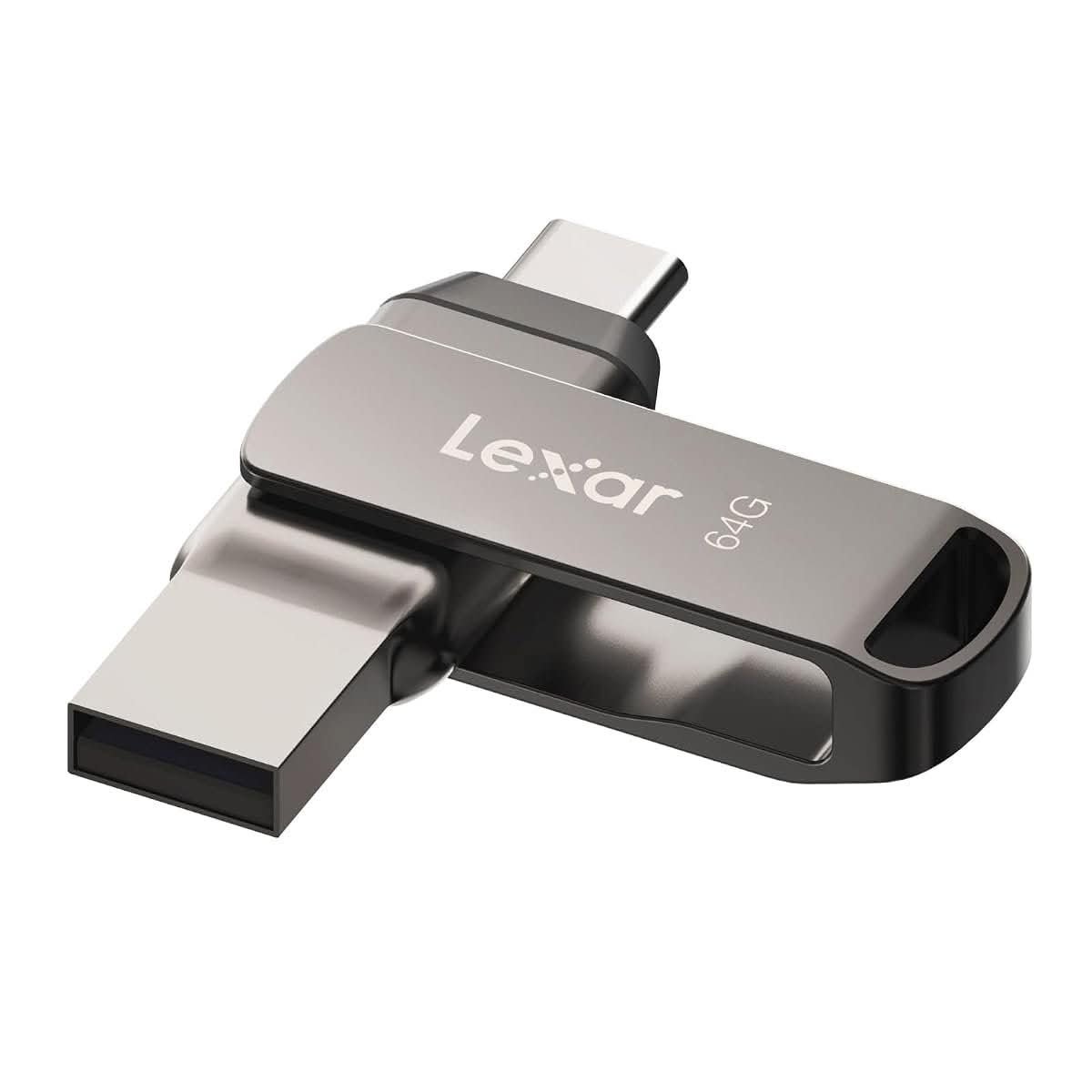
A metal swivel body carries both USB-A and USB-C on the one drive, the same idea as the SanDisk Dual Drive Go higher up this list, at roughly two-thirds the capacity and well under the price. Lexar’s own DataShield software adds a password-protected, automatically encrypted folder, a real point of difference for anyone carrying anything sensitive.
333 ratings at 4.4 stars is a thinner sample than the market leaders, worth weighing against the lower price. As a second or backup dual-connector drive, or a first one for someone who just wants the USB-A/USB-C flexibility without paying SanDisk prices, this covers the job.
Pros
- Dual USB-A and USB-C in a metal swivel body for less than the SanDisk equivalent
- DataShield password-protected encrypted folder included
- Compatible across Android, Mac and PC
- Metal housing instead of plastic at this price point
Cons
- 64GB is on the low side for a dual-connector drive meant to offload phone photos regularly
- Smaller review base than the established SanDisk and Kingston picks on this list
- DataShield encryption software needs installing separately instead of working out of the box
Key specs: 64GB, dual USB-A and USB-C, up to 130MB/s, metal swivel, 4.4 stars from 333 ratings
CHECK ON AMAZON8. Netac UM3 32GB Metal Flash Drive – Best Ultra Budget
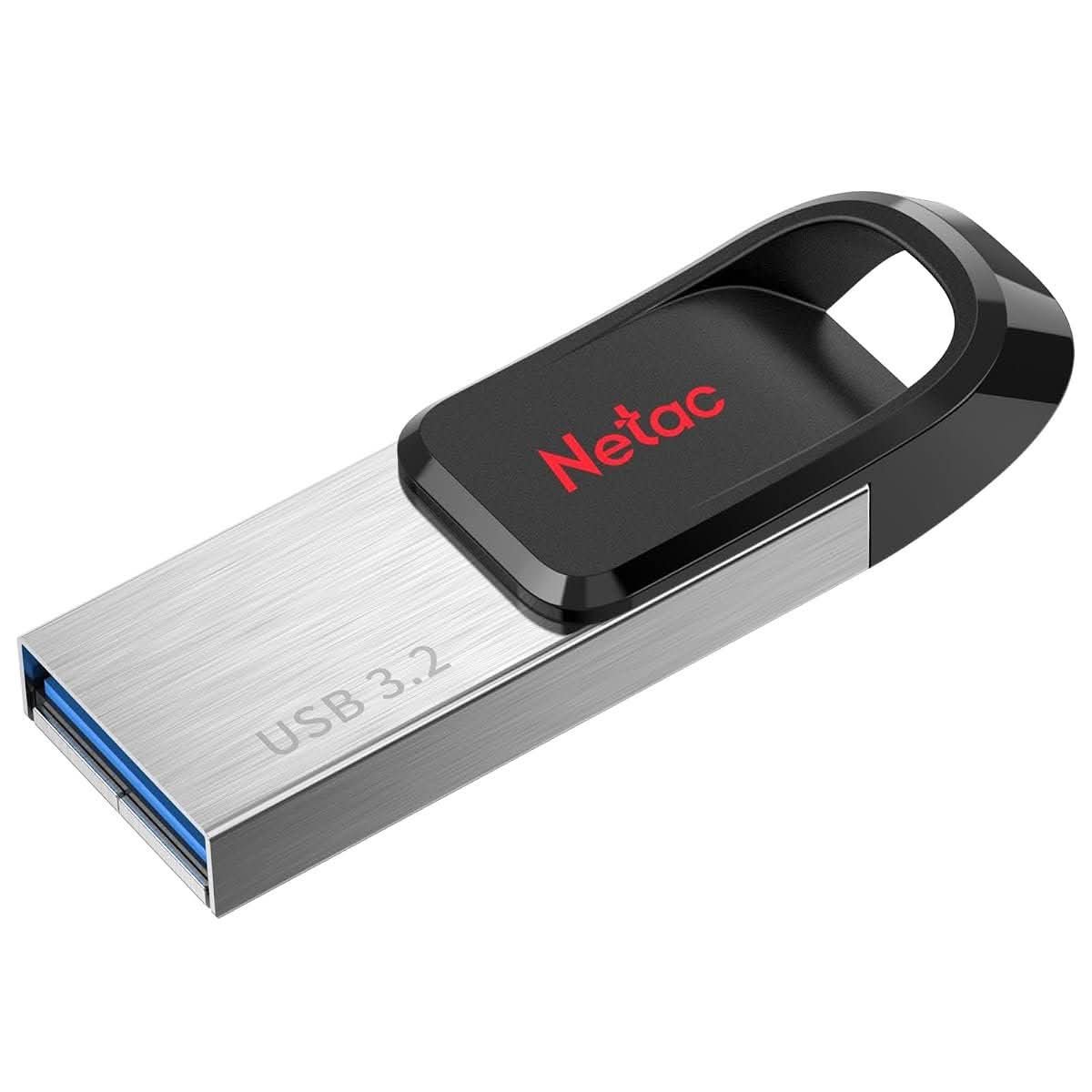
The cheapest drive in this whole comparison, small enough to disappear into a coin pocket at roughly the size of a car key, with an IPX8 water and dust resistance rating that none of the pricier drives above bother to claim. Netac backs it with a 5-year warranty, a longer commitment than some drives costing several times as much.
Only 66 ratings sit behind it, the thinnest sample on this list by some margin, so treat the 4.3-star average as an early read rather than a settled verdict. Anyone who just needs a cheap, properly in-stock 32GB drive and does not care about brand recognition has a reasonable bet here, backed by a real warranty.
Pros
- Cheapest drive in this comparison, with an actual in-stock listing behind it
- IPX8 water and dust resistance not offered on any pricier drive here
- 5-year warranty is longer than several higher-priced competitors
- Compact metal body, easy to carry every day
Cons
- Only 66 ratings, the thinnest review sample on this list
- 32GB capacity limits it to documents and light photo use
- Lesser-known brand next to SanDisk, Kingston and Lexar elsewhere in this comparison
Key specs: 32GB, USB 3.2, up to 120MB/s read, IPX8 rated, 5-year warranty, 4.3 stars from 66 ratings
CHECK ON AMAZON9. TEKISM 32GB 5 Pack USB Flash Drives – Best Multi-Pack
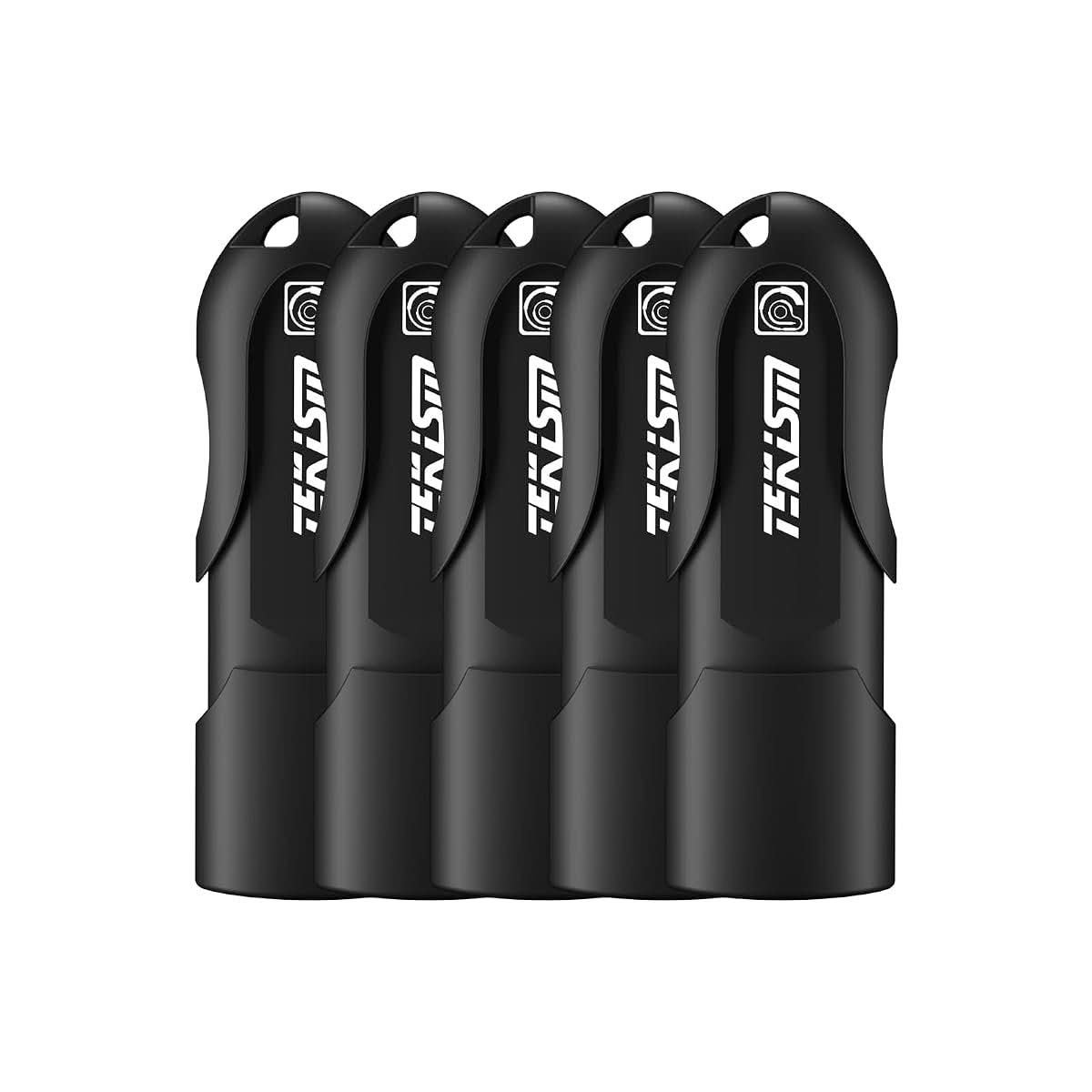
Five separate 32GB drives in one order, aimed squarely at a job none of the single drives above solve: handing out storage to a whole team, a classroom, or a family instead of buying one drive at a time. A cap-loss-free design closes the connector without a separate piece, sensible given how many caps a 5-pack multiplies the chance of losing.
34 ratings at 4.8 stars is a small sample, though the score itself is the highest on this list. Buying five drives at once from a name most Australian buyers have never heard of is a real trade-off against SanDisk or Kingston’s brand recognition, one worth making when the job is distribution instead of a single drive for daily carry.
Pros
- Five drives in one order, the only actual multi-pack on this list
- Highest star rating of any drive here, 4.8 stars
- Cap-loss-free closing design across all five units
- Cost per drive well under buying five single SanDisk or Kingston sticks
Cons
- Smallest review sample of any product in this comparison, just 34 ratings
- Unfamiliar brand next to the established names elsewhere on this list
- 32GB per drive limits each one to documents and light photo use, not media libraries
Key specs: 5 x 32GB, USB 3.2 Gen 1, cap-loss-free design, 4.8 stars from 34 ratings
CHECK ON AMAZON10. 512GB 3-in-1 USB Flash Drive for iPhone and Android – Best for iPhone Storage Expansion
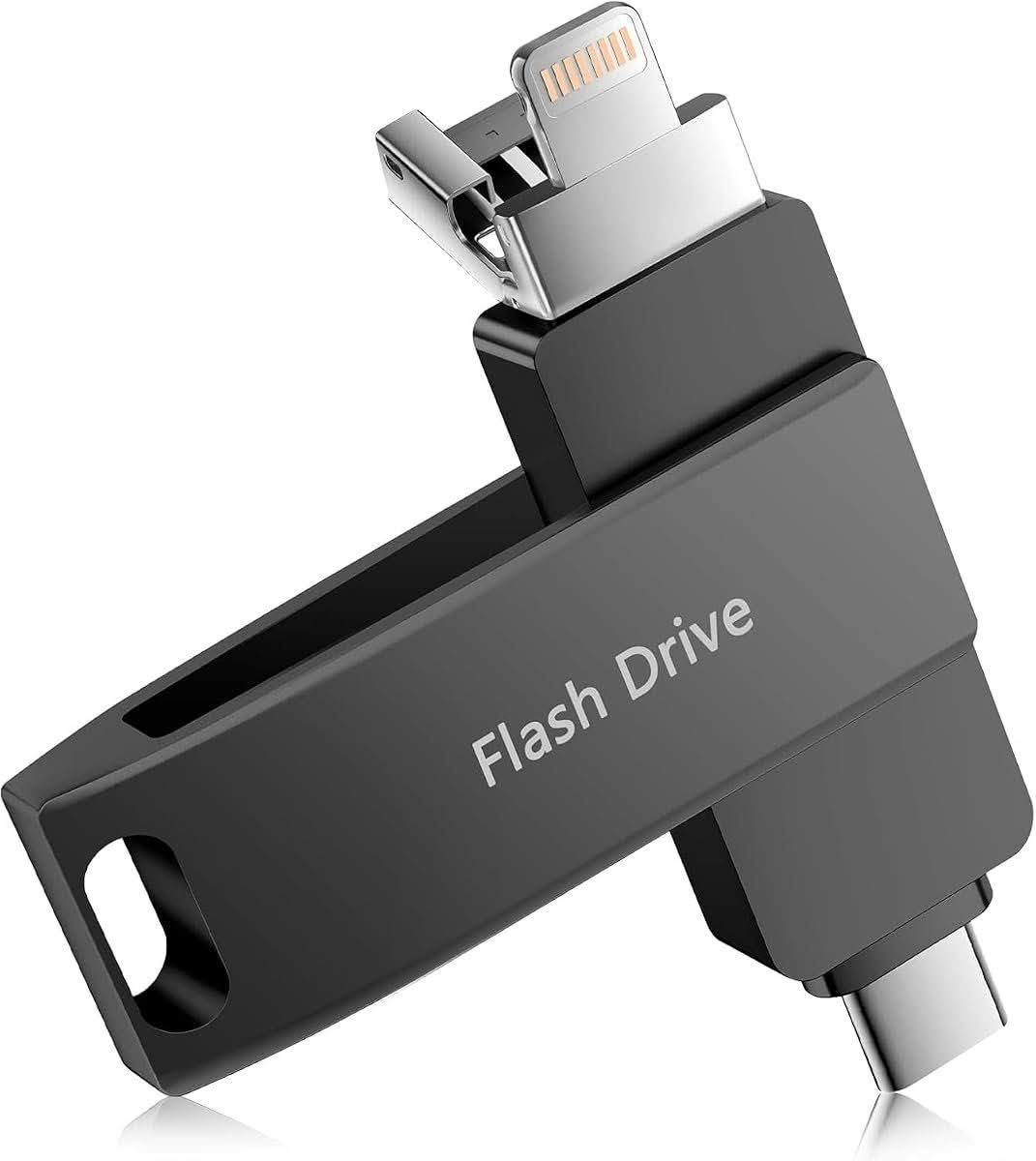
512GB is more than four times the capacity of the next-largest drive on this list (about the same as an entry-level iPhone’s own onboard storage), and the multi-adapter body plugs directly into an iPhone’s Lightning port, a USB-C phone, or a regular computer without a separate dongle for any of them. For anyone whose iPhone camera roll is permanently one warning notification away from full, this solves that specific problem better than any dual-connector drive built mainly for Android and PCs.
No app required to move files across, which matters on an iPhone where third-party file access has historically been more restricted than on Android. Just 16 ratings back this one, well short of the thousands behind SanDisk or Kingston, so weigh the huge capacity jump against buying a less-proven brand to store something as irreplaceable as a family’s photo history.
Pros
- 512GB capacity is far ahead of anything else in this comparison
- Lightning, USB-C and USB-A connectors cover an iPhone, an Android phone and a computer with one drive
- No app required for iPhone file transfer
- Built for the specific job of clearing iPhone camera roll storage
Cons
- Only 16 ratings, by far the thinnest sample on this list, worth real caution at 512GB
- Unfamiliar brand for a drive holding an entire phone’s worth of irreplaceable photos
- Multi-adapter body is bulkier than any single-connector drive here
Key specs: 512GB, Lightning + USB-C + USB-A, plug and play, no app required, 4.7 stars from 16 ratings
CHECK ON AMAZONHow to Choose a USB Flash Drive
Match the connector to the device you’ll actually plug it into most. Still plugging a phone into a laptop with a cable just to copy off a folder of photos? A USB-A-only drive suits a desktop or an older laptop. A dual-connector drive earns its place the moment a USB-C phone or tablet enters the picture, and a Lightning-equipped multi-adapter drive is the only real option for getting files off an iPhone without a subscription or a cable to another device.
Be properly sceptical of very cheap, very high capacity drives. A drive claiming a terabyte or more for a price that would barely buy a quarter of that in actual flash storage is almost always running firmware that lies about its real size. The ACCC’s own product safety register covers flash-drive recalls for physical hazards; capacity fraud is a separate, unregulated problem buyers have to screen for themselves, and the giveaway is usually the price.
Decide how much capacity you actually need before paying for more. 32GB covers documents and a modest photo folder without fuss. 128GB is the sensible middle ground for most buyers. Past 256GB, you’re paying a real premium for headroom most people never fill, unless the job is specifically backing up a phone’s entire camera roll.
Weigh cap-loss risk against durability. A separate cap, like the Kingston Exodia or Silicon Power drives above, is the first thing that goes missing in a school bag or a car console. A swivel or sliding design has nothing loose to lose, at the cost of a moving part that can loosen after years of daily use.
Check real-world transfer speed claims against how you’ll actually use the drive. The advertised figure on the box is almost always a best-case number measured with large single files. Moving thousands of small documents, the kind of job a typical home office in Perth or Adelaide actually does, runs noticeably slower on every drive no matter what’s printed on the packaging.
Think about where the drive actually lives day to day. A stick left in a hot car glovebox through a Cairns or Darwin summer, or one that rides loose in a bag with keys and coins, holds up better with a metal body and a water-resistance rating than a plastic-cased budget drive does. Even a well-sealed weatherboard home office gets warm enough over a Queensland summer to stress cheap plastic housings sitting in a desk drawer near a window.
You’ll Also Want
A USB-C hub solves the physical problem a lot of newer laptops create: no full-size USB-A port left to plug a flash drive into at all, a real issue on several of the budget laptops sold in Australia that skip USB-A entirely. Worth checking before assuming any drive on this list will plug straight in. USB-C hub adapter.
Anyone backing up a phone regularly onto one of the drives above should also keep a second copy somewhere else. A small portable SSD is the natural next step once a single flash drive starts holding something that actually matters. portable external SSD.
A basic cable organiser or small zip case keeps a flash drive from disappearing into the bottom of a bag along with charging cables and a spare cap or two. small electronics organiser case.
Frequently Asked Questions
How much USB flash drive storage do I actually need?
For documents, spreadsheets and a modest folder of photos, 32GB is enough for most home users. 128GB is the sensible middle ground if you regularly move video files or want headroom without overpaying. Past 256GB you’re generally paying for capacity aimed at backing up an entire phone’s camera roll or a large media library, so match the size to the actual job instead of buying the biggest number available.
Why are some USB flash drives claiming huge capacities so cheap?
A drive advertising a terabyte or more for a price that would barely buy a quarter of that in real flash memory almost always runs firmware that reports a false capacity to the operating system. The computer accepts whatever number the drive reports without checking it, so files appear to save successfully right up until the actual, much smaller chip fills up, after which new data silently overwrites older files. Treat any suspiciously cheap high-capacity drive as a real risk.
What is the difference between USB 2.0, USB 3.0 and USB 3.2 flash drives?
The version number describes the maximum transfer speed the drive and the port it plugs into can reach together. USB 2.0 tops out around 30 to 40MB/s in real use, USB 3.0 reaches up to 150MB/s on a good drive, and USB 3.2 Gen 2 can push past 200MB/s. A drive only reaches its rated speed plugged into a matching or newer port, so an older laptop’s USB 2.0 port slows down even the fastest drive on this list.
Can I use a USB flash drive directly with an iPhone?
Only with a drive that carries a Lightning connector, or USB-C on an iPhone 15 or newer, built into the body itself, since a standard USB-A drive has no way to physically connect. Purpose-built multi-adapter drives handle file transfer without a companion app, working through the iPhone’s built-in Files app instead. A standard USB-A-only drive needs a separate Lightning or USB-C adapter cable to work at all, and even then compatibility varies by drive.
How long do USB flash drives actually last?
The flash memory itself is generally rated for around 10 years of data retention, well beyond typical home use. In practice, the connector and the cap or swivel mechanism fail long before the memory does, from repeated plugging in or a lost, unprotected connector picking up pocket lint and damage. A metal-bodied drive with a swivel or sliding cover tends to physically outlast a plastic drive with a loose cap, regardless of the memory chip’s rating.
Is it safe to buy a USB flash drive from an unfamiliar brand?
A lesser-known brand is not automatically a red flag the way an implausibly cheap high-capacity drive is. Check for a confirmed Australian-facing stock listing instead of an overseas seller with a long delivery window, a realistic price for the advertised capacity, and a fair number of independent reviews. A small or newer brand backed by hundreds of consistent reviews and a real warranty is generally a safer bet than a well-known name’s listing with almost no reviews at all.
Ten drives, and the right one comes down to what plugs in on the other end more than anything else. The SanDisk Ultra Flair at the top of this list is the safest everyday buy for a straightforward USB-A computer. Anyone juggling a USB-C phone alongside a laptop should go straight to a dual-connector drive, and an iPhone-only household has exactly one option on this list built for that job. Skip anything claiming a terabyte or more for a bargain price, no matter how it’s photographed.