Plugging a separate router into an NBN connection box is the default setup in most Australian homes, but a modem router skips that second device: it combines the broadband modem and the Wi-Fi broadcaster in one box, connecting straight to a VDSL, ADSL2+ or NBN handoff without an ISP-supplied modem in between. The best modem router in Australia is chosen by matching the exact connection type it needs to support to the household’s actual coverage and device-count needs, since a router built for a fibre NBN plan will not necessarily talk to an FTTB or FTTC line that still runs over copper.
Modem routers sold in Australia split into four broad types: NBN-compatible modem-router combos that connect directly to an HFC, FTTB or FTTC line without a separate modem, standalone Wi-Fi routers that still need an existing NBN or ISP-supplied modem in front of them, mesh systems that use two or more nodes to spread coverage evenly through a larger home, and portable 4G modem routers that build a mobile hotspot from a SIM card rather than a fixed-line connection.
Most current NBN plans top out at 100Mbps, with faster 250Mbps and 1000Mbps tiers increasingly common, and a router only delivers that speed if it supports Wi-Fi 6 or a comparable current standard; an older Wi-Fi 5 router can bottleneck a fast plan well below its rated speed. Coverage area, the number of connected devices, and whether the household sits on a DSL-based NBN technology needing VDSL support are the other factors worth checking before buying.
This guide compares ten modem routers available to Australian buyers, spanning NBN modem-router combos, standalone Wi-Fi 6 and Wi-Fi 7 routers, mesh systems, a dedicated gaming router, and portable 4G and 5G options for travel or a fixed-line-free setup. Anyone who already owns a compatible modem and only needs the wireless side should see this site’s guide to the best Wi-Fi routers for standalone options in more depth.
Quick Picks
D-Link DSL-X3052E
Built-in VDSL2 modem plus Wi-Fi 6, the pick for FTTB and FTTC connections.
CHECK CURRENT PRICE
TP-Link Archer AX55
Wi-Fi 6 with a 160MHz channel, for a home with a modem already in place.
CHECK CURRENT PRICE
TP-Link Deco X20 (3-Pack)
Three Wi-Fi 6 nodes with AI Roaming, for a larger home with dead zones.
CHECK CURRENT PRICEBest Modem Router Australia Compared
| Product | Link | Type | Best For | Key Spec |
|---|---|---|---|---|
| D-Link DSL-X3052E | Check price | NBN modem router combo | VDSL, FTTB and FTTC connections | AX3000 Wi-Fi 6, built-in VoIP |
| TP-Link Archer AX55 | Check price | Standalone Wi-Fi 6 router | Households with an existing modem | AX3000 dual-band, WPA3 |
| Tenda Nova MW6 | Check price | Mesh system | Large or multi storey homes | AC1200, 2 pack, up to 370 sqm coverage |
| 4G LTE Modem Router | Check price | Portable travel router | Travel or no fixed line connection | 150Mbps 4G, SIM slot, 10 devices |
| TP-Link Deco X20 (3-Pack) | Check price | Wi-Fi 6 mesh system | Larger homes wanting current Wi-Fi 6 mesh | AX1800, 3-node mesh, AI Roaming |
| ASUS RT-AX55 | Check price | Budget Wi-Fi 6 router | Upgrading from Wi-Fi 5 on a budget | AX1800, AiProtection Classic |
| TP-Link Archer AX72 | Check price | High-speed Wi-Fi 6 router | Large households, many devices | AX5400, 160MHz, HomeShield |
| Netgear Nighthawk RS300 | Check price | Wi-Fi 7 gaming router | Gaming households on a fast NBN plan | Wi-Fi 7, 2.5G port, advanced QoS |
| TP-Link Archer VR400 | Check price | NBN modem router combo | VDSL/FTTC with wired Gigabit devices | AC1200, VDSL2, 4 Gigabit LAN ports |
| Netgear Nighthawk M7 | Check price | 5G portable router | Travel or faster mobile fallback | 5G/4G LTE, Wi-Fi 7, unlocked |
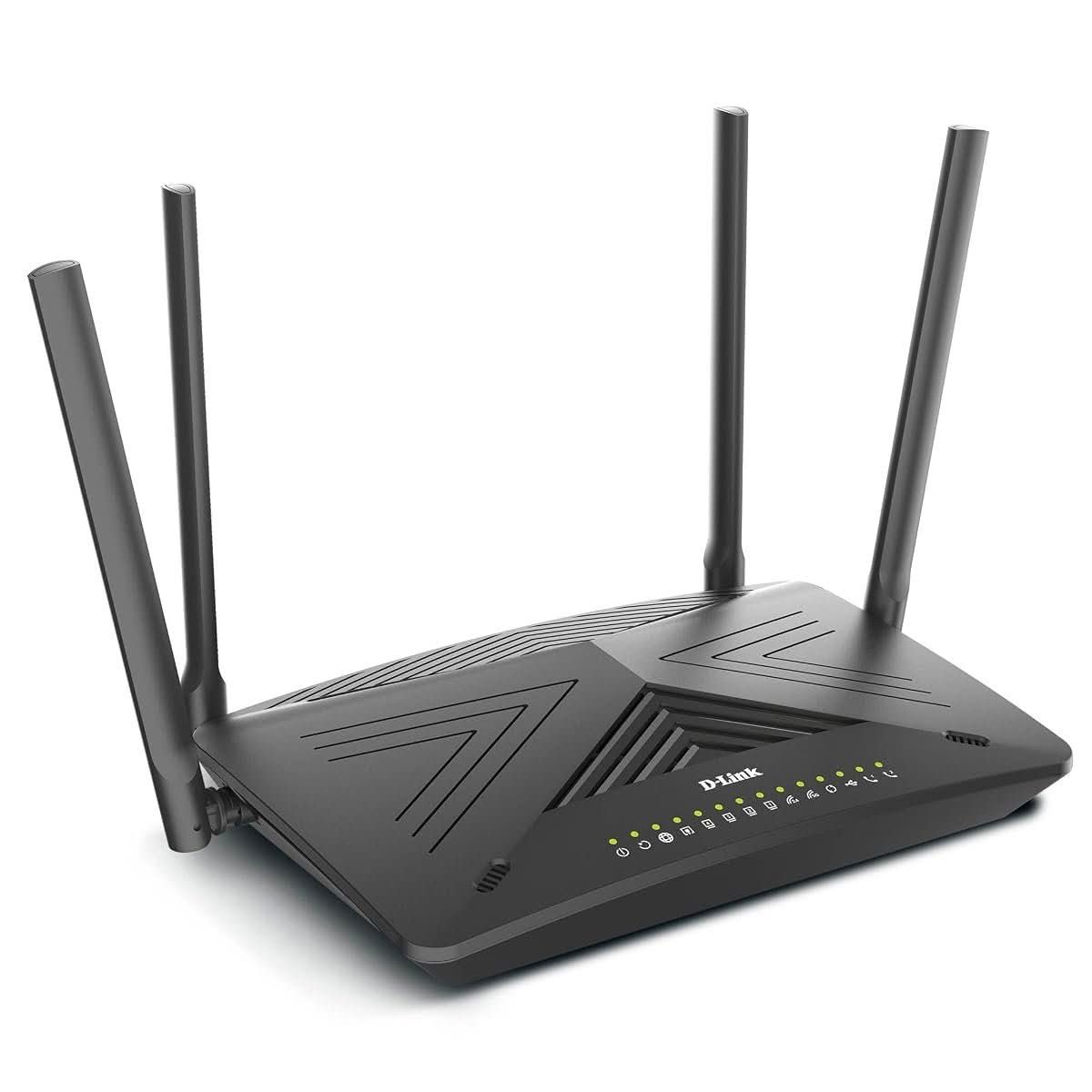
1. D-Link DSL-X3052E – Best NBN Modem Router Combo
The DSL-X3052E is a genuine modem-router combo, built around a VDSL2/ADSL2+ modem that connects directly to a phone line, which makes it the right shape for anyone still on an FTTB or FTTC NBN connection rather than a plug-and-play fibre or HFC line. Wi-Fi 6 (AX3000) handles the wireless side across dual bands, and a built-in VoIP port lets a landline handset run through the same box.
Because the modem and router share one chassis, there is only one device to configure and one point of failure rather than two boxes daisy-chained together. WPA3 security is supported alongside the older WPA2 standard for older connected devices, and the combined AX3000 rating gives enough headroom for a household on a 100Mbps or faster NBN plan.
This suits a household on an FTTB or FTTC NBN connection replacing an ageing combo unit, or anyone who would rather run one box than a separate modem and router. A household already on HFC or fibre with a plug-and-play NBN connection box does not need the built-in DSL modem here and is better served by a standalone router instead.
Pros
- Genuine VDSL2/ADSL2+ modem built in, suited to FTTB and FTTC NBN connections
- Wi-Fi 6 (AX3000) across dual bands with WPA3 security
- Built-in VoIP port for a landline handset
Cons
- The built-in modem is redundant on a plug-and-play HFC or fibre NBN connection
- Higher price than a standalone router covering the same Wi-Fi speed
Key specs: AX3000 Wi-Fi 6; VDSL2/ADSL2+ modem; VoIP port; dual-band.
CHECK ON AMAZON2. TP-Link Archer AX55 – Best Standalone Wi-Fi 6 Router

The Archer AX55 is a standalone router only, with no built-in modem, so it sits behind an existing NBN box or ISP-supplied modem rather than replacing it. Wi-Fi 6 support with 160MHz channel bandwidth and an AX3000 combined rating give it real headroom over the older Wi-Fi 5 routers many households are still replacing.
WPA3 security is supported for newer devices, and the wider 160MHz channel is the practical difference between this router and a cheaper AX3000-rated model that only supports the narrower 80MHz channel, since it is what actually lets fast NBN plans reach their rated speed at close range.
This suits a household that already has a working NBN connection box or DSL modem and only needs a faster wireless router behind it. Anyone still on an FTTB or FTTC connection without a separate modem needs a combo unit like the DSL-X3052E above instead.
Pros
- Wi-Fi 6 with 160MHz channel support for genuinely faster short-range speeds
- WPA3 security support
- Lower price than a full modem-router combo
Cons
- No built-in modem, so it cannot replace a DSL or NBN connection box on its own
- Best performance depends on connected devices also supporting Wi-Fi 6
Key specs: AX3000 Wi-Fi 6; 160MHz channel support; WPA3; standalone router only.
CHECK ON AMAZON3. Tenda Nova MW6 – Best Mesh System

The Nova MW6 ships as a two-node mesh system rather than a single router, with each node relaying the signal to the next so a large or multi storey home is covered without a single access point straining to reach every room. Combined coverage is rated up to roughly 370 square metres across the two-node pack.
AC1200 dual-band gigabit throughput supports up to 90 connected devices across the mesh, and the system is designed to replace both a router and a separate Wi-Fi extender, which is normally the actual fix for a home with a persistent dead zone rather than a single stronger router.
This suits a larger or multi storey home with a genuine dead-zone problem that a single router has not solved. A smaller apartment or single-level home is unlikely to need a second node and is better served by a standalone router at a similar price.
Pros
- Two-node mesh covers a larger home more evenly than a single router
- Rated for up to 90 connected devices
- Replaces both a router and a separate Wi-Fi extender
Cons
- AC1200 (Wi-Fi 5) rating is lower than the Wi-Fi 6 options in this list
- No built-in modem, so it still needs an existing NBN or DSL connection box
Key specs: AC1200 dual-band; 2-node mesh; up to 370 sqm coverage; supports 90 devices.
CHECK ON AMAZON4. 4G LTE Modem Router – Best Portable Travel Router

This is a SIM-card router rather than a fixed-line device, building its own 4G LTE connection and broadcasting it as a local Wi-Fi network for up to 10 connected devices. Rated speed tops out at 150Mbps, which sits well below a fast NBN plan but is enough for browsing, video calls and streaming on the move.
Because it works from any compatible SIM rather than a fixed phone line or NBN port, it suits a share house waiting on an NBN connection date, a short-term rental, or travel within mobile coverage. Mains operation keeps it simple, though performance depends entirely on 4G signal strength at the location it is used.
This suits anyone needing internet before a fixed-line connection is active, or a temporary setup where running a full modem router combo is not practical. A household with an active NBN connection is better served by one of the fixed-line routers above, since a mobile data plan is a more expensive way to move the same data long-term.
Pros
- No fixed-line connection needed, works from any compatible SIM
- Portable and simple to set up
- Lowest price in this comparison
Cons
- 150Mbps rated speed is well below a fast NBN plan
- Ongoing cost depends on a separate mobile data SIM plan
Key specs: 4G LTE; 150Mbps rated speed; supports 10 devices; SIM card slot.
CHECK ON AMAZON5. TP-Link Deco X20 (3-Pack) – Best Wi-Fi 6 Mesh Upgrade

Three matching nodes replace a single router’s antenna array with a mesh spread across the home, each unit built around Wi-Fi 6 (AX1800) rather than the older Wi-Fi 5 radios most mesh kits still use at this price. OFDMA and MU-MIMO let the system serve more connected devices at once without the slowdown an older mesh standard shows first.
AI Roaming shifts a phone or laptop onto the strongest node automatically as a person moves through the house, rather than leaving a device locked onto a fading signal from the original router’s position. WPA3 encryption and a companion app for setup round out a system built for whole-home coverage rather than raw top-end speed.
Against the Tenda Nova MW6 covered above, this is the pick for a household wanting current Wi-Fi 6 hardware rather than an older AC1200 mesh standard, at a correspondingly higher price for the three-node pack. A single-level home without dead zones gets little benefit from three nodes and is better matched to the Archer AX55 on its own.
Pros
- Wi-Fi 6 (AX1800) across all three mesh nodes, not just the main unit
- AI Roaming keeps devices on the strongest signal automatically
- WPA3 security and NBN-ready design
Cons
- Costs more than a single Wi-Fi 6 router for a home without genuine coverage gaps
- Three nodes take up more power outlets and shelf space than one router
Key specs: AX1800 Wi-Fi 6; 3-node mesh; WPA3; NBN-ready.
CHECK ON AMAZON6. ASUS RT-AX55 – Best Budget Wi-Fi 6 Router
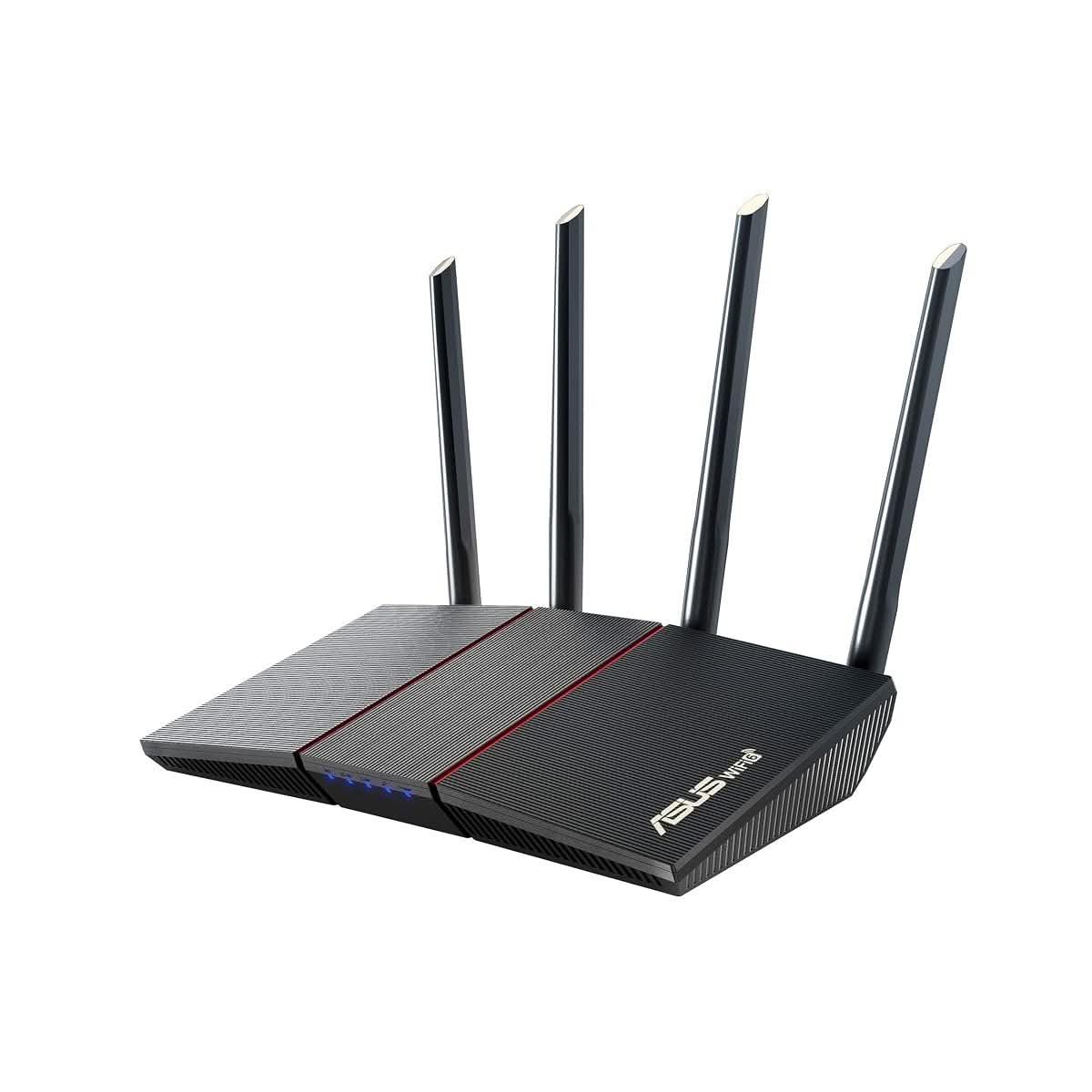
The RT-AX55 brings Wi-Fi 6 support down to a price point closer to older Wi-Fi 5 routers, running 802.11ax across dual bands with 1024-QAM for a combined rated speed near 1800Mbps. AiProtection Classic, powered by Trend Micro, adds network-level security scanning without a separate subscription fee.
MU-MIMO and OFDMA support let it serve several connected devices without the congestion an older router shows once a household passes half a dozen active devices, though its single-unit design still depends on the home’s layout for full coverage. Setup runs through the ASUS Router app rather than a browser-based configuration page for the basics.
A household stepping up from a Wi-Fi 5 router purely to unlock faster NBN plan speeds gets most of the benefit here without paying for the extra range or ports of the Archer AX72 below. Anyone with a larger home or persistent dead zones is better served by a mesh system than by pushing a single router harder.
Pros
- Wi-Fi 6 (AX1800) at a price close to older Wi-Fi 5 routers
- AiProtection Classic network security with no subscription
- Simple app-based setup
Cons
- Single-unit coverage, no mesh expansion without buying a second unit
- Fewer high-speed ports than the step-up Archer AX72
Key specs: AX1800 Wi-Fi 6; MU-MIMO/OFDMA; AiProtection Classic; dual-band.
CHECK ON AMAZON7. TP-Link Archer AX72 – Best for Large Households
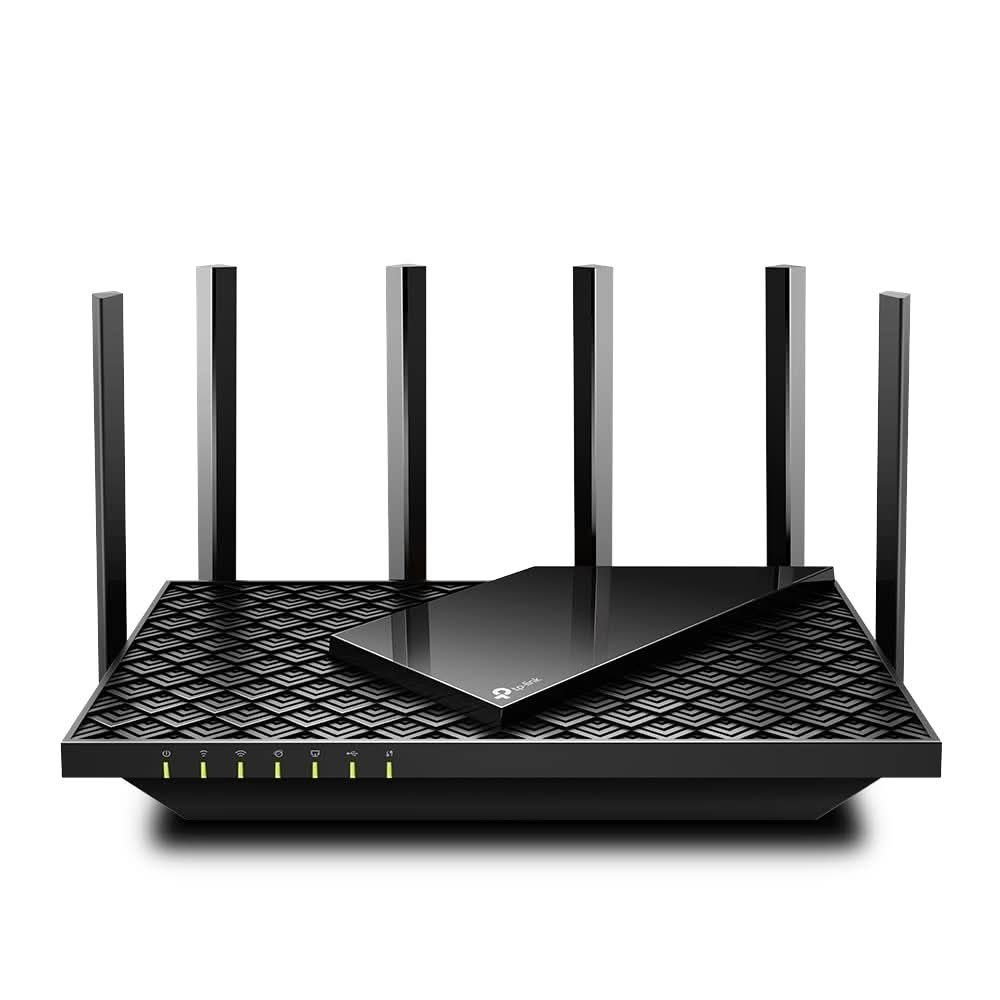
The AX72 steps up to AX5400 combined speed across three effective streams, aimed at a household running more connected devices than a budget router is built for. 160MHz channel support and eight internal antennas push both range and throughput past the entry-level AX3000 class.
HomeShield security screening and parental controls run without an ongoing fee, and a dedicated gaming port prioritises latency-sensitive traffic ahead of background downloads elsewhere on the network. OneMesh compatibility lets it pair with a TP-Link extender later if the home’s layout ends up needing one.
Ten or more connected devices, several people streaming at once, or a home just past the range of a standard router are the scenarios this earns its higher price over the Archer AX55 above. A smaller household without those pressures does not need the extra streams or antennas.
Pros
- AX5400 combined speed with 160MHz channel support
- HomeShield security and parental controls at no ongoing cost
- Dedicated gaming port for latency-sensitive traffic
Cons
- Larger unit with eight external antennas needs more shelf space
- Overkill for a small household on a slower NBN plan
Key specs: AX5400 Wi-Fi 6; 160MHz channel; HomeShield; gaming port.
CHECK ON AMAZON8. Netgear Nighthawk RS300 – Best Gaming Router
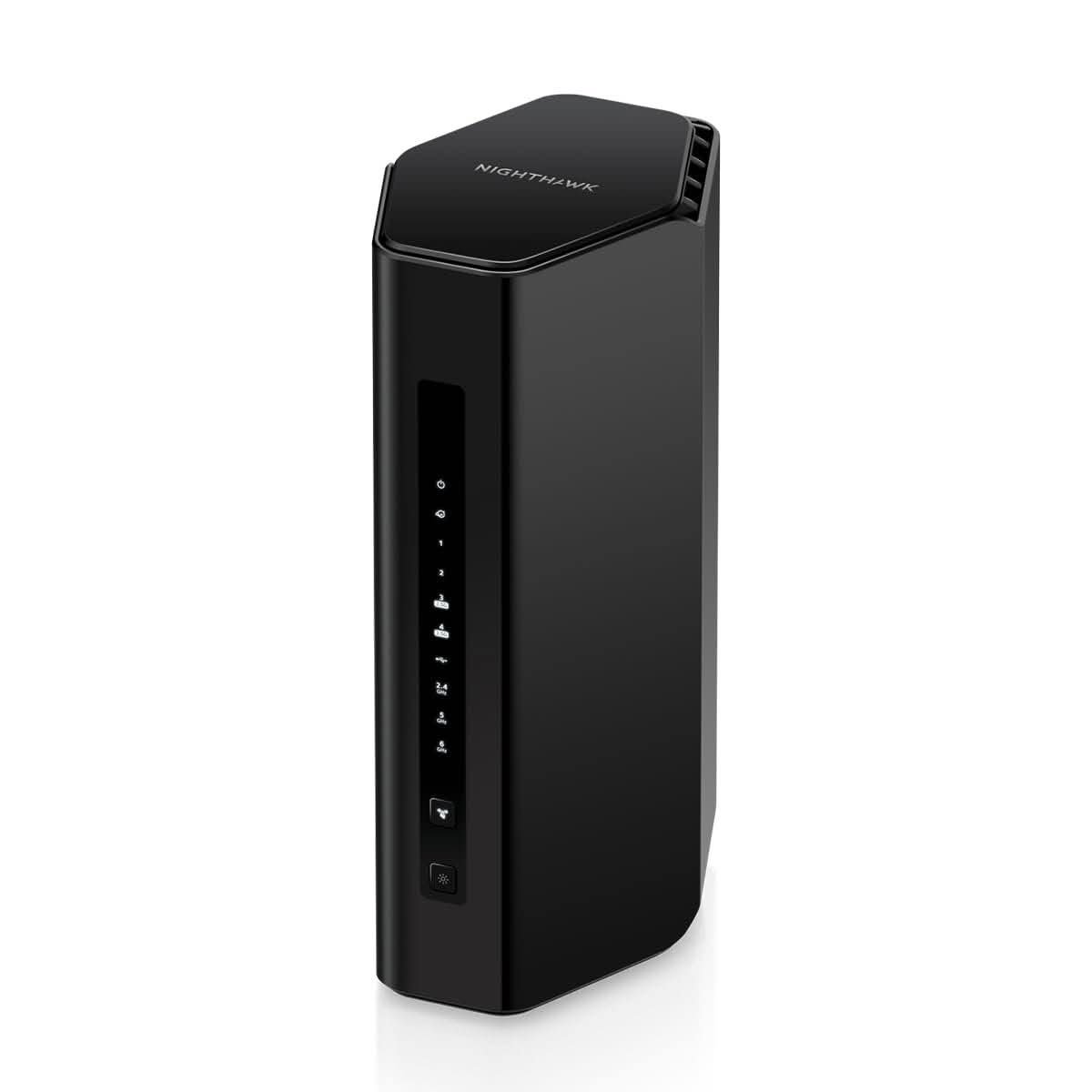
The RS300 runs Wi-Fi 7 rather than Wi-Fi 6, with a 2.5 Gigabit internet port built to take advantage of NBN plans faster than the standard 1Gbps handoff most routers still assume. Netgear rates it for up to 100 connected devices across its tri-band radios, well above what a typical gaming household alongside smart home devices is likely to need.
Advanced QoS prioritises gaming and video traffic over background downloads, and the NBN Upgrade Ready branding signals it will keep pace if a household moves to a faster plan tier later rather than needing replacement within a year or two. Setup and monitoring run through the Netgear Nighthawk app.
Console and PC gaming households chasing lower latency over a wired or wireless connection are the target here, ahead of anyone just wanting reliable everyday Wi-Fi. A household without a fast NBN plan or a gaming use case will not notice the difference between this and the Archer AX72 above at a lower price.
Pros
- Wi-Fi 7 with a 2.5 Gigabit internet port for faster-than-standard NBN plans
- Advanced QoS prioritises gaming and video traffic
- NBN Upgrade Ready for future plan speed increases
Cons
- Priced above the Wi-Fi 6 options in this list
- Full benefit depends on a fast NBN plan and Wi-Fi 7 capable devices
Key specs: Wi-Fi 7 (BE9300); 2.5G internet port; supports 100 devices; advanced QoS.
CHECK ON AMAZON9. TP-Link Archer VR400 – Best Modem Router with Gigabit Ports
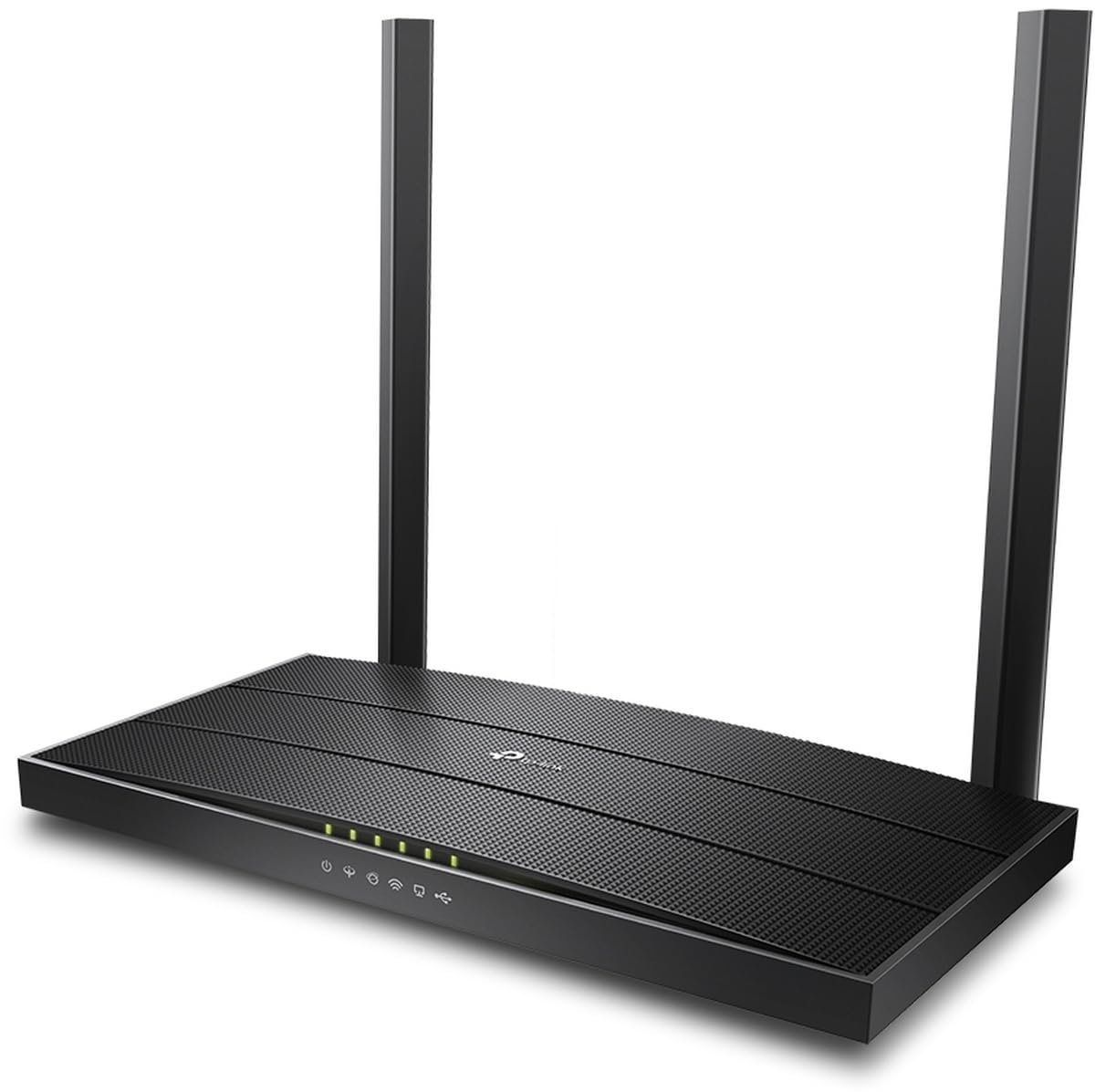
Like the DSL-X3052E above, the VR400 is a genuine modem-router combo rather than a standalone unit, supporting VDSL2 Profile 17a alongside ADSL2+ for FTTC, FTTN and older copper-based connections. Four Gigabit Ethernet ports and a USB port set it apart from cheaper combo units that still ship with 100Mbps LAN ports.
AC1200 Wi-Fi across dual bands sits a tier below the Wi-Fi 6 combo above, though MU-MIMO and beamforming help it make better use of that lower ceiling for multiple connected devices. OneMesh support lets it extend coverage with a compatible TP-Link extender rather than requiring a full mesh replacement.
Anyone wanting Gigabit-speed wired ports for a NAS, games console or desktop PC alongside VDSL2 modem support gets that combination here at a lower price than the Wi-Fi 6 DSL-X3052E above, in exchange for the older AC1200 wireless standard. A household prioritising wireless speed over wired port count is better matched to that Wi-Fi 6 combo instead.
Pros
- Genuine VDSL2/ADSL2+ modem for FTTC, FTTN and copper NBN connections
- Four Gigabit LAN ports plus a USB port
- Lower price than a Wi-Fi 6 modem-router combo
Cons
- AC1200 (Wi-Fi 5) wireless is a step below the Wi-Fi 6 options in this list
- No built-in VoIP port
Key specs: AC1200 dual-band; VDSL2 Profile 17a/ADSL2+; 4 Gigabit LAN ports; USB port.
CHECK ON AMAZON10. Netgear Nighthawk M7 – Best 5G Portable Router

Where the 4G LTE modem router above tops out at 150Mbps, the Nighthawk M7 runs on 5G with a rated speed up to 3.6Gbps, using an eSIM or physical SIM to build a Wi-Fi 7 hotspot for up to 32 connected devices. Netgear ships the Australian unit unlocked, so it works with any compatible carrier SIM rather than being tied to one provider.
Battery operation keeps it independent of mains power for several hours, and its rating for use across 140-plus countries suits it to international travel as well as a domestic gap in fixed-line coverage. Real-world speed still depends on local 5G availability, dropping back to 4G LTE where a 5G signal is not present.
Frequent travellers or a household wanting a substantially faster mobile fallback than a basic 4G unit are the audience here, at a price closer to a mid-range fixed router than a budget hotspot. A short-term or occasional need is better served by the cheaper 4G LTE modem router covered earlier in this guide.
Pros
- 5G with rated speeds up to 3.6Gbps, plus 4G LTE fallback
- Unlocked for any compatible carrier SIM, plus eSIM support
- Rated for use across 140+ countries
Cons
- Higher price than the 4G-only portable router above
- Real-world speed depends on local 5G coverage
Key specs: 5G/4G LTE; Wi-Fi 7; supports 32 devices; eSIM or SIM.
CHECK ON AMAZONHow to Choose a Modem Router
Check the NBN connection type first. A household on HFC, fibre to the premises, or fixed wireless connects through a plug-and-play NBN connection box and only needs a standalone router behind it. A household still on fibre to the building or fibre to the curb needs a VDSL2-capable modem, either built into the router or as a separate box, since the connection still runs the final stretch over copper.
Match the Wi-Fi standard to the NBN plan speed. A 100Mbps or faster plan benefits from Wi-Fi 6, which handles more connected devices without the router becoming the bottleneck. A slower plan will not notice much difference between Wi-Fi 5 and Wi-Fi 6, since the internet connection itself is the limiting factor rather than the wireless standard.
Measure the home before assuming a mesh system is needed. A single-level home under roughly 150 square metres is usually covered well by one router with decent antennas. A larger or multi storey home, or one with persistent dead zones after trying a single router, is where a mesh system’s extra nodes earn their higher price.
Count connected devices, not just people in the house. Smart home devices such as security cameras add to that device count fast; anyone adding several at once should see this site’s guide to the best home security cameras in Australia for what to look for alongside the network capacity to support them.
Decide whether VoIP matters. A household still using a landline handset through the NBN connection benefits from a modem router with a built-in VoIP port, since it avoids adding a separate VoIP adapter to the setup. A mobile-only household can ignore this feature entirely.
Budget for the connection type, not just the Wi-Fi spec. A genuine modem-router combo costs more than a standalone router with the same wireless rating, because it is doing the job of two devices. Buying a cheaper standalone router for an FTTB or FTTC connection without checking for a modem first is the most common mismatch.
Frequently Asked Questions
What is the difference between a modem and a router?
A modem connects to the internet service itself, whether that is an NBN connection, a VDSL line, or a mobile network, while a router takes that connection and broadcasts it as a local Wi-Fi network to connected devices. A modem router combines both jobs in one box.
Do I need a modem router or just a router for the NBN?
It depends on the connection type. Fibre to the premises, HFC and fixed wireless NBN connections come with their own connection box acting as the modem, so only a standalone router is needed. Fibre to the building and fibre to the curb connections still run over copper for the final stretch and need a VDSL2-capable modem, either built into the router or as a separate device.
Will a new modem router make my NBN plan faster?
No. A router cannot exceed the speed of the NBN plan itself, and upgrading from a very old router mainly removes a bottleneck rather than adding speed the plan does not already provide. Wi-Fi 6 support does help more connected devices share a fast plan without slowing each other down.
How many devices can one router handle?
Most current routers list a maximum connected-device figure, commonly 30 to 90 depending on the model, but real-world performance drops well before that ceiling if many devices are streaming or gaming at once. A mesh system spreads that load across multiple nodes rather than one access point.
Is a mesh Wi-Fi system better than a single router?
Only for a genuine coverage problem. A mesh system solves dead zones in a larger or multi storey home better than one router with stronger antennas, but it adds cost and complexity that a smaller home does not need.
Can I use a 4G modem router as my only home internet?
It is possible but expensive at scale, since 4G data plans cost more per gigabyte than a fixed-line NBN plan for regular home use. It suits a temporary setup, a share house waiting on an NBN connection date, or a location without fixed-line coverage rather than a long-term replacement for a fixed connection.
Verdict
Most Australian households fall into one of two camps: still on a DSL-based NBN connection needing a genuine modem, or already on a plug-and-play NBN box needing only a faster router behind it. The D-Link DSL-X3052E remains the clear pick for the first group, since it covers VDSL2 and ADSL2+ lines directly, while the TP-Link Archer AX55 suits the second group at a lower price. Anyone chasing extra coverage or speed is better served by the TP-Link Archer AX72 or the Netgear Nighthawk RS300 gaming router than by stretching a budget router past its range.