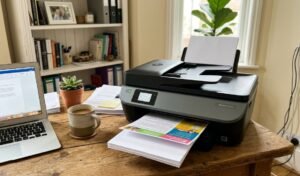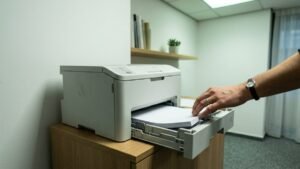
The best cheap printer in Australia is the one that costs least to keep running, not the one with the smallest number on the shelf edge. A printer is bought once and fed continuously, so the purchase is really a deposit on a machine that will keep asking for ink for as long as you own it.
Purchase price is the smaller half of what a printer costs. Across a few years of ordinary household use the consumables routinely outrun the hardware, which is why these divide by ink system rather than by brand: refillable ink tank, mono laser toner, individual colour cartridges, and tri-colour cartridge.
Print speed converts usefully once you scale it up. The fastest machine here manages 32 pages a minute, a little under 2,000 pages an hour, while the slowest manages 7.7 and would need most of a working day to match that. Consumable yield is the figure that actually decides running cost, and only one of these eight listings publishes it.
The order below runs from cheapest to feed through to dearest, which turns out to be close to the reverse of cheapest to buy. That inversion is the whole reason for comparing them this way.
Best Cheap Printer in Australia Compared
| Product | Link | Type | Best For | Key Spec |
|---|---|---|---|---|
| HP Smart Tank 5105 | Check price | Refillable ink tank | Households that print regularly | Bottles not cartridges, manual duplex |
| Brother HL-L2445DW | Check price | Mono laser toner | Black text at volume | 32 ppm, 1200 and 3000 page toner |
| Epson Expression Home XP-4200 | Check price | Individual colour cartridges | Occasional colour printing | 8.4 ppm, four separate cartridges |
| Epson Workforce Pro WF-3825 | Check price | Cartridge inkjet with XL option | A few hundred pages a month | 21 ppm, 250 sheets, 35-page ADF |
| HP Envy 6531e | Check price | Cartridge inkjet, subscription eligible | Multi-page double-sided jobs | ADF plus automatic duplex |
| HP DeskJet 2922 | Check price | Cartridge inkjet, subscription bundled | Very low monthly volume | 7.5 ppm, 3 months ink included |
| Canon TR4665 | Check price | Cartridge inkjet | Fax and duplex on a budget | Auto duplex and fax |
| Canon PIXMA TS3660 | Check price | Tri-colour cartridge | Printing a handful of pages a year | 7.7 ipm, two-cartridge design |
1. HP Smart Tank 5105 – Lowest Running Cost
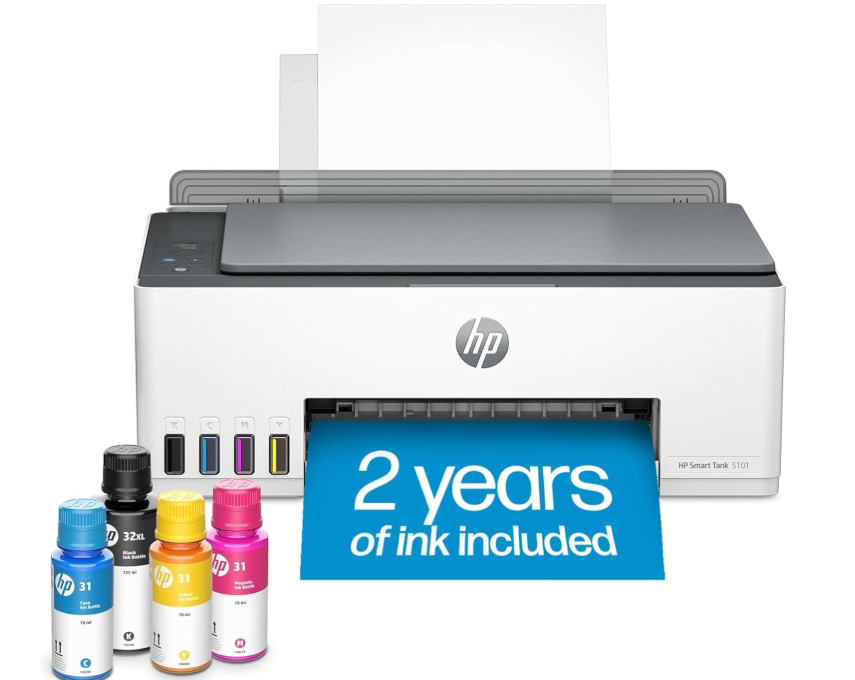
Ink arrives in bottles here and is poured into tanks built into the machine, rather than in sealed cartridges that are thrown away and replaced. That one design decision is the largest single lever on running cost available at this level.
A tank refilled from a bottle costs a fraction per millilitre of the same ink sold in a cartridge, because the cartridge price includes a print head and a chip that get discarded each time. For any household printing regularly rather than occasionally, this is the machine that stops the ink bill compounding.
Two caveats belong on the record. Duplex is manual, so double-sided pages have to be turned by hand, and the machine is HP+ enabled, which ties some functionality to an account. Neither changes the consumable arithmetic, but both change the daily experience.
Pros
- Refillable tanks instead of disposable cartridges
- Cheapest true ink-tank machine listed here
- Scan to PDF and mobile printing
- Self-healing wireless connection
Cons
- Duplex is manual, not automatic
- HP+ enablement ties features to an account
Key specs: Refillable ink tank design using bottles, all-in-one print copy scan, scan to PDF, manual duplex, USB and Wi-Fi, HP+ enabled. Bottle yield not published on the listing
CHECK ON AMAZON2. Brother HL-L2445DW – Only Published Consumable Yields
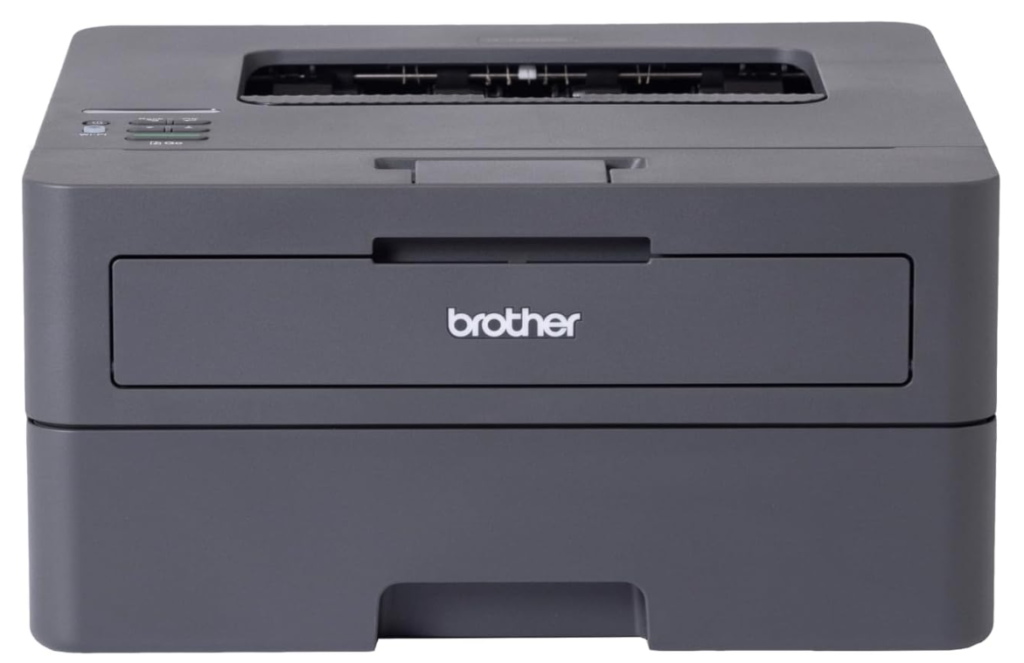
Thirty-two pages a minute, automatic two-sided printing, a 250-sheet tray and no scanner at all. It prints, and that is the whole specification.
This is the only listing of the eight that publishes its consumable yields: a 1200-page starter toner in the box, with replacements rated at 1200 and 3000 pages. That means running cost can be calculated from the source rather than estimated, which is not true of anything else here.
Being print-only rules it out as a single household machine if anything needs scanning or copying. Laser toner also does not dry out between uses, which suits a printer that sits idle for weeks and then has to work.
Pros
- Publishes real toner yields at 1200 and 3000 pages
- 32 ppm, by far the fastest here
- Automatic duplex and a 250-sheet tray
- Toner does not dry out when idle
Cons
- No scanner or copier at all
- Mono only, no colour printing
Key specs: Mono laser, print only, up to 32 ppm, automatic duplex, 250-sheet tray, wireless. In-box starter toner rated to 1200 pages, replacements rated at 1200 and 3000 pages
CHECK ON AMAZON3. Epson Expression Home XP-4200 – Best Cartridge Economy
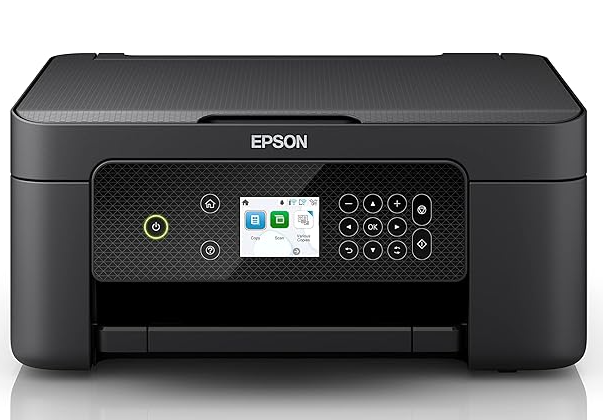
Four individual cartridges, one for each colour, rather than a single tri-colour unit. Print speed is 8.4 pages a minute in black and 4.3 in colour, with double-sided printing and a 2.4-inch colour screen.
Separate cartridges are the difference between replacing one colour and replacing three. A tri-colour cartridge is finished when any single colour runs out, so a drained magenta discards usable cyan and yellow with it, and the listing itself makes this point.
Speed is modest and this is not a machine for volume. It suits a household printing intermittently in colour, where the waste from tri-colour cartridges does the most damage relative to how little gets printed.
Pros
- Four individual cartridges, replace only what runs out
- Double-sided printing at this level
- 2.4 inch colour screen
- Works with or without a network
Cons
- 8.4 ppm is slow for multi-page jobs
- No cartridge yield published on the listing
Key specs: Compact 3-in-1 inkjet, 8.4 ppm black and 4.3 ppm colour, four individual ink cartridges, double-sided printing, 2.4 in colour LCD, Wi-Fi and Wi-Fi Direct
CHECK ON AMAZON4. Epson Workforce Pro WF-3825 – Best for Higher Volume
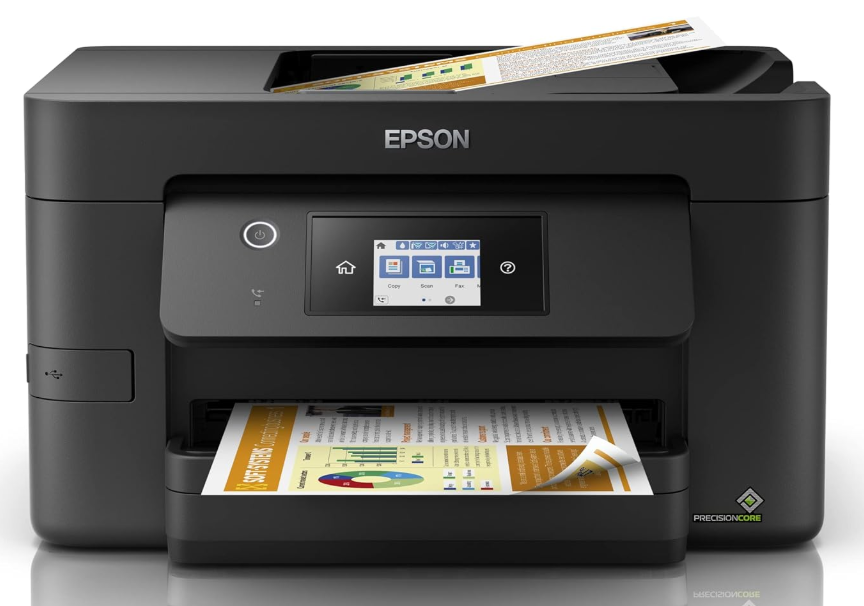
Twenty-one pages a minute in black, a 250-sheet paper capacity, a 35-page automatic document feeder and automatic two-sided printing. High-capacity XL cartridges are offered as an option.
The combination of a deep paper tray, an ADF and duplex is what actually reduces cost at a few hundred pages a month, because it cuts both the refill interval and the paper used. XL cartridges extend the interval further, though the listing gives no yield figure for them.
One correction worth making: this appears under a laser printer heading on the listing, but it is an inkjet. Anyone shopping specifically for laser should keep looking.
Pros
- 21 ppm with a 250-sheet tray
- 35-page automatic document feeder
- Automatic duplex printing
- XL high-capacity cartridges available
Cons
- Filed under laser on the listing despite being an inkjet
- No XL cartridge yield published
Key specs: Inkjet multifunction, 21 ISO ppm black and 11 ppm colour, 250-sheet capacity, 35-page ADF, automatic duplex, optional XL high-capacity cartridges
CHECK ON AMAZON5. HP Envy 6531e – Best Paper Economy
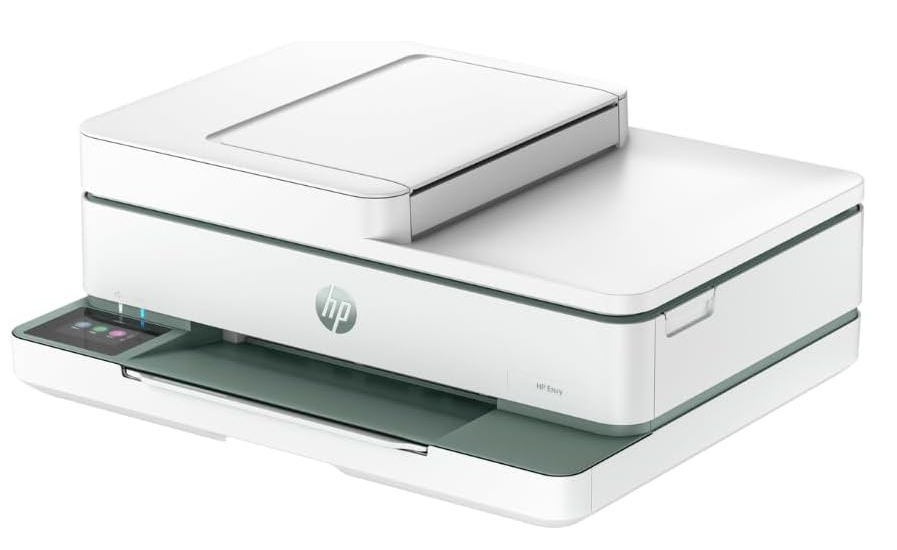
An automatic document feeder and automatic two-sided printing, plus mobile fax, on the cheapest machine here to offer both. Cartridge recycling satchels are included in the box.
Paper is the half of running cost that cheap-printer comparisons usually ignore, and automatic duplex halves it on any multi-page job. Combined with the ADF for scanning stacks, this is the machine that reduces the consumable you buy most often without thinking about it.
The listing states that HP+ requires an account, and the machine is eligible for per-page ink subscription rather than buying cartridges outright. Whether that is cheaper depends entirely on monthly volume, so it is worth working out before signing up.
Pros
- ADF and automatic duplex on the cheapest machine here to have both
- Cartridge recycling satchels included
- Energy Star certified
- Self-healing wireless
Cons
- HP+ requires an account to enable features
- No ppm or cartridge yield published
Key specs: Inkjet all-in-one with print scan copy and mobile fax, automatic document feeder, automatic duplex, HP+ enabled, subscription eligible, Energy Star certified
CHECK ON AMAZON6. HP DeskJet 2922 – Best Subscription Entry
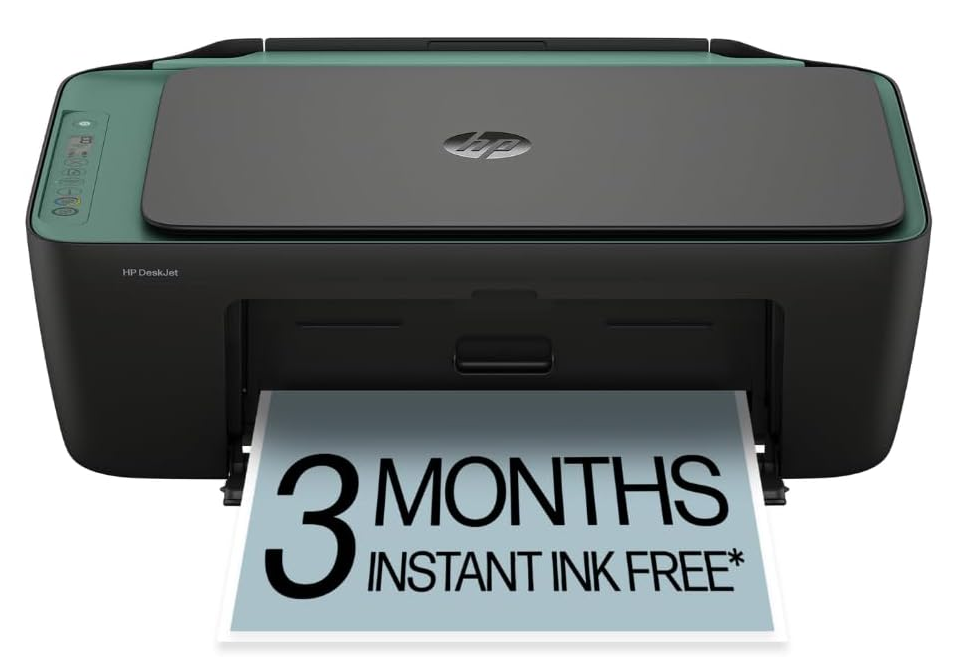
Seven and a half pages a minute in black, dual-band wireless, an icon display, and three months of per-page ink subscription bundled in the box.
A subscription charges by page printed rather than by cartridge bought, which suits genuinely low volume better than any cartridge arrangement does. Bundling three months makes the arithmetic testable before committing to it, which is unusual at this level.
Once the included period ends the calculation changes, and a subscription priced for a monthly allowance is poor value for anyone printing well under it. Read it as a low-volume machine with a trial attached rather than a cheap machine with free ink.
Pros
- Three months of per-page ink included
- Dual-band wireless
- Second cheapest machine listed
- Print, scan and copy in one unit
Cons
- 7.5 ppm is slow
- Subscription value depends entirely on monthly volume
Key specs: Inkjet all-in-one, up to 7.5 ppm black and 5.5 ppm colour, dual-band Wi-Fi, icon LCD, three months per-page ink subscription bundled
CHECK ON AMAZON7. Canon TR4665 – Best Home Office Basics
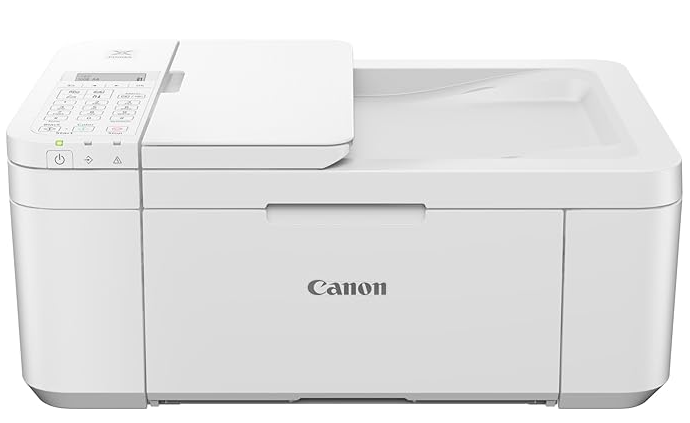
Automatic two-sided printing and a fax function on a multifunction inkjet, which is the traditional small-office feature set at a household price.
Fax remains a requirement in parts of Australian healthcare, legal work and government paperwork, and it is the feature that disappears first from cheap printers. Getting it alongside automatic duplex is the reason this machine exists.
This is the least informative listing of the eight, running to three bullet points with no print speed, no cartridge yield and no connectivity detail. Every running-cost figure for it has to come from the manufacturer’s own documentation instead.
Pros
- Automatic duplex and fax together
- Multifunction print, scan and copy
- Compact home office footprint
- Established cartridge availability
Cons
- Listing publishes almost no specifications
- No print speed or yield figures stated
Key specs: Inkjet multifunction home office printer with automatic two-sided printing and fax. Listing does not state print speed, cartridge yield or connectivity detail
CHECK ON AMAZON8. Canon PIXMA TS3660 – Cheapest to Buy, Dearest to Feed
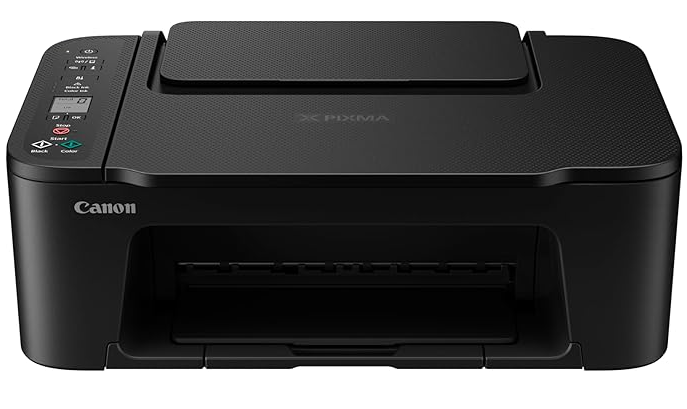
Seven point seven images a minute in black and four in colour, wireless printing, a small monochrome segment display, and a borderless photo in 65 seconds. It is the cheapest machine in this guide to buy.
It is also a two-cartridge tri-colour design, which is historically the most expensive arrangement per page there is. One colour running out retires the whole colour cartridge, and there is no tank to refill or high-yield option to move to.
That combination makes it genuinely the right answer for one specific reader: someone printing a handful of pages a year, for whom the machine will always cost more than the ink. For anyone else the arithmetic turns against it within months.
Pros
- Cheapest machine in this guide to buy
- Print, copy and scan in one unit
- Borderless photo printing
- Wireless and mobile printing
Cons
- Tri-colour cartridge is the dearest arrangement per page
- No yield or cost per page published
Key specs: Inkjet all-in-one, 7.7 ipm black and 4 ipm colour, wireless and mobile printing, 1.5 in monochrome segment LCD, two-cartridge tri-colour design
CHECK ON AMAZONHow to Choose a Cheap Printer
Count your pages a year before comparing anything. A household printing a ream a year has a completely different answer to one printing a ream a month. Below roughly a hundred pages a year the machine dominates the cost and the cheapest purchase wins; above a ream a year the ink dominates and it stops winning.
Find the ink system before the price. Refillable tanks are cheapest per page, laser toner next, individual cartridges after that, and tri-colour cartridges last by a wide margin. This single attribute predicts running cost better than brand, speed or price does.
Treat a missing yield figure as information. Only one listing in this guide publishes what its consumables are rated for. Where a yield is absent, look it up against the specific cartridge or toner code on the manufacturer’s own site before buying, because the gap between a standard and a high-yield version is often more than double.
Count automatic duplex as a consumable saving. Paper is the supply bought most often and thought about least. Automatic two-sided printing halves it on multi-page jobs, where manual duplex means turning every sheet and is quietly never used.
Work out whether a subscription suits your volume or the seller’s. Per-page ink plans charge a monthly allowance whether it is used or not, which beats cartridges at steady moderate volume and loses badly at low or erratic volume. Print a typical month first, then decide. If the printer is going into a home office being set up properly, the same reasoning applies to the ergonomic office chairs question, where the cheapest purchase and the best long-term value are rarely the same item.
Remember that inkjets dry out and lasers do not. A printer used a few times a year will clog its own print head between jobs, and the cleaning cycles that fix it consume ink. For genuinely intermittent use, a mono laser wastes nothing sitting idle. Australian Consumer Law guarantees apply regardless of the written warranty, and a print head failing well inside a reasonable lifespan is a fault under that law rather than a consumable.
Frequently Asked Questions
Is an ink tank printer cheaper than a cartridge printer?
Per page, substantially. Ink bottles cost a fraction per millilitre of the same ink sold in a cartridge, because a cartridge price includes a print head and a chip that are discarded each time. The machine costs more up front, so the crossover depends on volume, and regular printing reaches it quickly.
Are laser printers cheaper to run than inkjets?
For black text, generally yes. Toner yields are quoted in the thousands of pages where ink cartridges are quoted in the hundreds, and toner does not dry out between jobs. Laser loses on colour photo quality and mono laser machines often have no scanner.
What is a good cost per page for a home printer?
Compare the ratio rather than chasing a figure, since ink prices move. A mono laser is typically several times cheaper per black page than a tri-colour inkjet, and a refillable tank is cheaper again. Work it out by dividing the consumable price by its rated page yield.
Do printer ink subscriptions actually save money?
They save money at steady moderate volume and lose it at low or erratic volume, because the monthly allowance is charged whether or not it is used. Print a normal month first, count the pages, then compare that against the plan tier rather than accepting the bundled trial as a guide.
Why do cheap printers cost more to run?
Because the machine is sold close to cost and the margin sits in the consumables. The cheapest printers use tri-colour cartridges, which retire all three colours when any one runs out, and they rarely offer a high-yield option, so the cost per page stays high for the life of the machine.
Do inkjet printers dry out if they are not used?
Yes. The print head clogs when ink sits still, and the automatic cleaning cycles that clear it consume ink, so an inkjet used a few times a year wastes ink simply by being switched on. A mono laser has no liquid ink and loses nothing while idle.
The Verdict
Only two of these are genuinely cheap printers; the rest are cheap purchases. For any household printing more than a ream a year, the HP Smart Tank 5105 refills from bottles instead of cartridges, which is the single largest lever on cost per page available at this level. Where the printing is black text and volume matters more than colour, the Brother HL-L2445DW is the only machine here that publishes its toner yields, so its running cost can be calculated rather than guessed at. And if the printer will genuinely sit unused for months at a time, the Canon PIXMA TS3660 is the cheapest way to own one, provided you accept that every page it prints is among the dearest in this guide.